Introduzzjoni
This manual provides detailed instructions for the installation, operation, and maintenance of your ESSGOO Car Stereo Single Din 7 Inch Flip Out MP5 Player. Please read this manual thoroughly before using the product to ensure proper function and to prevent damage. Keep this manual for future reference.
Informazzjoni dwar is-Sigurtà
- Always operate the vehicle safely. Distracted driving can lead to accidents.
- Do not attempt to install or repair the unit yourself if you are not qualified. Consult a professional installer.
- Ensure all wiring is correctly connected to prevent short circuits or damage to the unit and vehicle electrical system.
- Żomm il-volum f'livell li jippermettilek tisma' l-ħsejjes tat-traffiku ta' barra.
- Evita li tesponi l-unità għal temperaturi estremi, dawl tax-xemx dirett għal perjodi twal, jew umdità eċċessiva.
Kontenut tal-Pakkett
Ivverifika li l-oġġetti kollha huma preżenti fil-pakkett:

Immaġni: Fuqview of the ESSGOO Car Stereo package contents, showing the main head unit, power cables, a remote control, mounting brackets, the user manual, and a rearview kamera.
- Main Head Unit (Single Din with 7-inch Flip Out Screen)
- Ċinga tal-Kejbil tal-Enerġija
- Kontroll mill-bogħod
- Brazzi tal-Immuntar (2 biċċiet)
- Manwal għall-Utent
- Waraview Kamera
Prodott Overview
Dimensions and Panel Layout
Image: Detailed diagram illustrating the physical dimensions of the car stereo unit, along with labeled diagrams of the front panel controls (Power/Mode, Mic hole, Volume, Band switching, USB charging, USB playback, Reset, TF card slot, Aux Input, Previous/Next track, Homepage, Mute button, Sound effect settings) and the rear panel connections (Video output, Left channel output, Video input, Radio antenna, Reversing video input, 20P power plug, Right channel output).
The unit features a single DIN chassis with a 7-inch motorized flip-out capacitive touch screen. The front panel includes essential controls and ports for easy access, while the rear panel provides all necessary connections for power, speakers, and external devices.
- Kontrolli tal-Panew ta' Quddiem: Power/Mode button, Microphone hole, Volume knob, Band switching/Auto search for radio, USB charging port, USB playback port, Reset button, TF card slot, Aux Input, Previous/Next track buttons, Homepage button, Mute button, Sound effect settings.
- Konnessjonijiet tal-Panew ta' wara: Video output (1 & 2), Left channel output, Video input, Radio antenna input, Reversing video input, 20P power plug, Right channel output.
Setup u Installazzjoni
Professional installation is recommended for this product. Incorrect wiring can cause damage to the unit or your vehicle.
Dijagramma tal-Wiring
Refer to the detailed wiring diagram provided in the package and on the product overview image for correct connections. Ensure all wires are securely connected and insulated.
Immuntar
Install the single DIN chassis into your vehicle's dashboard opening. Use the provided mounting brackets to secure the unit. The screen can be rotated 100 degrees for optimal viewing angle after installation.

Image: Illustration demonstrating the 100-degree rotational adjustment of the car stereo's screen and the process of installing the single DIN unit into a vehicle's dashboard.
Istruzzjonijiet Operattivi
Operazzjoni Bażika
- Power On/Off: Press the Power/Mode button to turn the unit on or off.
- Kontroll tal-Volum: Dawwar il-pum tal-volum biex taġġusta l-livell tal-awdjo.
- Għażla tal-Modalità: Press the Mode button to cycle through available sources (Radio, USB, TF, Bluetooth, Aux, CarPlay/Android Auto).
Radju (FM)
Select the FM radio mode. Use the band switching button to change frequency bands. Press the auto search button to scan and save available stations. Manual tuning is also available.
Konnettività Bluetooth

Image: The car stereo screen showing a Bluetooth hands-free calling interface, with a smartphone displaying an incoming call, illustrating the hands-free communication feature.
Pair your smartphone with the car stereo via Bluetooth for hands-free calling and audio streaming. Access the Bluetooth menu on the stereo, enable Bluetooth on your phone, and select the stereo from the list of available devices. Confirm pairing on both devices.
Apple CarPlay u Android Auto

Image: The car stereo screen showcasing the Apple CarPlay interface with its grid of application icons, alongside smaller images depicting both Android Auto and Apple CarPlay running on mobile phone screens, highlighting compatibility.
Connect your compatible iPhone or Android smartphone via USB to access Apple CarPlay or Android Auto. This allows you to use navigation, make calls, send messages, and listen to music through the stereo's interface, often with voice commands like "Hey Siri" or "OK Google."
Funzjoni ta' Link tal-Mera
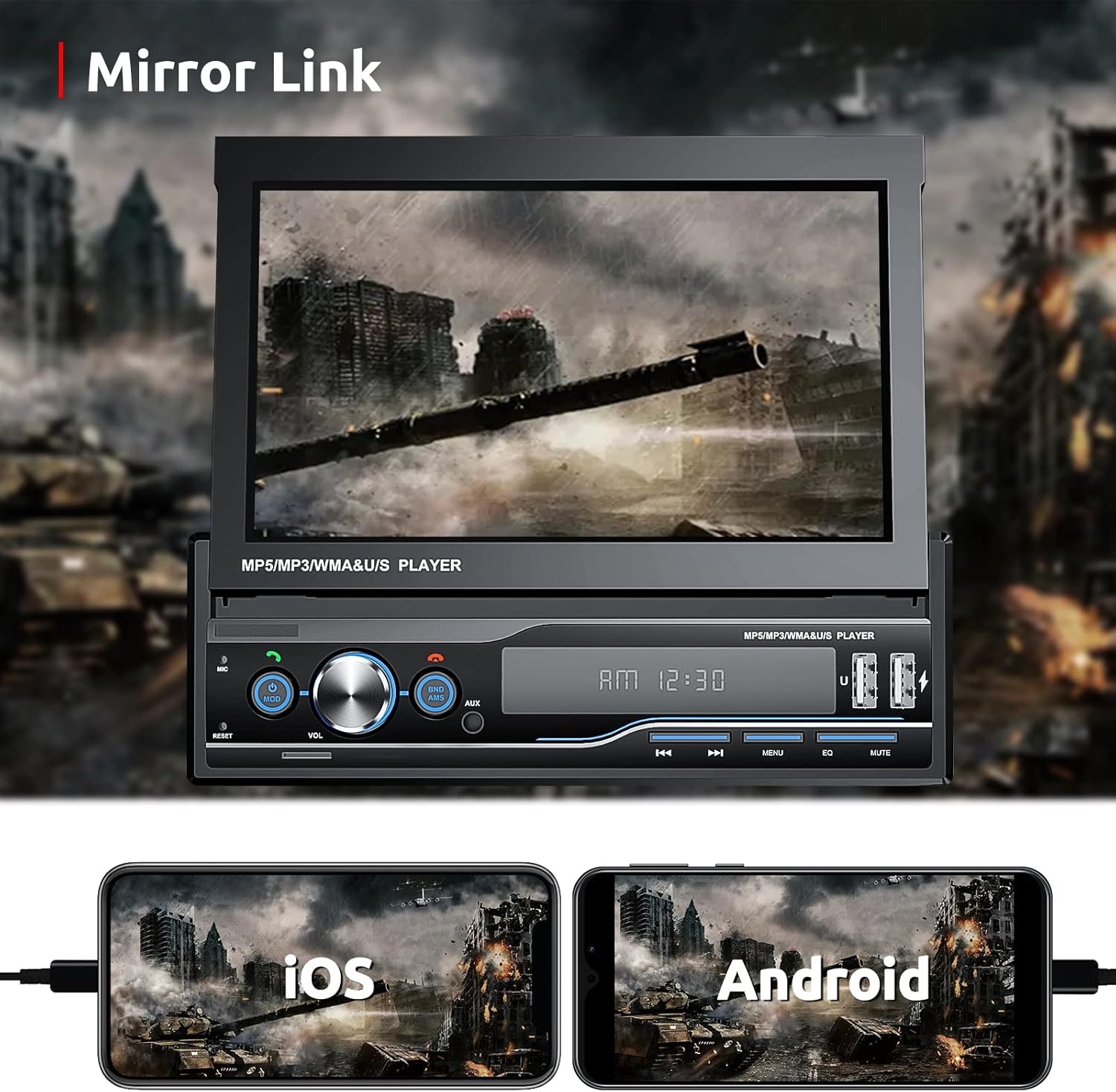
Image: The car stereo screen mirroring content from a smartphone, specifically a video game, with additional images showing iOS and Android phones connected for the Mirror Link function.
The Mirror Link feature allows you to display your smartphone's screen directly onto the car stereo's display. Connect your phone via USB and follow the on-screen prompts to activate Mirror Link. This feature supports both iOS and Android devices.
Waraview Input tal-Kamera

Image: The car stereo screen showing a live feed from a rearview camera, complete with dynamic parking guidelines, as a vehicle maneuvers in a parking garage.
When properly installed, the rearview il-kamera turi awtomatikament in-naħa ta' wara view on the screen when the vehicle is shifted into reverse, aiding in parking and maneuvering.
Kontroll tal-Istering Wheel (SWC)

Image: The car stereo screen displaying a configuration menu for steering wheel controls, allowing users to assign various functions, with an inset showing a steering wheel's control buttons.
If your vehicle supports steering wheel controls, you can connect them to the stereo to operate functions like volume, track changes, and call answering directly from your steering wheel. Refer to the wiring diagram for SWC connections and the stereo's settings menu for programming.
Daqq tal-Kard USB/TF
Insert a USB drive or TF card into the designated port/slot. The unit will automatically detect and play compatible audio and video files. Use the on-screen controls or physical buttons to navigate media.
Funzjoni ta' Skrin Maqsum

Image: The car stereo screen demonstrating a split-screen feature, showing a phone dialer interface on the left side and a map navigation application on the right side.
The unit supports a split-screen function, allowing you to view two applications simultaneously, such as navigation and music playback, or a phone interface and a map.
Manutenzjoni
- Tindif: Uża drapp artab u niexef biex tnaddaf l-iskrin u l-unità. Tużax prodotti tat-tindif jew solventi li joborxu.
- Kura tal-Iskrin: Avoid pressing the screen with sharp objects.
- Temperatura: Do not leave the unit in direct sunlight or extreme temperatures for extended periods.
Issolvi l-problemi
| Problema | Kawża Possibbli | Soluzzjoni |
|---|---|---|
| Ebda qawwa | Wajers mhux korretti; Fjus maħruq | Check power connections; Replace fuse if necessary. |
| L-ebda ħoss | Volume too low; Speaker wires disconnected; Incorrect audio settings | Increase volume; Check speaker connections; Adjust audio settings. |
| Il-Bluetooth mhux qed jgħaqqad | Bluetooth mhux attivat; Apparat mhux fil-modalità ta' tqabbil; Interferenza | Ensure Bluetooth is on for both devices; Put stereo in pairing mode; Try pairing in a different location. |
| CarPlay/Android Auto mhux qed jibda | Faulty USB cable; Phone not compatible; App not installed | Use a high-quality USB cable; Ensure phone compatibility; Install CarPlay/Android Auto app on phone. |
| Waraview il-kamera ma turiex | Camera not connected; Reverse trigger wire not connected | Check camera wiring; Ensure reverse trigger wire is correctly connected to vehicle's reverse light circuit. |
| Unit glitches or restarts randomly | Power instability; Software issue | Ensure stable power supply; Perform a factory reset (refer to settings menu); Contact support if issue persists. |
Speċifikazzjonijiet
| Karatteristika | Dettall |
|---|---|
| Dimensjonijiet tal-Prodott | 10.24 x 8.27 x 3.74 pulzieri (26 x 21 x 9.5 ċm) |
| Piż tal-oġġett | 3.47 liri (1.57 kg) |
| Numru tal-Mudell tal-Oġġett | G02#807-220924 |
| Brand | ESSGOO |
| Teknoloġija tal-Konnettività | Awżiljarju, Bluetooth, RCA, USB |
| Tip ta' Kontrollur | Android (kompatibbli ma' Android Auto) |
| Karatteristika Speċjali | Touchscreen, Flip Out Display, Apple CarPlay, Android Auto, Mirror Link, Rearview Camera Support, Steering Wheel Control |
| Apparati Kompatibbli | Smartphone |
| Portijiet HDMI totali | 1 (for video output) |
| Tip ta' Konnettur | 3.5mm Jack, USB |
| Modalità tal-Ħruġ tal-Awdjo | Stereo |
| Qawwa tal-Ħruġ | 60 Watts |
Garanzija u Appoġġ
ESSGOO provides a Assigurazzjoni tal-Kwalità ta' Sena għal dan il-prodott.
For technical assistance, troubleshooting, or any questions regarding your ESSGOO Car Stereo, please contact ESSGOO Support. Our professional technical team is available to provide high-quality after-sales solutions.
Ikkuntattja l-Appoġġ: Via Amazon Messages.


