1. Prodott Aktarview
The ROCAM CR1002 DAB Digital Alarm Clock Radio is a versatile device designed for various environments such as bedrooms, offices, and kitchens. It features a unique spherical design and integrates multiple functions including DAB/DAB+/FM radio, dual alarms, a 7-color night light, and USB charging ports.
Il-karatteristiċi ewlenin jinkludu:
- DAB/DAB+/FM Digital Radio for clear audio reception.
- Dual Alarm settings with adjustable volume and choice of buzzer, DAB, or FM tones.
- 7-Color Night Light for ambient lighting.
- Snooze function for additional sleep time.
- USB-A and USB-C charging ports for external devices.
- Luminożità tal-wiri aġġustabbli.
- Funzjoni Sleep Timer.
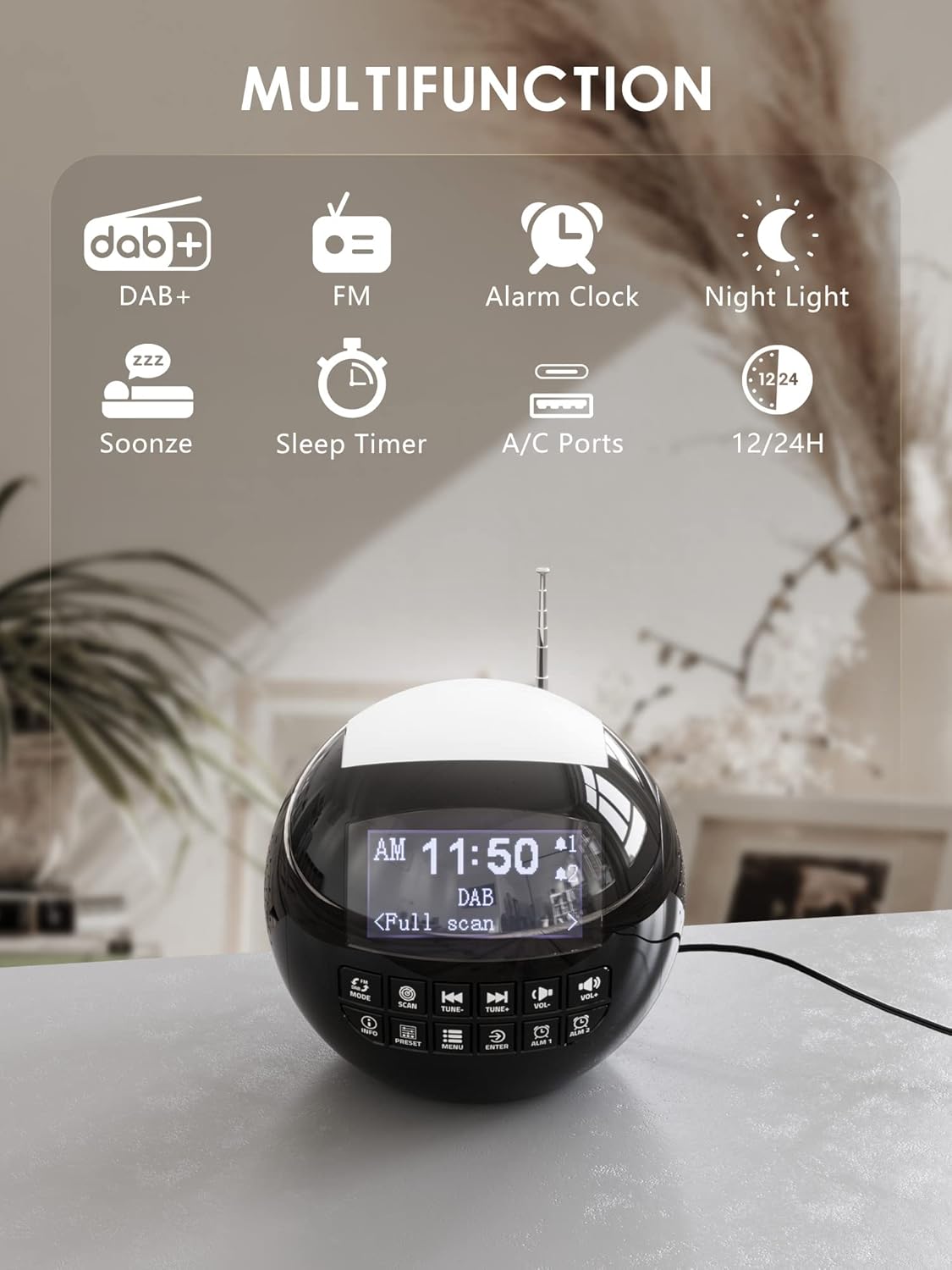
Immaġni 1.1: Fuqview of the ROCAM CR1002 DAB Digital Alarm Clock Radio highlighting its multifunction capabilities including DAB+, FM radio, alarm clock, night light, snooze, sleep timer, and USB-A/USB-C charging ports.
2. Informazzjoni dwar is-Sigurtà
- Kun żgur li l-apparat jitqiegħed fuq wiċċ stabbli u ċatt.
- Tesponix l-apparat għall-ilma, umdità, jew temperaturi estremi.
- Evita li timblokka l-fetħiet tal-ventilazzjoni.
- Use only the provided power adapter or a compatible one.
- Żomm fejn ma jintlaħaqx mit-tfal.
- Tippruvax tiżżarma jew issewwi l-unità int stess. Ikkuntattja persunal tas-servizz kwalifikat.
3. Setup
3.1 Konnessjoni tal-Enerġija
- Qabbad l-adapter tal-enerġija mal-port DC IN fuq wara tal-arloġġ tal-allarm.
- Plug the power adapter into a standard wall outlet (220 Volts).
- L-apparat jinxtegħel u d-displej jixgħel.
3.2 Installazzjoni tal-Batterija ta' Riżerva
To retain time and alarm settings during a power outage, install backup batteries.
- Sib il-kompartiment tal-batterija fil-qiegħ tal-unità.
- Iftaħ l-għatu tal-kompartiment.
- Insert 2 "AAA" batteries (not included), ensuring correct polarity (+/-).
- Agħlaq l-għatu tal-kompartiment tal-batterija sew.
3.3 Aġġustament tal-Antenna
Estendi l-antenna teleskopika kompletament għal riċeviment ottimali tad-DAB/DAB+ u tar-radju FM. Aġġusta l-pożizzjoni tagħha għall-aħjar sinjal.
4. Istruzzjonijiet Operattivi
4.1 Operazzjoni Bażika
- Power On/Off: Agħfas il- MODALITÀ buttuna biex tixgħel jew titfi l-unità.
- Aġġustament tal-Volum: Uża l- VOL- u VOL+ buttons to adjust the volume (levels 1-16).
- Il-luminożità tal-wiri: The display has 3 adjustable brightness levels. Refer to the menu settings for adjustment.
4.2 Radju DAB/DAB+
- Agħfas il- MODALITÀ buttuna biex tagħżel il-mod DAB.
- Agħfas il- SKANJA button to perform an automatic scan for available DAB/DAB+ stations. The radio will store all found stations.
- Uża l- IXXONA- u INTONA+ buttons to navigate through the stored stations.
- Agħfas INFO biex view station information (e.g., program type, signal strength).
- Biex issalva stazzjon bħala preset, agħfas u żomm il-buttuna Issettjat minn qabel buttuna, imbagħad uża IXXONA-/INTONA+ biex tagħżel numru preset (1-10) u agħfas DĦUL biex tikkonferma.
- Biex tirrevoka preset, agħfas il-buttuna Issettjat minn qabel buttuna fil-qosor, imbagħad uża IXXONA-/INTONA+ to select the desired preset and press DĦUL.

Image 4.1: The radio in DAB mode, showing the "Full scan" process to find and store available digital radio stations.
4.3 Radju FM
- Agħfas il- MODALITÀ buttuna biex tagħżel il-mod FM.
- Agħfas u żomm il- SKANJA button to automatically scan for FM stations. The radio will stop at the next strong signal.
- Inkella, uża l- IXXONA- u INTONA+ buttuni għall-irfinar manwali.
- Saving and recalling FM presets follows the same procedure as DAB presets (Section 4.2).
4.4 Issettjar tal-Allarmi
L-apparat jappoġġja żewġ allarmi indipendenti (Allarm 1 u Allarm 2).
- Agħfas u żomm jew ALM 1 or ALM 2 button to enter alarm setup.
- Użu IXXONA-/INTONA+ biex taġġusta s-siegħa, imbagħad agħfas DĦUL. Repeat for minutes.
- Select the alarm source: Buzzer, DAB, jew FM. If DAB/FM is selected, choose a preset station. Press DĦUL.
- Adjust the alarm volume (1-16) using IXXONA-/INTONA+, imbagħad agħfas DĦUL.
- Select the alarm frequency: Once, Daily, Weekdays, or Weekends. Press DĦUL biex tikkonferma.
- To activate/deactivate an alarm, briefly press ALM 1 or ALM 2Ikona ta' allarm tidher/tisparixxi fuq id-displej.

Image 4.2: Illustration of the dual alarm function with customizable wake-up sounds (FM, DAB, or Buzzer).
4.5 Funzjoni Snooze
Meta tinstema' allarm, agħfas il-buttuna l-kbira SNOOZE/NIGHTLIGHT button on top to temporarily silence the alarm for 9 minutes. The alarm will sound again after this period.

Image 4.3: The snooze function in action, providing an additional 9 minutes of sleep.
4.6 Sleep Timer
It-tajmer tal-irqad jippermetti lir-radju jdoqq għal tul ta' żmien stabbilit qabel ma jintefa awtomatikament.
- Agħfas il- MENU buttuna.
- Navigate to "Sleep Timer" using IXXONA-/INTONA+ u agħfas DĦUL.
- Select a duration from 10 to 90 minutes. Press DĦUL biex tikkonferma.
4.7 Funzjoni tad-Dawl bil-Lejl
The device features a 7-color night light.
- Briefly press the large SNOOZE/NIGHTLIGHT button on top to cycle through the 7 colors or turn the night light off.
- The night light can be used independently of the alarm function.

Image 4.4: The night light feature illuminating the top of the alarm clock in blue, one of the seven available colors.
4.8 Portijiet tal-Iċċarġjar tal-USB
The alarm clock is equipped with a standard USB-A port and a USB-C port for charging external devices.
- Connect your device's charging cable to either the USB-A or USB-C port on the back of the alarm clock.
- Ensure the alarm clock is powered on and connected to a wall outlet for charging functionality.
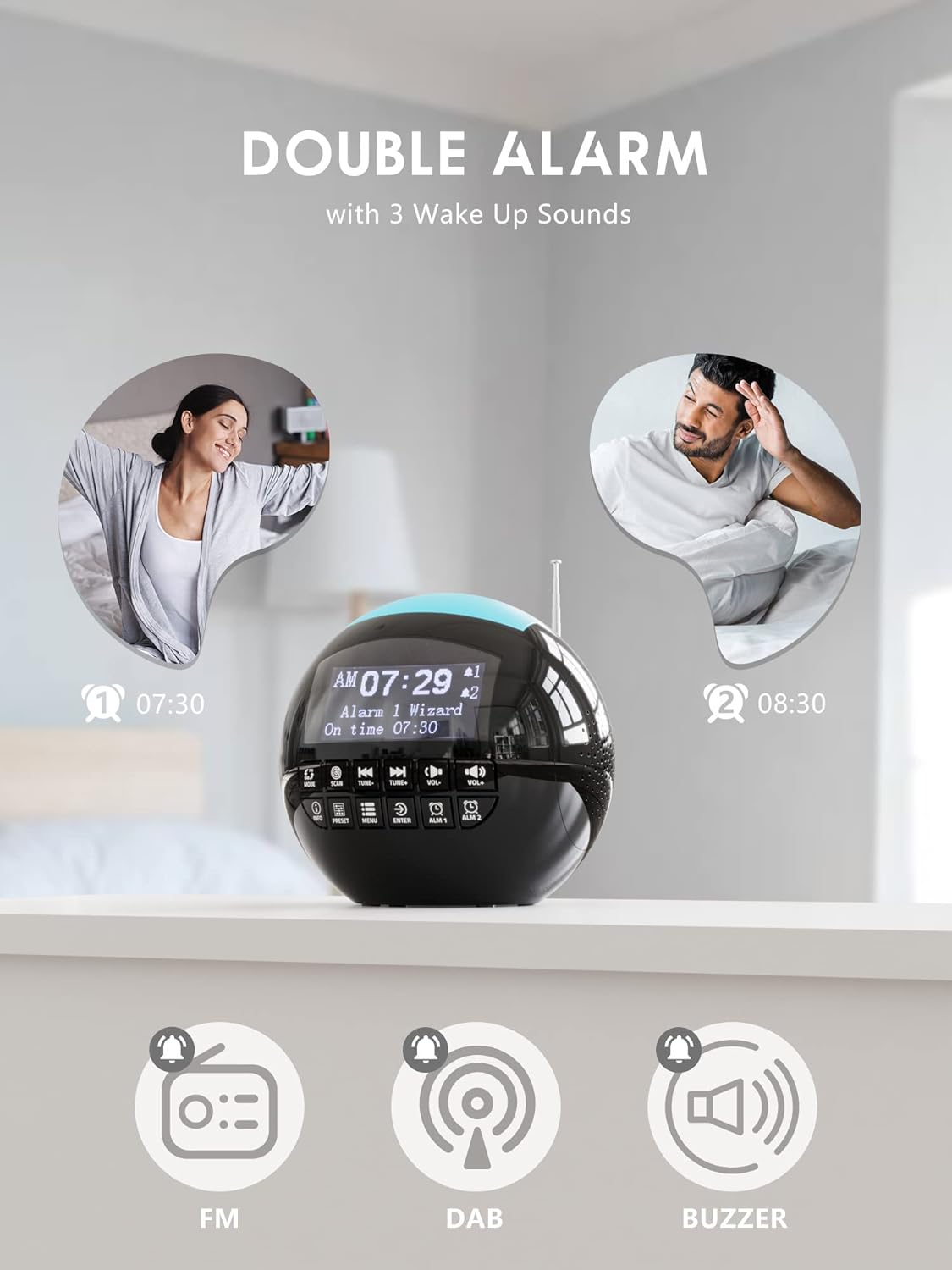
Image 4.5: The USB-A and USB-C charging ports in use, simultaneously charging a smartphone and wireless earbuds.
5. Manutenzjoni
- Tindif: Imsaħ l-unità b'ċarruta ratba u niexfa. Tużax prodotti tat-tindif jew solventi li joborxu.
- Ħażna: Jekk se taħżen l-unità għal perjodu estiż, skonnettjaha mill-elettriku u neħħi l-batteriji ta' riserva.
6 Issolvi l-problemi
| Problema | Kawża Possibbli | Soluzzjoni |
|---|---|---|
| L-unità ma tixgħelx. | Ebda konnessjoni tal-enerġija. | Kun żgur li l-adapter tal-enerġija huwa pplaggjat sew fl-unità u f'sokit tal-ħajt li jaħdem. |
| Riċeviment tar-radju fqir (DAB/FM). | L-antenna mhux estiża jew is-sinjal fiż-żona huwa fqir. | Extend the telescopic antenna fully and adjust its position. Try moving the unit to a different location. Perform a full scan for DAB stations. |
| L-allarm ma jdoqqx. | L-allarm mhux attivat jew il-volum huwa baxx wisq. | Check if the alarm icon is displayed. Ensure alarm volume is set to an audible level (1-16). Verify alarm time and frequency settings. |
| L-iċċarġjar tal-USB mhux qed jaħdem. | Unit not powered or cable issue. | Ensure the alarm clock is connected to a wall outlet. Check the charging cable for damage and ensure it is properly connected to both the alarm clock and the external device. |
| Id-displej huwa qawwi wisq/mhux ċar. | L-issettjar tal-luminożità jeħtieġ aġġustament. | Adjust the display brightness through the menu settings. |
7. Speċifikazzjonijiet
| Karatteristika | Dettall |
|---|---|
| Brand | ROCAM |
| Numru tal-Mudell | CR1002 DAB |
| Kulur | Iswed |
| Dimensjonijiet (L x W x H) | 15.9 x 3.81 x 16.2 ċm |
| Piż | 468 gramma |
| Voltage | 220 Volts |
| Materjal | Plastik |
| Tip ta 'Wiri | Diġitali |
| Karatteristiċi Speċjali | Adjustable Brightness, Radio (DAB/DAB+/FM), Dual Alarm, 7-Color Night Light, USB-A & USB-C Charging Ports, Snooze, Sleep Timer |
| Sors tal-Enerġija | Corded Elettriku |
| Batterija tal-Backup | 2 x AAA (mhux inklużi) |
8. Garanzija u Appoġġ
For warranty information or technical support, please refer to the documentation included with your purchase or contact ROCAM customer service through their official websit jew il-bejjiegħ bl-imnut minn fejn inxtara l-prodott.
Please have your model number (CR1002 DAB) and purchase details ready when contacting support.


