1. Introduzzjoni
Thank you for choosing the Vandlion Digital Voice Recorder. This compact and powerful device is designed for high-quality audio recording, perfect for lectures, meetings, interviews, and personal notes. With its user-friendly interface and robust features, capturing clear audio has never been easier. Please read this manual carefully to ensure proper operation and to maximize the device's potential.
2. Prodott Aktarview
The Vandlion V13 Digital Voice Recorder is a sleek, portable device crafted from a durable zinc alloy. It features a minimalist design with essential controls for ease of use.

Image: The Vandlion Digital Voice Recorder, showcasing id-disinn kompatt u eleganti tiegħu.
Karatteristiċi ewlenin:
- Kompatt u portabbli: Measuring approximately 0.3 x 1 x 3 inches (0.8 x 2.5 x 7.5 cm) and weighing only 37 grams, it's designed for discreet and convenient use.
- Kapaċità Kbira tal-Ħażna: Equipped with 32GB of internal memory, capable of storing up to 350 hours of recording files.
- Ħajja twila tal-batterija: Provides 20 to 25 hours of continuous recording on a full 2-hour charge.
- Kostruzzjoni Durabbli: Features a stylish zinc alloy casing għal durabilità mtejba.

Image: Visual representation of the voice recorder's dimensions (3.3 inches length, 1.0 inch width, 0.4 inch thickness) and the one-key record/save switch.
3. Nibdew
Iċċarġjar tal-Apparat:
Before first use, fully charge the voice recorder. Connect the device to a USB power source (e.g., computer USB port, USB wall adapter) using the provided USB cable. A full charge typically takes about 2 hours. The indicator light will show charging status (refer to the device's LED indicator guide in the manual for specific light behaviors).
Power On/Off:
To power on the device, slide the power switch to the 'ON' position. To power off, slide the switch to 'OFF'.
4. Operazzjoni Bażika
Reġistrazzjoni One-Touch:
The Vandlion V13 features a convenient one-touch recording function. Simply slide the recording switch to the 'REC' position to start recording. To save the recording and stop, slide the switch to the 'SAVE' position. During recording, there is no sound or light emitted from the device.

Image: Illustration of the one-touch recording operation, showing a finger sliding the switch to initiate recording.
Voice Activated Recording (V.O.R.):
The voice activation feature allows the recorder to start recording automatically when it detects sound and pause when silent or at low volume. This feature is OFF by default. Refer to the detailed manual for instructions on how to activate and configure voice activation settings. Note: Do not use voice activation for critical occasions where continuous recording is essential.
Playback with Headphones:
To listen to your recordings directly from the device, ensure the recorder is off and saved. Connect the included headphones to the device. You can then play back your recording files. During playback, briefly press the play button to pause. Long-press the previous/next track button to fast forward or rewind.

Image: The voice recorder connected to an earphone control unit and earphones, illustrating the playback setup. Also shows compatibility with Android phones and Windows/Mac computers for file ġestjoni.
5. Karatteristiċi Avvanzati
File Ġestjoni:
You can easily play, delete, rename, or transfer recording files by connecting the device to a Windows PC, Mac computer, or Android phone. Simply connect the recorder using the appropriate USB cable or adapter. The device will appear as a removable disk, allowing you to manage your files.
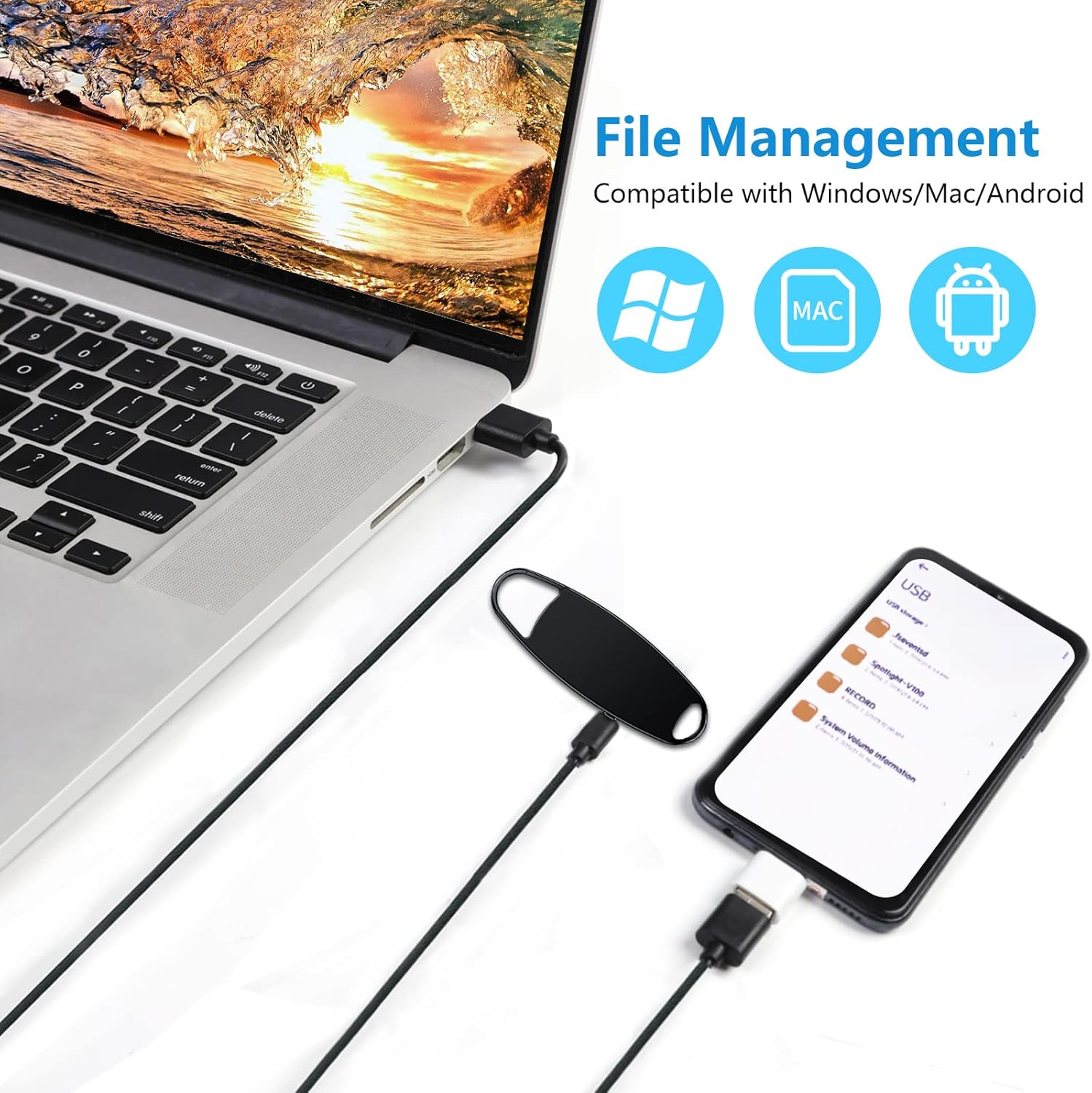
Image: The voice recorder connected to a laptop and an Android phone, demonstrating its compatibility with Windows, Mac, and Android for file ġestjoni.
Timestamp Funzjoni:
Reġistrazzjoni files are automatically named according to the date and time, making it easy to locate specific recordings. This feature helps in organizing and retrieving your audio files b'mod effiċjenti.

Image: A smartphone screen displaying recording files with names indicating year, month, day, and time, demonstrating the timestamp karatteristika.
Automatic Save on Low Battery:
The device is equipped with an automatic save function. If the battery level becomes critically low, the red indicator light will blink for a few seconds, and the current recording will be automatically saved before the device powers off. This prevents loss of important recordings.

Image: An illustration showing the voice recorder connected to a charger, with an icon sequence indicating automatic saving when the battery is low.
6. Manutenzjoni u Kura
- Żomm l-apparat niexef. Evita l-espożizzjoni għall-umdità jew likwidi.
- Tesponix l-apparat għal temperaturi estremi (sħan jew kiesaħ).
- Naddaf l-apparat b'ċarruta ratba u niexfa. Tużax kimiċi ħarxa jew prodotti tat-tindif li joborxu.
- Evita li twaqqa’ jew tissuġġetta l-apparat għal impatti qawwija.
- Store the device in a clean, dust-free environment when not in use.
7 Issolvi l-problemi
Kwistjonijiet Komuni u Soluzzjonijiet:
- Apparat mhux rikonoxxut mill-kompjuter:
- Ensure the USB cable is securely connected to both the recorder and the computer.
- Ipprova port USB differenti fuq il-kompjuter tiegħek.
- Ibda mill-ġdid il-kompjuter tiegħek u erġa' pprova ikkonnettja.
- Ensure the device is powered on when connecting to a computer for file trasferiment.
- Difficulty starting a recording:
- Ensure the recording switch is firmly slid to the 'REC' position.
- Check if the battery is charged. If the battery is low, the device may not initiate recording.
- Verify that there is sufficient storage space available on the device.
- Kwalità fqira tar-reġistrazzjoni:
- Kun żgur li l-mikrofonu mhux ostakolat.
- Record in a quiet environment to minimize background noise.
- Keep the recorder within an optimal distance from the sound source.
- Cannot hear playback through headphones:
- Ensure headphones are fully plugged into the correct port.
- Check the volume level using the control unit.
- Test with another pair of headphones to rule out faulty headphones.
8. Speċifikazzjonijiet
| Karatteristika | Speċifikazzjoni |
|---|---|
| Numru tal-Mudell | V13 |
| Dimensjonijiet | 0.8 x 2.5 x 7.5 ċm (0.3 x 1 x 3 pulzieri) |
| Piż | 37 gramma |
| Kapaċità tal-Ħżin | 32GB |
| Tip ta 'batterija | Lithium-Ion (1 meħtieġa, inkluża) |
| Ħajja tal-Batterija (Reġistrazzjoni) | Sa 25 sigħat |
| Ħin tal-Iċċarġjar | Appross. 2 sigħat |
| Format Awdjo | WAV |
| Interface | USB 2.0 |
| Apparati Kompatibbli | PC, Smartphone (Windows, Mac, Android) |
| Jack tal-headphone | 3.5 mm |
9. X'hemm fil-Kaxxa
Your Vandlion Digital Voice Recorder package includes:
- Vandlion Digital Voice Recorder (Model V13)
- Iċċarġjar USB/Kejbil tad-Data
- Earphone Control Unit
- Earphones
- Adapter USB-C
- Adapter tal-Mikro-USB
- Manwal għall-Utent

Image: All components included in the Vandlion Digital Voice Recorder package: the recorder, USB adapters, earphone control unit, earphones, USB cable, and the user manual.
10. Garanzija u Appoġġ
Vandlion is committed to providing high-quality products and excellent customer service. If you encounter any issues or have questions regarding your digital voice recorder, please do not hesitate to contact our support team. We aim to respond quickly, typically within 24 hours, to assist you with any concerns.
For support, please refer to the contact information provided in the packaging or visit the official Vandlion websit.

Image: A team of customer service representatives with headsets, symbolizing dedicated support.


