Introduzzjoni
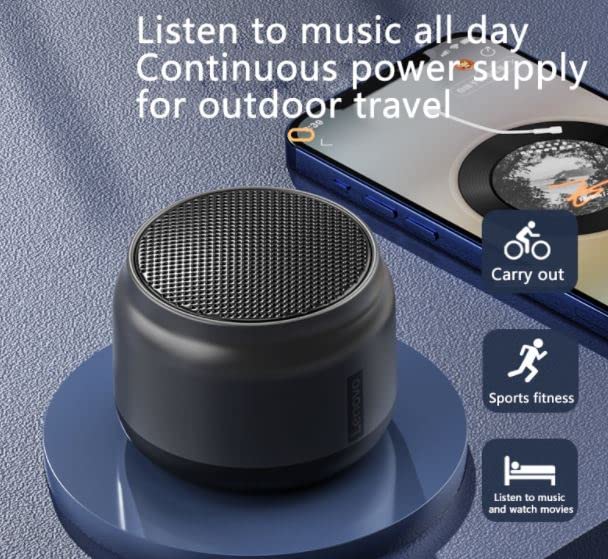
This manual provides detailed instructions for the safe and efficient use of your Lenovo K3 Wireless Bluetooth 5.0 Speaker. The Lenovo K3 is a compact and portable speaker designed for high-quality audio playback and hands-free calling, suitable for various environments including home, office, and outdoor activities.
Kontenut tal-Pakkett
Jekk jogħġbok iċċekkja l-pakkett għall-oġġetti li ġejjin:
- Lenovo K3 Bluetooth Speaker
- Cable tal-Iċċarġjar tal-USB
- Lanyard

Gwida ta' Setup
1. Iċċarġja l-Ispeaker
Before initial use, fully charge the speaker. Connect the provided USB charging cable to the speaker's charging port and the other end to a USB power adapter (not included) or a computer's USB port. The charging indicator light will illuminate during charging and turn off once fully charged.
- Ħin tal-Iċċarġjar: Madwar sagħtejn għal ħlas sħiħ.
- Ħajja tal-batterija: A fully charged 1200mAh battery provides approximately 6 hours of playing time.
2. Tixgħil / Mitfi
Biex tixgħel l-ispiker, agħfas u żomm il-buttuna tal-qawwa għal ftit sekondi sakemm tisma' sinjal li jinstema' jew tara dawl indikatur. Biex titfi, irrepeti l-proċess.
3. Tqabbil tal-Bluetooth
The Lenovo K3 speaker uses Bluetooth 5.0 for stable and efficient wireless connection.
- Ensure the speaker is powered on and in pairing mode (usually indicated by a blinking LED light).
- Fuq l-apparat awdjo tiegħek (smartphone, tablet, eċċ.), attiva l-Bluetooth u fittex apparati disponibbli.
- Select "Lenovo K3" from the list of found devices.
- Once paired, the speaker will indicate a successful connection, and the LED light will become solid.
Firxa ta 'operazzjoni: The speaker can maintain a stable connection up to 10 meters (33 feet) without obstacles.
4. Funzjoni Stereo Veru Mingħajr Fili (TWS)
For an enhanced stereo sound experience, two Lenovo K3 speakers can be paired together using the True Wireless Stereo (TWS) function.
- Ensure both Lenovo K3 speakers are powered on and not connected to any other Bluetooth device.
- On one of the speakers, press and hold the TWS pairing button (refer to the speaker's physical buttons for exact location, typically the power button or a dedicated TWS button) until you hear a pairing prompt.
- The two speakers will automatically search and connect to each other. A successful connection will be indicated by an audible prompt.
- Once the speakers are paired in TWS mode, connect your audio device to one of the speakers via Bluetooth as described in step 3.
Istruzzjonijiet Operattivi
Daqq tal-Mużika
After successfully pairing with your Bluetooth-enabled device, you can play music directly through the speaker. Use your device's controls to manage playback (play, pause, skip tracks, volume).

Sejħat Ħieles bl-Idejn
The Lenovo K3 speaker features a built-in microphone, allowing you to answer calls directly through the speaker when connected to your smartphone.
- Tweġiba għal Sejħa: Press the multi-function button (usually the play/pause button) once to answer an incoming call.
- Tmiem Sejħa: Press the multi-function button once again to end the call.
- Ċaħda ta 'Sejħa: Press and hold the multi-function button for a few seconds to reject an incoming call.

Manutenzjoni
- Tindif: Uża drapp artab u niexef biex tnaddaf il-barra tal-ispiker. Tużax prodotti tat-tindif jew solventi li joborxu.
- Ħażna: Aħżen l-ispiker f'post frisk u niexef 'il bogħod mix-xemx diretta u minn temperaturi estremi.
- Reżistenza għall-Ilma: Dan il-kelliem huwa mhux reżistenti għall-ilmaEvita l-espożizzjoni għall-ilma jew umdità eċċessiva.
- Kura tal-batterija: Biex ittawwal il-ħajja tal-batterija, evita li tiċċarġja kompletament il-batterija ta’ spiss. Iċċarġja l-ispiker regolarment, anke jekk ma jkunx qed jintuża għal perjodi twal.
Issolvi l-problemi
| Problema | Soluzzjoni Possibbli |
|---|---|
| L-ispiker ma jixgħelx. | Kun żgur li l-ispiker huwa ċċarġjat kompletament. Qabbad ma' sors ta' enerġija permezz tal-kejbil USB. |
| Ma tistax tgħaqqad ma' apparat Bluetooth. |
|
| L-ebda ħoss jew volum baxx. |
|
| Distorsjoni tal-ħoss. |
|
Speċifikazzjonijiet
| Karatteristika | Dettall |
|---|---|
| Isem tal-Mudell | K3 |
| Verżjoni Bluetooth | 5.0 |
| Medda ta' Operazzjoni | Up to 10 meters (no obstacle) |
| Kapaċità tal-batterija | Polimer tal-Litju 1200mAh |
| Ħin tal-Iċċarġjar | Madwar sagħtejn |
| Ħin tal-logħob | Madwar sagħtejn |
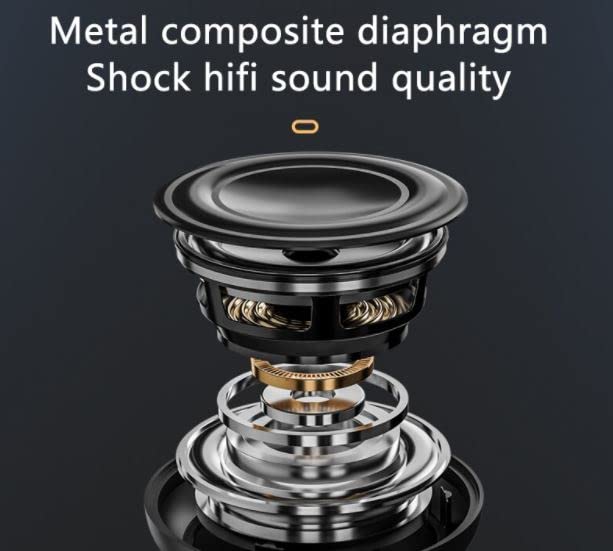
| Qawwa tal-Ħruġ tal-Ispeaker | 3W (internal magnetic horn) |
| Firxa ta' Rispons ta' Frekwenza | 100Hz-20KHz |
| Materjal | ABS, metall |
| Dimensjonijiet (LxWxH) | 8 x 8 x 8 ċm |
| Piż tal-oġġett | 250 g |
| Karatteristiċi Speċjali | Bluetooth, Portable, Wireless, Hands-free Calling, True Wireless Stereo (TWS) Function |
| Kompatibilità | Smartphones, Tablets, u apparati awdjo oħra li jaħdmu bil-Bluetooth |
Garanzija u Appoġġ
The Lenovo K3 Wireless Bluetooth Speaker comes with a 1-Sena GaranzijaJekk jogħġbok żomm l-irċevuta tax-xiri tiegħek għal talbiet ta' garanzija.
For technical support or warranty inquiries, please contact Lenovo customer service through their official website or the retailer where the product was purchased. Refer to the product packaging or Lenovo's official webis-sit għall-aktar informazzjoni ta' kuntatt aġġornata.
Secure Transaction: Your purchase is covered by secure transaction protocols.
Politika tar-Ritorn: Please refer to the retailer's returns policy for details on product returns.


