1. Prodott Aktarview
The ZIOCOM 2-in-1 Wireless Bluetooth Transmitter/Receiver is a versatile audio adapter designed to enhance your audio experience by adding Bluetooth capabilities to non-Bluetooth devices. It functions as both a transmitter (TX mode) to send audio from your TV, PC, or MP3 player to Bluetooth headphones or speakers, and a receiver (RX mode) to stream audio from your smartphone or tablet to wired speakers, car stereos, or home sound systems. Featuring Bluetooth 5.0 and aptX Low Latency technology, it ensures high-quality audio with minimal delay.

Figure 1: ZIOCOM 2-in-1 Wireless Bluetooth Transmitter/Receiver and accessories.
Kontenut tal-Pakkett:
- ZIOCOM 2-in-1 Bluetooth Transmitter/Receiver (BH045B)
- Cable Awdjo 3.5mm
- RCA għal 3.5mm Audio Cable
- Cable tal-Iċċarġjar tal-USB
- Manwal għall-Utent

Figure 2: Package contents including the device, various cables, and user manual.
2. It-Tqassim u l-Kontrolli tal-Apparat

Figure 3: Device layout with key components labeled.
- Buttuna b'diversi funzjonijiet: Power On/Off, Play/Pause, Answer/End/Reject Calls, Redial.
- Volume Up/Previous Song Button: Increase volume, navigate to previous track.
- Volume Down/Next Song Button: Decrease volume, navigate to next track.
- Buttuna ta 'tqabbil: Jibda l-modalità ta' tqabbil Bluetooth.
- Swiċċ TX/RX: Jaqleb bejn il-modi tat-Trasmettitur u tar-Riċevitur.
- Dawl Indikatur: Displays device status (pairing, connected, charging).
- Mic built-in: For hands-free calling in RX mode.
- Port tal-Iċċarġjar tat-Tip C: Għall-iċċarġjar tal-batterija interna.
- Port AUX: 3.5mm audio input/output.
3. Setup u Iċċarġjar
Iċċarġjar inizjali:
Before first use, fully charge the device. Connect the supplied USB charging cable to the Type-C charging port on the adapter and the other end to a USB power source (e.g., computer USB port, USB wall adapter). The indicator light will show charging status and turn off when fully charged. A full charge takes approximately 2 hours.
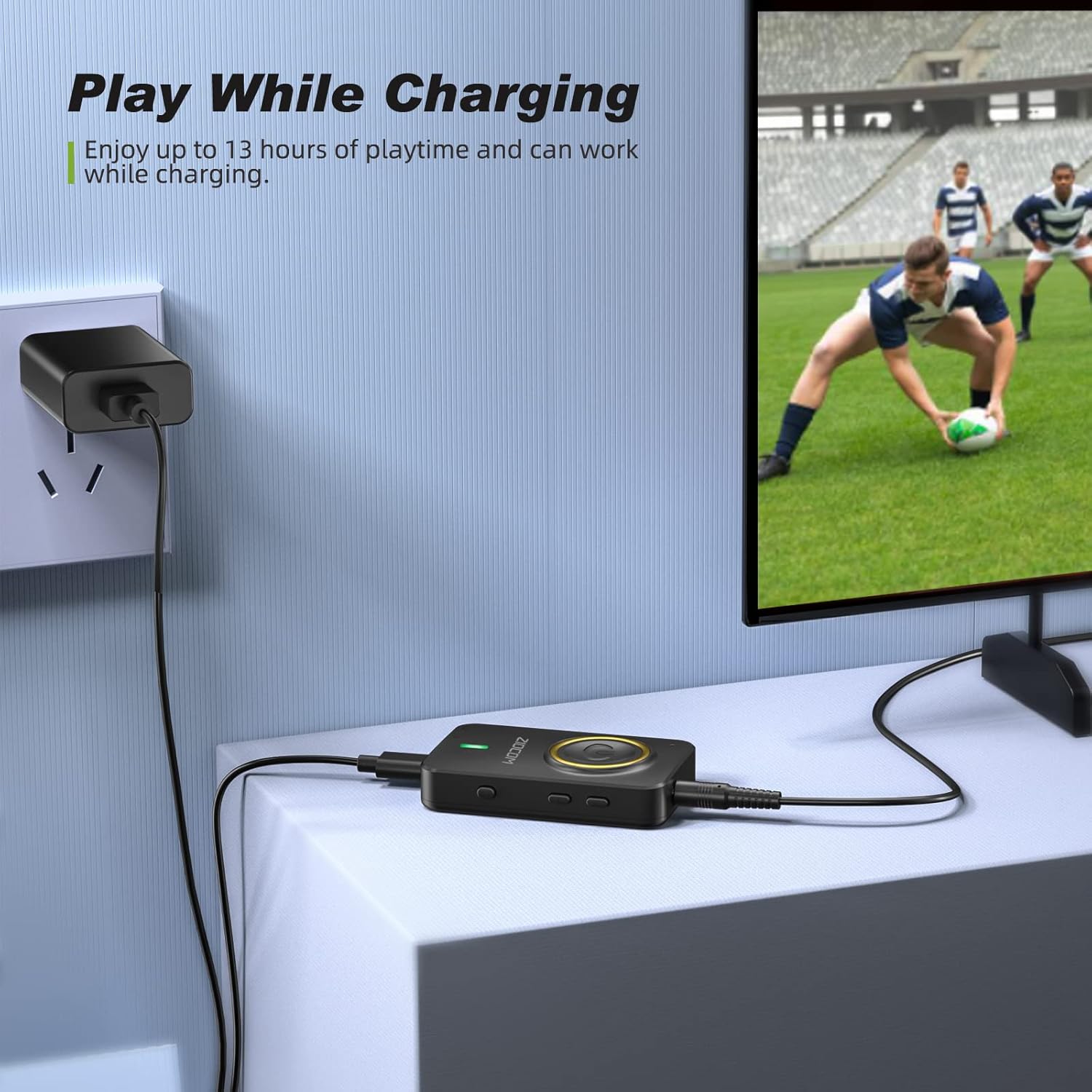
Figure 4: The device can be used while charging, providing extended playtime.
Power On/Off:
- Qawwa Mixgħul: Press and hold the Multifunction Button for 3 seconds until the indicator light turns on.
- Itfi: Press and hold the Multifunction Button for 3 seconds until the indicator light turns off.
4. Modi Operattivi
The ZIOCOM adapter supports two primary operating modes: Transmitter (TX) and Receiver (RX). Use the Swiċċ TX/RX on the side of the device to select the desired mode.

Figura 5: Aktarview of Transmitter (TX) and Receiver (RX) modes.
4.1. Transmitter (TX) Mode
In TX mode, the adapter transmits audio from non-Bluetooth devices (e.g., TV, PC, MP3 player) to Bluetooth-enabled headphones or speakers.
Setup for TX Mode:
- Ibdel l-apparat għal TX mode using the TX/RX switch.
- Connect the ZIOCOM adapter to your audio source (TV, PC, MP3 player) using the 3.5mm audio cable or the RCA to 3.5mm audio cable. Plug the 3.5mm end into the adapter's AUX port and the other end into the audio output port of your source device.
- Power on the adapter. It will automatically enter pairing mode, indicated by a rapidly flashing blue light.
- Poġġi l-headphones jew l-ispiker Bluetooth tiegħek fil-modalità ta' tqabbil.
- The adapter will automatically search for and connect to nearby Bluetooth devices. Once connected, the indicator light will turn solid blue.

Figure 6: Enjoying low latency audio from TV in TX mode. (Note: Your receiving device must also support aptX Low Latency for optimal performance.)
Dual-Link in TX Mode:
The adapter can connect to two Bluetooth headphones/speakers simultaneously in TX mode.
- Connect the first Bluetooth device as described above.
- Once the first device is connected, press the Buttuna ta' Tqabbil on the ZIOCOM adapter. The indicator light will flash rapidly again.
- Put the second Bluetooth headphone/speaker into pairing mode.
- The adapter will connect to the second device. Both devices will now receive audio simultaneously.

Figure 7: Dual-link feature allowing two Bluetooth headphones to connect to a TV.
4.2. Receiver (RX) Mode
In RX mode, the adapter receives audio from Bluetooth-enabled devices (e.g., smartphones, tablets) and plays it through wired speakers, car stereos, or home sound systems.
Setup for RX Mode:
- Ibdel l-apparat għal RX mode using the TX/RX switch.
- Connect the ZIOCOM adapter to your wired audio system (speakers, car stereo) using the 3.5mm audio cable or the RCA to 3.5mm audio cable. Plug the 3.5mm end into the adapter's AUX port and the other end into the audio input port of your wired system.
- Power on the adapter. It will automatically enter pairing mode, indicated by a rapidly flashing blue light.
- Fuq l-ismartphone jew it-tablet tiegħek, ippermetti l-Bluetooth u fittex
Dokumenti Relatati - BH045B.

ZIOCOM BT5804F Bluetooth Transmitter Receiver User Manual
Explore the ZIOCOM BT5804F Bluetooth Transmitter and Receiver. This user manual provides detailed instructions, specifications, and features for the audio adapter, including aptX Low Latency and Bypass mode.
Gwida għall-Utent tar-Riċevitur tat-Trasmettitur ZIOCOM BT5809 Bluetooth 5.0
Comprehensive user guide for the ZIOCOM BT5809, a wireless long-range Bluetooth 5.0 Transmitter, Receiver, and bypass device. Learn about product specifications, setup, operation modes (Receiver, Transmitter, Bypass), pairing, troubleshooting, and warranty information.
ZIOCOM RC02 Bluetooth Aux Adapter User Manual
User manual for the ZIOCOM RC02 Bluetooth Aux Adapter. Learn about product specifications, how to pair and use the device for wireless audio streaming and hands-free calls, troubleshooting, and maintenance. Compatible with car stereos and home audio systems.
ZIOCOM BT4853C Bluetooth 5.0 Trasmettitur Riċevitur Manwal għall-Utent
User manual for the ZIOCOM BT4853C Bluetooth 5.0 transmitter and receiver. Provides instructions on setup, operation in TX and RX modes, pairing, volume control, and troubleshooting for this wireless audio adapter.
Manwal tal-Utent tar-Riċevitur tal-Awdjo Bluetooth ZIOCOM LS01 SOUL 3 30 Pin
Manwal tal-utent għaż-ZIOCOM LS01 SOUL 3, riċevitur awdjo Bluetooth ta' 30-pin. Jipprovdi struzzjonijiet dettaljati dwar l-ispeċifikazzjonijiet, ix-xgħel/itfi, il-konnessjoni permezz ta' Aux ta' 30-pin jew 3.5mm, it-tqabbil ma' żewġ apparati, allerti ta' batterija baxxa, u informazzjoni ta' kuntatt għall-appoġġ.
ZIOCOM BT4871 Bluetooth Adapter User Manual
This manual provides instructions for using the ZIOCOM BT4871 30-pin Bluetooth adapter to upgrade Bose iPod SoundDock speakers and other 30-pin dock speakers. It covers setup, connection, troubleshooting, and product specifications.