1. Prodott Aktarview
The Oladance OWS1 Open Ear Headphones offer a unique open-ear design for comfort and situational awareness. These wireless Bluetooth 5.2 headphones feature dual 16.5mm drivers for high-quality sound and extended battery life, making them suitable for various activities.
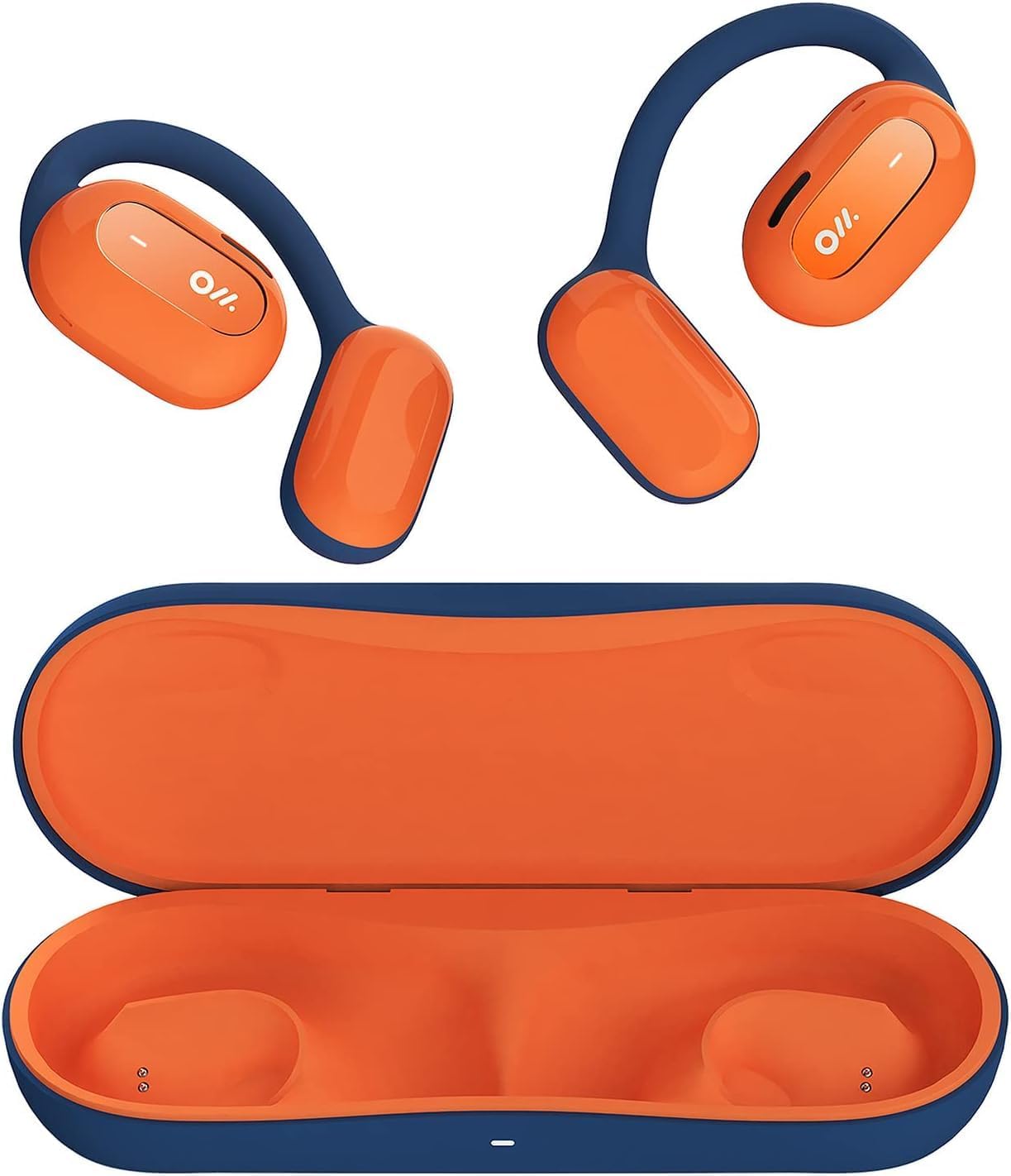
Image 1: Oladance OWS1 Open Ear Headphones and their carry case.
2. X'hemm fil-Kaxxa
- 1 × Oladance Wearable Stereo (Pair of Open Ear Headphones)
- 1 × Non-charging Carry Case
- 1 × Cable tat-Tip C
- 1 × Manwal għall-Utent
3. Karatteristiċi ewlenin
- True Open Ear Design: Earbuds rest gently on top of the ear, avoiding insertion into the ear canal for enhanced comfort and situational awareness.
- 360° Superior Sound: Equipped with dual powerful 16.5mm dynamic drivers and bio-diaphragm technology for rich, clear audio across all volume levels.
- Anti-Hearing Loss Focus: Designed to prevent common health issues associated with traditional earbuds by not blocking the ear canal, reducing pressure and potential hearing damage.
- Extended 16-Hour Playtime: Features a built-in 160mAh battery and low-consumption algorithms, providing up to 16 hours of continuous playback on a single charge. Note: A separate charging case is required for extended playtime beyond the included carry case.
- Tajjeb Sikur u Komdu: Multi-point support system distributes weight evenly across the ear, ensuring a stable and comfortable fit for various activities.

Image 2: The Oladance OWS1 headphones are designed for a secure and comfortable fit, ideal for activities like yoga.
4. Gwida ta' Setup
4.1 Iċċarġjar inizjali
Before first use, fully charge your Oladance OWS1 headphones. Connect the provided Type-C cable to the charging port on the headphones and a compatible USB power source. The LED indicator will show charging status.
4.2 Tixgħel/Jitfi
- Biex Tixgħel: Press and hold the power button (location typically on one of the earbud units) for approximately 2-3 seconds until you hear an audible prompt or see an LED indicator light up.
- Biex Tifi: Press and hold the power button for approximately 3-5 seconds until you hear an audible prompt or the LED indicator turns off.
4.3 Tqabbil tal-Bluetooth
- Kun żgur li l-headphones huma mitfija.
- Press and hold the power button for approximately 5-7 seconds until the LED indicator flashes red and blue alternately. This indicates the headphones are in pairing mode.
- Fuq l-apparat tiegħek (smartphone, tablet, kompjuter), mur fis-settings tal-Bluetooth.
- Fittex għal "Oladance OWS1" in the list of available devices.
- Select "Oladance OWS1" to connect. Once connected, the LED indicator will typically flash blue slowly or turn off, and you will hear a confirmation tone.

Image 3: The Oladance OWS1 headphones are designed for an ergonomic and stable fit during various activities.
5. Istruzzjonijiet Operattivi
5.1 Kontrolli Bażiċi
| Funzjoni | Azzjoni |
|---|---|
| Ilgħab/Pawża Mużika | Agħfas darba waħda l-buttuna Multi-funzjoni. |
| Track li jmiss | Agħfas darbtejn il-buttuna Multi-funzjoni. |
| Track Preċedenti | Agħfas tliet darbiet il-buttuna Multi-funzjoni. |
| Volum Up | Single press the Volume + button. |
| Volum 'l isfel | Single press the Volume - button. |
| Tweġiba/Tmiem Sejħa | Single press the Multi-function button during an incoming call or active call. |
| Irrifjuta Sejħa | Agħfas u żomm il-buttuna Multi-funzjoni għal żewġ sekondi waqt telefonata li tkun dieħla. |
| Attiva l-Assistent tal-Vuċi | Agħfas u żomm il-buttuna Multi-funzjoni għal 2-il sekonda. |
5.2 Konnessjoni Multi-Punti
The Oladance OWS1 headphones support multi-point connection, allowing them to be connected to two Bluetooth devices simultaneously. This enables seamless switching between devices without re-pairing.
- Ensure the headphones are paired with the first device.
- Put the headphones into pairing mode again (usually by holding the power button until the LED flashes red and blue).
- On the second device, search for "Oladance OWS1" in the Bluetooth settings and connect.
- The headphones should now be connected to both devices. Audio will automatically switch to the device playing content or receiving a call.

Image 4: The open-ear design allows for comfortable extended wear, even during work or calls.
6. Kura u Manutenzjoni
- Tindif: Use a soft, dry cloth to wipe the headphones. Avoid using harsh chemicals or abrasive materials.
- Ħażna: Store the headphones in their provided non-charging carry case when not in use to protect them from dust and damage.
- Reżistenza għall-Ilma: The headphones are water-resistant (IPX4 rated). Avoid submerging them in water or exposing them to high-pressure water jets. Dry thoroughly if they get wet.
- Temperatura: Evita li tesponi l-headphones għal temperaturi estremi (sħana jew kesħa) jew umdità għolja.

Image 5: The included carry case protects your Oladance OWS1 headphones during transport and storage.
7 Issolvi l-problemi
- Ma tistax tixgħel
- Ensure the headphones are fully charged. Connect them to a power source using the Type-C cable.
- Ma jistax Jingħaqad mal-Apparat
- Kun żgur li l-headphones jinsabu fil-modalità ta' tqabbil (l-LED jteptep aħmar u blu).
- Itfi u ixgħel il-Bluetooth tat-tagħmir tiegħek.
- Neħħi l-konnessjonijiet Bluetooth preċedenti fuq l-apparat tiegħek.
- Mexxi l-headphones eqreb lejn l-apparat tiegħek.
- Ebda Ħsejjes jew Volum Baxx
- Iċċekkja l-livelli tal-volum kemm fuq il-headphones kif ukoll fuq l-apparat konness tiegħek.
- Kun żgur li l-headphones huma konnessi sew mat-tagħmir tiegħek.
- Ipprova daqq l-awdjo minn applikazzjoni jew sors differenti.
- Konnessjoni Intermittenti
- Kun żgur li m'hemm l-ebda ostaklu bejn il-headphones u l-apparat tiegħek.
- Evita interferenza elettromanjetika qawwija.
- Keep the headphones within the effective Bluetooth range (typically 10 meters).
8. Speċifikazzjonijiet tal-Prodott
| Karatteristika | Dettall |
|---|---|
| Numru tal-Mudell | OLA02 |
| Brand | Oladance |
| Teknoloġija tal-Konnettività | Mingħajr fili (Bluetooth 5.2) |
| Tqegħid tal-widnejn | Widna Miftuħa |
| Fattur tal-Formola | Widna Miftuħa |
| Daqs tas-Sewwieq | Sewwieqa Dinamiċi Doppji ta' 16.5mm |
| Ħajja tal-Batterija (Medja) | Sa 16-il Siegħa |
| Ħin tal-Iċċarġjar | Madwar 2 Sigħat |
| Livell ta 'Reżistenza għall-Ilma | Reżistenti għall-Ilma (IPX4) |
| Format tal-Mikrofonu | Mibnija fil- |
| Tip ta' Kontroll | Kontroll tal-Midja (Buttuni) |
| Materjal | Plastik |
| Dimensjonijiet tal-Prodott | 13 x 11 x 457.2 ċm |
| Piż tal-oġġett | 260 g |

Image 6: A close-up of the Oladance OWS1 headphones, highlighting their design and color.
9. Garanzija u Appoġġ
Oladance products are covered by a limited warranty. For detailed warranty information, product support, or service inquiries, please refer to the official Oladance webis-sit jew ikkuntattja lis-servizz tal-konsumatur tagħhom direttament. Żomm il-prova tax-xiri tiegħek għal talbiet ta' garanzija.
Għal aktar għajnuna, jekk jogħġbok żur: www.oladance.com


