Introduzzjoni
The TechniSat VIOLA CR 1 is a DAB+/FM radio alarm clock designed for reliable timekeeping, radio reception, and convenient charging. This manual provides essential information for setting up, operating, and maintaining your device.

Immaġni: Quddiem view of the TechniSat VIOLA CR 1 DAB+ Radio Alarm Clock, displaying the time and radio station.
Setup
1. Żpakkjar u Kontenut
Neħħi bir-reqqa l-komponenti kollha mill-imballaġġ. Iċċekkja li l-oġġetti li ġejjin huma inklużi:
- TechniSat VIOLA CR 1 unit
- Antenna tal-virga
- Adapter tal-enerġija
- Manwal għall-utent (dan id-dokument)
2. Konnessjoni tal-Enerġija
- Connect the power adapter to the DC IN port on the rear of the VIOLA CR 1.
- Ipplaggja l-adapter tal-enerġija fi żbokk elettriku standard.
3. Konnessjoni tal-antenna
Connect the supplied rod antenna to the ANT port on the rear of the unit. Extend the antenna fully for optimal radio reception.
4. L-Ewwel Tixgħel u l-Issettjar tal-Ħin
Upon first power-on, the device will typically initiate a scan for DAB+ radio stations and automatically set the time and date. If automatic synchronization is not successful, manual time setting may be required (refer to the Operating section).

Immaġni: Wara view of the TechniSat VIOLA CR 1, highlighting the headphone jack, USB-A charging port, and DC IN power input.
Istruzzjonijiet Operattivi
1. Kontrolli Bażiċi
The VIOLA CR 1 features several buttons and a rotary knob for navigation and control. Refer to the labels on the device for specific functions such as Power, Mode, Menu, Alarm, Preset, and Volume/Select.
2. Radio Operation (DAB+ and FM)
- Modi ta' Qlib: Agħfas il- Modalità button to switch between DAB+ and FM radio.
- Skanjar tal-Istazzjon: In DAB+ mode, the device will automatically scan for available stations. In FM mode, use the tuning knob or scan function to find stations.
- Iffrankar ta' presets: Tune to your desired station, then press and hold the Issettjati minn qabel button. Select a preset number using the rotary knob and confirm. The device supports up to 30 presets.
- Filwaqt li jfakkru l-Presets: Agħfas il- Issettjati minn qabel button briefly, then use the rotary knob to select and confirm your desired preset station.

Image: The TechniSat VIOLA CR 1 displaying a DAB+ radio station, indicating its digital radio capabilities.
3. Funzjonijiet ta 'allarm
The VIOLA CR 1 supports two independent alarms, a snooze function, and a sleep timer.

Image: The TechniSat VIOLA CR 1 on a bedside table, accompanied by icons representing its comfort functions: two adjustable alarm times, wake-up via radio or signal tone, sleep timer, and snooze.
- Issettjar ta' Allarmi: Agħfas il- Allarm button. Use the rotary knob to select Alarm 1 or Alarm 2. Follow the on-screen prompts to set the alarm time, source (radio or buzzer), volume, and frequency (daily, weekdays, weekends, or once).
- Funzjoni Snooze: Meta tinstema' allarm, agħfas il-buttuna Snooze buttuna biex is-silenzju tagħha temporanjament għal perjodu stabbilit.
- Timer ta 'l-Irqad: To fall asleep to music, activate the sleep timer. This function will automatically turn off the radio after a specified duration. Access this feature via the Menu buttuna.
4. Iċċarġjar bla fili
The top surface of the VIOLA CR 1 features a wireless charging pad. Place your Qi-compatible smartphone directly on the charging pad to initiate charging. Ensure the phone is centered for optimal contact.
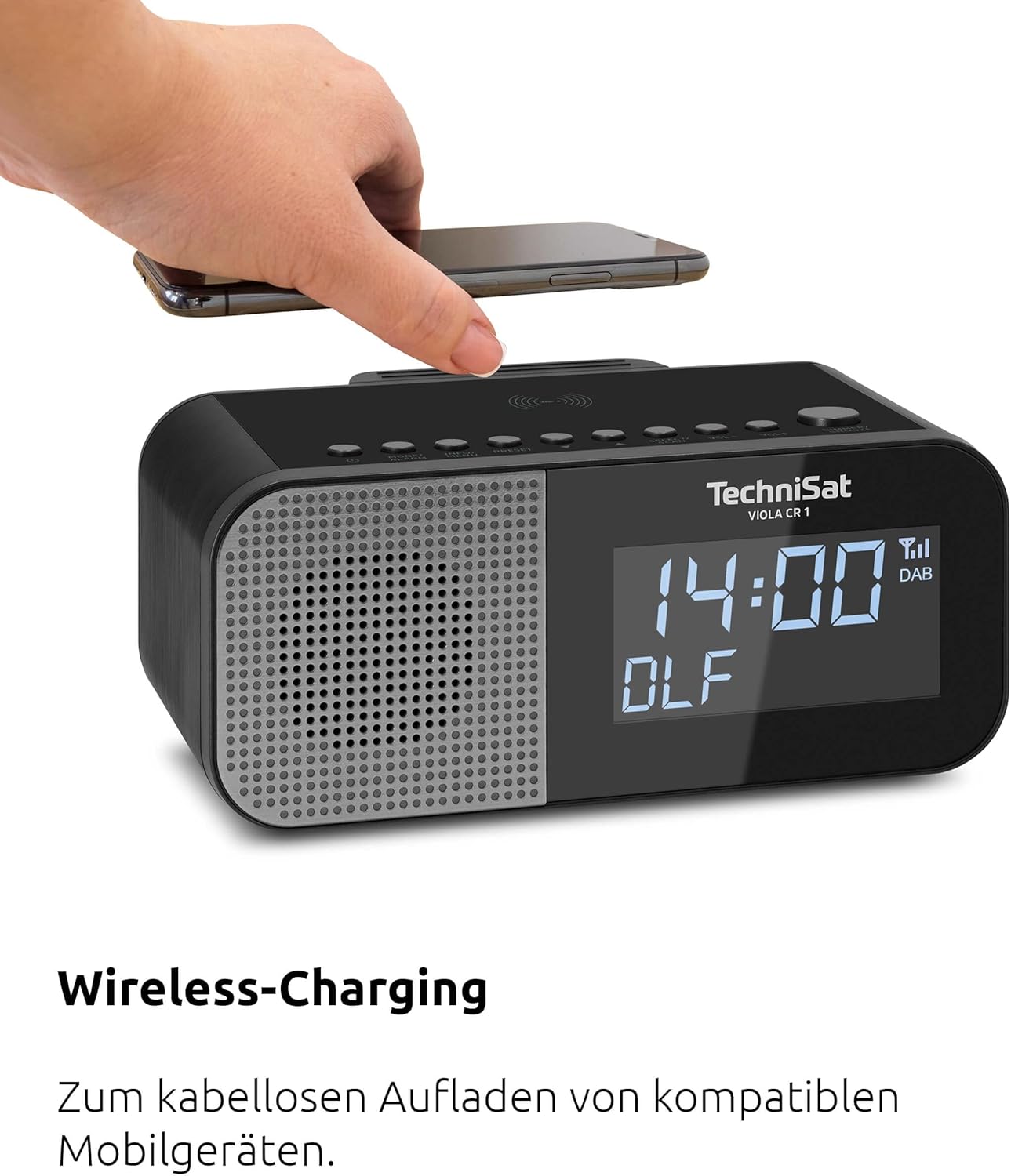
Image: A hand placing a smartphone onto the top surface of the TechniSat VIOLA CR 1, demonstrating the wireless charging function.
5. Iċċarġjar tal-USB
A USB-A port is located on the rear of the unit. Connect your smartphone or other USB-powered device using a compatible USB cable to charge it.
6. Aġġustament tal-luminożità tal-wiri
The 3.5-inch VA Crystal Clear display is dimmable. Adjust the brightness level through the device's menu settings to suit your preference, especially for nighttime use.

Immaġni: Close-up view of the TechniSat VIOLA CR 1's large, dimmable display, showing its clear readability.
7. Użu tal-Headphones
A 3.5mm headphone jack is available on the rear of the unit for private listening. Connecting headphones will mute the internal speaker.
Manutenzjoni
1. Tindif
To clean the device, use a soft, dry, lint-free cloth. Do not use abrasive cleaners, waxes, or solvents, as these can damage the surface. Ensure the device is unplugged before cleaning.
2. Kura Ġenerali
- Evita li tesponi l-unità għal temperaturi estremi, dawl tax-xemx dirett, jew umdità għolja.
- Twaqqafx il-fetħiet tal-ventilazzjoni.
- Żomm l-apparat 'il bogħod minn kampi manjetiċi qawwija.
Issolvi l-problemi
If you encounter issues with your TechniSat VIOLA CR 1, refer to the following common problems and solutions:
| Problema | Kawża Possibbli | Soluzzjoni |
|---|---|---|
| Ebda qawwa | L-adapter tal-enerġija mhux imqabbad jew is-sokit difettuż. | Kun żgur li l-adapter tal-enerġija huwa konness sew u li s-sokit jaħdem. |
| Riċeviment ħażin tar-radju | L-antenna mhux estiża jew is-sinjal fiż-żona huwa fqir. | Extend the rod antenna fully and try repositioning the unit for better signal. |
| Iċċarġjar bla fili ma jaħdimx | Smartphone not Qi-compatible or not correctly placed. | Verify smartphone compatibility and ensure it is centered on the charging pad. Remove thick cases. |
| L-allarm ma jiddoqqx | L-allarm mhux attivat jew il-volum huwa baxx wisq. | Check alarm settings and ensure alarm volume is set appropriately. |
Jekk il-problema tippersisti wara li tipprova dawn is-soluzzjonijiet, jekk jogħġbok ikkuntattja l-appoġġ għall-klijenti.
Speċifikazzjonijiet
- Ditta: TechniSat
- Mudell: VIOLA CR 1 (0000/2969)
- Tuner tar-Radju: DAB+, FM (with RDS and PLL)
- Presets: Sa 30 stazzjon
- Wiri: 3.5-inch VA Crystal Clear, dimmable LCD
- Output Awdjo: 3.3 W Mono speaker
- Funzjonijiet ta' allarm: Two independent alarms, Snooze, Sleep Timer, Wake by radio or buzzer
- Iċċarġjar: Wireless charging (Qi-compatible), USB-A charging port (5V, 1A)
- Konnessjonijiet: 3.5mm Headphone Jack, DC IN power input
- Sors tal-Enerġija: Adapter tal-enerġija esterna
- Dimensjonijiet tal-Prodott (T x G x P): 19.00 x 8.50 x 9.60 ċm
- Kulur: Black (Neutral)
- Użu Intenzjonat: Ġewwa, Kamra tas-sodda
Garanzija u Appoġġ
Garanzija tal-Manifattur
The TechniSat VIOLA CR 1 comes with a 2-year manufacturer's warranty. Please retain your proof of purchase for warranty claims. The warranty covers defects in materials and workmanship under normal use.
Appoġġ għall-Klijent
For technical assistance, troubleshooting beyond this manual, or warranty inquiries, please contact TechniSat customer support. Refer to the official TechniSat webis-sit jew l-imballaġġ tal-prodott tiegħek għall-aktar informazzjoni ta' kuntatt aġġornata.


