Introduzzjoni
Thank you for choosing the Hoco J41 Pro 10000mAh Fast Charging Power Bank. This manual provides essential information for the safe and efficient use of your device. Please read it thoroughly before operation and retain it for future reference.
Kontenut tal-Pakkett
- Hoco J41 Pro 10000mAh Power Bank
- Kejbil tal-Iċċarġjar USB (Tip Ċ)
- Manwal għall-Utent
Note: The specific type of USB cable included may vary.
Prodott Overview
The Hoco J41 Pro is a portable power bank designed for fast charging of various electronic devices. It features multiple output ports and an LED digital display for battery status.

Stampa 1: Quddiem view of the Hoco J41 Pro Power Bank, showcasing its sleek black design and the LED digital display indicating a 100% charge level. A wrist strap is visible on the left side.

Stampa 2: Angolat view of the Hoco J41 Pro Power Bank, highlighting the USB-A output port (22.5W) and the USB-C input/output port (PD 20W). The LED display shows the current battery percentage.
Karatteristiċi ewlenin:
- Kapaċità Għolja: 10000mAh (37Wh) for extended use.
- Protokolli ta' Iċċarġjar Mgħaġġel: Supports PD20W, QC, FCP/SCP, AFC, VOOC, DASH for wide compatibility.
- Portijiet Multipli: USB-A output (22.5W) and Type-C input/output (PD 20W).
- Wirja Diġitali: LED screen shows real-time battery percentage and fast charge indicator.
- Disinn kompatt: Portabbli u faċli biex iġġorr.
Setup
Iċċarġjar Inizjali tal-Power Bank:
- Connect the provided USB charging cable (Type-C) to the Type-C input port on the Hoco J41 Pro power bank.
- Connect the other end of the cable to a compatible USB wall adapter (not included) or a computer's USB port. For fastest charging, use a PD-compatible wall adapter.
- The LED digital display will show the charging progress. When the display shows "100%", the power bank is fully charged.
- Skonnettja l-kejbil ladarba l-iċċarġjar ikun lest.
Huwa rakkomandat li l-power bank jiċċarġja kompletament qabel l-ewwel użu tiegħu.
Istruzzjonijiet Operattivi
Iċċarġja tat-Tagħmir Tiegħek:
- Ensure your Hoco J41 Pro power bank has sufficient charge. Check the LED display for the current battery percentage.
- Connect your device's charging cable to the appropriate output port on the power bank (USB-A or Type-C).
- Qabbad it-tarf l-ieħor tal-kejbil mat-tagħmir elettroniku tiegħek (eż., smartphone, tablet).
- The power bank will automatically begin charging your device. The LED display may show a fast charge indicator if a compatible device and cable are used.
- Ladarba t-tagħmir tiegħek ikun iċċarġjat kompletament, skonnettja mill-bank tal-enerġija.
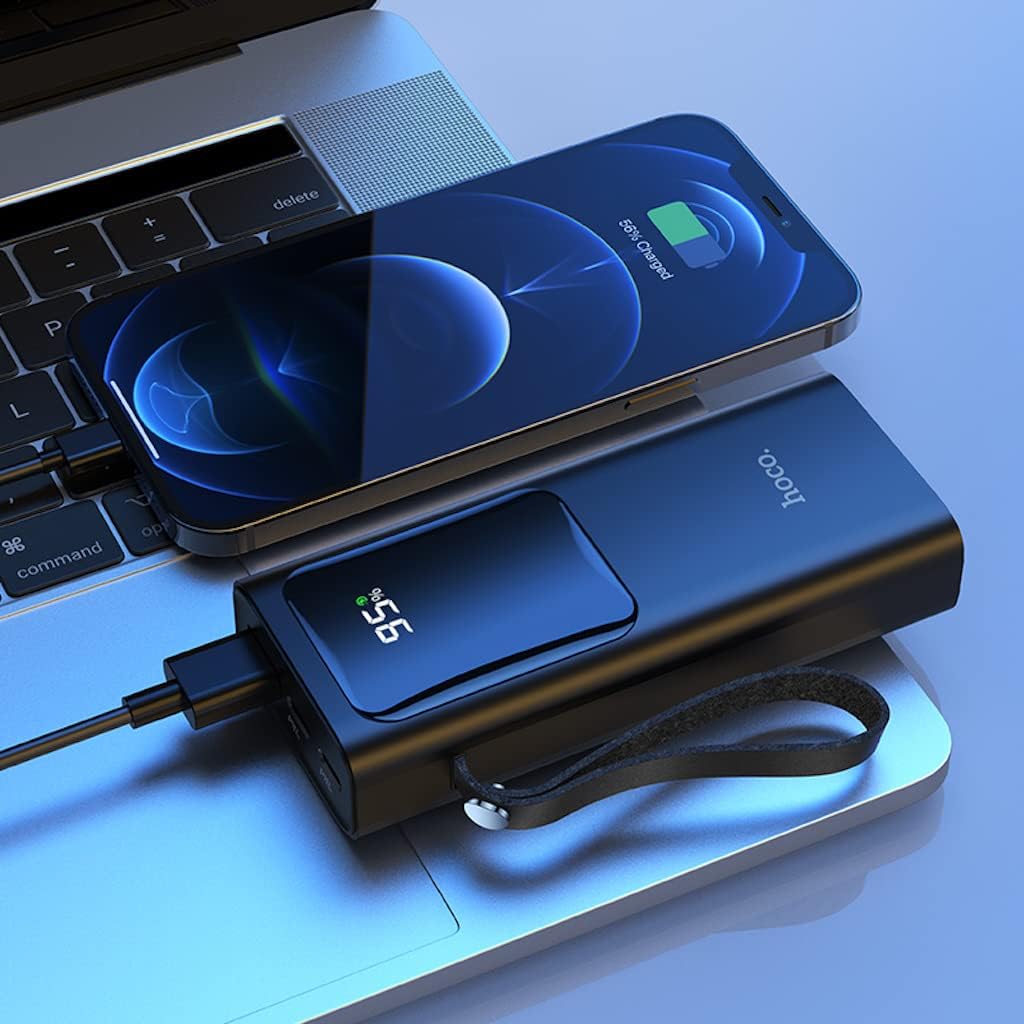
Stampa 3: The Hoco J41 Pro Power Bank actively charging an iPhone, positioned next to a laptop. The power bank's LED display shows a 95% charge, indicating its readiness for use.

Stampa 4: The Hoco J41 Pro Power Bank simultaneously charging two smartphones, demonstrating its multi-device charging capability. The power bank's display shows 100% charge.
Understanding the LED Digital Display:
- Il-wiri juri l-perċentwal tal-batterija li jifdaltage tal-bank tal-enerġija.
- Waqt l-iċċarġjar, il-perċentwalitagse tiżdied.
- When a device is being fast-charged, a specific indicator (e.g., a lightning bolt icon or "PD" / "QC" text) may appear on the display.
Manutenzjoni
- Tindif: Uża drapp artab u niexef biex tnaddaf il-power bank. Tużax prodotti tat-tindif likwidi jew aerosols.
- Ħażna: Aħżen il-power bank f'post frisk u niexef 'il bogħod mix-xemx diretta, temperaturi estremi, u umdità.
- Kura tal-batterija: Biex ittawwal il-ħajja tal-batterija, iċċarġja l-power bank kompletament mill-inqas darba kull tliet xhur jekk ma tkunx qed tużah regolarment.
- Evita Qtar: Twaqqax il-power bank jew tissottomettixh għal impatti qawwija.
Issolvi l-problemi
| Problema | Kawża Possibbli | Soluzzjoni |
|---|---|---|
| Il-power bank mhux qed jiċċarġja. |
|
|
| L-apparat mhux qed jiċċarġja mill-power bank. |
|
|
| Iċċarġjar bil-mod. |
|
|
Speċifikazzjonijiet
| Karatteristika | Dettall |
|---|---|
| Isem tal-Mudell | J41 Pro |
| Brand | HOCO |
| Kapaċità tal-batterija | 10000mAh (37Wh) |
| Kapaċità Rated | 5900mAh |
| Kompożizzjoni taċ-Ċellola tal-Batterija | Polimeru tal-litju |
| Input (Lightning/Type-C) | 18W (PD) |
| Output (Tip-Ċ) | PD 20W |
| Output (USB-A) | 22.5W (full compatible) |
| Output Totali | 5V/3A |
| Protokolli Appoġġjati | PD 20W, QC, FCP/SCP, AFC, VOOC, DASH |
| Wiri | LED Digital Display (Power, Fast Charge Indicator) |
| Tip ta' Konnettur | Lightning, USB Type C |
| Voltage | 5 Volts |
| Dimensjonijiet | 21.8 x 14.5 x 4.4 ċm |
| Piż | 206 g |
| Kulur | Iswed |
Informazzjoni dwar is-Sigurtà
Please read and follow these safety guidelines to prevent damage to your device or personal injury:
- Tesponix il-power bank għall-ilma, umdità, jew temperaturi estremi.
- Tiżżarmax, timmodifikax, jew tippruvax issewwi l-power bank.
- Żomm 'il bogħod mit-tfal.
- Do not use if the power bank is damaged, swollen, or leaking.
- Avoid dropping or subjecting the power bank to heavy impacts.
- Uża biss kejbils u adapters tal-iċċarġjar iċċertifikati.
- Do not place heavy objects on the power bank.
- Armi l-power bank b'mod responsabbli skont ir-regolamenti lokali.
Garanzija u Appoġġ
Hoco products are manufactured to high-quality standards. For warranty information or technical support, please refer to the warranty card included in your package or contact your local retailer or Hoco customer service. Please have your product model number (J41 Pro) and purchase details ready when seeking support.


