Introduzzjoni
Thank you for choosing the NACON Asymmetric Wireless Controller for PlayStation 4. This controller is officially licensed for PlayStation 4 and designed to provide an immersive gaming experience with its unique asymmetric stick layout and wireless connectivity. This manual will guide you through the setup, operation, maintenance, and troubleshooting of your new controller.
X'hemm fil-Kaxxa
Jekk jogħġbok iċċekkja l-kontenut tal-pakkett tiegħek biex tiżgura li l-oġġetti kollha huma preżenti:
- NACON Asymmetric Wireless Controller
- Riċevitur USB
- Cable tal-Iċċarġjar tal-USB
- Gwida ta' Bidu Mgħaġġel (mhux inkluża f'dan il-manwal diġitali)
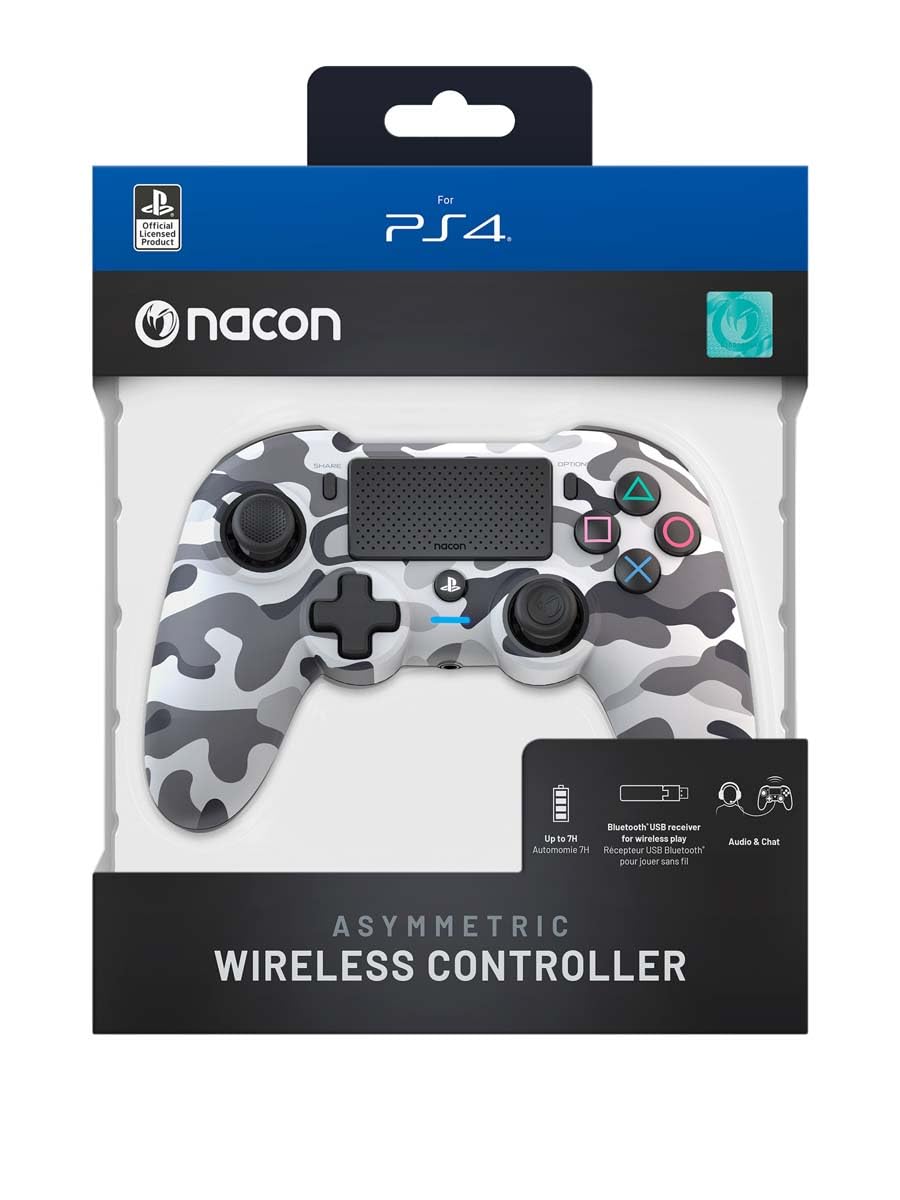
Image: The NACON Asymmetric Wireless Controller shown in its retail packaging, highlighting the product and its key features.
Setup
1. Iċċarġjar tal-Kontrollur
Before first use, fully charge the controller. Connect the small end of the USB charging cable to the controller's charging port and the larger end to a USB port on your PlayStation 4 console or a compatible USB wall adapter. The LED indicator on the controller will show charging status and turn off when fully charged.
2. Connecting to PlayStation 4 (Wireless)
- Insert the USB Receiver into an available USB port on your PlayStation 4 console.
- Press the PlayStation button on the controller. The controller will automatically attempt to pair with the USB Receiver.
- Once successfully paired, the LED indicator on the controller will illuminate steadily, indicating a stable connection.
3. Konnessjoni mal-PC (Wireless)
The controller can also be used with a PC. Insert the USB Receiver into an available USB port on your PC. The controller should be recognized automatically by Windows as a standard gamepad. Drivers may be installed automatically.

Immaġni: Quddiem view of the NACON Asymmetric Wireless Controller, showcasing its button layout and asymmetric stick design.
It-tħaddim tal-Kontrollur
Layout tal-buttuna u Funzjonijiet
The NACON Asymmetric Wireless Controller features a familiar PlayStation button layout with an ergonomic asymmetric stick configuration for enhanced comfort and precision.
- Stick Analogu tax-Xellug: Used for movement and navigation.
- Stick Analogu tal-Lemin: Used for camera control and aiming.
- Kuxxinett Direzzjonali (D-Pad): Għal input direzzjonali preċiż.
- Buttuni ta' Azzjoni (Triangolu, Ċirku, Salib, Kwadru): Buttuni ta' azzjoni standard tal-PlayStation.
- Buttuni L1/R1: Buttuni fuq l-ispalla.
- Triggers L2/R2: Triggers analogi għal input preċiż.
- Buttuna SHARE: Access sharing features on PS4.
- Buttuna GĦAŻLIET: Access in-game menus and options.
- Buttuna tal-PlayStation: Power on/off the controller, access PS4 Home Menu.
- Touch Pad: Interactive surface for specific game functions.
Indikatur tal-batterija
The controller includes an LED indicator that provides information on battery status. Refer to the Quick Start Guide for specific LED patterns and their meanings (e.g., low battery, charging, fully charged).
Manutenzjoni
Tindif
Biex tnaddaf il-kontrollur tiegħek, uża drapp artab u niexef. Għal ħmieġ iebes, nixxef ftit.ampen the cloth with water. Do not use harsh chemicals, abrasive cleaners, or solvents, as these can damage the controller's finish and internal components.
Ħażna
When not in use, store the controller in a cool, dry place away from direct sunlight and extreme temperatures. Avoid placing heavy objects on the controller.
Kura tal-batterija
To prolong battery life, avoid fully discharging the controller frequently. If storing for an extended period, charge the battery to approximately 50% before storage and recharge every few months.
Issolvi l-problemi
| Problema | Soluzzjoni Possibbli |
|---|---|
| Il-kontrollur ma jikkonnettjax. |
|
| Controller does not charge. |
|
| Il-buttuni jew l-istikks ma jirrispondux. |
|
Irrisettjar il-Kontrollur
If the controller is unresponsive or behaving erratically, a soft reset may resolve the issue. Locate the small reset button (often a pinhole) on the back or underside of the controller. Use a thin, pointed object (like a paperclip) to press and hold the button for a few seconds. Then, re-pair the controller with your console.
Speċifikazzjonijiet
- Numru tal-Mudell:
- 10946680
- Konnettività:
- Wireless (via USB Receiver)
- Kompatibilità:
- PlayStation 4, PC
- Dimensions (Controller):
- Madwar 6.89 x 2.76 x 8.27 pulzieri (17.5 x 7 x 21 cm)
- Weight (Controller):
- Madwar 14.1-il uqija (400 gramma)
- Manifattur:
- NACON
- L-Ewwel Data Disponibbli:
- 6 ta’ Lulju, 2022
Garanzija u Appoġġ
For warranty information, technical support, or further assistance with your NACON Asymmetric Wireless Controller, please visit the official NACON webis-sit jew ikkuntattja l-appoġġ għall-klijenti tagħhom direttament. Żomm il-prova tax-xiri tiegħek għal talbiet ta' garanzija.
Official NACON Websit: www.nacongaming.com


