Introduzzjoni
Thank you for choosing the New Soul S-Play Bluetooth Wireless Earbuds. These earbuds are designed to provide an immersive audio experience with cutting-edge Bluetooth v5.2 technology, 40ms low latency, and versatile tri-mode functionality, ideal for gaming and entertainment. This manual will guide you through the setup, operation, and maintenance of your S-Play earbuds to ensure optimal performance.
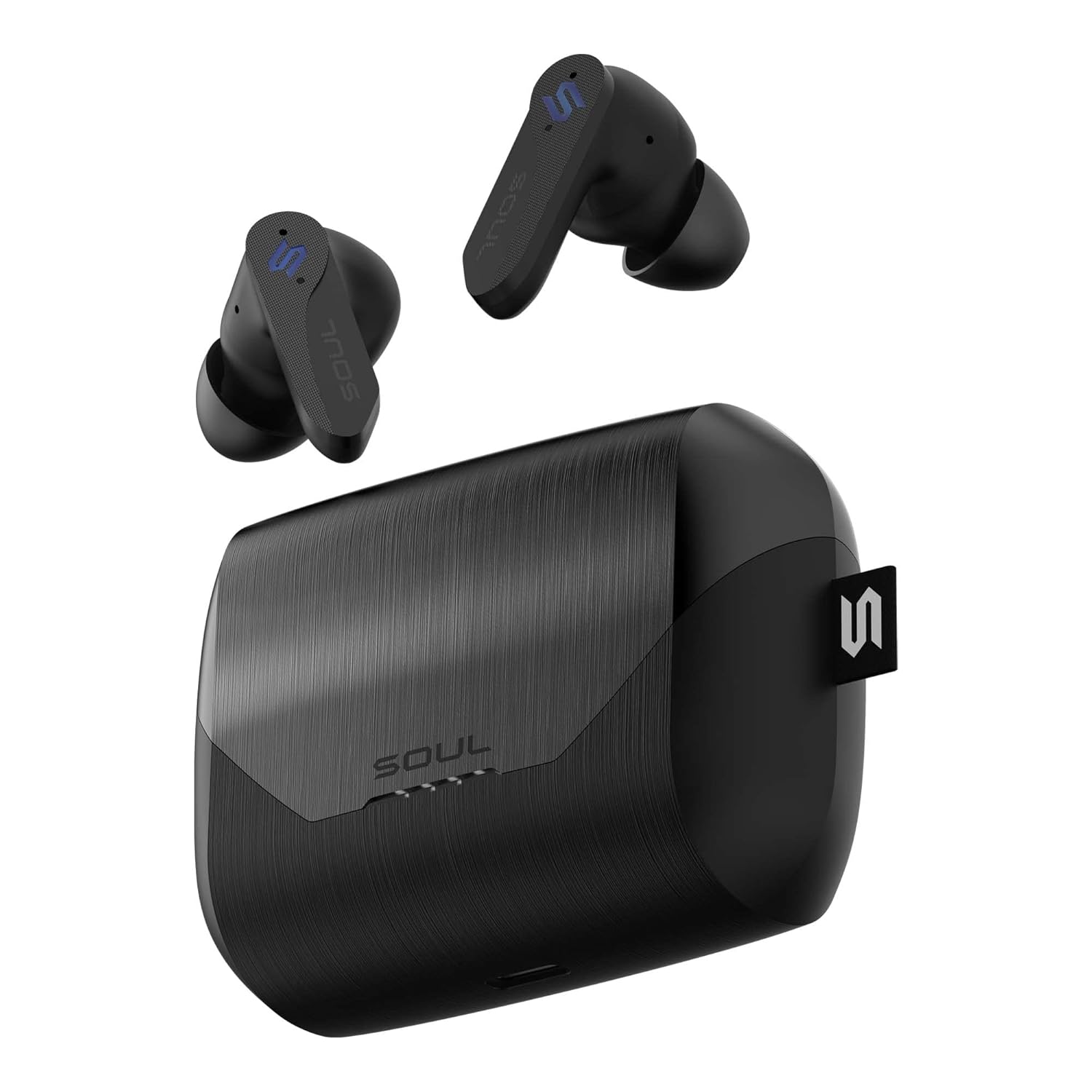
Image: The Soul S-Play earbuds, featuring a sleek black design, are shown alongside their matching charging case. The earbuds are positioned above the open case, highlighting their compact form factor and the case's textured finish.
X'hemm fil-Kaxxa
- Soul S-Play Wireless Earbuds (Left and Right)
- Kawża tal-Iċċarġjar
- Cable tal-Iċċarġjar tal-USB-C
- Manwal għall-Utent
Prodott Overview
Karatteristiċi Ewlenin
- Latenza Baxxa ta' 40ms: Ensures minimal audio lag for seamless gaming and video synchronization.
- Bluetooth v5.2: Jipprovdi konnettività mingħajr fili stabbli u effiċjenti.
- Tri-Mode Functionality: Switch between Entertainment (Low Latency), Audio Transparency, and Normal modes.
- Ħin tal-logħob estiż: Sa 7 sigħat b'ċarġ wieħed, b'total ta' 28 siegħa bl-użu tal-kaxxa tal-iċċarġjar.
- Wireless and USB-C Charging: Convenient charging options for the case.
- Kanċellazzjoni tal-Istorbju Ambjentali: Enhances voice clarity during calls.
- Reżistenza għall-Ilma IPX4: Protects against splashes and sweat.
- Mikrofonu inkorporat: For clear hands-free communication.
- Kontrolli touch: Intuitive control over media playback and calls.
Setup
Iċċarġjar tal-Earbuds u l-Każ
Before first use, fully charge the S-Play earbuds and charging case.
- Poġġi l-earbuds fil-kaxxa tal-iċċarġjar, waqt li tiżgura li jkunu f'posthom sew.
- Iċċarġjar bil-Wajer: Connect the provided USB-C cable to the charging port on the case and plug the other end into a USB power adapter (not included).
- Iċċarġjar bla fili: Poġġi l-kaxxa tal-iċċarġjar fuq pad tal-iċċarġjar mingħajr fili kompatibbli.
- L-indikaturi LED fuq il-kaxxa juru l-istatus tal-iċċarġjar. Ladarba jkun iċċarġjat kompletament, l-indikaturi jinbidlu jew jintfew.
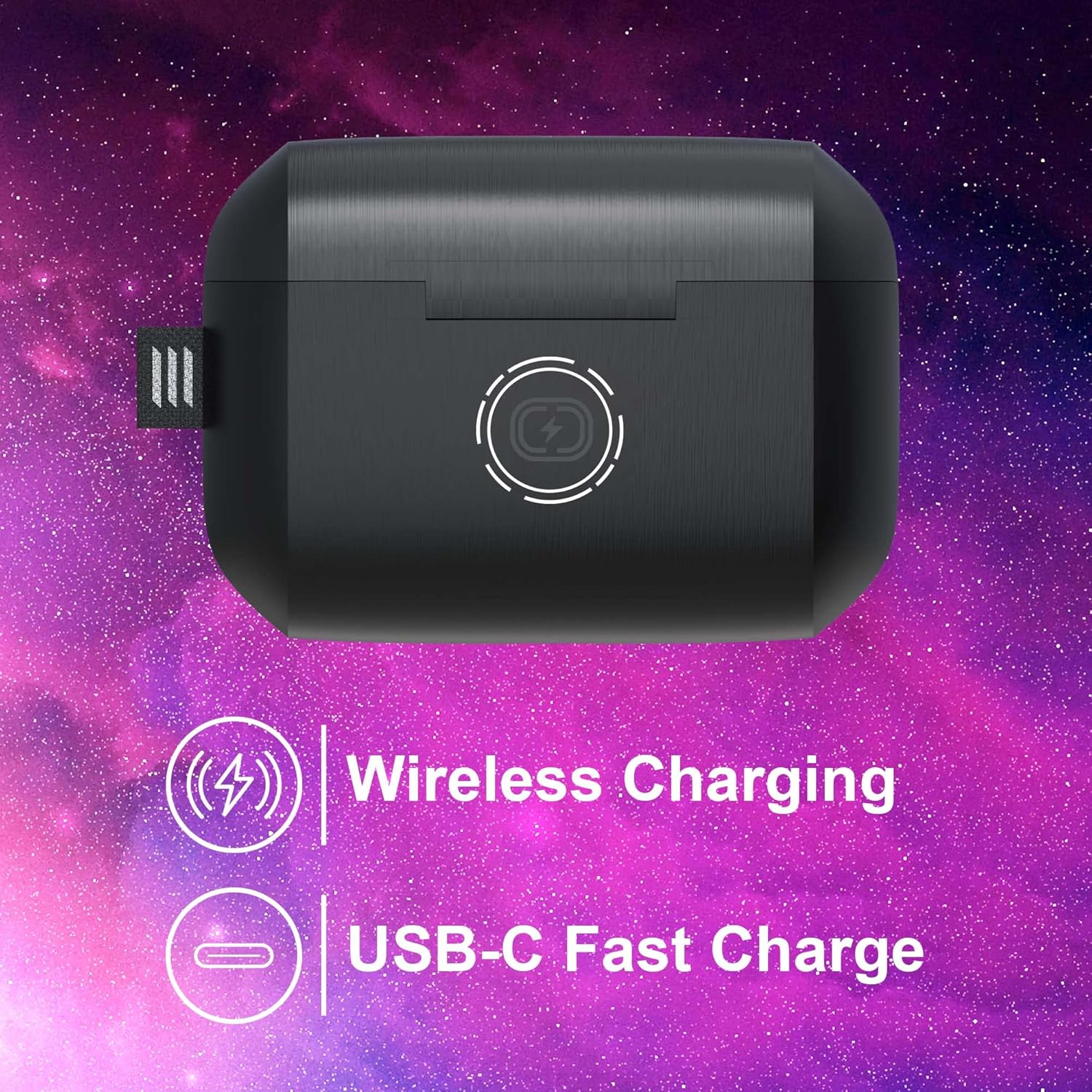
Image: The Soul S-Play charging case is depicted with icons indicating both wireless charging capability and a USB-C fast charge port. This illustrates the dual charging options available for the device.
Tqabbil mat-Tagħmir Tiegħek
The S-Play earbuds are designed for easy pairing with both iOS and Android devices.
- Iftaħ il-kaxxa tal-iċċarġjar. Il-earbuds jidħlu awtomatikament fil-modalità ta' tqabbil, indikat minn dwal LED li jteptep fuq il-earbuds.
- Fuq l-apparat tiegħek (smartphone, tablet, eċċ.), mur fis-settings tal-Bluetooth.
- Select "SOUL S-Play" from the list of available devices.
- Ladarba jkunu konnessi, l-LEDs tal-earbuds jieqfu jteptpu, u tisma' konferma li tinstema'.
- Il-earbuds jerġgħu jikkonnettjaw awtomatikament mal-aħħar apparat imqabbad meta joħorġuhom mill-kaxxa.
Istruzzjonijiet Operattivi
Tixgħel/Jitfi
- Qawwa Mixgħul: Iftaħ il-każ tal-iċċarġjar, u l-earbuds jinxtegħlu awtomatikament.
- Itfi: Poġġi l-earbuds lura fil-kaxxa tal-iċċarġjar u agħlaq l-għatu. Dawn jintfew awtomatikament u jibdew jiċċarġjaw.
Touch Kontrolli
The S-Play earbuds feature intuitive touch controls on each earbud. Specific functions may vary slightly depending on your device and application.
- Play/Pawsa: Tektek wieħed fuq kull earbud.
- Track li jmiss: Tektek darbtejn fuq il-earbud tal-lemin.
- Track preċedenti: Tektek darbtejn fuq il-earbud tax-xellug.
- Tweġiba/Tmiem Sejħa: Tektek wieħed fuq kull earbud.
- Irrifjuta Sejħa: Agħfas u żomm fuq kwalunkwe earbud.
- Attiva l-Assistent tal-Vuċi: Tektek tliet darbiet fuq kull earbud.
- Switch Tri-Mode: Press and hold the touch area for 2 seconds on either earbud to cycle through modes.
Tri-Mode Functionality
The S-Play earbuds offer three distinct audio modes to optimize your listening experience:

Image: A visual diagram explains the S-Play's Tri-Mode feature, showing icons for Transparency Mode, Entertainment Mode (Low Latency), and Normal Mode, with lines connecting them to the earbuds.
- Entertainment Mode (Low Latency): Reduces audio delay to 40ms, providing synchronized sound for gaming and video content. This is the recommended mode for media consumption.
- Modalità ta' Trasparenza: Allows ambient sounds to pass through, keeping you aware of your surroundings without removing the earbuds.
- Modalità Normali: Standard audio playback, optimizing battery life for general listening.
To switch between modes, press and hold the touch area on either earbud for approximately 2 seconds until you hear an audible prompt indicating the mode change.

Image: A man wearing the Soul S-Play earbuds is shown intently looking at his phone, with an overlay highlighting the 'BEST-IN-CLASS 40ms LOW LATENCY' feature, emphasizing the earbuds' suitability for responsive audio experiences.
Nagħmlu Sejħiet
The S-Play earbuds feature a built-in microphone with Environmental Noise Cancellation for clear calls.
- Tweġiba għal Sejħa: Tektek wieħed fuq kull earbud.
- Tmiem Sejħa: Tektek waħda fuq kwalunkwe earbud waqt telefonata.
- Ċaħda ta 'Sejħa: Press and hold on either earbud when a call comes in.
Manutenzjoni
Tindif
Biex iżżomm prestazzjoni u iġjene ottimali, naddaf il-earbuds u l-kaxxa tal-iċċarġjar tiegħek regolarment.
- Uża drapp artab, niexef u mingħajr suf biex timsaħ il-earbuds u l-kaxxa tal-iċċarġjar.
- Għal ħmieġ iebes, neħħi ftitampLaħlaħ id-drapp bl-ilma. Evita li tuża kimiċi ħarxa jew materjali li joborxu.
- Gently clean the ear tips and speaker mesh to prevent wax buildup, which can affect sound quality.
Ħażna
When not in use, store the earbuds in their charging case to protect them and ensure they are charged for your next use.
- Aħżen f'post frisk u niexef 'il bogħod mix-xemx diretta u temperaturi estremi.
- Avoid storing in dusty or dirty environments.

Image: The Soul S-Play charging case is shown with an attached carabiner, emphasizing its convenient and portable design for on-the-go use.
Reżistenza għall-Ilma (IPX4)
The S-Play earbuds are rated IPX4 water resistant, meaning they are protected against splashing water from any direction. This makes them suitable for workouts and light rain.
- Tgħaddasx il-earbuds fl-ilma.
- Do not expose the charging case to water, as it is not water resistant.
- Ensure earbuds are dry before placing them back into the charging case.

Image: The open Soul S-Play charging case reveals the earbuds inside, with subtle water droplets on the surface, visually representing its IPX4 water-resistant rating.
Issolvi l-problemi
Kwistjonijiet Komuni u Soluzzjonijiet
| Problema | Soluzzjoni |
|---|---|
| Earbuds ma jingħaqdux | Ensure earbuds are charged. Turn off and on Bluetooth on your device. Forget "SOUL S-Play" in your device's Bluetooth settings and re-pair. |
| L-ebda ħoss minn earbud wieħed | Check battery level of both earbuds. Place both earbuds back in the case, close, then reopen to reset connection. |
| Każ tal-iċċarġjar mhux iċċarġjar | Ensure USB-C cable is securely connected. Try a different USB port or power adapter. For wireless charging, ensure proper placement on the charging pad. |
| Volum baxx jew kwalità ħażina tal-ħoss | Clean earbud speaker meshes. Adjust volume on your device. Ensure earbuds are properly seated in your ears. |
| Il-kontrolli tal-mess ma jirrispondux | Kun żgur li subgħajk huma nodfa u niexfa. Ipprova rrisettja l-earbuds billi tpoġġihom fil-kaxxa u agħlaq l-għatu għal ftit sekondi. |
Speċifikazzjonijiet
| Karatteristika | Dettall |
|---|---|
| Isem tal-Mudell | S-PLAY |
| Teknoloġija tal-Konnettività | Wireless (Bluetooth v5.2) |
| Latenza Baxxa | 40ms |
| Ħajja tal-Batterija (Earbuds) | Sa 7-il Siegħa |
| Ħin Totali tal-Logħob (bil-Kaxxa) | Sa 28-il Siegħa |
| Iċċarġjar | Wireless Charging, USB-C Fast Charge |
| Reżistenza għall-Ilma | IPX4 (Earbuds biss) |
| Mikrofonu | Built-In with Environmental Noise Cancellation |
| Metodu ta' Kontroll | Mess |
| Apparati Kompatibbli | iOS u Android |
| Materjal | Silikon, Lastiku |
| Piż tal-oġġett | 10 Gramm |
| Dimensjonijiet tal-Prodott | 2.18 x 2.41 x 3.28 ċm |
| Kulur | Omega Black |
Garanzija u Appoġġ
Soul Electronics products are manufactured to the highest quality standards. For information regarding warranty coverage, technical support, or service inquiries, please refer to the warranty card included with your product or visit the official Soul Electronics websit. Jekk jogħġbok żomm il-prova tax-xiri tiegħek għal kwalunkwe talba ta' garanzija.


