Introduzzjoni
Welcome to the user manual for your Ttec AirBeat Lite 2 True Wireless Stereo (TWS) Bluetooth Headset. This manual provides detailed instructions on how to set up, operate, and maintain your headset to ensure optimal performance and longevity. Please read this manual carefully before using your device.
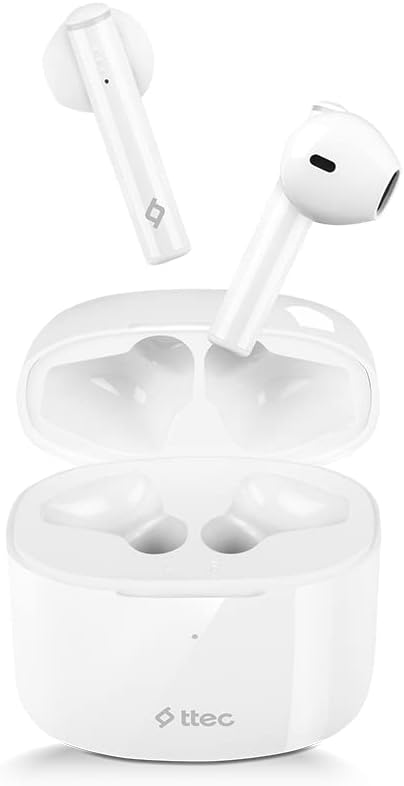
Image: The Ttec AirBeat Lite 2 earbuds resting in their open charging case, showcasing their compact and sleek white design.
X'hemm fil-Kaxxa
Upon opening your Ttec AirBeat Lite 2 package, you should find the following components:
- Ttec AirBeat Lite 2 True Wireless Earbuds (Left and Right)
- Kawża tal-Iċċarġjar
- Kejbil tal-Iċċarġjar USB (Tip Ċ, tipikament)
- Manwal għall-Utent (dan id-dokument)
- Ear Cushions (pre-installed or additional sizes, as per product specifications)
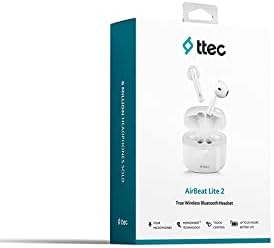
Image: The retail packaging for the Ttec AirBeat Lite 2 headset, displaying the product image and brand logo.
Setup
1. Iċċarġjar tal-Headset u l-Kaxxa
Before first use, it is recommended to fully charge both the earbuds and the charging case. The charging case acts as a portable power bank for your earbuds.
- Iċċarġjar tal-Każ: Connect the provided USB charging cable to the charging port on the case and plug the other end into a USB power adapter (not included) or a computer's USB port. The indicator light on the case will show charging status.
- Iċċarġjar tal-Earbuds: Place the earbuds into their respective slots in the charging case. Ensure they are correctly seated. The earbuds will automatically begin charging.

Image: The Ttec AirBeat Lite 2 charging case with earbuds, illustrating battery life and quick charge capabilities. A 15-minute charge provides 1 hour of use, with 6 hours of earbud charge life and 26 hours total with the case.
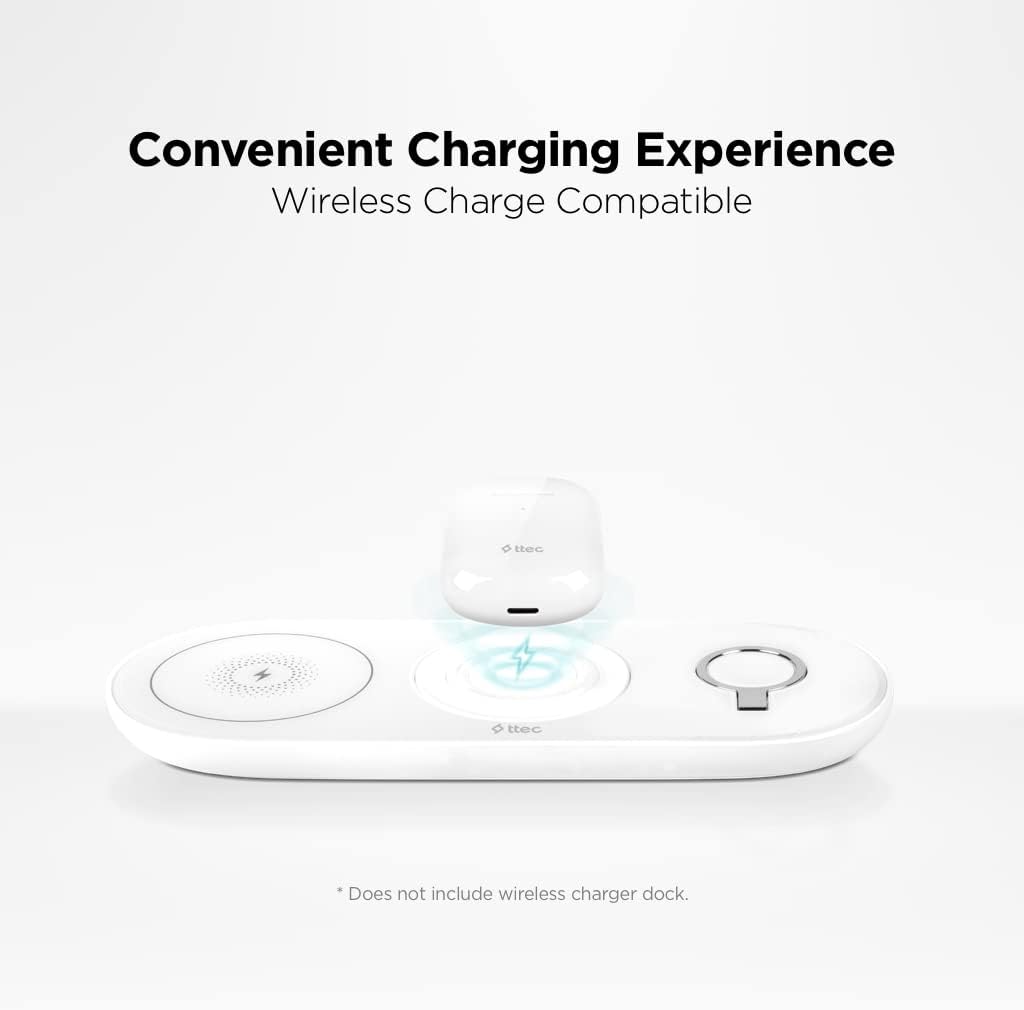
Image: The Ttec AirBeat Lite 2 charging case placed on a wireless charging pad, demonstrating its wireless charge compatibility. Note: Wireless charger dock is not included.
2. Tqabbil ma' Apparat
The Ttec AirBeat Lite 2 uses Bluetooth 5.0 for a fast and stable connection.
- Kun żgur li l-earbuds huma ċċarġjati u mqiegħda fil-kaxxa tal-iċċarġjar.
- Iftaħ il-kaxxa tal-iċċarġjar. Il-earbuds jidħlu awtomatikament fil-modalità ta' tqabbil (id-dwal indikatur jistgħu jteptipu).
- Fuq l-apparat tiegħek (smartphone, tablet, laptop), mur fis-settings tal-Bluetooth u ixgħel il-Bluetooth.
- Fittex għal available devices. Select "Ttec AirBeat Lite 2" from the list.
- Ladarba jkunu konnessi, il-earbuds jindikaw li t-tqabbil b'suċċess sar (eż., sinjal bil-vuċi jew dawl fiss).
The earbuds support MonoSmart Technology, allowing both earbuds to be used independently. You can connect either the left or right earbud alone if desired.

Image: A person wearing a Ttec AirBeat Lite 2 earbud, illustrating the fast and easy Bluetooth 5.0 connection technology.
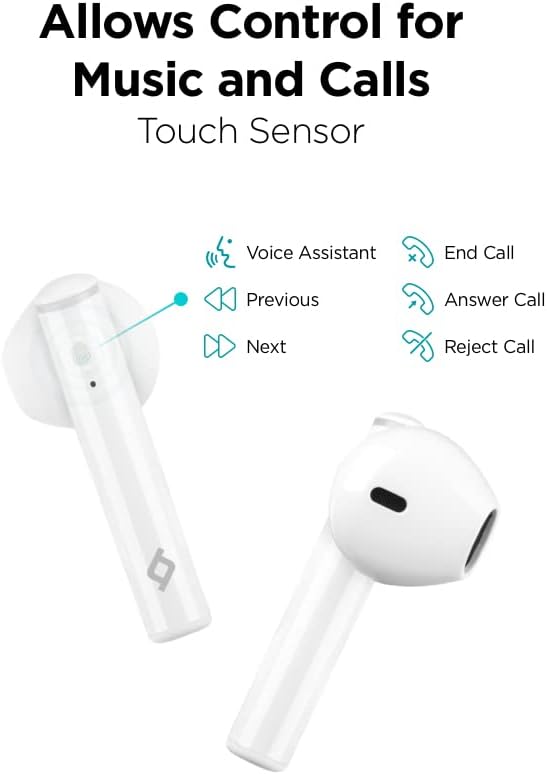
Image: A person using a single Ttec AirBeat Lite 2 earbud, demonstrating the MonoSmart Technology that allows independent use of either earbud.
Istruzzjonijiet Operattivi
Touch Kontrolli
The Ttec AirBeat Lite 2 features intuitive touch sensors on each earbud for easy control of music playback and calls.

Image: A close-up of the Ttec AirBeat Lite 2 earbud, highlighting the touch sensor area and illustrating various control functions: Voice Assistant, Previous/Next track, End/Answer/Reject Call.
| Azzjoni | Funzjoni |
|---|---|
| Tektek Uniku | Daqq/Pawża l-Mużika, Tweġiba/Tmiem is-Sejħa |
| Tektek doppju (Earbud tax-Xellug) | Track Preċedenti |
| Tektek doppju (Earbud tal-lemin) | Track li jmiss |
| Tektek triplu | Attiva l-Assistent tal-Vuċi |
| Istampa Twila (2 sekondi) | Irrifjuta Sejħa |
Music and Call Quality
The Ttec AirBeat Lite 2 delivers an impressive music experience with superior sound and deep bass. For calls, it features 4 microphones and ENC (Environmental Noise Cancelling) technology, ensuring excellent call clarity by reducing background noise.
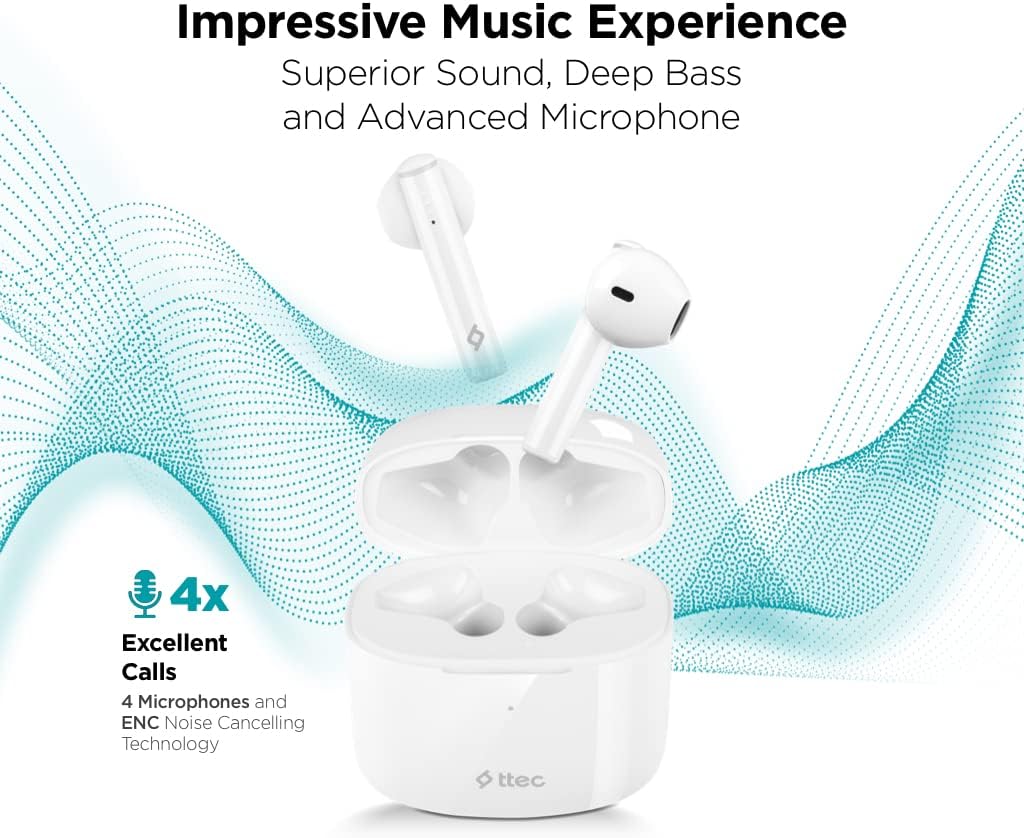
Image: The Ttec AirBeat Lite 2 earbuds in their case, surrounded by sound wave graphics, highlighting superior sound, deep bass, advanced microphone, and 4x excellent calls with ENC Noise Cancelling Technology.
Manutenzjoni
Proper maintenance ensures the longevity and optimal performance of your Ttec AirBeat Lite 2 headset.
- Tindif: Regularly clean the earbuds and charging case with a soft, dry, lint-free cloth. Do not use abrasive cleaners or solvents. Gently remove any earwax or debris from the earbud tips and speaker mesh using a small, soft brush or cotton swab.
- Ħażna: Meta ma tkunx qed tużahom, aħżen il-earbuds fil-kaxxa tal-iċċarġjar tagħhom biex tipproteġihom mit-trab, il-ħmieġ, u l-ħsara fiżika. Aħżen il-kaxxa f'post frisk u niexef 'il bogħod mix-xemx diretta u minn temperaturi estremi.
- Reżistenza għall-Ilma: The earbuds are IPX4 rated, meaning they are sweat and water resistant. This protects them from splashing water from any direction. However, they are not waterproof and should not be submerged in water or exposed to heavy rain. Dry them thoroughly if they get wet.
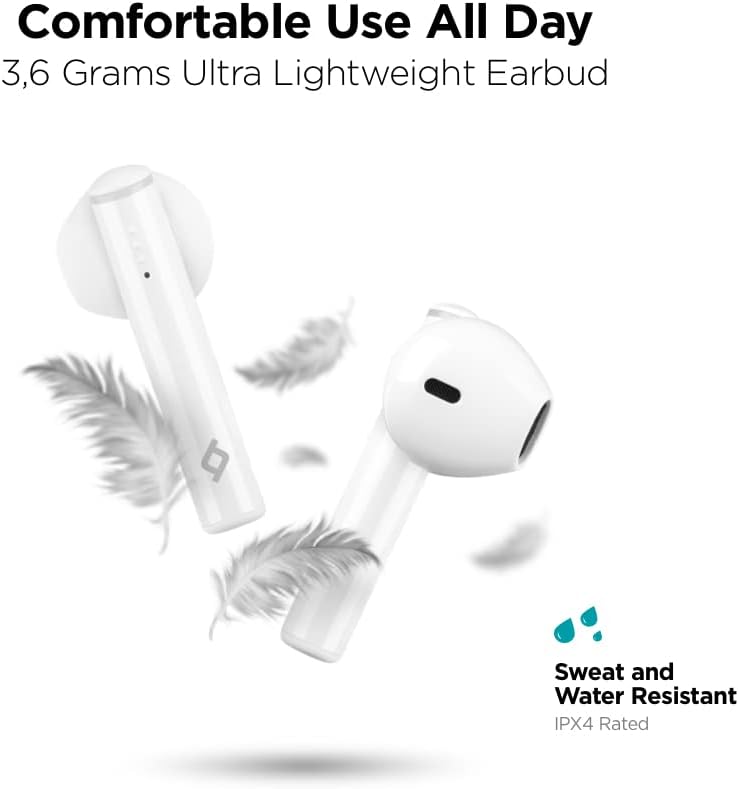
Image: Ttec AirBeat Lite 2 earbuds floating among feathers, emphasizing their ultra-lightweight design (3.6 grams) and highlighting their IPX4 sweat and water resistance.
Issolvi l-problemi
If you encounter any issues with your Ttec AirBeat Lite 2 headset, try the following troubleshooting steps:
- No Sound from Earbuds:
- Kun żgur li l-earbuds huma ċċarġjati.
- Iċċekkja jekk il-earbuds humiex imqabbda sew mat-tagħmir tiegħek.
- Żid il-volum kemm fuq l-apparat tiegħek kif ukoll fuq il-earbuds.
- Ipprova erġa' qabbad il-earbuds.
- Earbuds Mhux Tqabbil:
- Kun żgur li l-Bluetooth huwa attivat fuq it-tagħmir tiegħek.
- Kun żgur li l-earbuds huma fil-modalità ta' tqabbil (kaxxa miftuħa).
- Itfi l-Bluetooth fuq apparati oħra fil-qrib li jistgħu jkunu qed jippruvaw jikkonnettjaw.
- Forget "Ttec AirBeat Lite 2" from your device's Bluetooth list and try pairing again.
- Kwistjonijiet ta' Iċċarġjar:
- Kun żgur li l-kejbil tal-iċċarġjar huwa konness sew kemm mal-kaxxa kif ukoll mas-sors tal-enerġija.
- Ipprova kejbil USB differenti jew adapter tal-enerġija.
- Naddaf il-kuntatti tal-iċċarġjar kemm fuq il-earbuds kif ukoll fuq il-kaxxa.
- Konnessjoni intermittenti:
- Ensure your device is within the Bluetooth range (typically 10 meters/33 feet) without significant obstacles.
- Evita interferenza elettromanjetika qawwija.
- Try restarting both the earbuds (by placing them in the case and closing it) and your connected device.
If the issue persists, please refer to the support section for further assistance.
Speċifikazzjonijiet
| Karatteristika | Dettall |
|---|---|
| Isem tal-Mudell | AirBeat Lite 2 |
| Teknoloġija tal-Konnettività | Wireless (Bluetooth) |
| Teknoloġija tal-Komunikazzjoni mingħajr Fili | Bluetooth 5.0 |
| Komponenti Inklużi | Ear Cushions, USB Charging Cable |
| Materjal | Plastik |
| Użi Speċifiċi | Travel, Everyday Use |
| Apparati Kompatibbli | Cellphones, Television, Tablets, Telephones, Laptops, Desktops, Smart Speaker |
| Tip ta' Kontroll | Touch Control |
| Tqegħid tal-widnejn | Fil-widnejn |
| Fattur tal-Formola | Fil-widnejn |
| Kontroll tal-Ħoss | Kanċellazzjoni tal-Ħoss Ambjentali (ENC) |
| Piż tal-Earbud | 3.6 grams (approx. per earbud) |
| Klassifikazzjoni tal-IP | IPX4 (Reżistenti għall-Għaraq u l-Ilma) |
| Ħajja tal-Batterija (Earbuds) | 6 Sigħat (madwar) |
| Total Battery Life with Case | 26 Sigħat (madwar) |
Note: Some specifications from raw data have been refined for accuracy based on product images and primary description (e.g., ENC instead of ANC, earbud weight instead of package weight).
Informazzjoni dwar is-Sigurtà
Jekk jogħġbok aqra u segwi dawn il-linji gwida tas-sigurtà biex tevita ħsara lit-tagħmir tiegħek jew korriment lilek innifsek:
- Żarmax, isewwi, jew timmodifikax il-prodott.
- Żomm l-apparat 'il bogħod minn temperaturi estremi, umdità, u sustanzi korrużivi.
- Evita li twaqqa’ jew tissuġġetta l-apparat għal impatti qawwija.
- Do not expose the charging case to water or moisture.
- Uża biss kejbils u adapters tal-iċċarġjar approvati.
- Prolonged exposure to loud sounds can cause hearing damage. Adjust volume to a moderate level.
- Be aware of your surroundings when using earbuds, especially in traffic or dangerous situations.
- Armi l-prodott b'mod responsabbli skont ir-regolamenti lokali.
Garanzija u Appoġġ
Ttec products are designed for quality and reliability. For warranty information and customer support, please refer to the official Ttec webis-sit jew ikkuntattja lill-bejjiegħ lokali tiegħek.
For technical assistance or inquiries, please visit the Ttec support page or contact their customer service directly. Keep your purchase receipt as proof of purchase for warranty claims.
Riżorsi onlajn:
- Official Ttec Websit: www.ttec.com.tr (Jekk jogħġbok ivverifika r-reġjonali korrett) websit għal appoġġ)


