1. Prodott Aktarview
The Intelbras iM3 C Smart Indoor Camera is designed to provide comprehensive surveillance for your home and family, even when you are away. This camera offers full control directly from your smartphone, enabling easy installation, recording management, and real-time notification reception.

Immaġni: Quddiem view of the Intelbras iM3 C Smart Indoor Camera, showcasing its compact white design with a black camera lens.
Karatteristiċi ewlenin:
- Riżoluzzjoni tal-Vidjo Full HD 1080p
- Konnettività Wi-Fi
- Night Vision up to 10 meters
- Remote Access via Smartphone
- Motion Detection Notifications
- Komunikazzjoni Awdjo B'żewġ direzzjonijiet
- 131° Qasam ta View
- Compatible with Amazon Alexa and OK Google
- Magnetic Base for Easy Installation
- Electronic Baby Monitor Function
- Supports MicroSD Card up to 256GB (sold separately)

Image: The Intelbras iM3 C camera, shown mounted on a wall, providing security for a family in their living room. This image highlights the camera's discreet design and its magnetic, articulated base.
2. Kontenut tal-Pakkett
Ivverifika li l-oġġetti kollha huma preżenti fil-pakkett:
- Intelbras iM3 C Smart Indoor Camera
- Kejbil tal-Enerġija
- Bivolt Power Supply
- Gwida għall-Installazzjoni
- Installation Kit (screws and wall plugs)

Immaġni: Wara view of the iM3 C camera, displaying the USB power input, reset button, and a QR code for easy setup.
3. Setup
Follow these steps to set up your Intelbras iM3 C camera:
- Konnessjoni tal-Enerġija: Connect the power cable to the camera's USB port and plug the power supply into an electrical outlet. The camera will power on and its status LED will indicate readiness for setup.
- Download the Mibo Cam App: Fittex għal "Mibo Cam" in your smartphone's app store (Google Play Store for Android or Apple App Store for iOS) and download the application.
- Oħloq Kont: Open the Mibo Cam app and follow the on-screen instructions to create a new user account or log in if you already have one.
- Żid Apparat: In the app, tap the "+" icon to add a new device. Select the iM3 C camera model.
- Konfigurazzjoni Wi-Fi: Follow the app's prompts to connect the camera to your home Wi-Fi network. Ensure your smartphone is connected to the 2.4 GHz Wi-Fi band, as the camera only supports this frequency. You may need to scan a QR code displayed on your phone screen with the camera lens.
- Pjazzament: Place the camera in your desired indoor location. The magnetic base allows for flexible placement on metallic surfaces or easy mounting with the included installation kit.

Image: A smartphone displaying the Mibo Cam app, showing a live view from the camera and various control options, including joystick, photo, bidirectional audio, record, and inactive mode. This illustrates how users can monitor their home and pets.
4. It-tħaddim tal-Kamera
Once set up, you can utilize the camera's features through the Mibo Cam app:
- Live View: Open the Mibo Cam app to access the live video feed from your camera anytime, anywhere.
- Reġistrazzjoni:
- Karta MicroSD: Insert a MicroSD card (up to 256GB, sold separately) into the camera's slot for local storage of recordings. The camera supports continuous recording or event-triggered recording.
- Ħażna Cloud: Optional cloud storage services are available through the Mibo Cam app for secure off-site storage of your video footage.
- Sejbien tal-Moviment: Enable motion detection in the app to receive instant notifications on your smartphone when movement is detected in the camera's field of view. You can adjust sensitivity settings.
- Awdjo f'żewġ direzzjonijiet: Use the microphone and speaker functions in the app to listen to what's happening near the camera and speak through the camera to communicate with people or pets.
- Viżjoni bil-lejl: The camera automatically switches to infrared night vision in low-light conditions, providing clear black-and-white video up to 10 meters.
- Electronic Baby Monitor: Utilize the camera's features, including live view, two-way audio, and motion detection, to monitor your baby in real-time.
- Integrazzjoni tad-Dar Intelliġenti: Connect your iM3 C camera with Amazon Alexa or OK Google for voice control and integration into your smart home ecosystem. Refer to the respective smart assistant's app for pairing instructions.
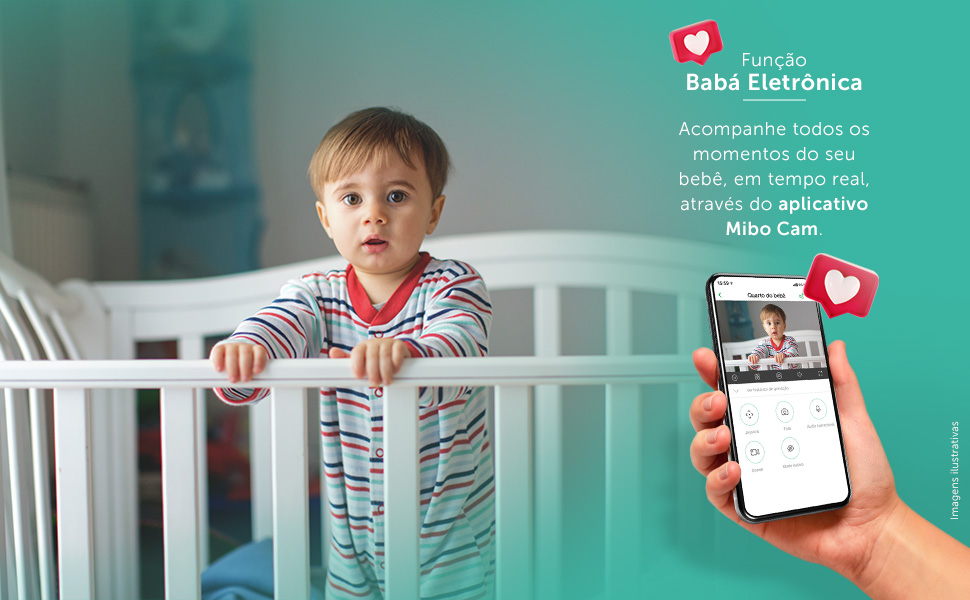
Image: This visual demonstrates the "Electronic Baby Monitor" function, showing a baby in a crib and a smartphone displaying the Mibo Cam app with a live feed of the baby, emphasizing real-time monitoring.
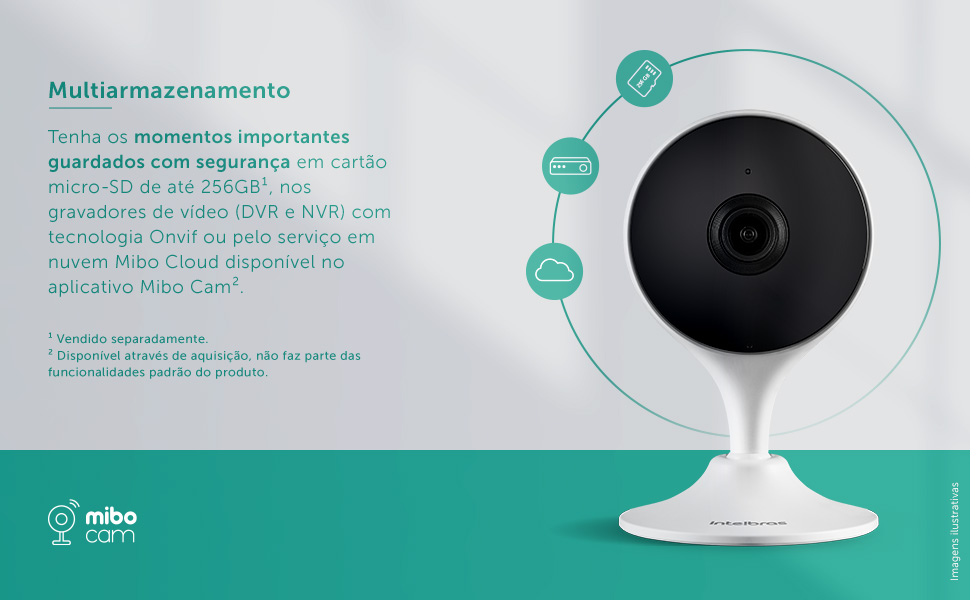
Image: A diagram illustrating the multi-storage capabilities of the iM3 C camera, showing options for saving important moments securely on a micro-SD card (up to 256GB), DVR/NVR recorders with Onvif technology, or through the Mibo Cloud service available in the Mibo Cam app.
5. Manutenzjoni
- Tindif: Gently wipe the camera lens and body with a soft, dry cloth. Do not use liquid cleaners or aerosols.
- Aġġornamenti tas-Software: Regularly check the Mibo Cam app for firmware updates. Keeping your camera's software up-to-date ensures optimal performance and security.
- Ċiklu tal-Enerġija: Jekk il-kamera tesperjenza problemi, ipprova aqlagħha mis-sors tal-enerġija għal ftit sekondi u mbagħad erġa' qabbadha.
6 Issolvi l-problemi
| Problema | Kawża Possibbli | Soluzzjoni |
|---|---|---|
| Il-kamera mhux qed tikkonnettja mal-Wi-Fi. | Incorrect Wi-Fi password, camera too far from router, 5GHz Wi-Fi network. | Ensure correct password. Move camera closer to router. Connect to a 2.4 GHz Wi-Fi network. |
| Kwalità fqira tal-immaġni. | Dirty lens, low bandwidth, insufficient lighting. | Clean the camera lens. Check your internet connection speed. Ensure adequate lighting or verify night vision is active. |
| No motion detection notifications. | Sejbien tal-moviment diżattivat, sensittività baxxa wisq, notifiki tal-app imblukkati. | Enable motion detection in the Mibo Cam app. Increase sensitivity. Check phone notification settings for the Mibo Cam app. |
| L-awdjo f'żewġ direzzjonijiet mhux qed jaħdem. | Microphone/speaker permissions not granted, volume too low. | Check app permissions for microphone. Adjust volume settings in the app and on your phone. |
7. Speċifikazzjonijiet
| Karatteristika | Dettall |
|---|---|
| Mudell | IM3 C |
| Kulur | Abjad |
| Indoor/Outdoor Environment | Żona ta 'ġewwa |
| Apparati Kompatibbli | Smartphone |
| Sors tal-Enerġija | Elettriku bil-fili |
| Protokoll tal-Konnettività | Wi-Fi (2.4GHz) |
| Tip ta' Kontrollur | Amazon Alexa |
| Tip ta 'Immuntar | Fixed (Magnetic Base) |
| Riżoluzzjoni tal-Qbid tal-Vidjo | Full HD ta '1080p |
| Numru ta' Oġġetti | 1 |
| Komponenti Inklużi | Power cable, Camera, Bivolt power supply, Installation guide, Installation kit |
| Teknoloġija tal-Komunikazzjoni mingħajr Fili | Wi-Fi |
| Fattur tal-Formola | Kaxxa |
| Tip ta' Installazzjoni | Invitat |
| Medda tal-Viżjoni Lejl | 10 Meters |
| Materjal | Plastik |
| Voltage | 110 Volts |
| Qawwa | 3.1 watt |
| Dimensjonijiet tal-oġġett (L x W x H) | 3.3 x 6.6 x 10.9 ċm |
| Livell ta 'Reżistenza għall-Ilma | Mhux reżistenti għall-ilma |
| Ċertifikazzjoni | 12641-21-10749 |
| Manifattur | Intelbras |
| Piż tal-Prodott | 322 g |
8. Garanzija u Appoġġ
Garanzija: The Intelbras iM3 C Smart Indoor Camera comes with a 1-year warranty from the manufacturer, covering defects in materials and workmanship under normal use.
Appoġġ Tekniku: For technical assistance, troubleshooting, or warranty claims, please contact Intelbras customer support. You can find contact information on the official Intelbras website or within the Mibo Cam application.
Riżorsi onlajn: Visit the official Intelbras website for additional resources, FAQs, and updated product information: www.intelbras.com.br


