1. Introduzzjoni
Welcome to the world of smart cooking with the CREATE IKOHS Chefbot Touch. This innovative kitchen robot is designed to simplify your cooking process, offering a wide range of functions and pre-programmed recipes to help you prepare delicious meals with ease. With its intuitive touch screen and integrated WiFi, the Chefbot Touch brings convenience and versatility to your kitchen.
Jekk jogħġbok aqra dan il-manwal bir-reqqa qabel ma tuża l-apparat biex tiżgura tħaddim sikur u ottimali. Żomm dan il-manwal għal referenza futura.

Image: The CREATE IKOHS Chefbot Touch, a versatile kitchen robot featuring a stainless steel mixing bowl and an interactive touchscreen interface.
2. Karatteristiċi ewlenin
The CREATE IKOHS Chefbot Touch is equipped with advanced features to enhance your culinary experience:
- Integrated WiFi: Allows for periodic updates of recipes and software.
- Skrin tattili ta' 5 pulzieri: For easy navigation and recipe selection.
- 24 Programmi Awtomatiċi: Pre-set functions for various cooking tasks.
- 12 Speeds + Turbo Function: For precise control over mixing and processing.
- Firxa tat-Temperatura: Aġġustabbli minn 37°C sa 120°C.
- Ħin tat-tisjir: Up to 90 minutes of continuous operation.
- 140+ Preloaded Recipes: A wide variety of recipes available directly on the device.
- Funzjonijiet versatili: Capable of beating, whipping, emulsifying, mixing, stirring, confiting, precision cooking (degree by degree), kneading, boiling, keeping warm, fermenting, poaching, bain-marie, low-temperature cooking, slow cooking, steaming, crushing, chopping, grinding, grating, peeling, slicing, dicing, and pulverizing.
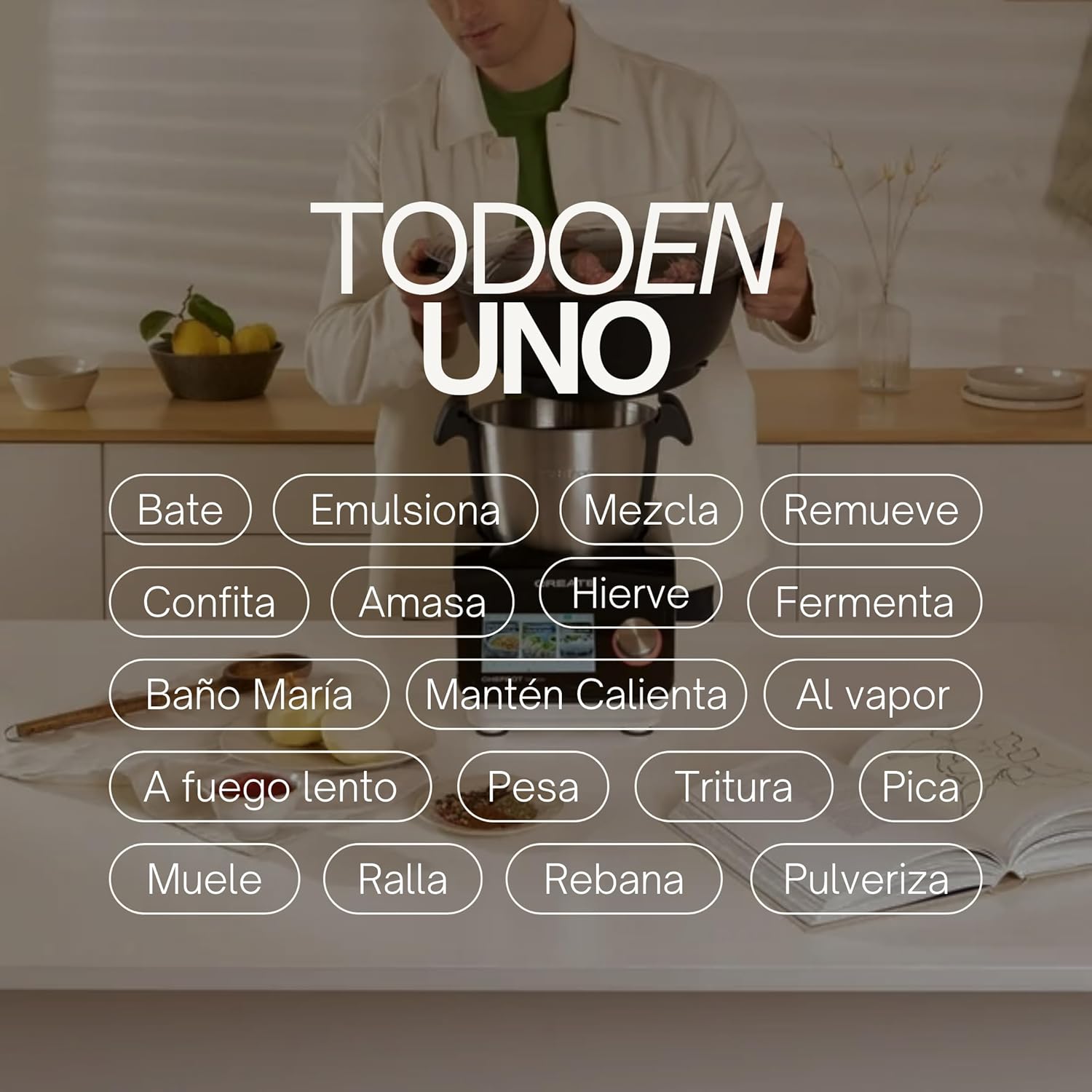
Image: An illustration highlighting the "All-in-One" capabilities of the Chefbot Touch, including functions such as beating, emulsifying, mixing, and more.

Image: A visual summary of the Chefbot Touch's core features: 24 automatic programs, 12 speeds with turbo, and over 140 pre-installed recipes.
3. Komponenti u Aċċessorji
The Chefbot Touch comes with a comprehensive set of accessories to support its many functions:
- Ice-crushing Blades: For crushing ice and hard ingredients.
- Pala tat-Taħlit: Għal tħawwid u taħlit bil-mod.
- Hand Spatula: For scraping and stirring.
- Separator Basket: For cooking ingredients separately within the bowl.
- Tazza tal-kejl: Għal kejl preċiż tal-likwidu.
- Butterfly Whisk: For whipping and emulsifying.
- Reversible Cutting Disc: For slicing and grating.
- Għatu tal-Ikel Processor: For use with the cutting disc.
- Imbuttur tal-Ikel: For safely guiding food into the cutting disc.
- 2-level Steamer Basket: For steaming multiple ingredients simultaneously.

Image: The Chefbot Touch displayed with its full set of ten accessories, designed for various cooking tasks.
4. Setup
4.1 Tneħħija tal-kaxxa u l-ewwel tqegħid
Carefully remove all components from the packaging. Place the Chefbot Touch on a stable, flat, and dry surface. Ensure there is adequate ventilation around the unit. Keep the appliance away from heat sources and direct sunlight.
4.2 Konnessjoni tal-Enerġija
Qabbad il-korda tal-enerġija ma' sokit elettriku ertjat. Kun żgur li l-vultaġġtage jaqbel mal-ispeċifikazzjonijiet tal-apparat tiegħek (110 Volts).
4.3 Tindif Inizjali
Before first use, clean all removable parts (bowl, lid, accessories) with warm soapy water. Rinse thoroughly and dry completely. Wipe the main unit with a damp drapp. Tgħaddix l-unità prinċipali fl-ilma.
4.4 Konnessjoni WiFi
To access online recipes and updates, connect your Chefbot Touch to your home WiFi network.
- Turn on the Chefbot Touch.
- Innaviga lejn il-menù tas-settings fuq l-iskrin tattili.
- Select "WiFi" or "Network Settings".
- Choose your WiFi network from the list.
- Daħħal il-password tal-WiFi tiegħek jekk tintalab.
- Confirm the connection. Once connected, the device will be able to download recipe updates.
5. Istruzzjonijiet Operattivi
5.1 Operazzjoni Ġenerali
The Chefbot Touch is operated primarily through its 5-inch touch screen and the control knob.
- Touch Screen: Use to select programs, recipes, and adjust settings.
- Pum tal-Kontroll: Rotate to adjust values (time, temperature, speed) and press to confirm selections.
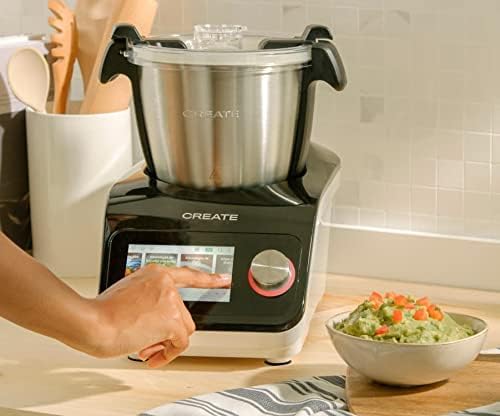
Image: A user demonstrating interaction with the Chefbot Touch's intuitive touchscreen interface.
5.2 L-Użu ta' Programmi Awtomatiċi
The 24 automatic programs simplify complex cooking tasks.
- From the main menu, select "Programs".
- Browse through the available programs (e.g., Knead, Steam, Chop).
- Select the desired program. The device will guide you through the necessary steps and settings.
5.3 Following Preloaded Recipes
Access over 140 preloaded recipes directly on the device.
- Select "Recipes" from the main menu.
- Browse or search for a recipe.
- Select the recipe. The screen will display step-by-step instructions, including ingredients, quantities, and cooking parameters.
- Follow the on-screen prompts to add ingredients and operate the machine.
5.4 Modalità Manwali
For custom cooking, use the manual mode to set time, temperature, and speed independently.
- Select "Manual" or "Custom" mode.
- Use the touch screen and control knob to set the desired cooking time (up to 90 minutes), temperature (37°C to 120°C), and speed (1-12 or Turbo).
- Agħfas il-bidu biex tibda ssajjar.
5.5 Safety Precautions During Operation
- Always ensure the lid is properly secured before operating, especially when using high speeds or hot liquids.
- Timliex iżżejjed l-iskutella.
- Be cautious when handling hot liquids or steam.
- Use the provided spatula or other appropriate utensils to scrape down ingredients, always stopping the machine first.
- Keep hands and utensils away from moving blades.
6. Manutenzjoni u Tindif
Regular cleaning ensures the longevity and optimal performance of your Chefbot Touch.
6.1 Tindif tal-Bowl u l-Aċċessorji
- The stainless steel bowl should be washed by hand with warm soapy water. Rinse thoroughly and dry immediately to prevent water spots.
- Most accessories are dishwasher safe. Refer to individual accessory instructions for specific cleaning guidelines.
- For stubborn food residue, soak parts in warm soapy water before cleaning.
6.2 Tindif tal-Unità Prinċipali
- Imsaħ il-barra tal-unità prinċipali b'ċarruta ratba u damp drapp.
- Tużax prodotti tat-tindif li joborxu jew spondi tal-għorik, għax jistgħu jagħmlu ħsara lill-wiċċ.
- Qatt ma tgħaddas l-unità ewlenija fl-ilma jew fi kwalunkwe likwidu ieħor.
- Kun żgur li l-unità hija splaggjata qabel it-tindif.
6.3 Ħażna
Store the Chefbot Touch and its accessories in a clean, dry place when not in use. Ensure all parts are completely dry before storage.
7 Issolvi l-problemi
If you encounter issues with your Chefbot Touch, refer to the following common problems and solutions:
| Problema | Kawża Possibbli | Soluzzjoni |
|---|---|---|
| L-apparat ma jixgħelx. | Mhux imdaħħla fil-plakka; swiċċ tal-enerġija mitfi; dawl mitfitage. | Ensure power cord is securely plugged in. Check the main power switch. Verify power supply. |
| Motor stops during operation or overheats. | Overload; prolonged continuous use; safety mechanism activated. | Reduce the amount of ingredients. Allow the appliance to cool down for at least 30-60 minutes before resuming use. This is a safety feature to prevent damage. |
| Lid not closing properly. | Obstruction; incorrect alignment. | Check for any food particles or accessories blocking the lid. Ensure the lid is correctly aligned and locked into place. |
| Problemi bil-konnessjoni tal-WiFi. | Password mhux korretta; sinjal dgħajjef; problemi bir-router. | Double-check the WiFi password. Move the unit closer to the router. Restart your router. |
| Messaġġ ta' żball fuq l-iskrin. | Kwistjoni operazzjonali speċifika. | Note the error code or message. Refer to the digital manual on the device or contact customer support for specific guidance. |
If the problem persists after attempting these solutions, please contact CREATE customer support.
8. Speċifikazzjonijiet
Technical specifications for the CREATE IKOHS Chefbot Touch:
| Karatteristika | Speċifikazzjoni |
|---|---|
| Brand | OĦLOQ |
| Mudell | Chefbot Touch |
| Kulur | Iswed |
| Qawwa | 1400 Watts |
| Voltage | 110 Volts |
| Materjal | Stainless Steel (bowl), Aluminum (body) |
| Numru ta' Veloċitajiet | 12 + Turbo |
| Firxa tat-Temperatura | 37°C sa 120°C |
| Max Continuous Operation | minuti 90 |
| Apparati Kompatibbli | IOS, Android |
| Dimensjonijiet tal-Prodott (L x W x H) | 38 x 24 x 23 ċm |
| Piż tal-Prodott | 10 kg |

Immaġni: Quddiem view of the Chefbot Touch, illustrating its dimensions (465mm height, 380mm width) and 3.5L bowl capacity.
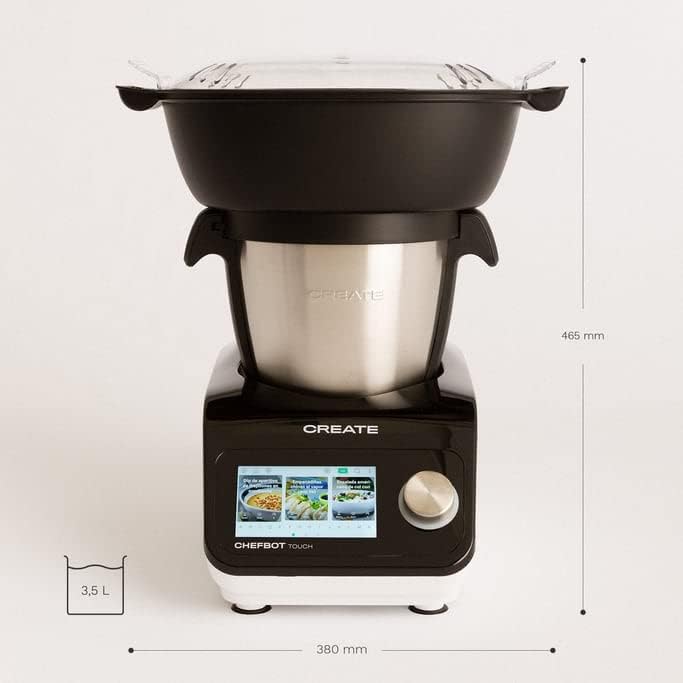
Immaġni: Ġenb view of the Chefbot Touch, showing its depth dimension of 380mm.
9. Garanzija u Appoġġ
For information regarding warranty coverage, terms, and conditions, please refer to the documentation included with your purchase or visit the official CREATE websit.
If you require technical assistance, have questions about your product, or need to report an issue, please contact CREATE customer support through their official channels.
Manifattur: OĦLOQ IKOHS


