1. Introduzzjoni
This manual provides detailed instructions for the installation, operation, and maintenance of your Reobiux 1080P Wireless WiFi Light Bulb Security Camera. Please read this manual thoroughly before using the product to ensure correct usage and optimal performance. Keep this manual for future reference.
2. Prodott Aktarview
The Reobiux Light Bulb Security Camera integrates a 1080P HD camera into a standard E27 light bulb form factor, offering discreet surveillance. It features 2.4GHz WiFi connectivity, two-way audio, motion detection, and night vision capabilities for comprehensive home monitoring.
- Vidjo 1080P Full HD: Captures clear, high-definition video footage.
- 2.4GHz Wireless WiFi: Connects to your home network for remote access.
- Funzjonalità Pan & Tilt: Offers 355° horizontal rotation and 90° vertical tilt for wide area coverage.
- Awdjo f'żewġ direzzjonijiet: Mikrofonu u kelliem integrati jippermettu komunikazzjoni f'ħin reali.
- Sejbien ta' Moviment u Twissijiet: Detects movement and sends notifications to your smartphone.
- IR Night Vision & Full Color Night Vision: Provides clear video monitoring in low-light conditions, with options for infrared or color night vision.
- Ħażna Lokali u fuq il-Cloud: Supports Micro SD card storage (up to 128GB, not included) and optional cloud storage.
- Installazzjoni faċli: Screws into a standard E27 light bulb socket.

Immaġni: Dettaljati view of the Reobiux Light Bulb Security Camera, highlighting its components such as the E27 light socket, enhanced WiFi module, microphone, speaker, HD lens, light sensor, 4 white LEDs, 4 array LEDs, Micro SD card slot, and reset button. Dimensions are also shown.
3. Kontenut tal-Pakkett
Jekk jogħġbok iċċekkja l-kontenut tal-pakkett malli tiftaħ. Jekk xi oġġetti huma nieqsa jew bil-ħsara, ikkuntattja l-appoġġ għall-klijenti.
- Reobiux Light Bulb Security Camera (1)
- E27 Lamp Detentur (1)
- Mounting Screws and Wall Plugs (1 set)
- Manwal għall-Utent (1)
4. Gwida ta' Setup
4.1. Installazzjoni Fiżika
- Itfi: Ensure the power to the light socket is turned off before installation to prevent electrical shock.
- Screw In Camera: Carefully screw the Reobiux Light Bulb Security Camera into a standard E27 light bulb socket. Ensure it is securely tightened.
- Qawwa Mixgħul: Restore power to the light socket. The camera will power on and initiate its self-test sequence. You should hear a prompt indicating it is ready for connection.

Immaġni: A person's hands are shown screwing the Reobiux Light Bulb Security Camera into an E27 light socket, illustrating the easy installation process.
4.2. Tniżżil tal-App u Reġistrazzjoni tal-Kont
- Niżżel l-App: Fittex għal "ICSEE" in your smartphone's app store (Google Play Store for Android or Apple App Store for iOS) and download the application.
- Irreġistra Kont: Open the ICSEE app and follow the on-screen instructions to register a new account. If you already have an account, log in.
4.3. Connecting the Camera to WiFi
Ensure your smartphone is connected to a 2.4GHz WiFi network. The camera does not support 5GHz WiFi.
- Żid Apparat: In the ICSEE app, tap the "+" icon to add a new device. Select "Add Camera" or "Smart Camera".
- Agħżel il-Metodu ta' Konnessjoni: Choose the "WiFi Connection" or "Scan QR Code" method as prompted by the app.
- Enter WiFi Details: Input your 2.4GHz WiFi network name (SSID) and password.
- Tqabbil: Follow the app's instructions to complete the pairing process. This usually involves holding your phone's QR code in front of the camera lens or listening for a connection sound.
- Konferma: Once connected, the camera will indicate successful pairing (e.g., a voice prompt or LED indicator change). You can then name your camera and begin live viewing.
5. Istruzzjonijiet Operattivi
5.1. Ħaj View u Daqq
- Aċċess għal-Live Feed: Open the ICSEE app and select your camera from the device list to view il-video live feed.
- Playback Recorded Footage: Navigate to the playback section in the app to review videos stored on the Micro SD card or cloud storage.
5.2. Kontroll tal-Pan u l-Tilt
Use the directional controls within the ICSEE app to remotely adjust the camera's viewangolu tal-ing.
- Rotazzjoni Orizzontali: The camera supports 355° pan movement.
- Mejjel Vertikali: The camera supports 90° tilt movement.

Immaġni: The Reobiux Light Bulb Security Camera is shown with arrows indicating its 355-degree horizontal pan and 90-degree vertical tilt capabilities, alongside a smartphone displaying the camera's control interface.
5.3. Awdjo b'żewġ direzzjonijiet
Biex tuża l-karatteristika tal-awdjo f'żewġ direzzjonijiet:
- Tkellem: Tektek l-ikona tal-mikrofonu fil-live view interfaċċja biex titkellem permezz tal-ispiker tal-kamera.
- Isma': The camera's built-in microphone will pick up audio from the monitored area.
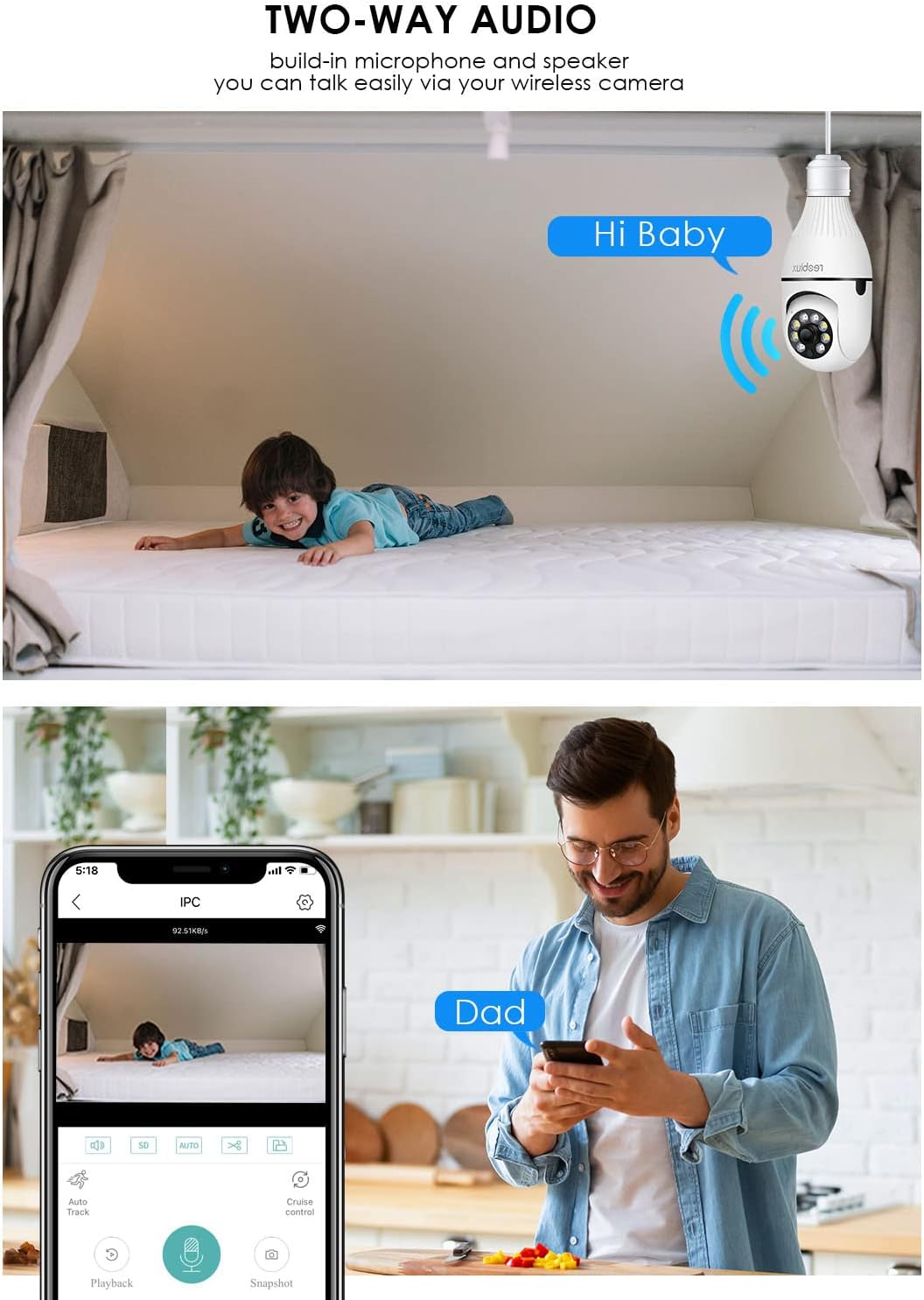
Immaġni: Illustrates the two-way audio function, showing a child on a bed and a person on a phone, with speech bubbles indicating communication through the camera.
5.4. Sejbien tal-Mozzjoni u Twissijiet
Il-kamera tista' tiskopri l-moviment u tibgħat allerti lill-ismartphone tiegħek.
- Ippermetti/Itfi: Access the camera settings in the ICSEE app to enable or disable motion detection.
- Sensittività: Aġġusta s-sensittività tad-detezzjoni tal-moviment biex timminimizza l-allarmi foloz.
- Twissijiet: Configure notification settings to receive push alerts on your phone when motion is detected.
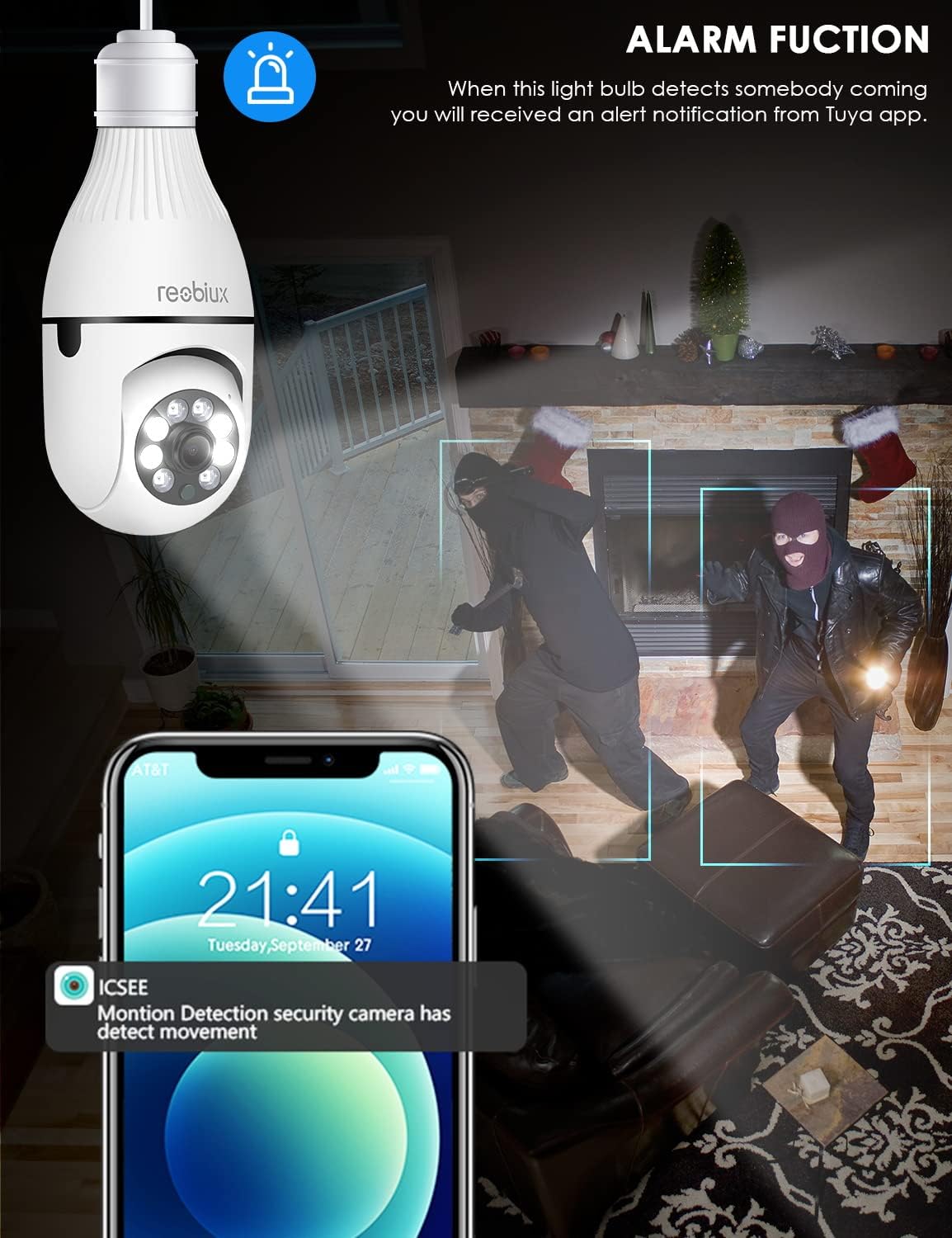
Immaġni: Depicts the camera's alarm function, showing an alert notification on a smartphone screen when motion is detected by the light bulb camera.
5.5. Modi ta' Viżjoni bil-Lejl
The camera offers enhanced night vision capabilities.
- Viżjoni Lejl IR: Utilizes infrared LEDs for clear black-and-white video in complete darkness.
- Viżjoni bil-Lejl bil-Kulur Sħiħ: Activates white supplement lights to provide color video even in low-light conditions.
- Għażla tal-Modalità: Select your preferred night vision mode in the app settings.
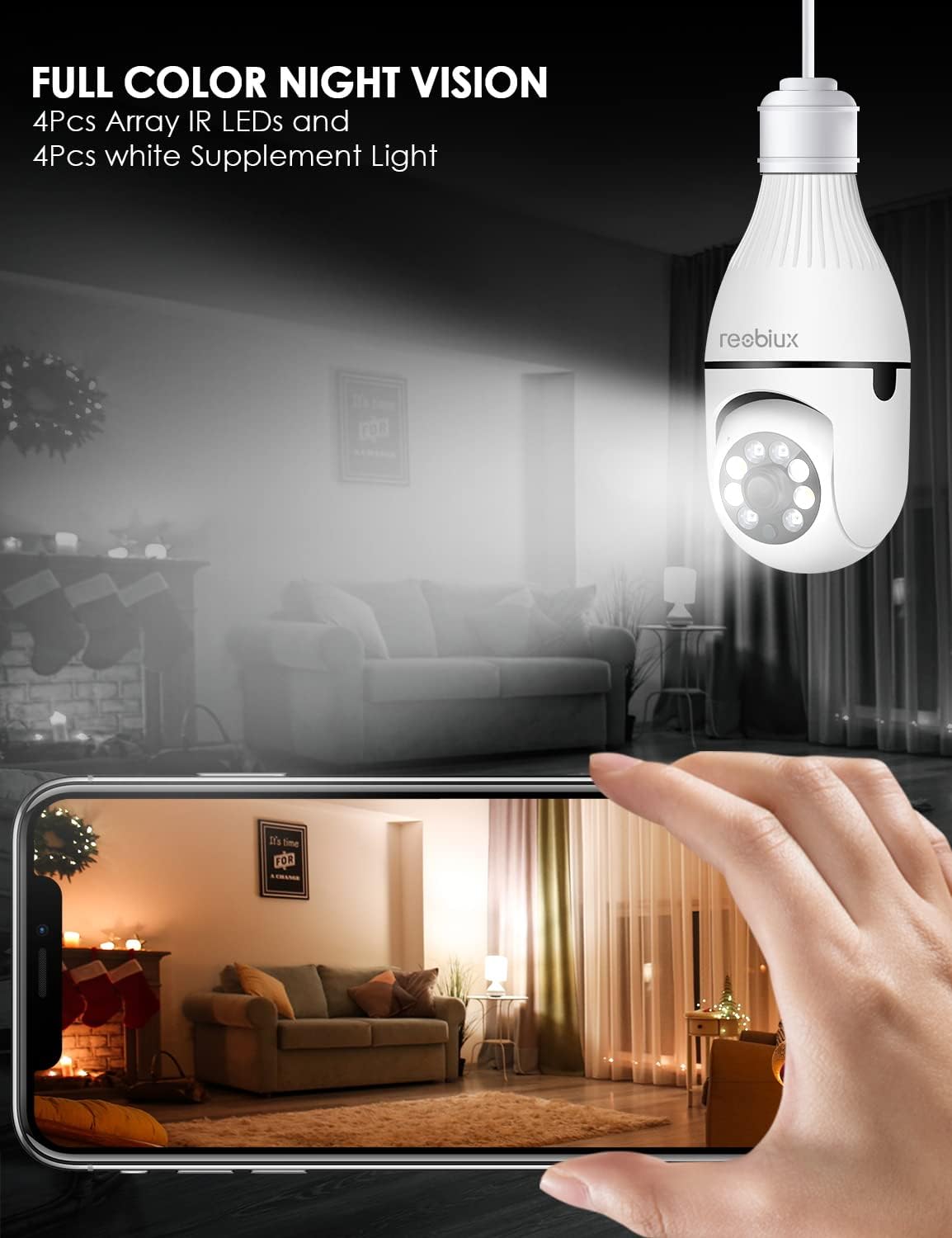
Immaġni: Shows the camera's full-color night vision feature, with a smartphone displaying a clear, illuminated view of a room at night, enabled by the camera's IR LEDs and white supplement lights.
5.6. Għażliet ta 'Ħażna
- Karta Micro SD: Insert a Micro SD card (up to 128GB, Class 10 or higher recommended) into the designated slot for local video storage. The camera will automatically overwrite older footage meta l-karta tkun mimlija.
- Ħażna Cloud: The ICSEE app may offer optional cloud storage services for a subscription fee. Refer to the app for details.
6. Manutenzjoni
- Tindif: Imsaħ bil-mod il-lenti u l-qafas tal-kamera b'ċarruta ratba u niexfa. Tużax prodotti tat-tindif likwidi jew materjali li joborxu.
- Aġġornamenti tal-Firmware: Periodically check the ICSEE app for available firmware updates. Keeping the firmware updated ensures optimal performance and security.
- Irrisettjar il-Kamera: If you encounter persistent issues or need to reconfigure the camera, locate the reset button (refer to Product Overview image) and press and hold it for approximately 5-10 seconds until you hear a reset confirmation.
7 Issolvi l-problemi
| Problema | Kawża Possibbli | Soluzzjoni |
|---|---|---|
| Camera fails to connect to WiFi. | Incorrect WiFi password, 5GHz WiFi network, camera too far from router, weak signal. |
|
| L-ebda xandir dirett tal-vidjow. | No internet connection, camera offline, app issue. |
|
| Twissijiet ta' skoperta ta' moviment mhux riċevuti. | Motion detection disabled, app notifications off, incorrect sensitivity. |
|
| Kwalità fqira tal-vidjo. | Weak WiFi signal, dirty lens, low light conditions. |
|
8. Speċifikazzjonijiet
| Mudell | B09P8H6BMY |
| Riżoluzzjoni tal-Qbid tal-Vidjo | 1080p |
| Teknoloġija tal-Komunikazzjoni mingħajr Fili | Wi-Fi (2.4GHz biss) |
| Tip ta 'Immuntar | Ceiling Mount (E27 Socket) |
| Tip ta' Kontrollur | Android, iOS (via ICSEE app) |
| Sors tal-Enerġija | AC/DC (via E27 socket) |
| Voltage | 240 Volts |
| Wattage | 3 watt |
| Teknoloġija tad-Dawl Baxx | Night Color, Infrared |
| Tip ta 'Twissija | Mozzjoni Biss |
| Materjal | Plastik |
| Klassifikazzjoni tal-Protezzjoni Internazzjonali | IP67 (Note: The lightbulb connection itself is not typically rated for outdoor exposure without additional protection.) |
| Piż tal-oġġett | 10.5 uqija |
| Dimensjonijiet tal-Pakkett | 6.46 x 4.13 x 3.62 pulzieri |
9. Informazzjoni dwar Garanzija
Reobiux products are typically covered by a limited warranty against defects in materials and workmanship. For specific warranty terms and conditions, please refer to the documentation included with your purchase or contact Reobiux customer support. Keep your proof of purchase for warranty claims.
10. Appoġġ għall-Klijent
If you have any questions, encounter issues, or require technical assistance with your Reobiux Light Bulb Security Camera, please contact our customer support team. Refer to the product packaging or the official Reobiux webis-sit għall-aktar informazzjoni ta' kuntatt aġġornata.
- Appoġġ onlajn: Visit the official Reobiux websit għal FAQs, gwidi għas-soluzzjoni tal-problemi, u formoli ta' kuntatt.
- Appoġġ bl-Email: (Specific email address not provided in data, so general statement)
- Appoġġ tat-Telefon: (Specific phone number not provided in data, so general statement)

