1. Introduzzjoni
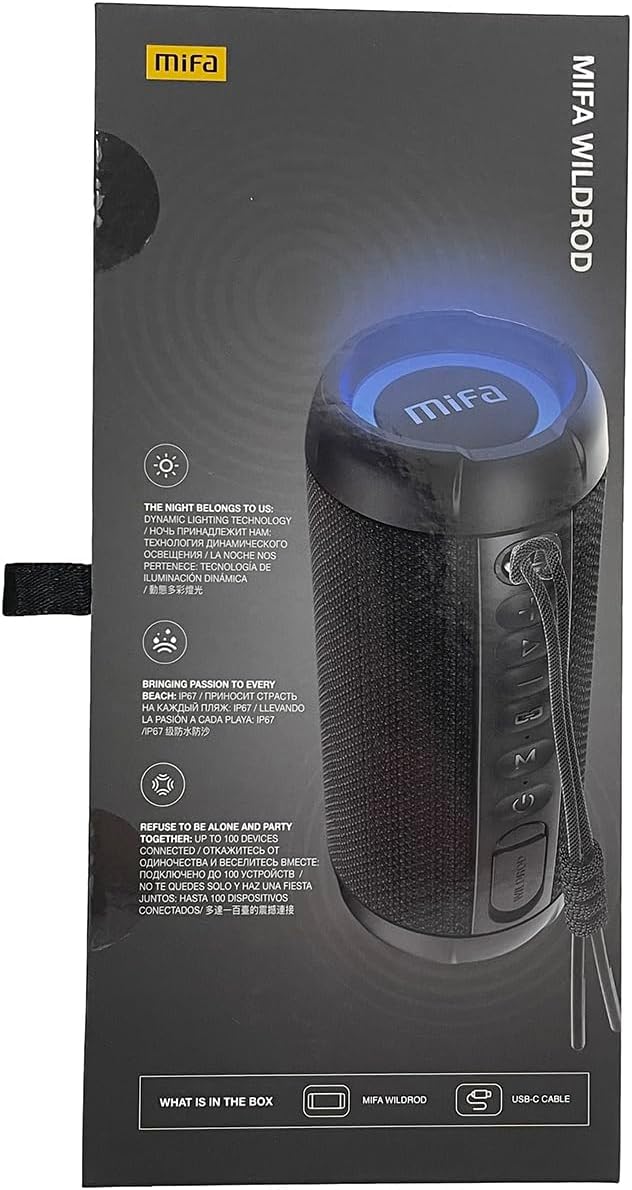
This manual provides instructions for the safe and efficient operation of your MIFA S2118 WildRod Portable Bluetooth Speaker. Please read this manual thoroughly before using the product and retain it for future reference.
2. Kontenut tal-Pakkett
Ivverifika li l-oġġetti kollha huma preżenti fil-pakkett:
- MIFA WildRod Speaker
- USB-C Cable
- Manwal għall-Utent (dan id-dokument)
3. Prodott Aktarview
The MIFA S2118 WildRod is a portable Bluetooth speaker designed for outdoor use, featuring robust construction and dynamic audio capabilities.
Karatteristiċi ewlenin:
- IP67 reżistenti għall-ilma u għat-trab: Designed to withstand immersion in water up to 1 meter for 30 minutes and protected against dust ingress.
- 30W Qawwa tal-Ħruġ: Delivers clear and powerful sound with a 2-way speaker system, including a racetrack-shaped woofer and a separate tweeter.
- Dynamic LED Light: Features 16.8 million Aurora colors and 36 mixed color flashing lights that synchronize with music.
- Bluetooth 5.3: For stable wireless connectivity.
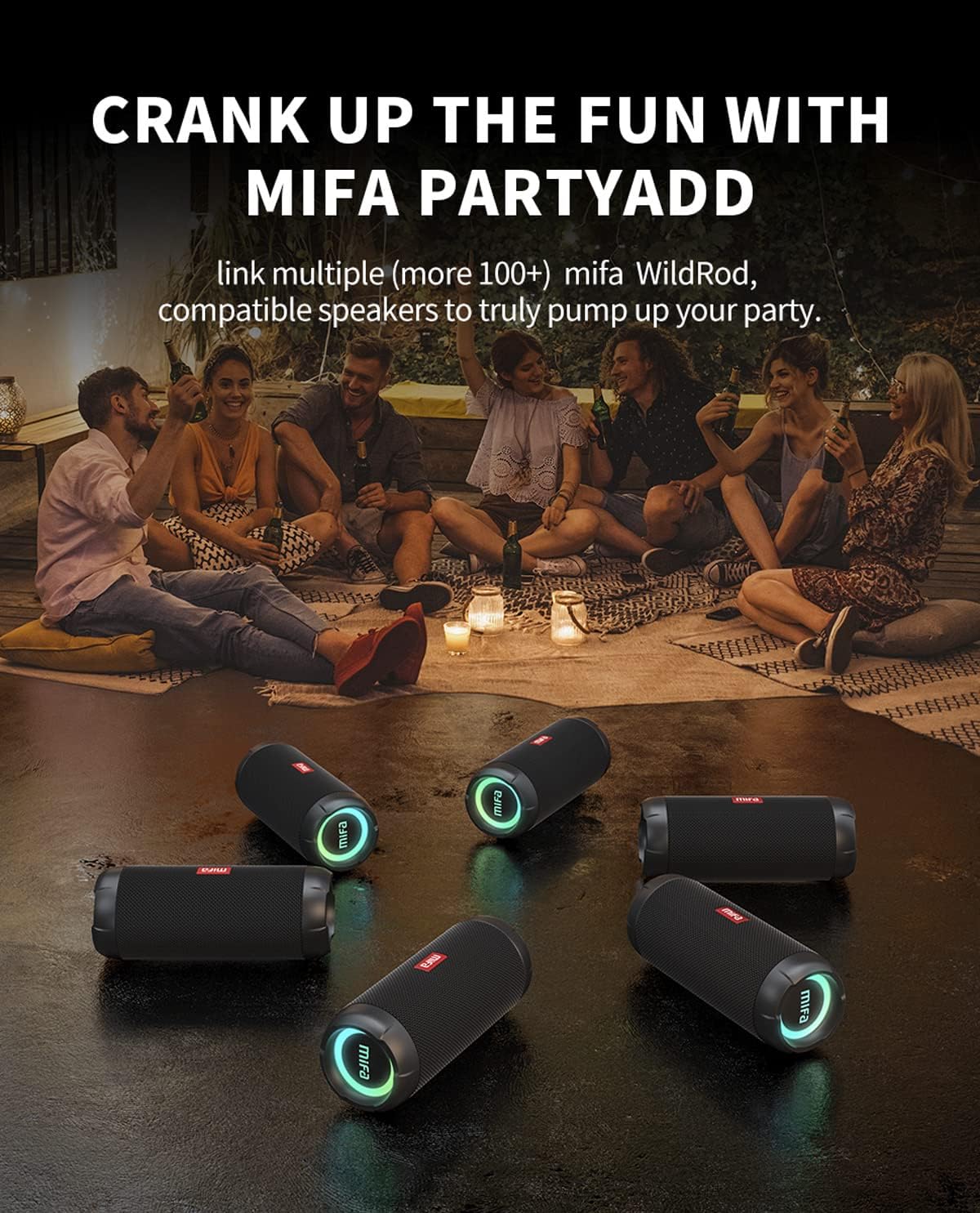
- MIFA PartyAdd: Allows linking multiple (100+) compatible speakers for synchronized audio.
- Ħin tal-logħob ta' 12-il siegħa: Equipped with a 5000mAh lithium battery.
- Għażliet ta' Input Multipli: Supports Bluetooth and Micro SD card playback.


4. Setup
4.1 Iċċarġjar inizjali
- Before first use, fully charge the speaker using the provided USB-C cable.
- Connect the USB-C cable to the charging port on the speaker and the other end to a compatible USB power adapter (not included).
- L-indikatur LED juri l-istatus tal-iċċarġjar u jintefa jew jibdel il-kulur meta jkun iċċarġjat kompletament.

5. Istruzzjonijiet Operattivi
5.1 Power On/Off
- Biex tixgħel, agħfas u żomm il-buttuna tal-Power sakemm id-dawl indikatur jixgħel.
- Biex titfi, agħfas u żomm il-buttuna tal-Qawwa sakemm id-dawl indikatur jintefa.
5.2 Tqabbil tal-Bluetooth
- Kun żgur li l-ispiker ikun mixgħul u fil-modalità ta' tqabbil Bluetooth (id-dawl indikatur se jteptep).
- Fuq l-apparat tiegħek (smartphone, tablet, eċċ.), attiva l-Bluetooth u fittex apparati disponibbli.
- Select "MIFA S2118" or "MIFA WildRod" from the list of devices.
- Ladarba jkun imqabbad, l-ispiker jindika konnessjoni b'suċċess, u d-dawl indikatur jibqa' mixgħul.
5.3 Kontrolli tal-Daqq
- Play/Pawsa: Agħfas il-buttuna Play/Pause.
- Volum 'il fuq: Agħfas il-buttuna Volume +.
- Volum 'l isfel: Agħfas il-buttuna tal-Volum -.
- Track li jmiss: Agħfas u żomm il-buttuna Volum +.
- Track preċedenti: Agħfas u żomm il-buttuna tal-Volum -.
5.4 Modalità tad-Dawl LED
The speaker features dynamic LED lights. Refer to the specific button on your speaker (often marked with a light icon) to cycle through different light modes or turn them off.
5.5 MIFA PartyAdd (True Wireless Stereo Pairing)
To connect multiple MIFA WildRod speakers for a synchronized audio experience:
- Kun żgur li ż-żewġ kelliema huma mixgħula u mhumiex konnessi ma' xi apparat Bluetooth.
- On one speaker, press the PartyAdd button (or designated TWS button). It will enter pairing mode.
- Repeat the process on the second speaker.
- Once connected, the speakers will indicate successful pairing. You can then connect your device to one of the speakers via Bluetooth.

5.6 Daqq tal-Karta Mikro SD
Daħħal kard Micro SD bl-awdjo files into the designated slot. The speaker will automatically switch to Micro SD card playback mode. Use the playback controls to manage your music.
6. Manutenzjoni
- Tindif: Uża artab, damp drapp biex tnaddaf il-barra tal-ispiker. Tużax kimiċi ħarxa jew prodotti tat-tindif li joborxu.
- Ħażna: Aħżen l-ispiker f'post frisk u niexef 'il bogħod mix-xemx diretta u minn temperaturi estremi.
- Kura tal-batterija: Biex ittawwal il-ħajja tal-batterija, iċċarġja l-ispiker kompletament qabel perjodi twal ta’ inattività. Evita li l-batterija tinżel kompletament ta’ spiss.
7 Issolvi l-problemi
| Problema | Kawża Possibbli | Soluzzjoni |
|---|---|---|
| L-ispiker ma jixgħelx. | Batterija baxxa. | Iċċarġja l-ispiker kompletament. |
| Ma tistax tqabbad permezz tal-Bluetooth. | L-ispiker mhux fil-modalità ta' tqabbil; il-Bluetooth tal-apparat mitfi; wisq 'il bogħod mill-ispiker. | Ensure speaker is in pairing mode. Turn device Bluetooth off and on. Move device closer to speaker. |
| L-ebda ħoss. | Volume too low; device not connected; incorrect input source. | Increase volume on both speaker and device. Re-pair Bluetooth. Check if Micro SD card is inserted. |
| Distorsjoni tal-ħoss. | Volum għoli wisq; batterija baxxa. | Naqqas il-volum. Iċċarġja l-ispiker. |
8. Speċifikazzjonijiet
- Isem tal-Mudell: WildRod
- Numru tal-Mudell tal-Oġġett: S2118
- Ditta: MIFA
- Qawwa tal-Ħruġ Massimu tal-Ispeaker: 30 Watts
- Rispons tal-Frekwenza: 20000 Hz
- Teknoloġija tal-Konnettività: USB (for charging), Bluetooth 5.3
- Modalità tal-Ħruġ tal-Awdjo: Stereo
- Input Voltage: 5 Volts
- Tip ta 'Immuntar: Mejda
- Materjal: Waterproof and dustproof plastic with LED lights
- Tip ta' Kelliem: Barra
- Batteriji: 1 batterija tal-jone tal-litju (inkluża)
- Dimensjonijiet tal-Prodott: 7 x 7 x 19 ċm
- Piż: 600 g
- Klassifikazzjoni li ma jgħaddix ilma minnha: IP67
- Klassifikazzjoni tat-trab: IP6X
- Ħin tal-logħob: Sa 12 sigħat
9. Informazzjoni dwar is-Sigurtà
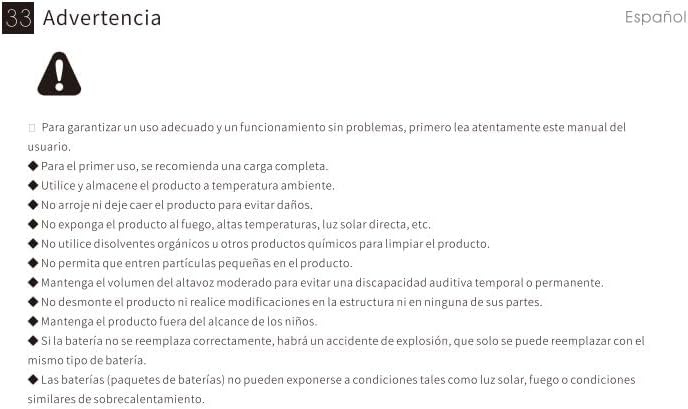
⚠ Twissija: For proper use and trouble-free operation, please read this user manual carefully first.
- For first use, a full charge is recommended.
- Uża u aħżen il-prodott f'temperatura ambjentali.
- Twaqqax il-prodott biex tevita ħsara.
- Tesponix il-prodott għan-nar, temperaturi għoljin, dawl tax-xemx dirett, eċċ.
- Do not use organic solvents or other chemical products to clean the product.
- Do not allow small particles to enter the product.
- Maintain moderate speaker volume to avoid temporary or permanent hearing impairment.
- Do not disassemble the product or make modifications to the structure or any of its parts.
- Żomm il-prodott fejn ma jintlaħaqx mit-tfal.
- If the battery is not replaced correctly, there will be an explosion accident, and it can only be replaced with the same type of battery.
- Batteries (battery packs) cannot be exposed to conditions such as light, fire, or overheating.
10. Garanzija u Appoġġ
MIFA products are covered by a limited warranty. For detailed warranty information and support, please visit the official MIFA websit jew ikkuntattja lis-servizz tal-konsumatur.
- Manifattur: MIFA INNOVAZZJONIJIET LLC
- Websit: www.mifa.net
- Kuntatt: 4007-881-899


