Introduzzjoni
This manual provides detailed instructions for the operation and maintenance of your BOBLOV M11 Police Body Camera. Designed for professionals, the M11 offers high-resolution video recording, enhanced night vision, and user-friendly controls for reliable evidence collection and personal security. Please read this manual thoroughly before using the device to ensure proper functionality and safety.
X'hemm fil-Kaxxa
Upon unboxing your BOBLOV M11 Police Body Camera, verify that all the following items are included:
- Kamera M11
- Clip Twil
- Clip Qasira
- Manwal għall-Utent
- Cable USB
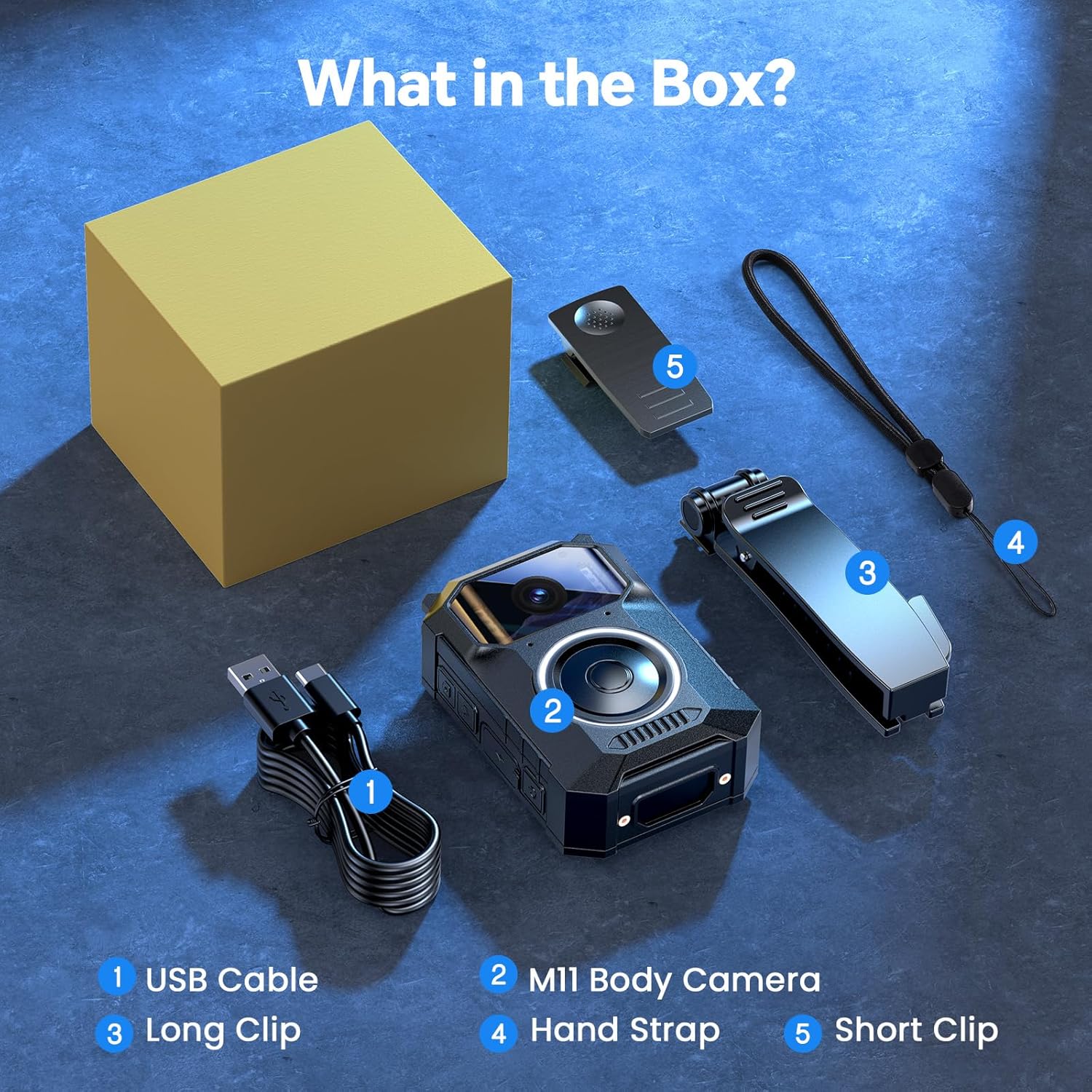
Figure 1: All items included in the BOBLOV M11 Body Camera package. This includes the M11 camera unit, a long clip, a short clip, a USB charging/data cable, and the user manual.
Karatteristiċi tal-Prodott
Crystal-Clear 3.2K Video with Audio
The BOBLOV M11 records video in 3.2K resolution, providing exceptional clarity and detail. Integrated audio capture ensures comprehensive documentation, making it suitable for daily use, patrols, outdoor recording, evidence collection, and personal security applications.

Figure 2: The M11 camera captures sharp details in 3.2K resolution, ideal for various recording scenarios.
User-Friendly Big Button Design
Equipped with a large, easily accessible button, the M11 personal body camera allows for quick and intuitive control. This design minimizes distractions, enabling users to initiate recording swiftly even in high-stress situations.

Figure 3: The prominent central button on the M11 ensures effortless operation, allowing users to press and record without needing to look.
10-Hour Long-Lasting Battery
The M11 features a high-capacity battery, providing up to 10 hours of continuous video recording on a single charge. This extended battery life is beneficial for law enforcement, commuters, delivery personnel, and anyone requiring prolonged recording capabilities.

Figure 4: The M11's robust battery supports up to 10 hours of recording, ensuring coverage for full shifts.
Enhanced Night Vision with 8 IR Lights
For effective operation in low-light conditions, the M11 is equipped with 8 built-in infrared (IR) lights. This feature enables clear visibility and recording even after dark, enhancing safety during night patrols or late-night work.
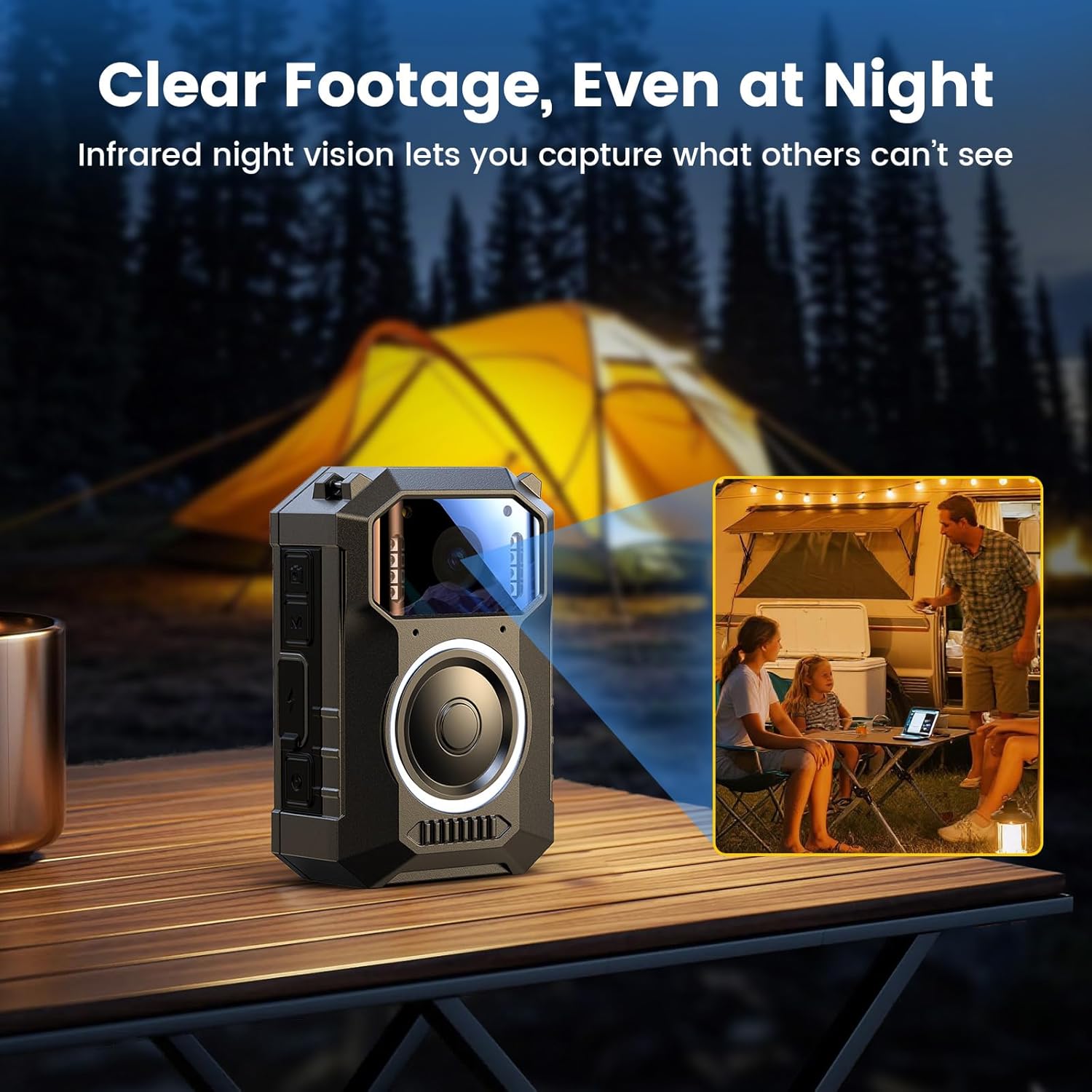
Figure 5: With 8 IR lights, the M11 provides clear footage in challenging low-light environments.
Compatible with Windows & Mac
Footage recorded on the M11 can be easily transferred and viewed on both Windows and Mac operating systems. This plug-and-play functionality eliminates the need for additional software, streamlining the review proċess.
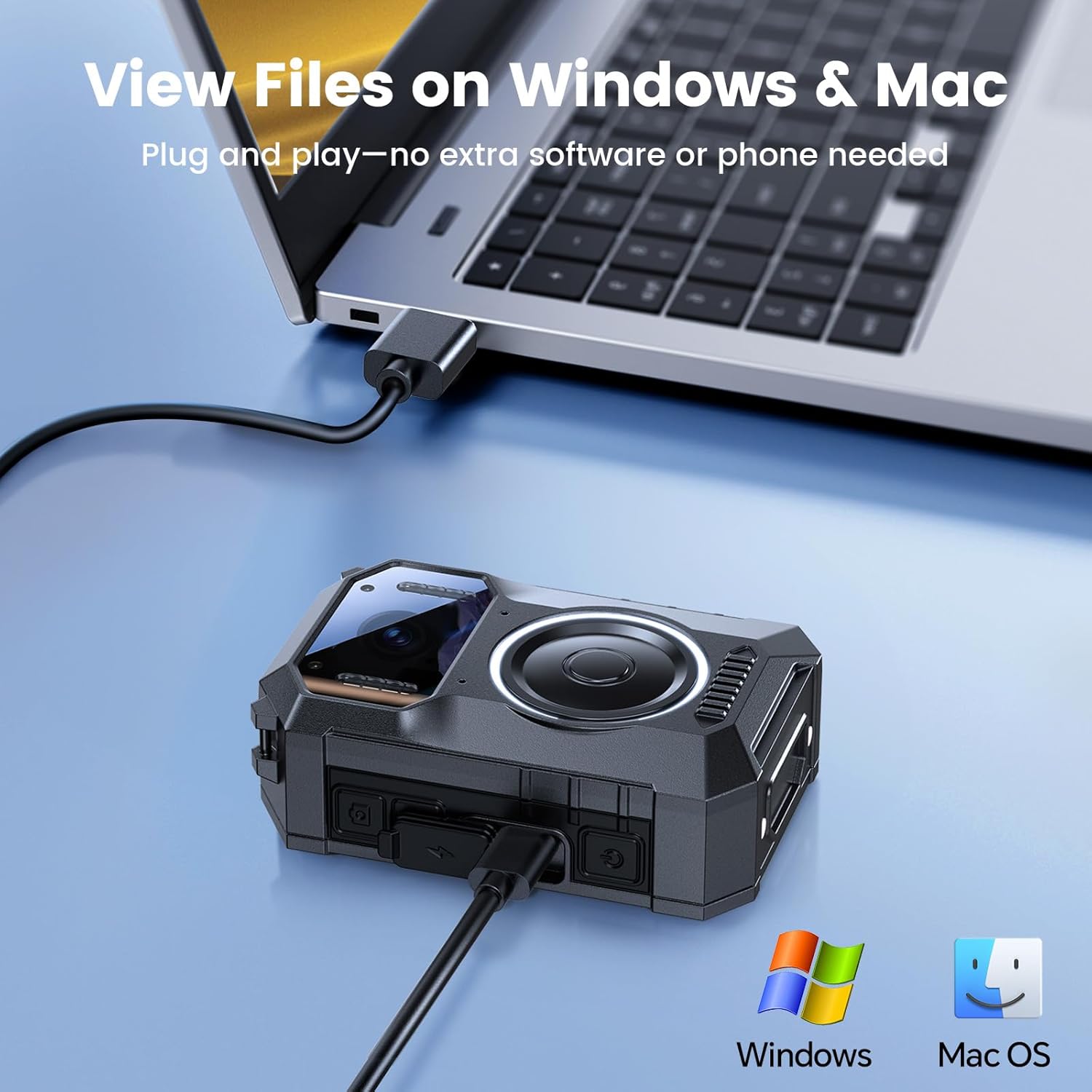
Figure 6: Seamlessly transfer and view your M11 footage on both Windows and Mac computers.
Flexible Wear Options
The M11 is designed for versatile wear, offering hands-free recording in various scenarios. It comes with both long and short clips, allowing attachment to uniforms, vests, or other gear.
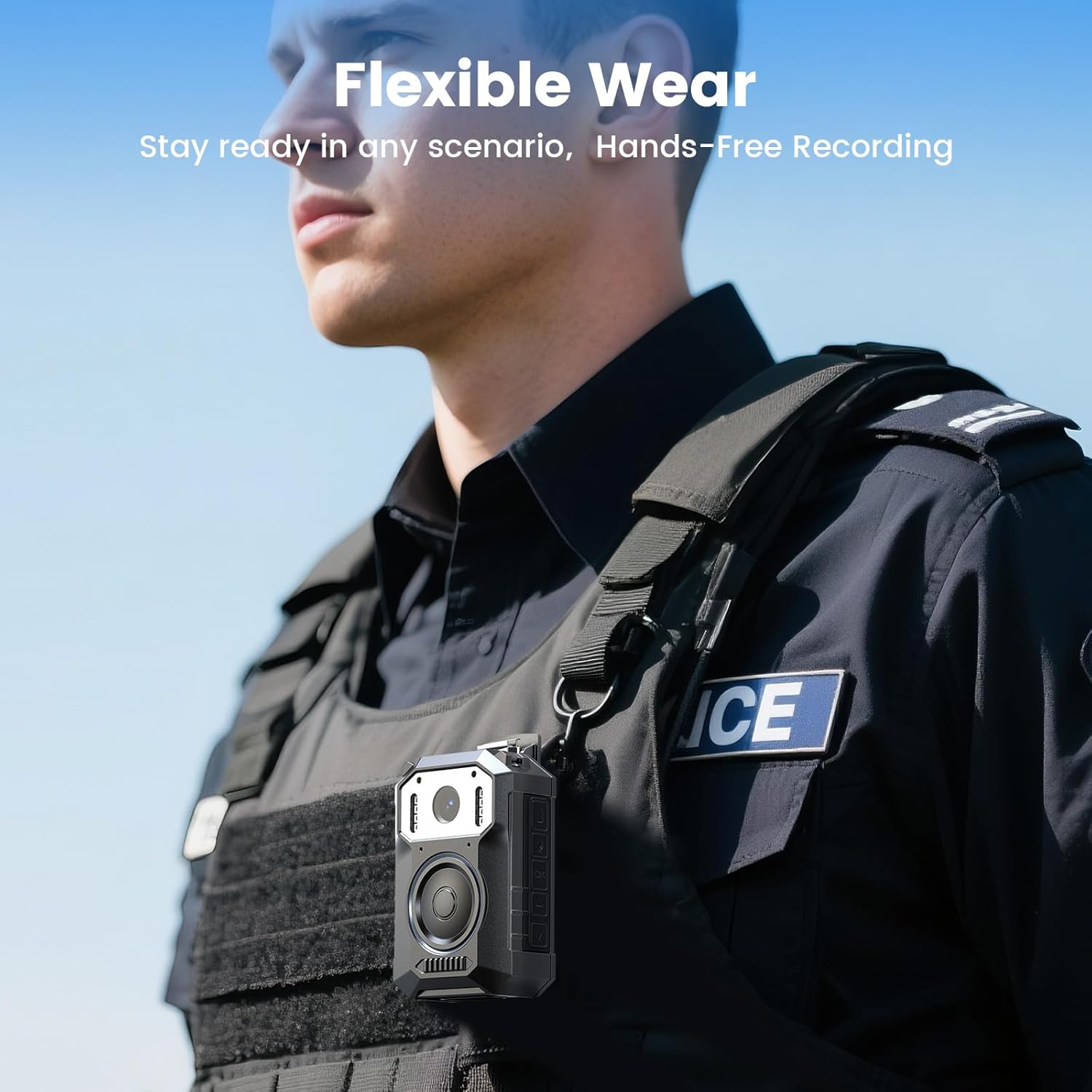
Figure 7: The M11 offers flexible wearability, ensuring it's always ready for hands-free recording.
Durable for Outdoor Conditions
Built to withstand challenging environments, the M11 operates reliably in light rain and various outdoor conditions, providing robust performance when it matters most.

Figure 8: The M11 is designed to be tough enough for unexpected conditions, working reliably in light rain and outdoor environments.
Setup
Iċċarġjar tal-Apparat
Before initial use, fully charge your M11 body camera. Connect the provided USB cable to the camera's USB-C port and then to a power source (e.g., computer USB port, wall adapter). The charging indicator will provide feedback on the charging status. A full charge typically takes approximately 4 hours.
Attaching Clips
The M11 comes with both a long clip and a short clip to suit various wearing preferences. To attach a clip, align the clip with the mounting slot on the back of the camera and slide it into place until it clicks securely. Ensure the clip is firmly attached before use.

Figure 9: The M11 features a secure clip attachment for versatile wearing options.
Tixgħel/Jitfi
To power on the camera, long press the Power On/Off button located on the side of the device. The screen will illuminate, indicating the camera is active. To power off, long press the Power On/Off button again until the device shuts down.
Operazzjoni
Reġistrazzjoni tal-Vidjo
To start video recording, short press the Video button. The camera will begin recording, and an indicator will typically show recording status. To stop recording, short press the Video button again.
Recording Audio Only
For audio-only recording, locate the Audio button and short press it. The device will begin recording audio, indicated by a specific icon on the screen. Short press the Audio button again to stop recording.
Jieħdu Ritratti
To capture a still photo, short press the Photo button. The camera will take a picture, which will be saved to the device's internal memory.
Activating Night Vision
The M11's night vision feature can be activated by short pressing the Light button. This will turn on the white illuminator. Long pressing the Light button will turn on the IR lights for enhanced night vision. Short press again to cycle through modes or turn off the lights.
Accessing Recorded Files fuq Apparat
Biex terġa 'view irreġistrat files directly on the camera, navigate through the menu using the directional buttons and select the playback option. You can then browse through your video, photo, and audio files.
Konnessjoni mal-Kompjuter
The BOBLOV M11 is compatible with both Windows and Mac operating systems for easy file transfer. Connect the camera to your computer using the provided USB cable. The device will appear as a removable storage drive, allowing you to access and manage your recorded footage without requiring special software.
Figure 10: Connect your M11 to a computer to easily transfer and manage files.
Manutenzjoni
To ensure the longevity and optimal performance of your BOBLOV M11 body camera, follow these maintenance guidelines:
- Tindif: Uża drapp artab u niexef biex tnaddaf il-korp tal-kamera. Għal-lenti, uża drapp u soluzzjoni speċjalizzati għat-tindif tal-lentijiet biex tevita l-grif.
- Kura tal-batterija: Avoid fully discharging the battery frequently. Charge the device regularly, even if not in active use, to maintain battery health. Store the camera in a cool, dry place.
- Ħażna: When not in use, store the camera in a protective case to prevent dust and physical damage.
Issolvi l-problemi
If you encounter issues with your M11 body camera, refer to the following common troubleshooting steps:
- L-Apparat Mhux Jixgħel: Ensure the battery is fully charged. If the issue persists, try connecting to a different power source.
- Kwistjonijiet ta' Reġistrazzjoni: Check available storage space. Ensure the device is not in a locked mode.
- File Problemi ta' Trasferiment: Verify the USB cable connection. Try connecting to a different USB port or computer. Ensure the camera is powered on when connected.
For further assistance, please refer to the detailed troubleshooting section in the full user manual or contact BOBLOV customer support.
Speċifikazzjonijiet
| Karatteristika | Dettall |
|---|---|
| Isem tad-Ditta | BOBLOV |
| Piż tal-oġġett | 1.17 liri |
| Dimensjonijiet tal-Pakkett | 5.91 x 3.94 x 3.15 pulzieri |
| Numru tal-mudell tal-oġġett | M11 |
| Batteriji | 1 A batteriji meħtieġa. (inkluż) |
| Isem tal-Kulur | Iswed |
| Karatteristiċi Speċjali | Built In Microphone, Portable, USB Port, Waterproof |
| Teknoloġija tas-Sensor tar-Ritratti | CMOS |
| Riżoluzzjoni tal-Qbid tal-Vidjo | 3.2K |
| Tul Fokali Massimu | 20 Millimetru |
| Apertura massima | 2 f |
| Tip ta' Memorja Flash | Mikro SD |
| Format tal-Qbid tal-Vidjo | MOV |
| Daqs tal-Iskrin | 2 pulzieri |
| Teknoloġija tal-Konnettività | USB |
Vidjo Uffiċjali tal-Prodott
Vidjo 1: Overview of the BOBLOV M11 3.2K Body Camera, highlighting its big button and 10-hour video recording capability. This video provides a visual demonstration of the product's key features and design.
Garanzija u Appoġġ
BOBLOV provides 24 months of product coverage for its supporters. For any technical inquiries or support needs, BOBLOV offers quick response within 24 hours and lifetime technical support. For more information or to contact support, please visit the BOBLOV Store.


