1. Introduzzjoni
This manual provides detailed instructions for the installation, operation, and maintenance of your GMK CG6 Wireless 2K Security Camera. Designed for both indoor and outdoor use, this camera offers advanced features such as 2K video resolution, color night vision, AI motion detection, two-way audio, and IP65 weather resistance. Please read this manual thoroughly before using the product to ensure proper functionality and safety.

Image 1.1: The GMK CG6 camera, highlighting its robust, weatherproof construction suitable for outdoor environments.
2. Kontenut tal-Pakkett
Jekk jogħġbok ivverifika li l-oġġetti kollha huma preżenti fil-pakkett tiegħek:
- GMK CG6 Wireless 2K Security Camera
- Bracket tal-Immuntar
- Viti tal-Immuntar u Plugs tal-Ħajt
- Cable tal-Iċċarġjar tal-USB
- Manwal għall-Utent (dan id-dokument)
3. Prodott Aktarview
The GMK CG6 camera is equipped with a high-resolution lens, infrared LEDs for night vision, a spotlight, a microphone, and a speaker for two-way communication. It features a built-in rechargeable battery and supports both local (Micro SD card) and cloud storage options.
Karatteristiċi ewlenin:
- Riżoluzzjoni tal-Vidjo 2K: Jaqbad ikel ċar u dettaljattage.
- Viżjoni bil-Lejl bil-Kulur Sħiħ: Provides color images even in low-light conditions, alongside traditional infrared night vision.
- Sejbien tal-Mozzjoni bl-AI: Advanced algorithms for accurate detection and reduced false alerts.
- Taħdita f'żewġ direzzjonijiet: Communicate with visitors or deter intruders remotely.
- Imħaddem bil-batterija u mingħajr fili: Offers flexible placement without power cables.
- IP65 Reżistenti għat-Temp: Iddisinjat biex jiflaħ diversi kundizzjonijiet tat-temp.
- Spotlight u Siren Allarm: Integrated deterrents for enhanced security.
- Għażliet ta' Ħażna Doppju: Supports Micro SD card (up to 128GB, not included) and cloud storage.
4. Gwida ta' Setup
4.1 Iċċarġjar inizjali
Before first use, fully charge the camera using the provided USB cable and a standard 5V/1A USB power adapter (not included). The charging indicator light will show the charging status.

Immaġni 4.1: Sploda view of the camera, illustrating the integrated rechargeable battery.
4.2 Installazzjoni tal-App
Download the 'Vicohome' app from the App Store (iOS) or Google Play Store (Android). Register for a new account or log in if you already have one.
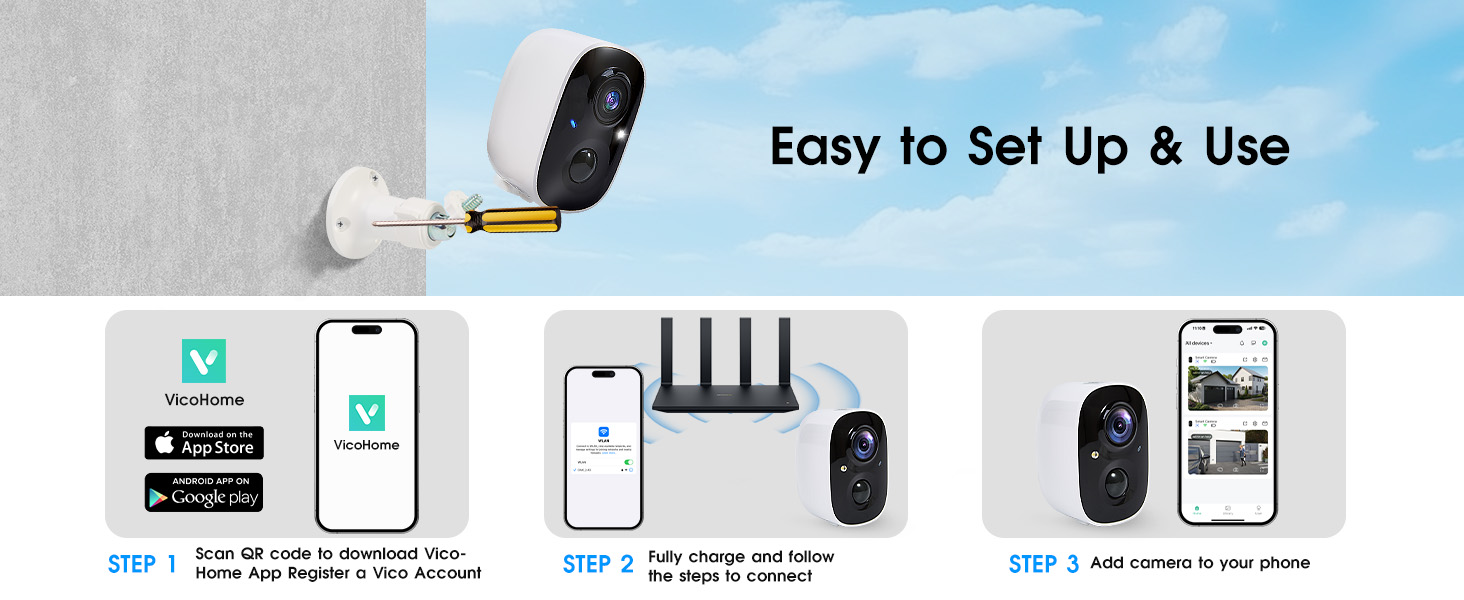
Image 4.2: Visual guide for the initial setup process, including app download and camera connection.
4.3 Konnessjoni Wi-Fi
Follow the in-app instructions to connect your camera to your home Wi-Fi network. Important: The camera only supports 2.4GHz Wi-Fi networks. It is not compatible with 5GHz Wi-Fi. Ensure your mobile device is connected to a 2.4GHz network during the setup process.
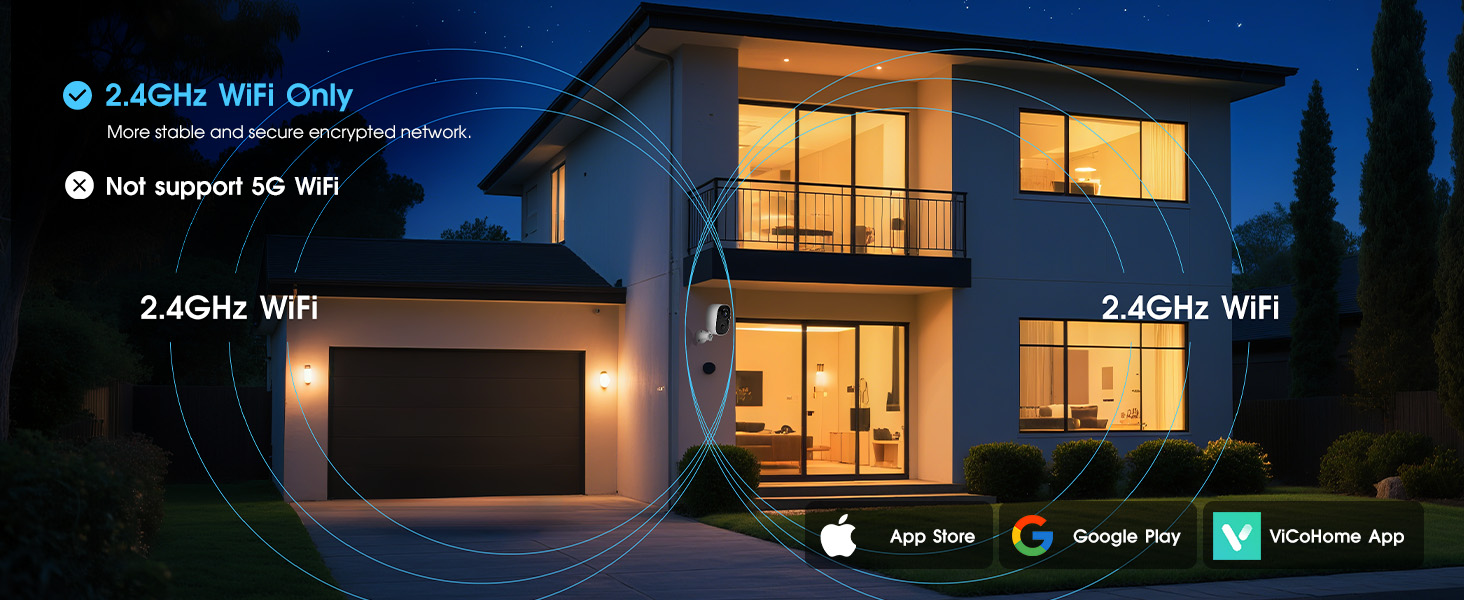
Image 4.3: Clarification that the camera operates exclusively on a 2.4GHz Wi-Fi network.
4.4 Immuntar tal-Kamera
Choose a suitable location for your camera, ensuring good Wi-Fi signal strength. Use the provided mounting bracket, screws, and wall plugs to securely attach the camera to a wall or ceiling. Adjust the camera angle for optimal viewing.

Immaġni 4.4: Eż.amples of the camera installed both outdoors and indoors, showcasing its flexible mounting capabilities.
5. Istruzzjonijiet Operattivi
5.1 Ħaj View
Open the Vicohome app and select your camera to access the live video feed. You can monitor your property in real-time from anywhere.
5.2 Diskussjoni f'żewġ direzzjonijiet
Waqt li tkun ħaj view, tap the microphone icon in the app to activate two-way audio. You can speak through the camera's speaker and hear audio from the camera's microphone.
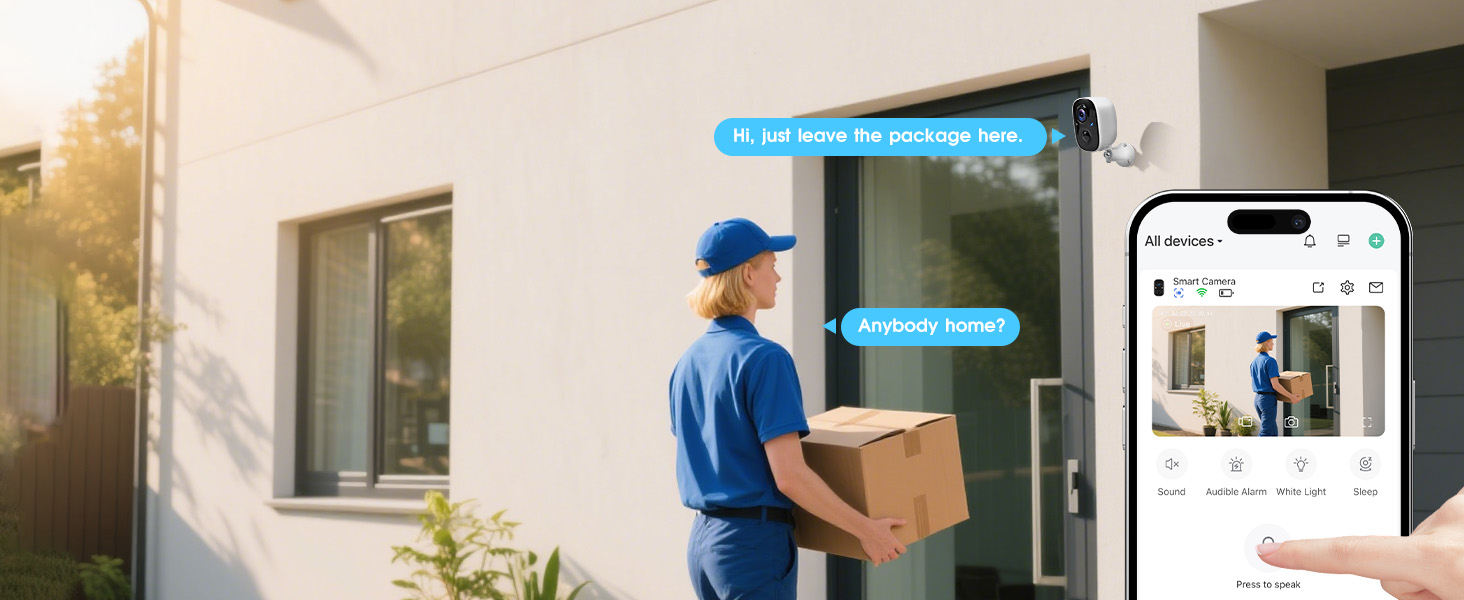
Image 5.1: Demonstrates the two-way voice intercom feature, allowing communication with individuals near the camera.
5.3 Sejbien tal-Mozzjoni u Twissijiet
The camera uses PIR (Passive Infrared) and AI-powered motion detection to identify activity. When motion is detected, you will receive instant notifications on your smartphone. The AI analysis can differentiate between humans, pets, vehicles, and packages, reducing irrelevant alerts.
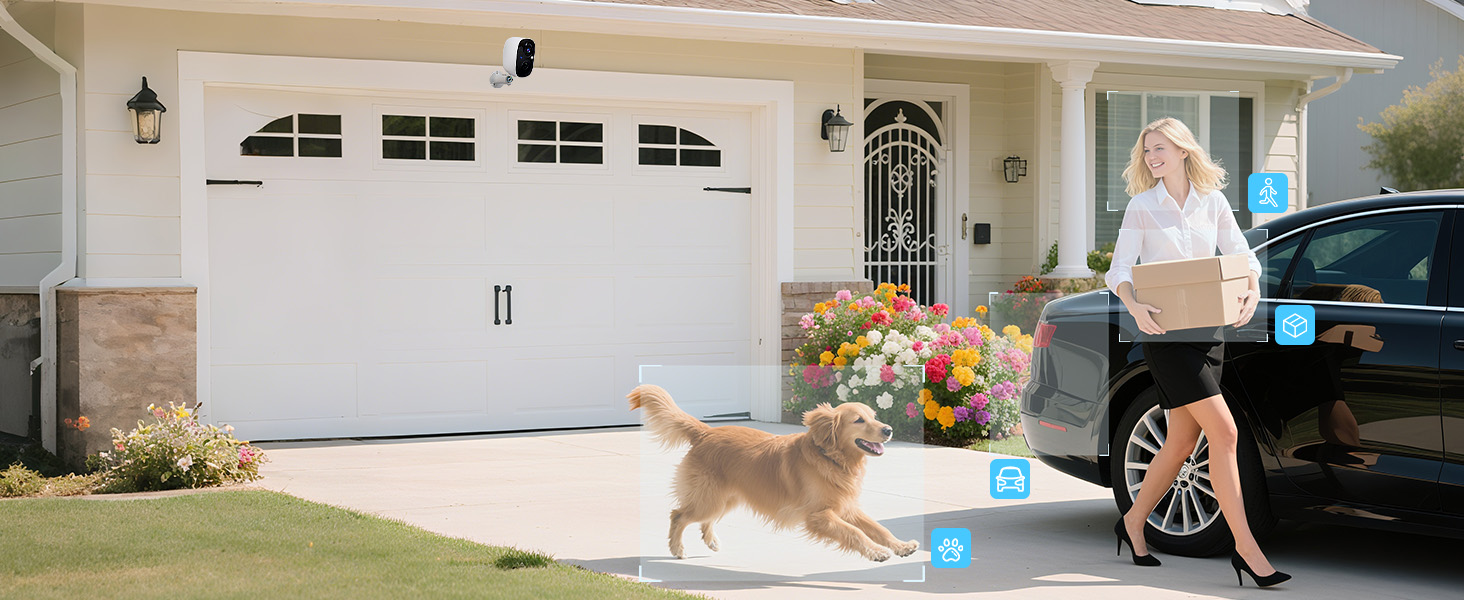
Image 5.2: Illustrates the AI motion detection capabilities, categorizing detected objects for more precise alerts.
5.4 Viżjoni bil-lejl
The camera offers two night vision modes: full-color night vision and infrared night vision. You can switch between these modes in the app settings based on your preference and lighting conditions.

Image 5.3: Shows the difference between day, full-color night, and infrared night vision modes.
5.5 Spotlight u Sirena ta' Allarm
Upon detecting suspicious activity, the camera can automatically activate its integrated spotlight and siren alarm to deter intruders. These features can also be manually triggered via the app.

Image 5.4: Depicts the camera's ability to detect motion and trigger a flashlight alarm, siren, and send notifications.
5.6 Għażliet ta' Ħażna
Il-kamera tappoġġja żewġ metodi ta 'ħażna:
- Karta Micro SD: Daħħal kard Micro SD (sa 128GB, mhux inkluża) fl-islott apposta għall-ħażna lokali tal-vidjow.
- Ħażna Cloud: The camera offers free 3-day rolling cloud storage for event recordings. Extended cloud storage plans and advanced features are available through subscription.

Image 5.5: Visual representation of the camera's cloud and Micro SD card storage capabilities.
5.7 Kondiviżjoni tal-Apparat
You can share access to your camera's live view and recorded videos with family members or trusted individuals through the Vicohome app. This allows multiple users to monitor the property simultaneously.
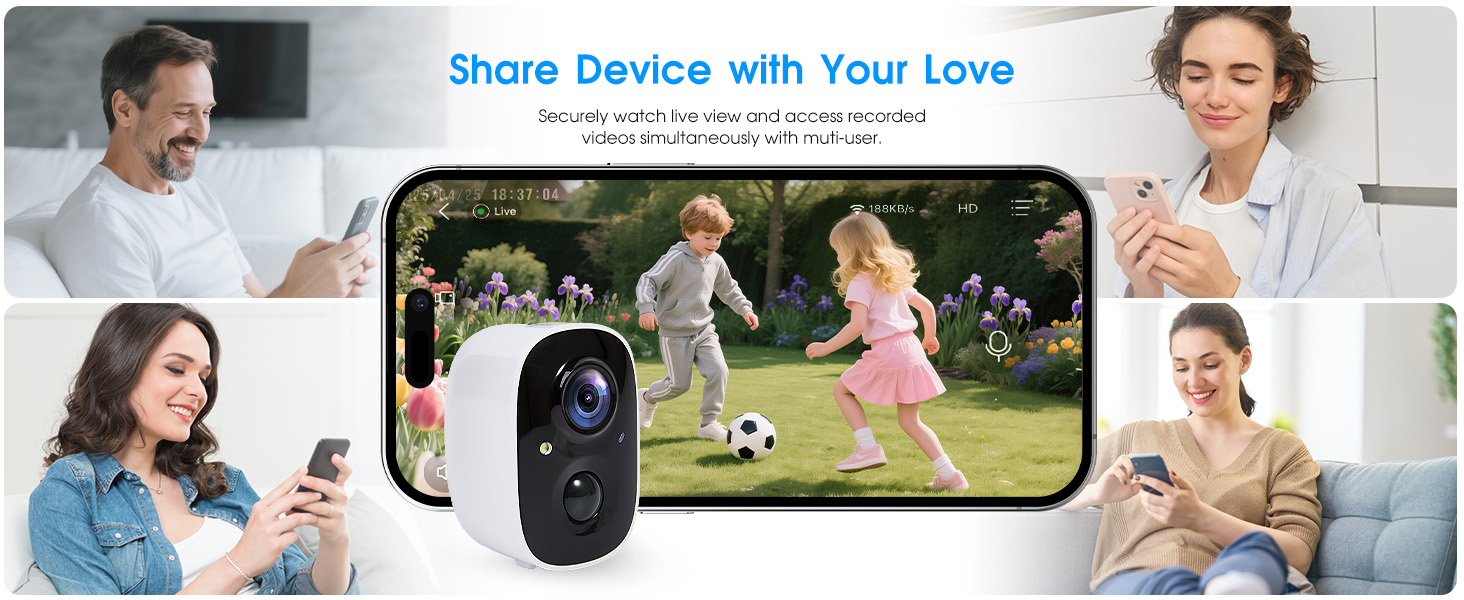
Image 5.6: Illustrates how the camera can be shared among multiple users for simultaneous viewing.
5.8 Sleep Mode and Scheduling
To conserve battery or for privacy, you can put the camera into 'Sleep' mode or set up a schedule for its operation. This allows you to define specific times when the camera is active or inactive.
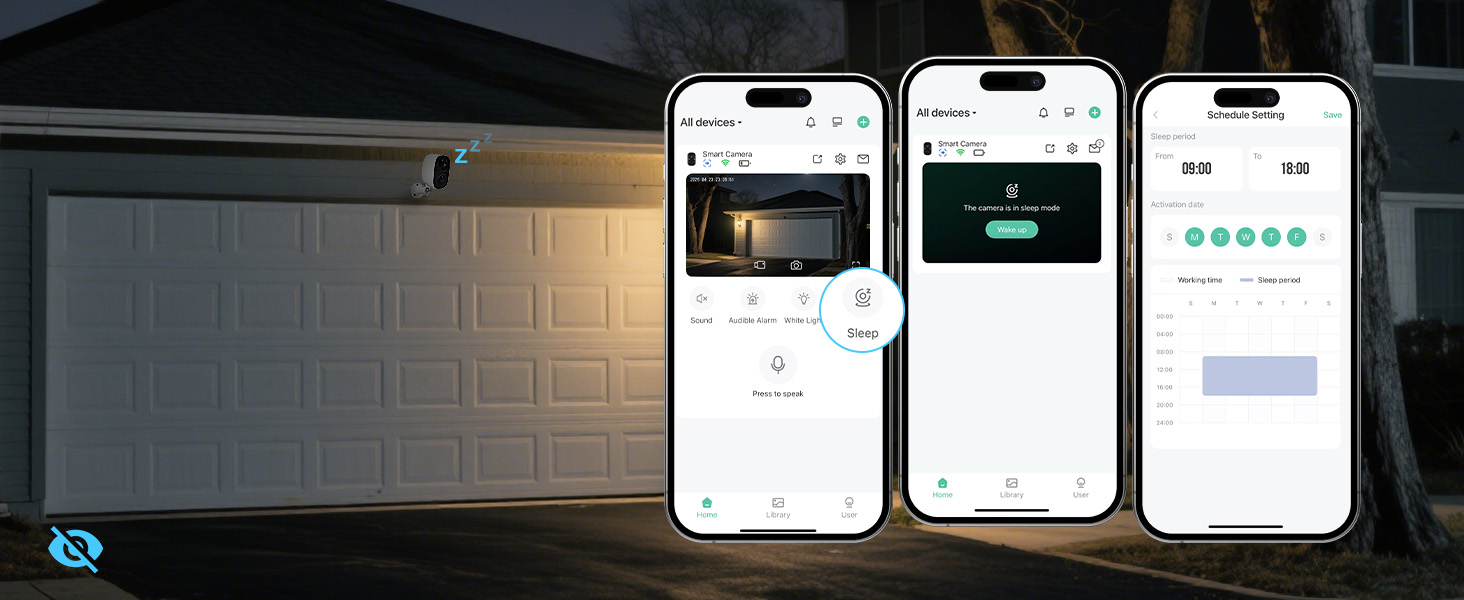
Image 5.7: Shows the app's interface for managing sleep mode and setting operational schedules for the camera.
6. Manutenzjoni
6.1 Ġestjoni tal-batterija
The camera features a rechargeable battery. Monitor the battery level through the Vicohome app and recharge as needed. Battery life varies depending on usage, motion detection frequency, and environmental factors.
6.2 Reżistenza għat-Temp
The GMK CG6 camera is IP65 weatherproof, meaning it is protected against dust and low-pressure water jets. It is designed to operate reliably in various outdoor conditions, including rain and snow.

Image 6.1: The camera shown enduring rain and snow, confirming its IP65 weatherproof design.
6.3 Tindif
To maintain optimal performance, periodically clean the camera lens and housing with a soft, dry cloth. Avoid using harsh chemicals or abrasive materials that could damage the surface.
7 Issolvi l-problemi
- Il-kamera mhux qed tikkonnettja mal-Wi-Fi: Ensure your Wi-Fi network is 2.4GHz. The camera does not support 5GHz networks. Check Wi-Fi signal strength at the camera's location.
- Allarmi foloz frekwenti: Adjust the motion detection sensitivity settings in the app. Utilize AI detection features to filter out irrelevant movements (e.g., pets, vehicles).
- Ħajja qasira tal-batterija: Naqqas il-frekwenza tal-live view access, motion detection events, and spotlight/siren activations. Consider using sleep mode or scheduling. Ensure the camera is fully charged.
- Kwalità fqira tal-vidjo: Check your Wi-Fi connection stability. Ensure the camera lens is clean and free from obstructions.
- No cloud recordings: Verify your cloud storage subscription status. Ensure the camera is connected to Wi-Fi and motion detection is enabled.
- Problemi bl-awdjo f'żewġ direzzjonijiet: Ensure your phone's microphone and speaker are enabled for the app. Check the camera's microphone and speaker for obstructions.
8. Speċifikazzjonijiet
| Karatteristika | Speċifikazzjoni |
|---|---|
| Isem tal-Mudell | CG6 |
| Riżoluzzjoni tal-Qbid tal-Vidjo | 2K (1296p), 3 MP Effective Still Resolution |
| Teknoloġija tal-Konnettività | Wireless (Wi-Fi 2.4GHz biss) |
| Sors tal-Enerġija | Imħaddem bil-batterija (5000 mAh Lithium Polymer) |
| Użu fuq ġewwa/barra | Ġewwa, Barra |
| Klassifikazzjoni tal-Protezzjoni Internazzjonali | IP65 (Li ma jgħaddix ilma) |
| ViewIng Angolu | 110 Grad |
| Medda tal-Viżjoni Lejl | 33 Saqajn |
| Għażliet ta' Ħażna | Karta Mikro SD (sa 128GB), Ħażna fis-Sħab |
| Karatteristiċi Speċjali | 2-Way Audio, HD Resolution, Motion Sensor, Night Vision, Portable, Spotlight, Siren |
| Apparati Kompatibbli | Smartphone, Tablet (Android, iOS via Vicohome App) |
| Dimensjonijiet tal-Prodott | 5.3 x 2.6 x 3.8 pulzieri |
| Piż tal-oġġett | 12.6 uqija |
9. Garanzija u Appoġġ
GMK products are designed for reliability and performance. For any questions, technical support, or warranty inquiries, please contact our customer service team:
- Email: Support@getgmk.com
- Telefon: +1 (313) 380-6888 (Available 7:00 - 17:00 Business Day)


