1. Nibdew
1.1 Unboxing Your Tablet
Carefully remove all items from the packaging. Ensure all components are present before discarding the box.
Vidjo 1: This video demonstrates the unboxing process of the Blackview Tab 6, showing the tablet and included accessories such as the charger, USB cable, and SIM eject pin.
1.2 Kontenut tal-Pakkett
- Iswedview Tab 6 Pillola
- Adapter tal-Enerġija
- Cable tal-Iċċarġjar tal-USB
- SIM Eject Pin
- Manwal għall-Utent (dan id-dokument)
1.3 Daħħal il-Karta SIM/SD
Locate the SIM/SD card tray on the side of your tablet. Use the provided SIM eject pin to open the tray. Insert your Nano-SIM card(s) and/or microSD card into the designated slots, ensuring correct orientation. Gently push the tray back into the tablet until it clicks into place.
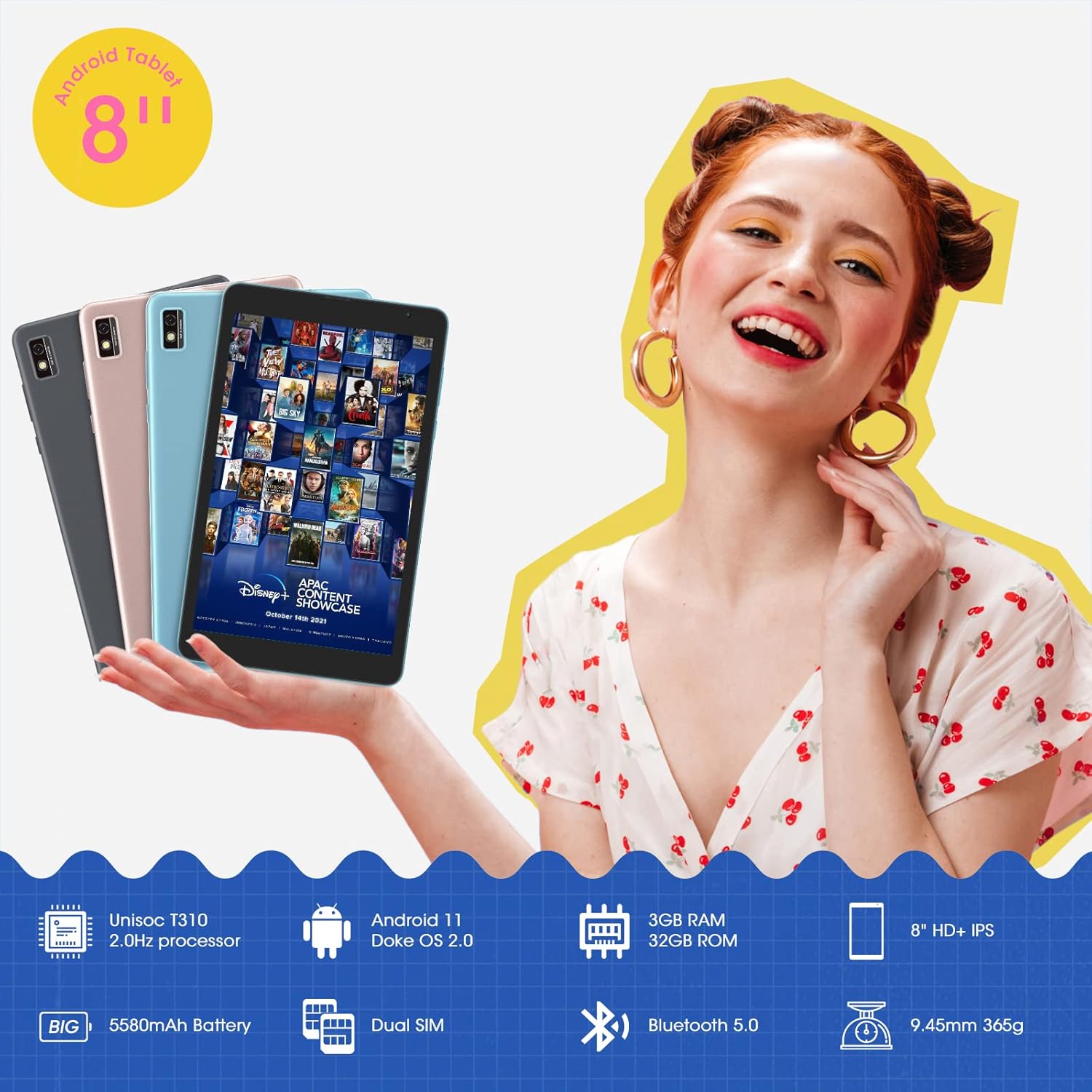
Din l-immaġni turi l-Iswedview Tab 6 with its dual SIM slots, highlighting its connectivity features and key specifications like the 5580mAh battery and 8-inch HD+ IPS display.
1.4 Iċċarġjar Inizjali u Tixgħel
Before first use, fully charge your tablet using the provided power adapter and USB cable. Connect the USB cable to the tablet's charging port and the adapter to a power outlet. The battery indicator on the screen will show charging status. Once charged, press and hold the power button on the side of the tablet until the Blackview logo appears to power it on.
2. It-Tħaddim tat-Tablet Tiegħek
2.1 Navigazzjoni Bażika
L-Iswedview Tab 6 runs on Android 11 with Doke OS 2.0, offering an intuitive user experience. Use touch gestures for navigation:
- Tektek: Agħżel oġġett jew iftaħ app.
- Swipe: Skrollja minn skrins, listi, jew paġni.
- Agħfas biex tiżżumja: Iżżumja 'l ġewwa jew 'il barra fuq ritratti u web paġni.
- Agħfas fit-tul: Aċċessa l-menus kuntestwali jew iċċaqlaq l-ikoni tal-app.

This image illustrates the user interface of the Blackview Tab 6, showcasing the Android 11 operating system with Doke OS 2.0 features like gesture control and dark theme.
2.2 Modi tal-Wiri
The tablet offers various display modes to optimize your viewesperjenza:
- Ebook Mode: Adjusts the screen for comfortable reading, reducing eye strain.
- Modalità Normali: Standard display settings for general use.
- Modalità Kumdità tal-għajnejn: Filters blue light to protect your eyes, especially in low-light conditions.

This image displays the various screen modes available on the Blackview Tab 6, including Ebook Mode, Normal Mode, and Eye Comfort Mode, designed for different viewpreferenzi.
2.3 Konnettività
The Tab 6 supports a range of connectivity options:
- Wi-Fi: Supports 2.4G and 5G dual-band Wi-Fi for fast internet access.
- Bluetooth 5.0: Għall-konnessjoni ta' aċċessorji mingħajr fili bħal headphones u speakers.
- 4G Global Network: Allows for mobile data and call functionality (where supported by your SIM card and carrier).

This image highlights the Blackview Tab 6's connectivity features, including 4G Global Network and 5G Wi-Fi support, emphasizing its versatility as a multi-functional device.
2.4 Navigazzjoni GPS
The Tab 6 is equipped with a high-precision quad navigation system (GPS, GLONASS, Beidou, Galileo) for accurate location tracking and route planning. The large 8-inch screen and automatic brightness adjustment ensure clear readability of navigation information in various conditions.

Din l-immaġni turi l-Iswedview Tab 6 displaying a navigation map, illustrating its use for route guidance and location services.
Vidjo 2: This video demonstrates various uses of the Blackview Tab 6, including gaming, note-taking, and GPS navigation, showcasing its performance and display quality.
3. Manutenzjoni
3.1 Kura tal-Batterija
The tablet is equipped with a 5580mAh battery, providing up to 8 hours of average use. To prolong battery life:
- Evita temperaturi estremi.
- Tħallix il-batterija tixxotta kompletament regolarment.
- Uża l-ċarġer u l-kejbil oriġinali għal iċċarġjar ottimali.
- Agħlaq l-apps mhux użati li jaħdmu fl-isfond.

This image highlights the 5580mAh battery of the Blackview Tab 6, indicating its long standby time and estimated usage durations for talking, music, and video playback.
3.2 Ġestjoni tal-Ħażna
The tablet comes with 32GB of internal storage and supports expansion up to 128GB via a microSD card. Regularly manage your storage by:
- Tħassir bla bżonn files u apps.
- Nimxu kbar files għal karta microSD.
- Utilizing cloud storage services.

This image illustrates the storage capabilities of the Blackview Tab 6, showing its 3GB RAM, 32GB ROM, and support for up to 128GB storage expansion, alongside various application icons.
3.3 Tindif tat-Tablet Tiegħek
Uża drapp artab u mingħajr suf biex tnaddaf l-iskrin u l-qafas tat-tablet. Evita li tuża kimiċi ħarxa jew materjali li joborxu li jistgħu jagħmlu ħsara lill-wiċċ.
4 Issolvi l-problemi
4.1 Kwistjonijiet Komuni u Soluzzjonijiet
- It-tablet mhux qed jixgħel: Kun żgur li l-batterija hija ċċarġjata. Qabbad mal-ċarġer u erġa' pprova.
- Prestazzjoni bil-mod: Close unused apps, clear cache, or restart the tablet.
- Problemi ta' konnettività tal-Wi-Fi: Restart your router and tablet. Forget and reconnect to the Wi-Fi network.
- Problemi tal-iċċarġjar: Ensure the charging cable and adapter are securely connected and undamaged. Try a different compatible charger if available.
4.2 Irrisettja l-Fabbrika
Jekk tiltaqa' ma' problemi persistenti tas-softwer, reset tal-fabbrika jista' jsolvihom. Twissija: Dan se jħassar id-dejta kollha fuq it-tablet tiegħek. Agħmel backup tad-dejta importanti qabel ma tipproċedi.
- Mur fuq Settings.
- Agħżel Sistema > Irrisettja l-għażliet.
- Agħżel Ħassar id-dejta kollha (reset tal-fabbrika).
- Ikkonferma l-għażla tiegħek u segwi l-istruzzjonijiet fuq l-iskrin.
5. Speċifikazzjonijiet
| Karatteristika | Speċifikazzjoni |
|---|---|
| Daqs tal-Iskrin | 8 Pulzier |
| Riżoluzzjoni tal-Iskrin | IPS HD ta' 1280 x 800 |
| Proċessur | 2.0GHz Quad-Core (Unisoc T310) |
| RAM | 3 GB |
| Ħażna Interna | 32 GB |
| Ħażna espansibbli | Sa 128 GB (mikroSD) |
| Sistema Operattiva | Android 11 (Doke OS 2.0) |
| Kapaċità tal-batterija | 5580 mAh |
| Kamera ta' wara | 5 MP |
| Konnettività | 2.4G+5G Dual WiFi, Bluetooth 5.0, 4G LTE |
| Dimensjonijiet (LxWxH) | 8 x 4.5 x 0.4 pulzieri |
| Piż tal-oġġett | 1.42 liri (madwar 644g) |
6. Informazzjoni dwar Garanzija
L-Iswed Tiegħekview Tab 6 tablet comes with a standard manufacturer's warranty. Please refer to the warranty card included in your product packaging for specific terms, conditions, and duration. Keep your proof of purchase for warranty claims.
7. Appoġġ
For technical assistance, troubleshooting, or further inquiries, please visit the official Blackview appoġġ website or contact their customer service. Contact details can typically be found on the Blackview website or in the warranty information provided with your device.


