Manwal għall-Utent
Strong SRT 8119 Digital Terrestrial DVB-T2 HDMI Decoder with Display
Mudell: SRT8119
1. Introduzzjoni
This manual provides comprehensive instructions for the installation, operation, and maintenance of your Strong SRT 8119 Digital Terrestrial DVB-T2 HDMI Decoder. Please read this manual carefully before using the device to ensure proper functionality and to prevent damage.
The Strong SRT 8119 is designed to receive free-to-air TV programs in high definition, supporting the H.265 standard. It offers features such as recording capabilities, a 700-channel memory capacity, Electronic Program Guide (EPG), parental controls, and various channel editing options for an enhanced viewing esperjenza.
2. Informazzjoni dwar is-Sigurtà
Always observe the following safety precautions to avoid electric shock, fire, or damage to the device:
- Tesponix l-apparat għax-xita jew l-umdità.
- Tiftaħx is-casing. Irreferi s-servizz kollu lil persunal kwalifikat.
- Aċċerta ruħek li jkun hemm ventilazzjoni xierqa madwar l-apparat. Timblokkax il-fetħiet tal-ventilazzjoni.
- Uża biss l-adapter tal-enerġija fornut mal-apparat.
- Disconnect the device from the power outlet during lightning storms or when unused for long periods.
- Żomm l-apparat 'il bogħod mix-xemx diretta, minn sorsi ta' sħana, u minn kampi manjetiċi qawwija.
3. Kontenut tal-Pakkett
Ivverifika li l-oġġetti kollha huma preżenti fil-pakkett:
- Strong SRT 8119 Digital Terrestrial DVB-T2 HDMI Decoder
- Kontroll mill-bogħod (b'2 batteriji AAA inklużi)
- Manwal għall-Utent (dan id-dokument)
- Adapter tal-Enerġija

Figure 3.1: Packaging of the Strong SRT 8119 decoder, showing the product box with branding and key features listed.
4. Prodott Aktarview
4.1. Panel ta 'Quddiem

Figura 4.1: Quddiem view of the Strong SRT 8119 decoder, featuring the display, Strong logo, Dolby Audio branding, and a USB port on the right.
- Wiri: Shows channel number or time.
- Port USB: For connecting USB storage devices for media playback and software updates.
- Indikatur tal-Enerġija: Jindika l-istatus tal-enerġija tal-apparat.
4.2. Panel ta 'wara

Figura 4.2: Wara view of the Strong SRT 8119 decoder, clearly showing the input and output ports labeled for connection to a terrestrial antenna, HDMI TV, SCART TV, and S/PDIF coaxial audio output.
- ANT IN: Jikkonnettja mal-antenna terrestri tiegħek.
- HDMI: High-Definition Multimedia Interface output for connecting to an HD TV.
- TV SCART: Ħruġ SCART għall-konnessjoni ma' televiżjonijiet eqdem.
- Coaxial S/PDIF: Output awdjo diġitali.
- DC IN: Power input for the external power adapter.
4.3. Kontroll mill-bogħod

Figure 4.3: The remote control for the Strong SRT 8119 decoder, showing various buttons for power, channel navigation, volume, menu access, EPG, media playback, and numeric input.
The remote control allows full operation of the decoder. Familiarize yourself with the button layout for easy navigation.
5. Setup
5.1. Konnessjoni tad-Decoder
- Qabbad l-Antenna: Qabbad il-kejbil tal-antenna terrestri tiegħek mal- ANT IN port on the rear panel of the decoder.
- Qabbad mat-TV:
- For HD TVs: Connect an HDMI cable from the HDMI port on the decoder to an available HDMI input on your TV.
- For older TVs: Connect a SCART cable from the TV SCART Qabbad il-port fuq id-decoder mal-input SCART fuq it-TV tiegħek.
- Qabbad l-Enerġija: Insert the power adapter cable into the DC IN port on the decoder, then plug the adapter into a wall outlet.
- Daħħal Batteriji: Open the battery compartment on the remote control and insert the two AAA batteries, observing polarity.
5.2. Installazzjoni għall-Ewwel Ħin
Upon first power-on, the decoder will guide you through the initial setup process:
- Agħżel il-preferut tiegħek Lingwa.
- Agħżel tiegħek Pajjiż.
- The decoder will then perform an automatic channel scan. This may take several minutes. Do not interrupt this process.
- Once the scan is complete, the decoder will display the first available channel.
6. Istruzzjonijiet Operattivi
6.1. Operazzjoni Bażika
- Power On/Off: Agħfas il- QAWWA buttuna fuq il-kontroll remot.
- Bidla fil-Kanal: Uża l- CH +/- buttuni jew daħħal in-numru tal-kanal direttament billi tuża t-tastiera numerika.
- Kontroll tal-Volum: Uża l- VOL +/- buttuni.
- Aċċess għall-Menu: Agħfas il- MENU button to access system settings and features. Use arrow keys to navigate and OK biex tikkonferma.
6.2. Gwida Elettronika tal-Programmi (EPG)
L-EPG tipprovdi skeda tal-programmi attwali u dawk li ġejjin.
- Agħfas il- EPG buttuna fuq il-kontroll remot.
- Navigate through channels and program times using the arrow keys.
- Agħfas OK biex view dettalji dwar programm magħżul.
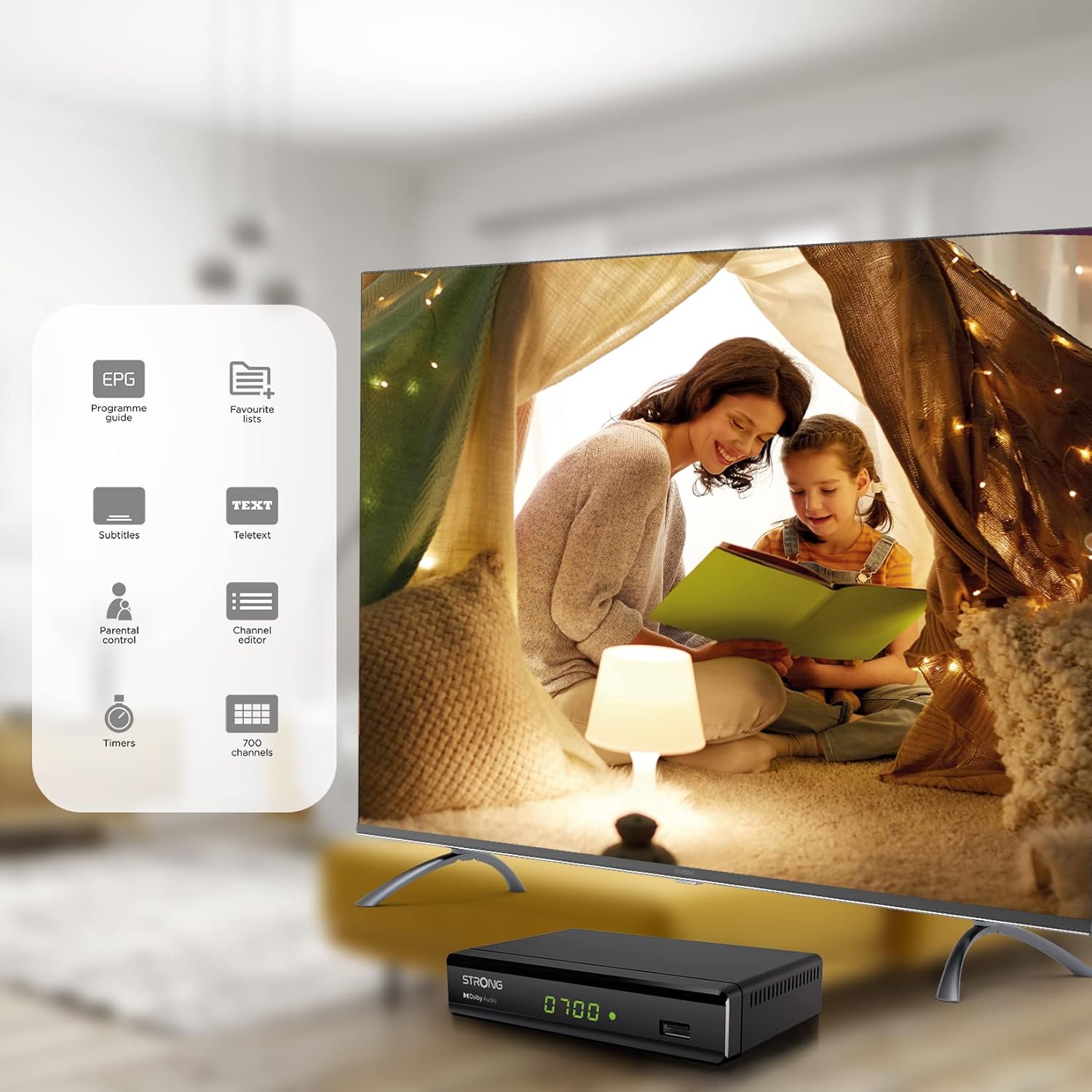
Figure 6.1: Visual representation of the Strong SRT 8119's features, including Electronic Program Guide (EPG), favorite lists, subtitles, teletext, parental control, channel editor, timers, and 700 channel capacity.
6.3. Media Playback and Recording (USB)
The decoder supports media playback from a USB storage device connected to the front USB port. Note: Recording function may not be active in all regions (e.g., Italy).
- Insert a USB flash drive or external hard drive into the front USB port.
- Agħfas il- MEDIA button on the remote control to access the media player.
- Mur fuq dak mixtieq file (video, audio, image) and press OK biex tilgħab.
- To record a program, press the REC button during live TV. Ensure a USB device with sufficient free space is connected.
- To schedule a recording, use the EPG and select the program, then follow the on-screen prompts to set a timer.

Figure 6.2: The Strong SRT 8119 decoder shown in a living room setting, highlighting its USB playback and recording capabilities. A note indicates that recording is not implemented for Italy.
6.4. Channel Management
- Channel Editor: Access the channel editor via the MENU to move, delete, or lock channels.
- Listi Favoriti: Create up to 4 favorite lists for TV and radio programs for quick access to your preferred channels.
- Kontroll tal-Ġenituri: Set a password to restrict access to certain channels or programs.
7. Manutenzjoni
- Tindif: Use a soft, dry cloth to clean the exterior of the decoder. Do not use liquid or aerosol cleaners.
- Aġġornament tas-Software: Periodically check the Strong website for available software updates. Updates can typically be installed via the USB port.
- Ħażna: If storing the device for an extended period, disconnect it from power and store in a cool, dry place.
8 Issolvi l-problemi
| Problema | Kawża Possibbli | Soluzzjoni |
|---|---|---|
| Ebda qawwa | Kejbil tal-enerġija mhux imqabbad; Sokit tal-enerġija difettuż. | Iċċekkja l-konnessjonijiet tal-enerġija; Ipprova sokit differenti. |
| No signal / "No Signal" message | Antenna not connected; Antenna faulty; Incorrect input selected on TV. | Check antenna connection; Ensure antenna is working; Select correct HDMI/SCART input on your TV. |
| L-ebda stampa, iżda l-ħoss huwa preżenti | Video cable (HDMI/SCART) loose or faulty. | Check video cable connections; Try a different cable. |
| Il-kontroll mill-bogħod ma jaħdimx | Batteries depleted or inserted incorrectly; Obstruction between remote and decoder. | Replace batteries; Ensure correct polarity; Remove obstructions; Point remote directly at the decoder. |
| Ma nistax nirrekordja programmi | USB device not connected or full; Recording function not available in your region. | Connect a USB device with sufficient space; Check regional limitations for recording. |
9. Speċifikazzjonijiet
| Numru tal-Mudell | SRT8119 |
| Dimensjonijiet tal-Prodott | 4.41 x 5.98 x 1.5 pulzieri |
| Piż tal-oġġett | 9.5 uqija |
| Teknoloġija tal-Konnettività | Antenna (DVB-T2), HDMI, SCART, USB, Coaxial S/PDIF |
| Kodifikazzjoni tal-vidjo | H.265 |
| Kapaċità tal-Kanal | 700 kanali |
| Batteriji | 2 batteriji AAA (inklużi għall-kontroll remot) |
| Modalità tal-Ħruġ tal-Awdjo | Jdawru |
| Surround Sound Channel Konfigurazzjoni | 5.1 |
10. Appoġġ
For further assistance, technical support, or to find useful resources, please visit the official Strong website. You can also find information and support on their Facebook profile and LinkedIn page.
Note: Specific contact numbers or direct links are not provided in this manual. Please refer to the official Strong webis-sit għall-aktar informazzjoni ta' appoġġ aġġornata.


