Introduzzjoni
This manual provides essential information for the safe and effective use of your Blackview BV6300 Rugged Phone. Designed for durability, this device features IP68 shockproof and waterproof capabilities, making it suitable for various demanding environments. Please read this manual thoroughly before operating your device.
Apparat Matulview
L-Iswedview BV6300 is a robust mobile phone equipped with a 5.7-inch HD+ display, an Octa-Core processor, 3GB RAM, 32GB internal storage, and a 4380mAh battery. It runs on Android 10 and features a 13MP Quad Rear HDR camera, NFC, and OTG capabilities.

Figura 1: Quddiem u wara view tal-Iswedview BV6300 Rugged Phone.

Figura 2: Ir-rqiq profile (11.6mm) and rugged design of the BV6300, highlighting its IP68 waterproof, drop-proof (up to 1.5m), and dust-proof capabilities.
Setup
1. Daħħal il-Kards SIM u l-Kard SD
L-Iswedview BV6300 supports dual Nano SIM cards and an expandable SD card up to 128GB.
- Sib it-trej tal-kard SIM fuq il-ġenb tat-telefon.
- Uża l-għodda tal-ejector tas-SIM provduta biex tiftaħ it-trej.
- Carefully place your Nano SIM cards and/or SD card into the designated slots. Ensure they are correctly oriented.
- Imbotta t-trej bil-mod lura fit-telefon sakemm tikklikkja f'postu.

Figure 3: Illustration of dual SIM and TF card insertion.
2. L-Assistent tal-Ixgħel u s-Setup Inizjali
- Press and hold the Power button (located on the right side) until the Blackview jidher il-logo.
- Segwi l-istruzzjonijiet fuq l-iskrin biex tlesti s-setup inizjali, inkluż l-għażla tal-lingwa, il-konnessjoni Wi-Fi, id-dħul fil-kont Google, u s-settings tas-sigurtà.
Operating Your Blackview BV6300
1. Navigazzjoni Bażika (Android 10)
Your BV6300 runs on Android 10, offering intuitive gesture navigation and a dark theme option for improved user experience and battery efficiency.
- Skrin tad-dar: Skrolla lejn ix-xellug jew il-lemin biex taċċessa pannelli differenti tal-iskrin tad-dar.
- App Drawer: Skrolla 'l fuq mill-qiegħ tal-iskrin biex tiftaħ il-kexxun tal-app.
- Notifiki u Settings Mgħaġġla: Swipe 'l isfel minn fuq tal-iskrin għal view notifiki u toggles tas-settings veloċi.
- Apps riċenti: Skrolla 'l fuq minn isfel u żomm biex view applikazzjonijiet reċenti.
- Dahar: Agħfas 'l isfel mit-tarf tax-xellug jew tal-lemin tal-iskrin biex tmur lura.

Figure 4: Android 10 interface with Dark Theme enabled.
2. Karatteristiċi tas-Sigurtà
The BV6300 offers multiple security options to protect your data.
- Nisfruttaw il-marki tas-swaba': Register your fingerprints for quick and secure unlocking. The fingerprint sensor is located on the rear of the device.
- Face Unlock: Use the front camera to unlock your phone with facial recognition.
- PIN/Mudell/Password: Standard Android security options.

Figure 5: Fingerprint and Face Unlock options for enhanced security.
3. Operazzjoni tal-Kamera
The BV6300 features a 13MP Quad Rear Camera and an 8MP Front Camera, supporting HDR and AI Color Portrait modes.
- Iftaħ l-applikazzjoni tal-Kamera mill-iskrin tad-dar tiegħek jew mill-kexxun tal-apps.
- Ibdel bejn il-kameras ta' quddiem u ta' wara billi tuża l-ikona tat-toggle tal-kamera.
- Tektek il-buttuna tax-shutter biex tieħu ritratt.
- Explore modes like HDR, Night Mode, and AI Color Portrait for different shooting scenarios.
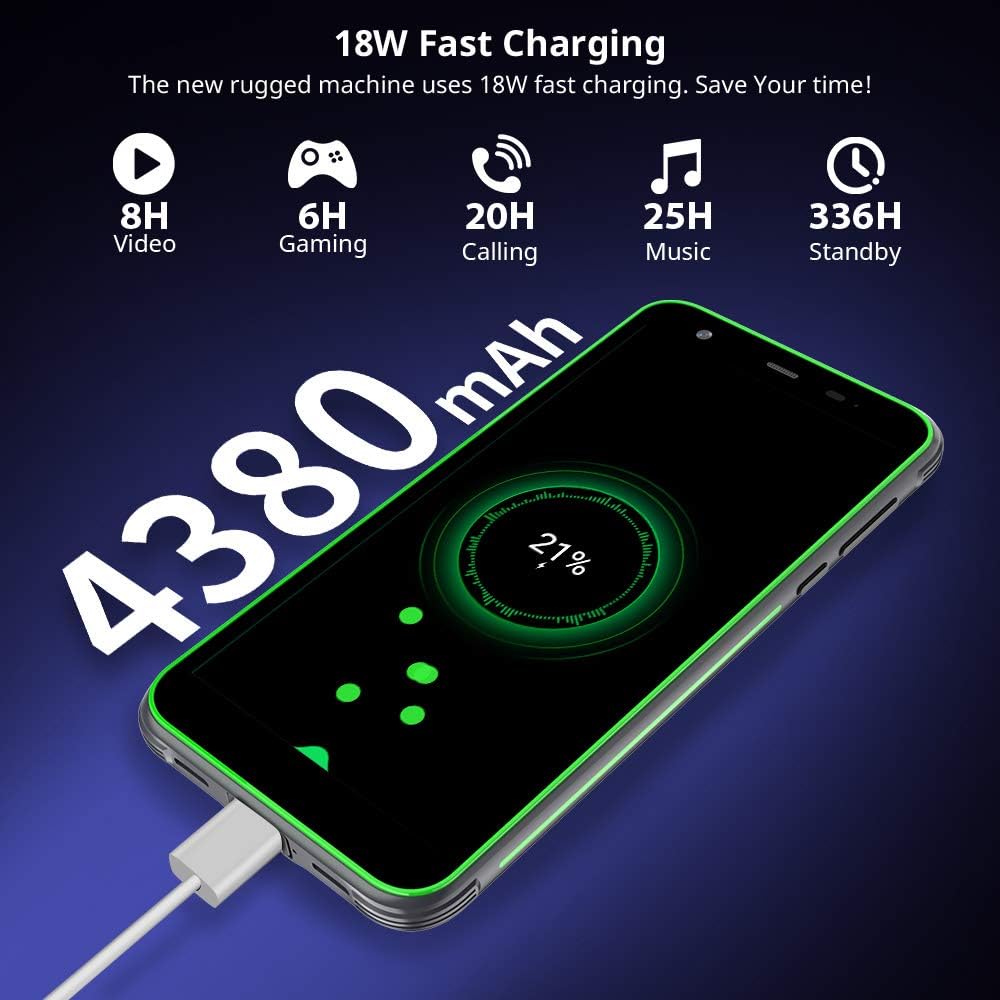
Figura 6: Eżamples of photos taken with the BV6300 camera, showcasing HDR and Night Mode capabilities.

Figure 7: AI Color Portrait feature, which keeps the subject in color while rendering the background in black and white.
4. Iċċarġjar tal-Apparat
The BV6300 is equipped with a 4380mAh battery and supports 18W fast charging.
- Connect the USB Type-C cable to the phone's charging port (located at the bottom, protected by a flap).
- Connect the other end of the cable to a compatible 18W fast charger.
- Indikatur tal-iċċarġjar se jidher fuq l-iskrin.
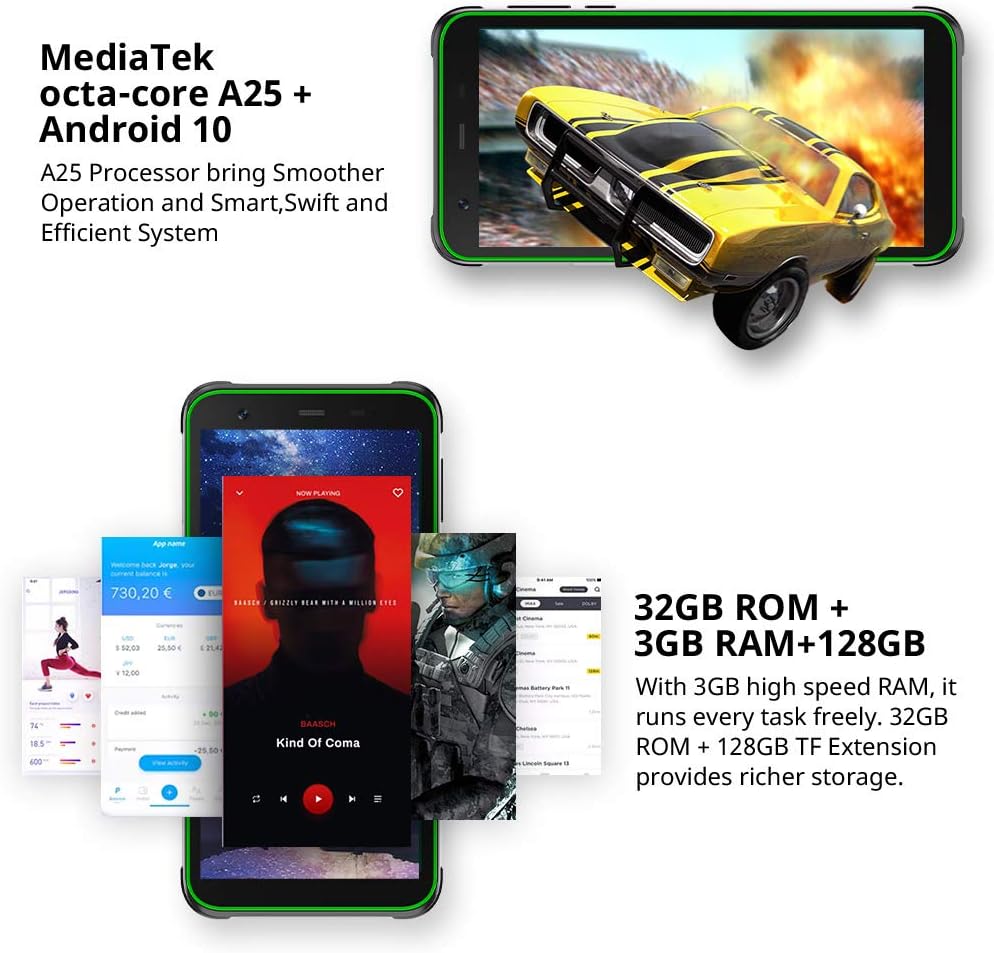
Figure 8: The BV6300 connected to a charger, illustrating its 4380mAh battery and 18W fast charging capability.
5. NFC and Other Connectivity
The phone supports NFC for contactless payments and data transfer, along with standard connectivity options.
- NFC: Enable NFC in Settings to use features like Google Pay or tap-to-share.
- OTG: Connect USB devices like flash drives or keyboards using an OTG adapter (sold separately).
- GPS/GLONASS/Beidou: For accurate navigation and location services.
- Bluetooth 5.0: Għall-konnessjoni ta' aċċessorji mingħajr fili.

Figure 9: Using NFC for contactless payments with Google Pay.

Figure 10: GPS and GLONASS functionality for outdoor navigation.
Manutenzjoni
Biex tiżgura l-lonġevità u l-prestazzjoni ottimali tal-Black tiegħekview BV6300, segwi dawn il-linji gwida tal-manutenzjoni:
- Tindif: Uża drapp artab u mingħajr suf biex tnaddaf l-iskrin u l-qafas. Għal ħmieġ iebes, neħħi ftit drapp.amp jista' jintuża drapp. Evita kimiċi ħarxa.
- Reżistenza għall-Ilma: While IP68 rated, ensure all port covers (USB-C, SIM tray) are securely closed before exposing the phone to water. Do not intentionally submerge the phone in corrosive liquids or saltwater.
- Temperatura: Evita li tesponi t-telefon għal temperaturi estremi (sħana kbira jew kesħa kbira) għax dan jista' jaffettwa l-ħajja tal-batterija u l-komponenti interni.
- Aġġornamenti tas-Software: Iċċekkja u installa aġġornamenti tas-sistema regolarment biex tiżgura li t-telefon tiegħek ikollu l-aħħar irqajja tas-sigurtà u titjib fil-prestazzjoni.
- Ġestjoni tal-Ħażna: Neħħi perjodikament bla bżonn files u apps biex tinżamm prestazzjoni ottimali.
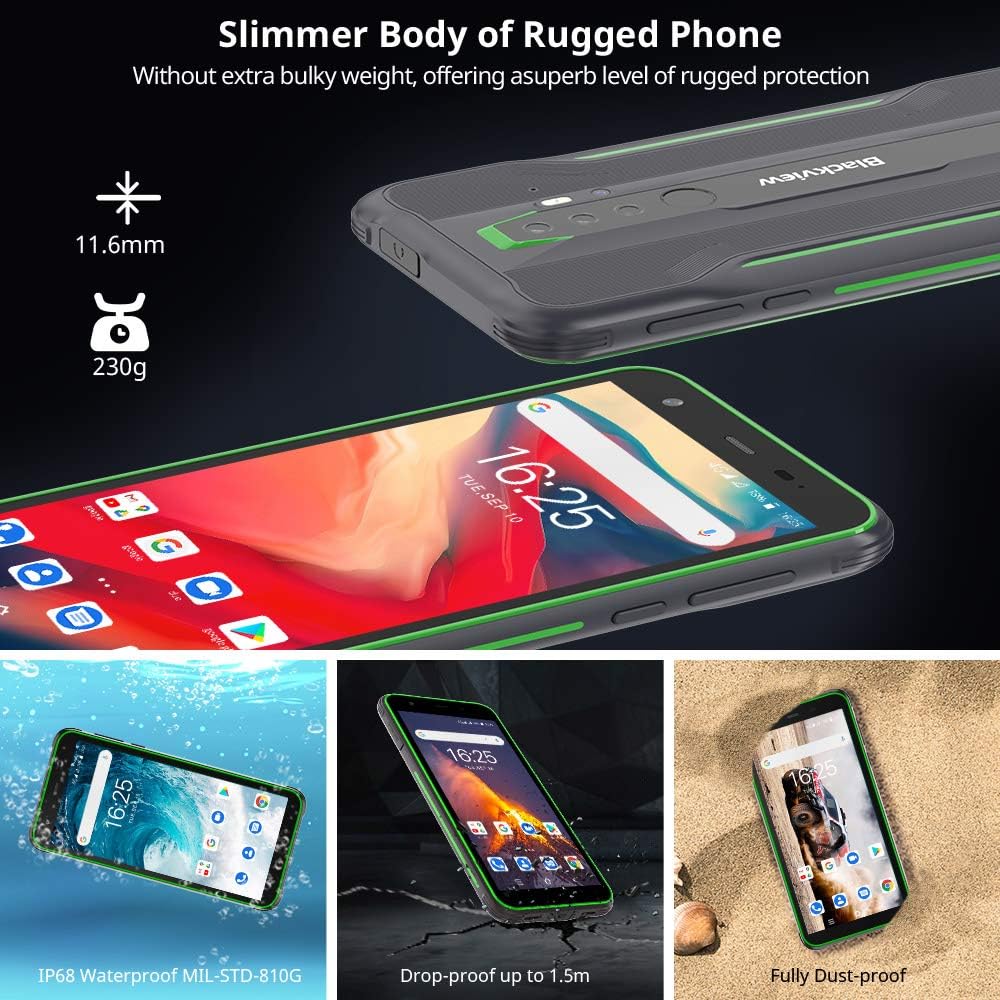
Figure 11: The BV6300's IP68 waterproof rating allows for submersion in fresh water up to 1.5 meters for 30 minutes.
Issolvi l-problemi
Din it-taqsima tindirizza kwistjonijiet komuni li tista' tiltaqa' magħhom bil-Black tiegħekview BV6300.
| Problema | Soluzzjoni Possibbli |
|---|---|
| It-telefon mhux mixgħul | Kun żgur li l-batterija hija ċċarġjata. Qabbad mal-ċarġer għal mill-inqas 30 minuta. Jekk xorta ma tirrispondix, wettaq restart sfurzat billi żżomm il-buttuna tal-Enerġija għal 10-15-il sekonda. |
| Il-batterija tiskula malajr | Close background apps, reduce screen brightness, disable unused features (Wi-Fi, Bluetooth, GPS), and check for app updates. Consider a factory reset if the issue persists. |
| Cannot connect to Wi-Fi/Mobile Data | Toggle Wi-Fi/Mobile Data off and on. Restart the phone. Check router/network settings. Ensure SIM card is properly inserted and activated. |
| L-apps jiġġarraf jew jiffriża | Clear app cache/data (Settings > Apps > [App Name] > Storage). Update the app. If the issue persists, uninstall and reinstall the app. |
| Is-senser tal-marki tas-swaba' mhux qed jaħdem | Ensure your finger and the sensor are clean and dry. Re-register your fingerprints in Settings. |
Speċifikazzjonijiet
| Karatteristika | Dettall |
|---|---|
| Isem tal-Mudell | BV6300 |
| Sistema Operattiva | Android 10.0 |
| Proċessur | Octa-Core (MediaTek A25) |
| RAM | 3 GB |
| Ħażna Interna | 32 GB |
| Ħażna espansibbli | Up to 128 GB (SD card) |
| Daqs tal-Iskrin | 5.7 Pulzier |
| Riżoluzzjoni | 1440 x 720 (HD+) |
| Kamera ta' wara | 13MP Quad Rear HDR |
| Kamera ta' Quddiem | 8MP |
| Kapaċità tal-batterija | 4380mAh |
| Iċċarġjar | Iċċarġjar Mgħaġġel ta' 18W (bil-Fili) |
| Konnettività | 4G, Dual SIM, NFC, OTG, Wi-Fi, Bluetooth 5.0, GPS, GLONASS, Beidou |
| Durabilità | IP68 Shockproof, Waterproof, Dustproof (MIL-STD-810G compliant) |
| Dimensjonijiet | 159.6 x 78.2 x 11.6 mm |
| Piż | 230g |

Figure 12: Physical dimensions of the Blackview BV6300.
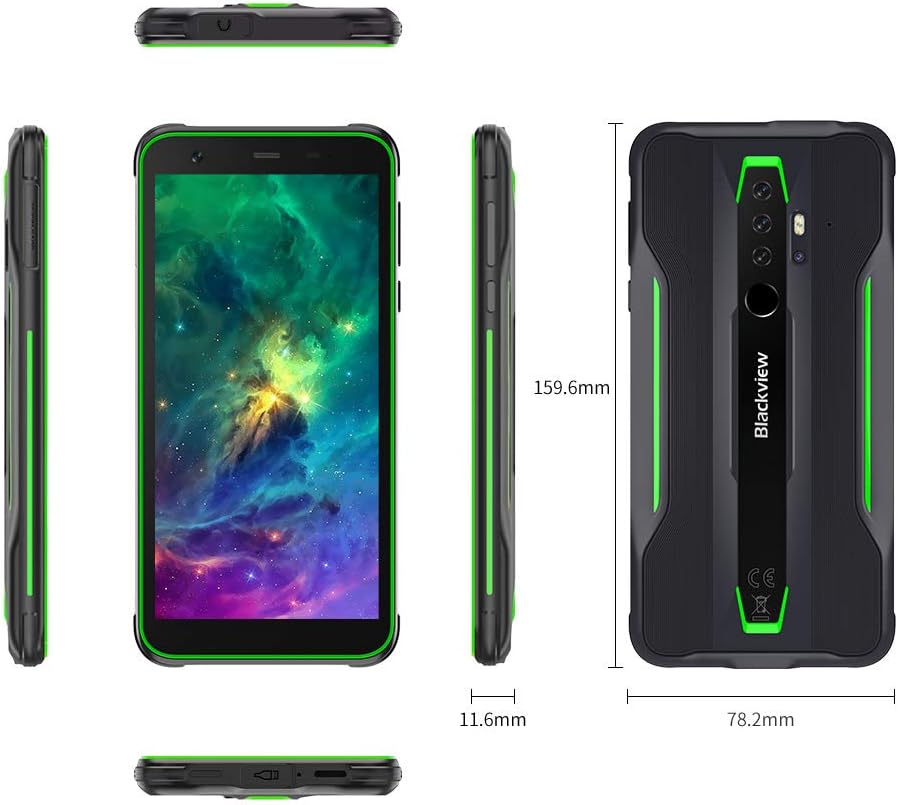
Figure 13: Detailed comparison of Blackview BV6300 and BV6300 Pro specifications.
Vidjo Uffiċjali tal-Prodott
Video 1: Official product video for the Blackview BV6300 Tough Phone, showcasing its features and durability.
Garanzija u Appoġġ
Għal informazzjoni dwar il-garanzija u appoġġ tekniku, jekk jogħġbok irreferi għall-websajt uffiċjali ta' Blackview webis-sit jew ikkuntattja s-servizz tal-konsumatur tagħhom. Żomm il-prova tax-xiri tiegħek għal talbiet ta’ garanzija.
Riżorsi onlajn:
- Iswed Uffiċjaliview Websit: www.iswedview.hk (Jekk jogħġbok innota: URL huwa example, attwali URL jista' jvarja)
- Support Email: Refer to your product packaging or official websit għad-dettalji tal-kuntatt.