Introduzzjoni
This manual provides instructions for the assembly, operation, and maintenance of your tectake Corner Desk, Model 404231. Please read this manual thoroughly before assembly and use to ensure proper function and safety. This L-shaped desk features two integrated shelves, a dark industrial wood finish, and a black metal frame, designed to provide a functional workspace.
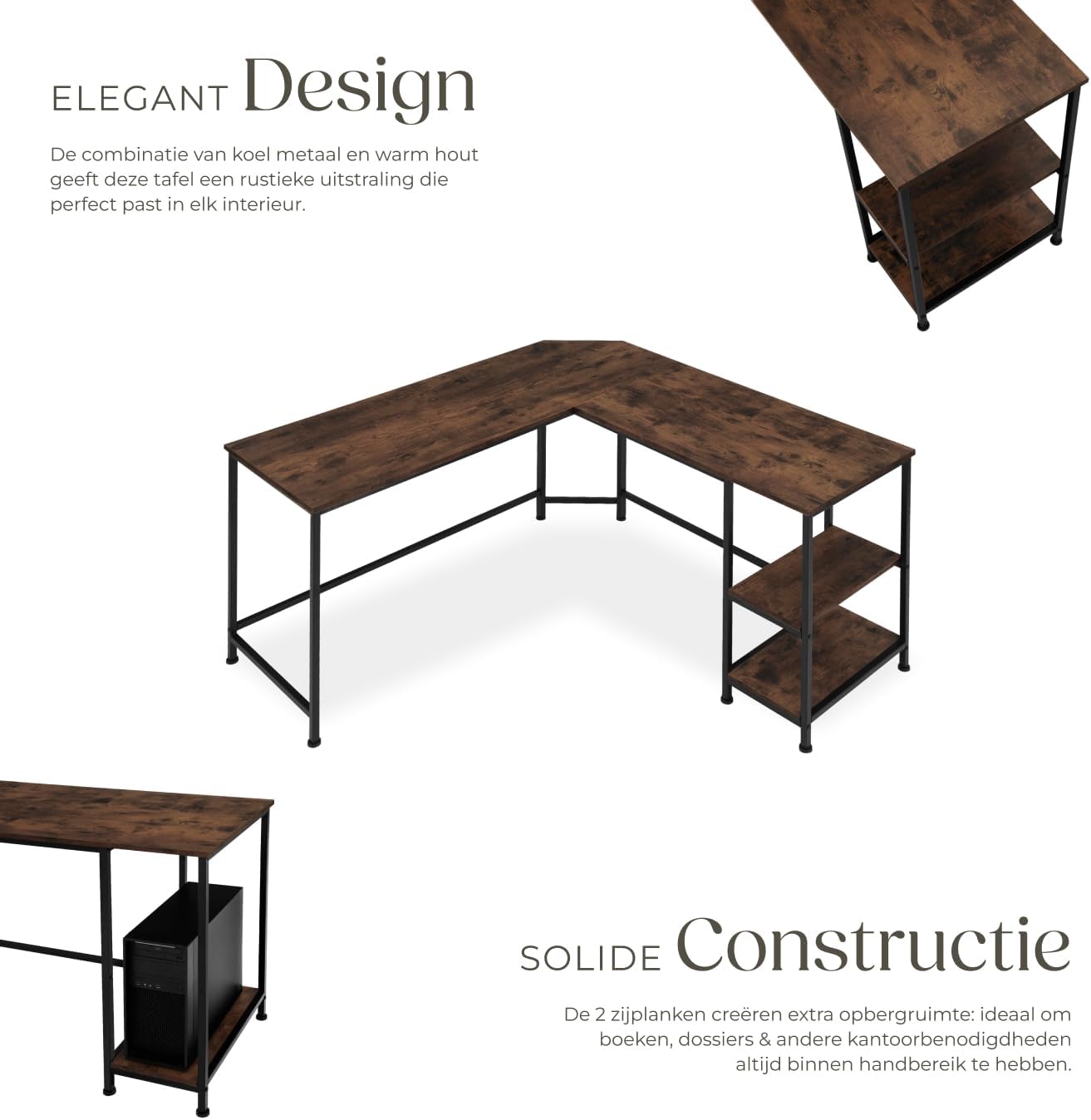
Immaġni: B'mod ġenerali view of the tectake Corner Desk, highlighting its L-shaped design and two side shelves.
Informazzjoni dwar is-Sigurtà
Importanti: Read all safety warnings and instructions carefully before assembly and use. Failure to follow these instructions may result in injury or damage to the product.
- Avoid overloading the desk and shelves.
- Ensure the desk is properly leveled to maintain stability.
- Exercise caution when placing heavy items on the shelves to prevent tipping.
- Żomm il-partijiet żgħar 'il bogħod mit-tfal waqt l-assemblaġġ biex tevita perikli ta' fgar.
- Toqgħodx bilwieqfa jew bilqiegħda fuq l-iskrivanija.
Kontenut tal-Pakkett
Verify that all components listed below are present before beginning assembly. If any parts are missing or damaged, please contact tectake customer support.
- Corner Desk components (MDF panels, steel frame parts)
- Ħardwer tal-assemblaġġ (viti, boltijiet, saqajn tal-plastik, eċċ.)
- Istruzzjonijiet tal-assemblaġġ (dan il-manwal)
Speċifikazzjonijiet
Detailed technical specifications for the tectake Corner Desk, Model 404231:
| Karatteristika | Dettall |
|---|---|
| Numru tal-Mudell | 404231 |
| Dimensjonijiet ġenerali (L x W x H) | 138 x 138 x 75.5 ċm |
| Desk Depth | 50 ċm |
| Upper Side Compartment (L x W x H) | 24 x 48 x 36 ċm |
| Lower Side Compartment (L x W x H) | 24 x 48 x 24.5 ċm |
| MDF Panel Thickness | 1.5 ċm |
| Steel Support Dimensions | 2 x 2 ċm |
| Aġġustament tas-Sieq tal-Plastik | 1.5 ċm |
| Desk Top Load Capacity | 200 kg |
| Side Compartment Load Capacity (each) | 25 kg |
| Piż tal-oġġett | 25.2 kg |
| Materjali | Pannell tal-MDF, azzar miksi bit-trab, polietilen |
| Persuni Rakkomandati għall-Assemblea | 2 |
| Għodod Rakkomandati għall-Assemblea | Screwdriver (all necessary tools included) |

Image: Technical diagram illustrating the dimensions of the corner desk and its components.
Istruzzjonijiet ta' Armar
This desk requires self-assembly. It is recommended that two people assemble this product. A screwdriver is the recommended tool, and all necessary assembly tools are included in the package. Refer to the detailed step-by-step instructions and diagrams provided in the box for precise guidance.
Qabel Tibda
- Iftaħ il-komponenti kollha mill-pakkett u poġġihom fuq wiċċ nadif u artab (eż., kutra jew kartun) biex tevita l-grif.
- Identify all parts using the included parts list and hardware pack.
- Kun żgur li għandek biżżejjed spazju għall-assemblaġġ.
General Assembly Steps (Refer to included manual for detailed steps)
- Arma l-Qafas: Connect the metal frame components using the provided screws and bolts. Ensure all connections are secure but do not overtighten initially.
- Waħħal il-Panels tal-Iskrivanija: Secure the MDF desk panels to the assembled metal frame. Align pre-drilled holes carefully.
- Installa l-ixkafef: Mount the two side shelves to their designated positions on the frame.
- Aġġusta s-Saqajn tal-Livellar: Once the desk is fully assembled, place it in its desired location. Adjust the plastic leveling feet on the bottom of the frame to ensure the desk is stable and level on uneven surfaces.
- Issikkar finali: After all parts are in place and the desk is level, go back and securely tighten all screws and fasteners.
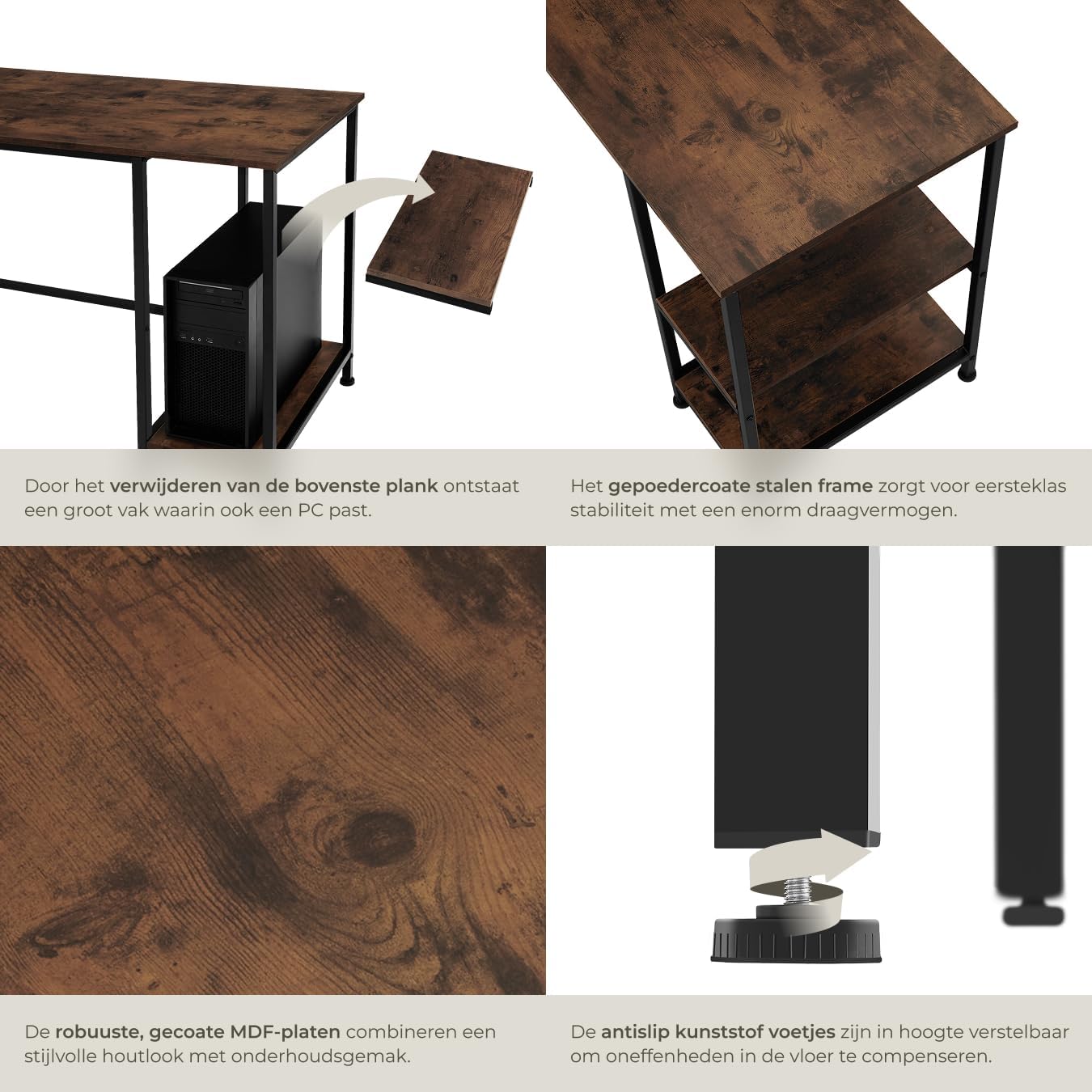
Image: Detail showing the beveled edge for cable management and the adjustable plastic feet for stability.
Istruzzjonijiet Operattivi
The tectake Corner Desk is designed for general office and home use, providing a functional and organized workspace.
- Użu tal-Ispazju tax-Xogħol: The L-shaped design offers an expansive surface for multiple monitors, laptops, and other work essentials.
- Ġestjoni tal-Kejbil: Utilize the beveled corner edge to route cables for computers, monitors, and other devices, helping to keep your workspace tidy and organized.
- Ħażna: The two integrated side shelves are suitable for storing books, office supplies, computer peripherals, or decorative items. Always adhere to the maximum load capacity of 25 kg per shelf to prevent damage or instability.
Manutenzjoni
Proper care and maintenance will extend the life and preserve the appearance of your tectake Corner Desk.
- Tindif: Imsaħ l-uċuħ b'artab, damp cloth. For stubborn marks, use a mild soap solution and immediately dry with a clean cloth. Avoid abrasive cleaners, harsh chemicals, or solvents, as these can damage the finish.
- Spezzjoni: Periodically check all screws, bolts, and fasteners to ensure they remain tight. Retighten if necessary to maintain structural integrity and stability.
- Protezzjoni: Avoid placing hot items directly on the desk surface. Use coasters or protective pads under hot mugs, plates, or other objects. Protect the surface from sharp objects to prevent scratches.
- Ambjent: Keep the desk in a dry environment and avoid prolonged exposure to direct sunlight or extreme temperature changes, which can affect the wood and metal components.
Issolvi l-problemi
This section addresses common issues you might encounter with your desk and provides potential solutions.
Desk is Unstable or Wobbly
- Iċċekkja l-Qafliet: Ensure all assembly screws and bolts are securely tightened. Loose connections are a common cause of instability.
- Aġġusta s-Saqajn tal-Livellar: The desk is equipped with adjustable plastic feet. Turn these feet clockwise or counter-clockwise to compensate for uneven floors until the desk is stable.
- Ivverifika t-Tagħbija: Ensure the desk and shelves are not overloaded beyond their specified weight capacities. Uneven weight distribution can also cause instability.
Difficulty During Assembly
- Review Istruzzjonijiet: Carefully re-read the detailed assembly instructions and diagrams provided in the product packaging.
- Orjentazzjoni tal-Parti: Double-check that all parts are correctly oriented as shown in the assembly diagrams. Sometimes a part may appear similar but has a specific direction.
- Assemblea ta' Żewġ Persuni: Remember that assembly is recommended for two people. Having an extra pair of hands can significantly ease the process, especially when aligning larger components.
- Ikkuntattja l-Appoġġ: If you continue to experience difficulties, contact tectake customer support for assistance.
Garanzija u Appoġġ
For detailed warranty information, terms, and conditions, please refer to the documentation included with your product at the time of purchase. This documentation will outline the coverage period and procedures for making a warranty claim.
For technical support, missing parts, or any other inquiries regarding your tectake Corner Desk, please visit the official tectake webis-sit jew ikkuntattja lid-dipartiment tas-servizz tal-konsumatur tagħhom billi tuża l-informazzjoni ta' kuntatt ipprovduta fl-imballaġġ tal-prodott tiegħek jew fuqhom websit.
Meta tikkuntattja l-appoġġ, jekk jogħġbok żomm l-informazzjoni li ġejja lesta:
- Numru tal-Mudell: 404231
- ASIN: B09MDKJQRC
- Data tax-Xiri
- Deskrizzjoni tal-kwistjoni


