1. Introduzzjoni
This manual provides essential information for the proper setup, operation, and maintenance of your Tibuta 10-inch Android 13 Tablet. Designed for versatility, this tablet features a 10.1-inch IPS display, a Quad-core processor, 4GB RAM, 32GB internal storage (expandable), and dual cameras, making it suitable for various daily activities from entertainment to productivity.

Image: The Tibuta 10-inch Android 13 Tablet, showcasing its sleek design and the included protective case.
2. Setup
2.1 Tneħħija tal-kaxxa u Spezzjoni Inizjali
Carefully remove all components from the packaging. Verify that the tablet and its protective case are present and undamaged. The package typically includes the tablet, a protective case, and a charging cable.

Image: The Tibuta tablet with its protective case, ready for use.
2.2 Iċċarġjar tat-Tablet
Before first use, fully charge the tablet. Connect the provided USB-C charging cable to the tablet's USB-C port and the other end to a compatible power adapter (not always included) or a computer's USB port. The battery indicator on the screen will show charging status. A full charge typically takes several hours.
2.3 Tixgħel/Jitfi
- Biex Tixgħel: Press and hold the Power button (located on the side) until the Tibuta logo appears on the screen.
- Biex Tifi: Agħfas u żomm il-buttuna tal-Enerġija sakemm jidher il-menu tal-għażliet tal-enerġija. Agħżel 'Itfi' u kkonferma.
- Biex terġa' tibda: From the power options menu, select 'Restart'.
2.4 Konfigurazzjoni Inizjali
Upon first power-on, the tablet will guide you through the initial setup process. This includes selecting your language, connecting to a Wi-Fi network, setting up your Google account, and configuring basic security settings. Follow the on-screen prompts.
2.5 Konnessjoni mal-Wi-Fi
- Go to 'Settings' > 'Network & internet' > 'Wi-Fi'.
- Ixgħel il-Wi-Fi 'Mixgħul'.
- Agħżel in-netwerk Wi-Fi mixtieq tiegħek mil-lista.
- Daħħal il-password tan-netwerk jekk tintalab, imbagħad tektek 'Qabbad'.
3. Istruzzjonijiet Operattivi
3.1 Navigazzjoni Bażika
The Tibuta tablet utilizes a responsive touchscreen for navigation. Common gestures include:
- Tektek: Biex tagħżel oġġett jew tiftaħ app.
- Swipe: Biex tiskrollja minn paġni jew listi.
- Agħfas biex Tiżżumja: Biex tkabbar jew tkabbar l-immaġnijiet jew web paġni.
- Stampa Twila: Biex taċċessa l-menus kuntestwali jew iċċaqlaq l-ikoni tal-app.
3.2 Użu tal-Kamera
Your tablet is equipped with a 5.0MP front camera and an 8.0MP rear camera for photos and video calls.
- Iftaħ l-app 'Kamera'.
- Tektek l-ikona tas-swiċċ tal-kamera biex talterna bejn il-kameras ta' quddiem u ta' wara.
- Tektek il-buttuna tax-shutter biex tieħu ritratt jew tibda/twaqqaf ir-reġistrazzjoni tal-vidjow.

Image: The tablet highlighting its dual camera capabilities for capturing moments.
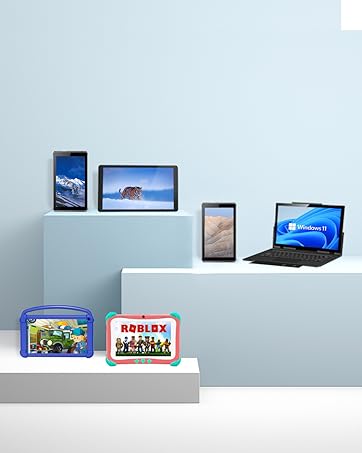
Image: The tablet being used for a video call, showcasing its front camera functionality.
3.3 Karatteristiċi tal-awdjo
The tablet includes built-in speakers for audio playback and a 3.5mm stereo headphone jack for private listening. Volume can be adjusted using the physical volume buttons on the side of the tablet.
3.4 Ġestjoni tal-Ħażna
The tablet comes with 32GB of internal storage. You can expand this storage up to 128GB using a microSD card (not included). To insert a microSD card, locate the card slot on the side of the tablet and gently push the card in until it clicks into place.

Image: Illustration of the tablet's 32GB internal storage and expandability up to 128GB, ideal for saving photos and files.
3.5 Applications and Google Mobile Services (GMS)
The tablet runs on Android 13 and is GMS certified, providing full access to the Google Play Store. You can download and install a wide range of applications, including popular social media apps like Facebook, Twitter, YouTube, and TikTok.
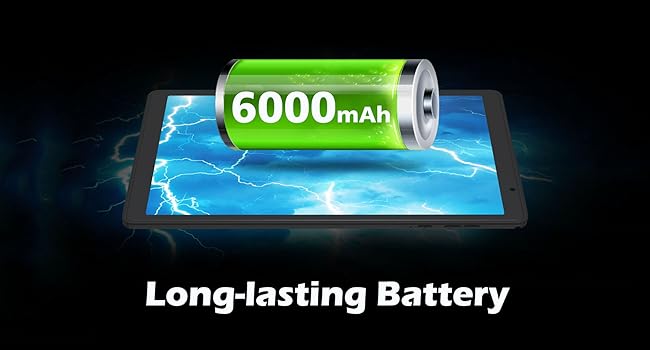
Image: The tablet displaying various GMS-certified applications, indicating broad app compatibility.
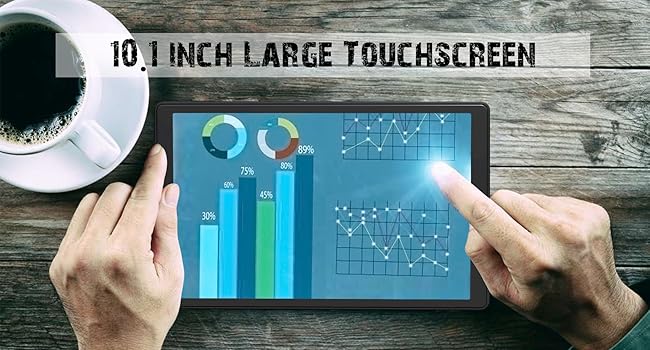
Image: The tablet in use for diverse activities such as studying, shopping, video calls, reading, and watching movies.
3.6 Ħajja tal-batterija
The 6000mAh battery provides approximately 8 hours for video playback, 9 hours for daily use, and 10 hours for music playback. Actual battery life may vary based on usage patterns and settings.

Image: Visual representation of the tablet's large battery capacity and estimated usage times for various activities.
4. Manutenzjoni
4.1 Tindif tat-Tablet
Uża drapp artab u mingħajr suf biex tnaddaf l-iskrin u l-qafas tat-tablet. Għal tbajja' persistenti, neħħi ftit.ampLaħlaħ id-drapp bl-ilma jew b'soluzzjoni għat-tindif tal-iskrin. Evita li tuża kimiċi ħarxa jew materjali li joborxu.
4.2 Aġġornamenti tas-Software
Regularly check for and install system updates to ensure optimal performance, security, and access to new features. Go to 'Settings' > 'System' > 'System update' to check for available updates.
4.3 Kura tal-Batterija
Biex tittawwal il-ħajja tal-batterija:
- Evita li tesponi l-pillola għal temperaturi estremi (sħana jew kesħa).
- Tħallix il-batterija tixxotta kompletament ta' spiss.
- Use the original charging cable or a certified equivalent.
4.4 Ġestjoni tal-Ħażna
Biex iżżomm prestazzjoni bla xkiel, immaniġġja l-ħażna tat-tablet tiegħek perjodikament:
- Iddiżinstalla l-applikazzjonijiet mhux użati.
- Clear cache data for apps in 'Settings' > 'Apps' > [App Name] > 'Storage & cache'.
- Trasferiment kbir files (photos, videos) to external storage or cloud services.
5 Issolvi l-problemi
Din it-taqsima tindirizza kwistjonijiet komuni li tista’ tiltaqa’ magħhom bit-tablet tiegħek.
5.1 L-Apparat Mhux Qed Jinxtegħel
- Kun żgur li t-tablet huwa ċċarġjat biżżejjed. Qabbadha ma' sors ta' enerġija għal mill-inqas 30 minuta.
- Try a forced restart by holding the Power button for 10-15 seconds.
5.2 Prestazzjoni bil-mod
- Agħlaq l-applikazzjonijiet fl-isfond li ma jintużawx.
- Clear app cache and temporary files.
- Kun żgur li jkun hemm biżżejjed spazju ħieles għall-ħażna.
- Erġa’ ibda l-pillola perjodikament.
5.3 Kwistjonijiet ta' Konnettività tal-Wi-Fi
- Toggle Wi-Fi off and on in settings.
- Erġa' ibda r-router tal-Wi-Fi tiegħek.
- Insieh in-netwerk u erġa' qabbad.
5.4 Problemi fl-Iċċarġjar
- Iċċekkja jekk il-kejbil tal-iċċarġjar u l-adapter humiex imqabbda sew.
- Ipprova kejbil tal-iċċarġjar jew adapter tal-enerġija differenti.
- Inspect the charging port for any debris.
5.5 Irrisettja l-Fabbrika
Jekk il-problemi jippersistu, reset tal-fabbrika jista' jsolvi ħafna problemi relatati mas-softwer. Twissija: Dan se jħassar id-dejta kollha fuq it-tablet tiegħek. Agħmel backup tad-dejta importanti qabel ma tipproċedi.
- Mur fuq 'Settings' > 'Sistema' > 'Għażliet ta' reset'.
- Agħżel 'Ħassar id-dejta kollha (reset tal-fabbrika)'.
- Ikkonferma d-deċiżjoni tiegħek u segwi l-istruzzjonijiet fuq l-iskrin.
6. Speċifikazzjonijiet
Key technical specifications for the Tibuta E100 Tablet:
| Karatteristika | Speċifikazzjoni |
|---|---|
| Isem tal-Mudell | E100 |
| Sistema Operattiva | Android 13 |
| Daqs tal-Iskrin | 10.1 pulzieri |
| Riżoluzzjoni tal-Iskrin | 1280 x 800 pixels (IPS) |
| Proċessur | 1.6 GHz Quad-core |
| RAM | 4 GB |
| Ħażna Interna | 32 GB |
| Ħażna espansibbli | Sa 128 GB (mikroSD) |
| Kamera ta' wara | 8 MP |
| Kamera ta' Quddiem | 5 MP |
| Kapaċità tal-batterija | 6000mAh Lithium Ion |
| Konnettività bla fili | 2.4G WiFi (802.11n), Bluetooth 4.2 |
| Dimensjonijiet tal-Prodott (LxWxH) | 8.86 x 11.02 x 2.01 pulzieri |

Image: A summary of the tablet's key performance specifications and features.

Image: The tablet's 10.1-inch IPS display, highlighting its high-quality visual output.
7. Garanzija u Appoġġ
For warranty information or technical support, please refer to the documentation included with your purchase or visit the official Tibuta website. You may also contact customer service through the platform where you purchased the product.


