1. Prodott Aktarview
The Apple iPhone 13 Pro Max, released in September 2021, is a high-performance smartphone designed for advanced users. This device combines a powerful processor with an exceptional camera system and a vibrant display, all encased in a durable design.
Karatteristiċi ewlenin:
- Wiri: 6.7-inch Super Retina XDR display with ProMotion, offering superfast downloads and high-quality streaming.
- Proċessur: A15 Bionic chip with a new 6-core CPU (2 performance, 4 efficiency cores), new 5-core GPU, and new 16-core Neural Engine.
- Sistema tal-Kamera: Advanced triple-camera system with Cinematic mode for professional video, Dolby Vision HDR video recording up to 4K at 60 fps, and 6X optical zoom range.
- Batterija: Sa 28 siegħa ta' daqq ta' vidjow.
- Durabilità: Ceramic Shield front cover and surgical-grade stainless steel frame, with IP68 water and dust resistance.
- Sigurtà: Face ID for secure authentication.
Deskrizzjoni Fiżika:
The iPhone 13 Pro Max features a sleek design with flat edges and a textured matte glass back. The device weighs approximately 7 ounces (200 grams) and has dimensions of 5.78 x 2.81 x 0.3 inches. It is available in various colors, including Gold, Graphite, Silver, and Sierra Blue.
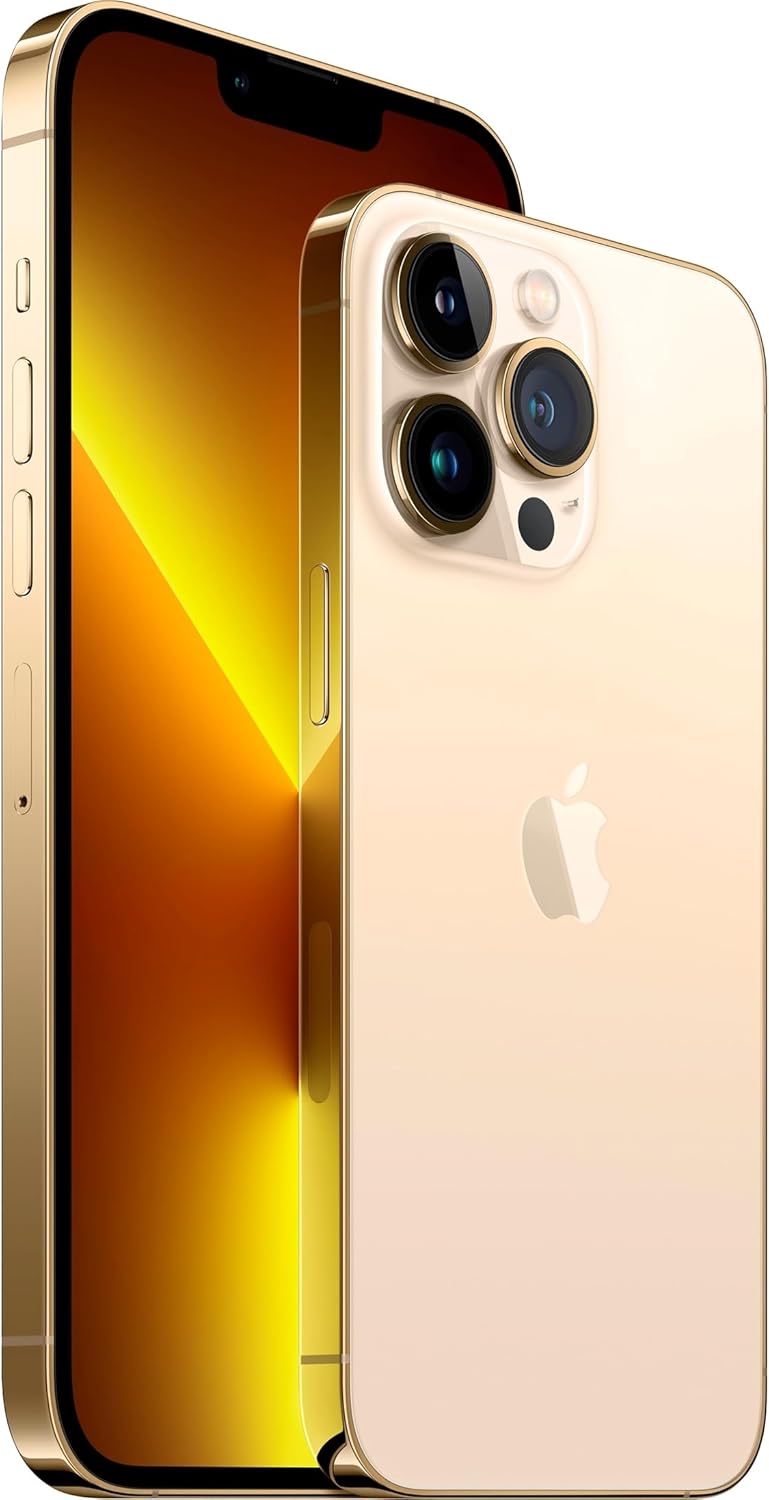
Immaġni: Quddiem u wara view of the Apple iPhone 13 Pro Max in Gold, showcasing its triple camera system and display.
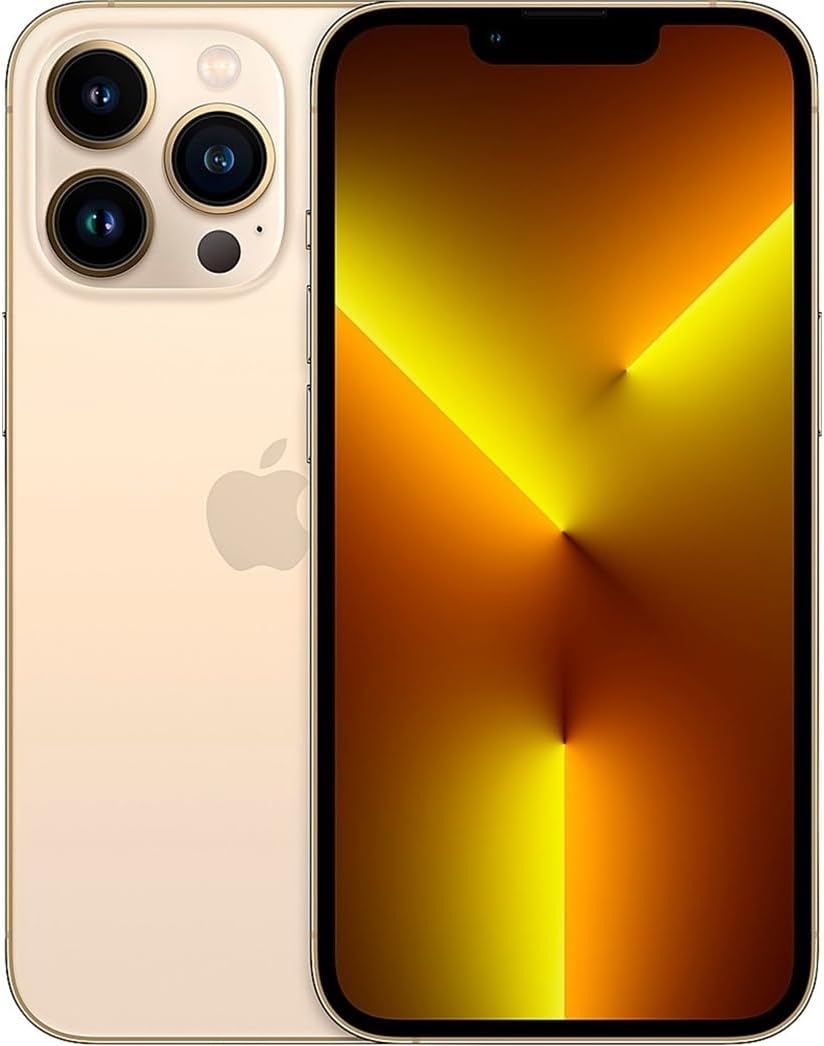
Immaġni: Quddiem view of the Apple iPhone 13 Pro Max in Gold, displaying the screen.
2. X'hemm fil-Kaxxa
Malli tiftaħ il-kaxxa tal-Apple iPhone 13 Pro Max tiegħek, għandek issib l-oġġetti li ġejjin:
- Apple iPhone 13 Pro Max device
- Charging Cable (USB-C to Lightning)
- Għodda għat-Tneħħija tas-SIM
Note: Power adapter and headphones are sold separately.
3. Gwida ta' Setup
3.1 Qawwa Inizjali
- Agħfas u żomm il- Buttuna tal-ġenb on the right side of the device until the Apple logo appears.
- Segwi l-istruzzjonijiet fuq l-iskrin biex tagħżel il-lingwa u r-reġjun tiegħek.
3.2 Daħħal SIM Card
- Locate the SIM tray on the left side of the iPhone.
- Insert the SIM removal tool into the small hole on the SIM tray and press firmly until the tray ejects.
- Poġġi l-kard nano-SIM tiegħek fit-trej bil-kuntatti tad-deheb iħarsu 'l isfel.
- Erġa' daħħal it-trej tas-SIM fl-iPhone bir-reqqa.
3.3 Setup Bażiku
After inserting the SIM card, continue with the on-screen setup process:
- Qabbad ma 'netwerk Wi-Fi.
- Set up Face ID (facial recognition) for secure unlocking and purchases.
- Oħloq passcode għal aktar sigurtà.
- Restore data from a previous iPhone backup (iCloud or computer) or set up as a new iPhone.
- Idħol bl-Apple ID tiegħek jew oħloq wieħed ġdid.
- Configure location services, Siri, and other settings as prompted.
4. Istruzzjonijiet Operattivi
4.1 Navigazzjoni u Ġesti
- Skrin tad-dar: Skrolla 'l fuq mit-tarf t'isfel tal-iskrin biex tmur għall-Iskrin Home.
- App Switcher: Skrolla 'l fuq mit-tarf t'isfel u waqqaf f'nofs l-iskrin biex view open apps. Swipe left or right to switch between them, or swipe up on an app to close it.
- Ċentru ta' Kontroll: Swipe down from the top-right corner of the screen to access quick settings like Wi-Fi, Bluetooth, brightness, and volume.
- Notifiki: Skrolla 'l isfel miċ-ċentru ta' fuq tal-iskrin biex view notifiki tiegħek.
4.2 Użu tal-Kamera
The iPhone 13 Pro Max features a versatile camera system:
- Iftaħ il- App tal-kamera.
- Swipe left or right to switch between modes (Photo, Video, Cinematic, Portrait, Pano, Slo-Mo, Time-Lapse).
- Tektek il- buttuna shutter biex tieħu ritratt jew tibda/twaqqaf ir-reġistrazzjoni tal-vidjow.
- Use the zoom options (0.5x, 1x, 3x) or pinch the screen to adjust zoom.
- For Cinematic mode, tap the icon to enable depth-of-field effects in videos.
4.3 Ġestjoni tal-batterija
Biex tottimizza l-ħajja tal-batterija:
- Ippermettiet Modalità ta 'Enerġija Baxxa via Control Center or Settings > Battery.
- Adjust screen brightness (lower brightness consumes less power).
- Itfi l-Wi-Fi jew il-Bluetooth meta ma tkunx qed tużahom.
- Iċċekkja Saħħa tal-batterija in Settings > Battery > Battery Health & Charging.
5. Manutenzjoni
5.1 Tindif tal-iPhone Tiegħek
- Unplug all cables and turn off your iPhone.
- Use a soft, lint-free cloth (e.g., a lens cloth) to gently wipe the screen and exterior.
- Evita li tuża materjali li joborxu, aerosols, solventi, jew prodotti tat-tindif ibbażati fuq l-ammonja.
- Do not spray cleaners directly onto the iPhone.
5.2 Aġġornamenti tas-Software
Regularly update your iPhone's software to ensure optimal performance, security, and access to new features:
- Mur fuq Settings > Ġenerali > Aġġornament tas-Softwer.
- Jekk ikun hemm aġġornament disponibbli, tektek Niżżel u Installa. Ensure your iPhone is connected to Wi-Fi and has sufficient battery charge or is connected to power.
5.3 Reżistenza għall-Ilma u t-Trab
The iPhone 13 Pro Max is rated IP68, meaning it can withstand submersion in water up to 6 meters for up to 30 minutes. However, water and dust resistance are not permanent conditions and may decrease over time with normal wear. To prevent liquid damage:
- Avoid swimming or bathing with your iPhone.
- Avoid exposing your iPhone to pressurized water or high-velocity water.
- Avoid using your iPhone in a sauna or steam room.
- Avoid intentionally submerging your iPhone in water.
- If your iPhone gets wet, wipe it with a soft, lint-free cloth. Do not charge it until it is completely dry.
6 Issolvi l-problemi
6.1 Kwistjonijiet Komuni u Soluzzjonijiet
- L-apparat ma jirrispondix: Agħfas u erħi malajr il-buttuna 'Volum 'il fuq. Agħfas u erħi malajr il-buttuna 'Volum 'l isfel. Imbagħad, agħfas u żomm il-buttuna tal-ġenb sakemm tara l-logo tal-Apple.
- Batterija tisbat malajr: Check battery usage in Settings > Battery to identify apps consuming the most power. Enable Low Power Mode.
- Problemi ta' konnettività Wi-Fi/Bluetooth: Try toggling Wi-Fi/Bluetooth off and on in Control Center or Settings. Restart your iPhone and/or your router.
- L-apps jiġġarraf: Ensure apps are updated to their latest versions. Restart the app or your iPhone.
6.2 Irrisettja l-Fabbrika
A factory reset erases all data and settings from your iPhone and restores it to its original state. This should be considered a last resort for persistent software issues.
- Mur fuq Settings > Ġenerali > Ittrasferixxi jew Irrisettja l-iPhone > Ħassar il-Kontenut u s-Settings Kollha.
- Follow the on-screen prompts. You may need to enter your Apple ID password.
7. Speċifikazzjonijiet
| Karatteristika | Dettall |
|---|---|
| Isem tal-Mudell | iPhone 13 Pro Max |
| Daqs tal-Iskrin | 6.7 Pulzier |
| Kapaċità tal-Ħżin tal-Memorja | 128 GB |
| Dimensjonijiet tal-Prodott | 5.78 x 2.81 x 0.3 pulzieri |
| Piż tal-oġġett | 7 uqija |
| Batteriji | 1 batteriji tal-jone tal-litju meħtieġa (inklużi) |
| Trasportatur Wireless | T-Mobile |
| Teknoloġija Ċellulari | 5G |
| Teknoloġija tal-Konnettività | Wi-Fi, CDMA, GSM, LTE |
| SIM card slot count | SIM doppju |
| Kulur | Deheb |
| Manifattur | Kompjuter tat-tuffieħ |
| Data L-Ewwel Disponibbli | 11 ta’ Novembru, 2021 |
8. Garanzija u Appoġġ
8.1 Garanzija Mġedda tal-Amazon
This Apple iPhone 13 Pro Max is an Amazon Renewed product. It comes with the Amazon Renewed Guarantee, which provides a replacement or refund within 90 days of receipt if the product does not work as expected.
8.2 Appoġġ tal-Apple
For technical assistance, software issues, or further product information, you can visit the official Apple Support webis-sit jew ikkuntattja s-servizz tal-klijenti ta' Apple.


