Introduzzjoni
This user manual provides comprehensive instructions for the TERIOS Wireless Controller, designed for an enhanced gaming experience. This controller is compatible with PlayStation 4, PS4 Pro, and PS4 Slim consoles.

Immaġni: Quddiem view of the green TERIOS Wireless Controller, showcasinid-disinn ergonomiku u t-tqassim tal-buttuni tiegħu.
X'hemm fil-Kaxxa
Malli tiftaħ il-pakkett, jekk jogħġbok kun żgur li l-oġġetti kollha li ġejjin huma preżenti:
- 1 x TERIOS Wireless Controller
- 1 x USB Iċċarġjar Cable
- 1 x Controller User Manual (this document)

Image: The TERIOS Wireless Controller, USB charging cable, and user manual laid out, representing the package contents.
Karatteristiċi tal-Prodott
The TERIOS Wireless Controller is equipped with several features designed to enhance your gaming experience:
- Konnettività Wireless: Connects wirelessly to your PS4 console via Bluetooth 4.2 for a stable connection up to 8 meters.
- Built-in Speaker & Headset Jack: Features an integrated speaker and a 3.5mm stereo headset jack for immersive audio.
- Multitouch Pad: A central multitouch pad expands gaming possibilities and interaction.
- Buttuna Share: Allows for live-streaming and sharing gameplay moments without interrupting your session.
- Sticks Analogiċi Doppji: Provides pinpoint accuracy and enhanced sensitivity for precise control.
- Double Shock Vibration: Integrated motors provide haptic feedback for an immersive gaming experience.
- Turbo Feature: Enables rapid-fire functionality for certain in-game actions.
- Batterija rikarikabbli: Equipped with a 1000mAh lithium battery, offering 10-12 hours of continuous use on a single charge.
- Disinn Ergonomiku: Conforms to the palm structure for comfortable extended gaming sessions.

Immaġni: Close-up views highlighting the built-in speaker, share button, and multitouch pad functionalities of the controller.

Image: Visuals illustrating the Bluetooth 4.2 connection, ergonomic design for comfortable grip, and the placement of advanced gaming buttons.

Image: The controller with a visual emphasis on its dual analog sticks, indicating their role in providing a better gaming experience.
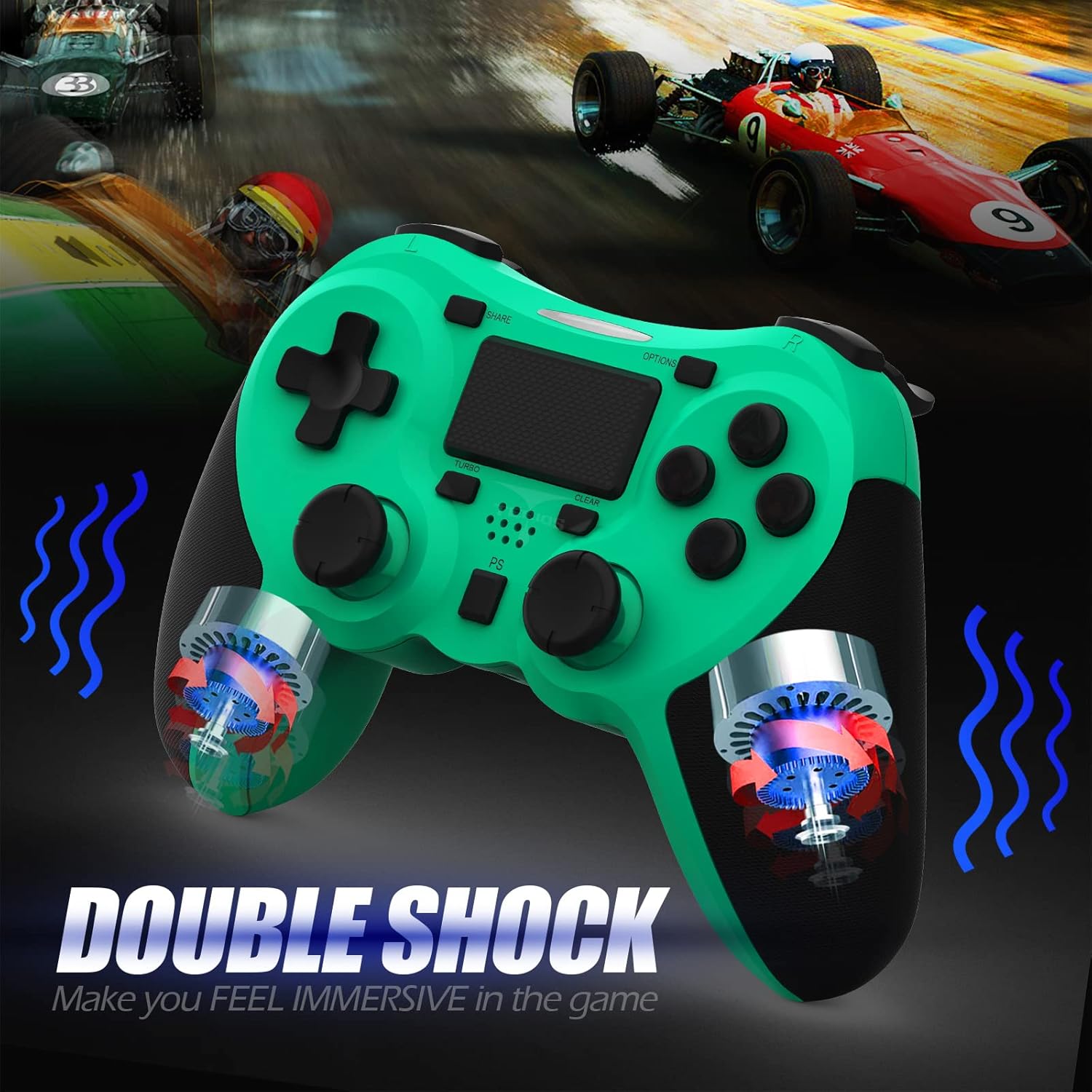
Immaġni: Interna view of the controller highlighting the double shock vibration motors, designed to provide immersive haptic feedback.
Gwida ta' Setup
1. Iċċarġjar Inizjali
Before first use, fully charge the controller. Connect the supplied USB charging cable to the controller's micro USB port and the other end to a USB port on your PlayStation 4 console or a compatible USB wall adapter.
- Ħin tal-Iċċarġjar: Madwar 2-3 sigħat għal iċċarġjar sħiħ.
- Battery Life: Up to 10-12 hours of continuous gameplay.
- Ħin ta' Standby: Sa 30 jum.
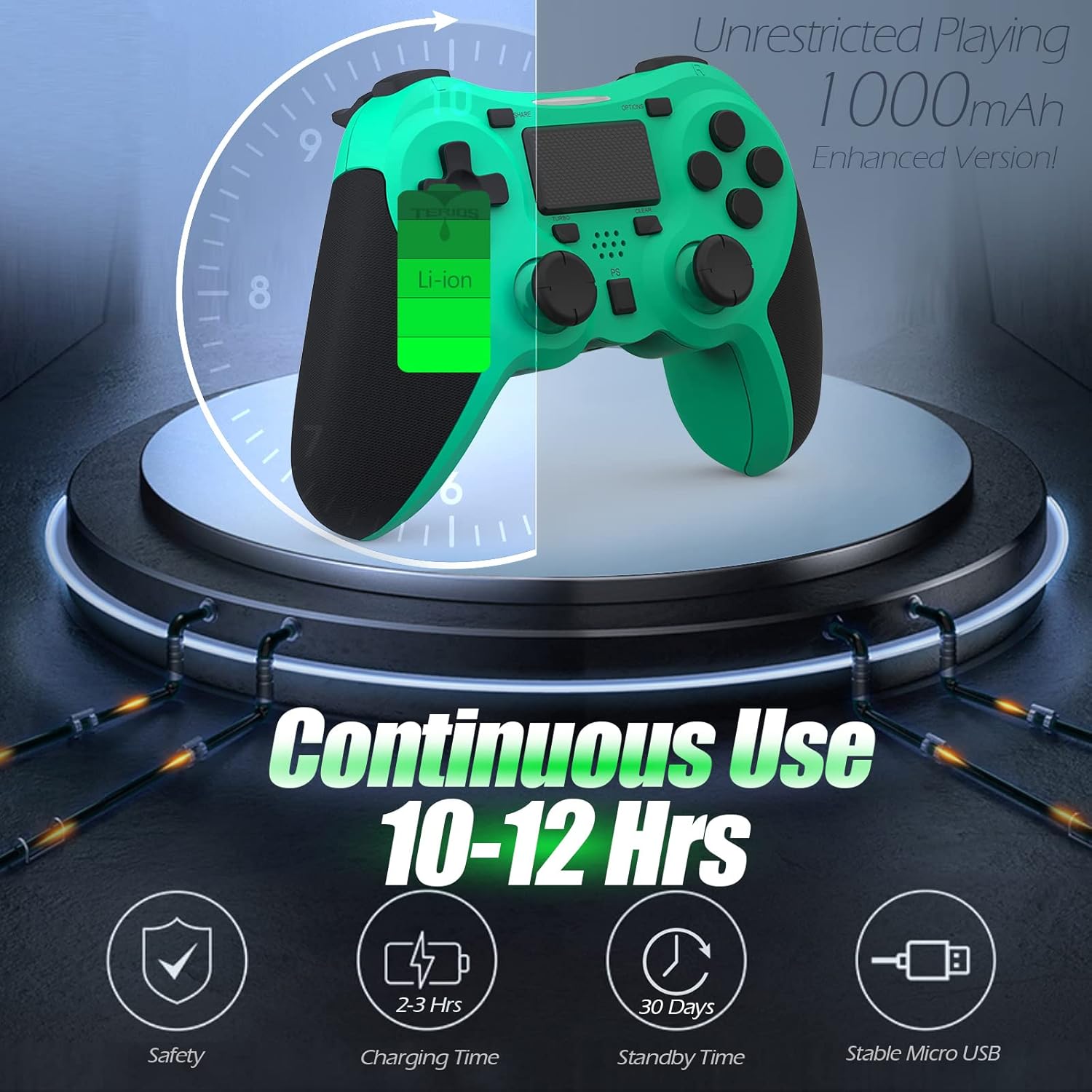
Image: A visual representation of the controller's 1000mAh battery, indicating 10-12 hours of continuous use, 2-3 hours charging time, and 30 days standby time.
2. Tqabbil ma' PlayStation 4
Biex tgħaqqad il-kontrollur mal-console PS4 tiegħek:
- Kun żgur li l-console tal-PS4 tiegħek hija mixgħula.
- Qabbad il-kontrollur mal-console tal-PS4 billi tuża l-kejbil tal-iċċarġjar USB.
- Agħfas il- Buttuna PS (located in the center of the controller). The light bar on the controller will flash, then glow a solid color, indicating successful pairing.
- Ladarba jkun imqabbad, tista' skonnettja l-kejbil USB għal-logħob mingħajr fili.
Nota: If the controller does not pair, ensure it is charged and try connecting it to a different USB port on the console. For persistent issues, refer to the Troubleshooting section.
Istruzzjonijiet Operattivi
Kontrolli Bażiċi
| Komponent | Funzjoni |
|---|---|
| Buttuna PS | Powers on the controller, accesses the PS4 home screen, switches users, or turns off the console (long press). |
| Buttuna SHARE | Accesses the Share menu to capture screenshots, record video clips, or broadcast gameplay. |
| Buttuna GĦAŻLIET | Pauses games, accesses in-game menus, or confirms selections. |
| Directional Buttons (D-Pad) | Navigates menus and provides directional input in games. |
| Action Buttons (Triangle, Circle, Cross, Square) | Performs in-game actions, confirms, or cancels selections. |
| Left/Right Sticks (L3/R3) | Controls character movement, camera, or other analog inputs. Pressing down on the sticks activates L3/R3 buttons. |
| L1/R1 Buttons | Trigger various in-game actions, often for aiming or secondary functions. |
| L2/R2 Triggers | Analog triggers for actions like accelerating, braking, or firing weapons. |
| Multitouch Pad | Provides touch input for specific game interactions or navigation. |
| 3.5mm Headset Jack | Connects compatible headsets for game audio and voice chat. |
Funzjonijiet Speċjali
Karatteristika Turbo
The Turbo feature allows for rapid, continuous input of a button press, useful for actions like rapid firing in games.
- Agħfas u żomm il- Buttuna TURBO (located below the touchpad).
- While holding TURBO, press the action button you wish to apply the rapid-fire function to (e.g., Square, Cross, Circle, Triangle, L1, R1, L2, R2).
- Release both buttons. The selected action button will now continuously register presses as long as it is held down.
- To disable Turbo for a specific button, repeat the process: hold TURBO and press the button again.
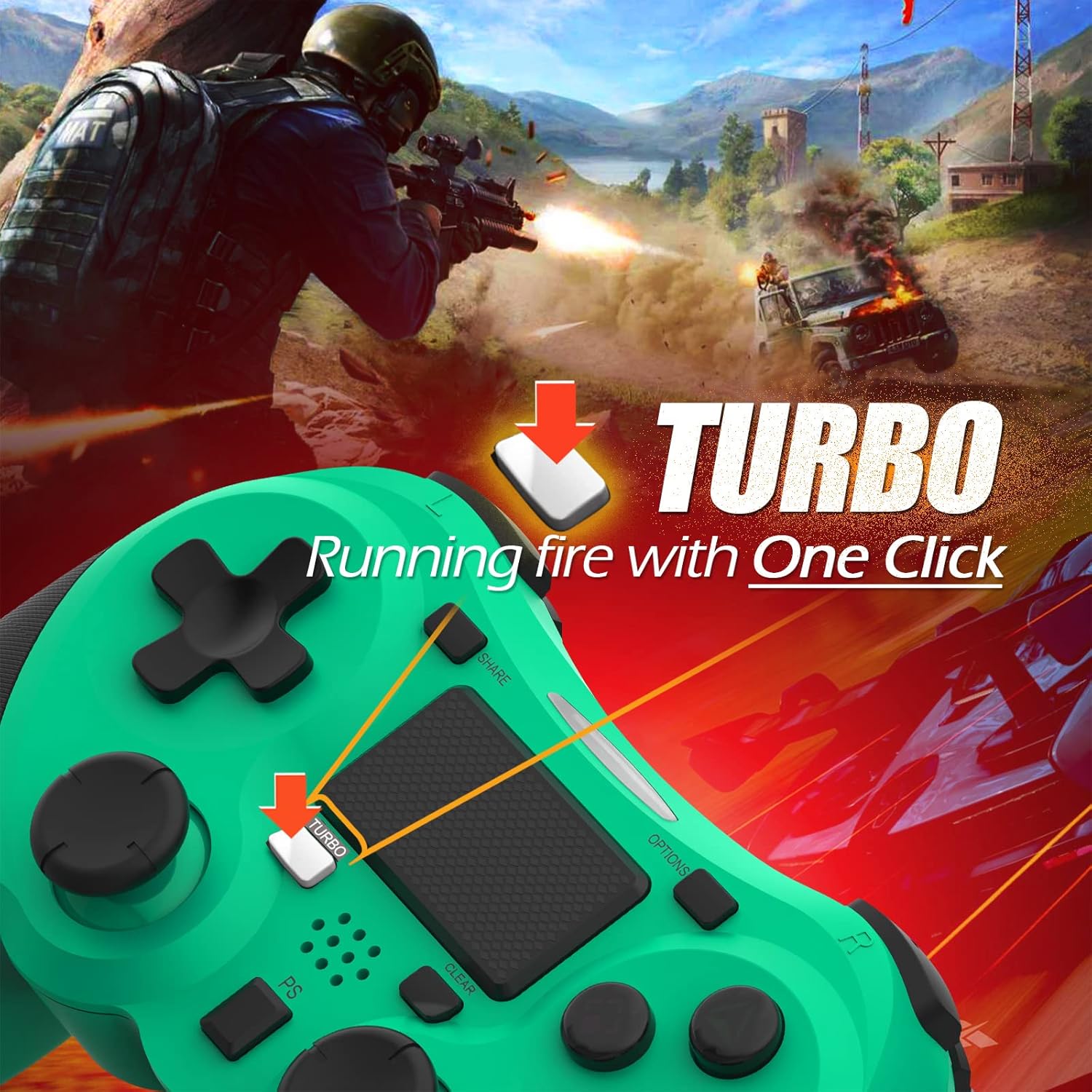
Image: A visual guide demonstrating how to activate the Turbo feature on the controller for rapid-fire actions.
Share Button Functionality
The SHARE button provides quick access to PS4's sharing features:
- Stampa Unika: Opens the Share menu, allowing you to save a screenshot, save a video clip, or start a broadcast.
- Stampa Twila: Takes a screenshot directly.
- Press doppju: Starts/stops video recording.
Manutenzjoni
Proper maintenance ensures the longevity and optimal performance of your TERIOS Wireless Controller.
Tindif
- Uża drapp artab u niexef biex timsaħ il-wiċċ tal-kontrollur.
- Għal ħmieġ iebes, neħħi ftitampLaħlaħ id-drapp bl-ilma jew b'tindif ħafif u mhux abrażiv. Evita umdità eċċessiva.
- Do not use harsh chemicals, solvents, or abrasive materials, as these can damage the controller's finish and internal components.
Ħażna
- Aħżen il-kontrollur f'post frisk u niexef 'il bogħod mix-xemx diretta, temperaturi estremi, u umdità għolja.
- Avoid placing heavy objects on the controller to prevent damage to buttons or analog sticks.
Kura tal-batterija
- To preserve battery life, avoid fully discharging the controller frequently.
- Jekk taħżenha għal perjodu estiż, iċċarġja l-batterija sa madwar 50% qabel ma taħżenha.
- Recharge the controller at least once every three months if not in use to prevent deep discharge.
Issolvi l-problemi
If you encounter issues with your TERIOS Wireless Controller, please refer to the following common solutions:
Il-Kontrollur Mhux Qed Jikkonnettja/Jiġi Ppariġġjat
- Iċċekkja l-batterija: Ensure the controller is sufficiently charged. Connect it to the PS4 via USB cable to charge.
- Erġa 'par: Connect the controller to the PS4 with the USB cable and press the PS button to re-establish the connection.
- Irrisettja l-Kontrollur: Locate the small reset button hole on the underside of the controller (near the L2 button). Use a straightened paperclip or a similar thin object to press and hold the button for 3-5 seconds. This will reset the controller. After resetting, attempt to re-pair it with the PS4.
- Interferenza: Move closer to the PS4 console to rule out wireless interference.
Buttons or Sticks Unresponsive/Lagging
- Irrisettja l-Kontrollur: Perform a hard reset as described above.
- Naddaf: Ensure no debris is lodged around the buttons or sticks. Clean the controller as per the Maintenance section.
- Firmware: Ensure your PS4 system software is up to date.
Vibrazzjoni Eċċessiva
- Irrisettja l-Kontrollur: A reset can often resolve unexpected vibration issues.
- Settings tal-Logħob: Check in-game settings for vibration intensity.
Speċifikazzjonijiet
| Attribut | Dettall |
|---|---|
| Mudell | TERIOS 5S |
| ASIN | B09KLR5DCZ |
| Kompatibilità | PlayStation 4, PS4 Pro, PS4 Slim |
| Konnettività | Wireless (Bluetooth 4.2), USB |
| Tip ta 'batterija | Polimer tal-litju (1 inkluż) |
| Kapaċità tal-batterija | 1000mAh |
| Ħin ta 'Użu Kontinwu | 10-12 sigħat |
| Ħin tal-Iċċarġjar | 2-3 sigħat |
| Ħin ta' Standby | Sa 30 jum |
| Piż tal-oġġett | 10.8 uqija (madwar 306 gramma) |
| Dimensjonijiet tal-Pakkett | 6.69 x 5.24 x 2.72 pulzieri |
| Manifattur | TERIOS |
| Data L-Ewwel Disponibbli | 28 ta’ Ottubru, 2021 |
Garanzija u Appoġġ
TERIOS stands behind the quality of its products. This controller comes with a garanzija ta 'sena mid-data tax-xiri, li tkopri difetti fil-manifattura.
For customer support, technical assistance, or warranty claims, please contact TERIOS customer service through the platform where you purchased the product or visit the official TERIOS store page for contact information.
We are committed to providing premium customer support and ensuring your satisfaction with our products.


