Introduzzjoni
Grazzi tax-xiriasing the Fenton FT210LED Party Speaker. This manual provides essential information for the safe and correct operation of your device. Please read it thoroughly before use and retain it for future reference.
The FT210LED is a versatile portable party speaker designed for various audio needs, featuring Bluetooth connectivity, a built-in MP3 player, AUX input, and a microphone for karaoke. Its integrated battery and trolley system ensure portability, while colorful LED lighting enhances the atmosphere.
Istruzzjonijiet Importanti dwar is-Sigurtà
- Aqra l-istruzzjonijiet kollha bir-reqqa qabel ma tħaddem l-apparat.
- Żomm dan il-manwal għal referenza futura.
- Tesponix l-unità għax-xita jew għall-umdità biex tevita nar jew xokk elettriku.
- Tiżgura l-provvista tal-enerġija voltage jaqbel mar-rekwiżiti speċifikati fuq l-unità.
- Tiftaħx is-casing. Ġewwa m'hemm l-ebda partijiet li jistgħu jiġu rranġati mill-utent. Irreferi għal kull manutenzjoni f'idejn persunal kwalifikat.
- Evita li tpoġġi l-unità ħdejn sorsi ta’ sħana jew fid-dawl tax-xemx dirett.
- Naddaf biss b'ċarruta niexfa.
- Timblokka l-ebda fetħiet tal-ventilazzjoni.
- Uża biss aċċessorji/aċċessorji speċifikati mill-manifattur.
- Disconnect the unit during lightning storms or when unused for long periods.
Kontenut tal-Pakkett
Meta tiftaħ il-pakkett, kun żgur li l-oġġetti kollha elenkati hawn taħt huma preżenti u f'kundizzjoni tajba:
- Fenton FT210LED Party Speaker
- Mikrofonu bil-fili
- Kontroll mill-bogħod
- Kejbil tal-Enerġija
- Manwal għall-Utent (dan id-dokument)

Figura 1: The Fenton FT210LED speaker shown with its accompanying remote control, power cable, and wired microphone.
Setup
1. Iċċarġjar tal-batterija
The FT210LED features an integrated rechargeable battery for portable use. Before first use, fully charge the speaker.
- Connect the provided power cable to the speaker's power input and a suitable wall outlet (230V / 50Hz).
- Id-dawl indikatur tal-iċċarġjar se jixgħel.
- Allow several hours for a full charge. The indicator light may change or turn off when fully charged (refer to the specific behavior of your unit's indicator).
The speaker can be operated while charging.
2. Pożizzjonament tal-Ispeaker
The FT210LED is designed for portability and can be used in various locations. It features a trolley system for easy transport.
- Using the Trolley System: Extend the retractable handle and tilt the speaker to roll it on its integrated wheels.
- Fuq Tripod: The speaker is equipped with a hat (pole mount) for placement on a standard speaker tripod (not included). Ensure the tripod is stable and rated for the speaker's weight (11.55 kg).

Figura 2: The base of the speaker, illustrating the wheels, retractable handle, and the pole mount for tripod placement.
Istruzzjonijiet Operattivi
Control Panel Matulview

Figura 3: The main control panel located on the rear of the speaker, featuring media player controls, volume, tone adjustments, and input ports.

Figura 4: A dettaljata view of the input section and control knobs on the speaker's rear panel.
Familiarize yourself with the control panel (Figures 3 & 4) before operation. Key controls include:
- Swiċċ tal-Enerġija: Jixgħel/Jitfi l-ispiker.
- Swiċċ tad-Dawl: Controls the LED lighting.
- Media Player: USB/MicroSD slots, display, and playback controls (Play/Pause, Next, Previous, Mode).
- Buttuna tal-Volum: Jaġġusta l-volum ewlieni ġenerali.
- Pum tat-Triple: Jaġġusta frekwenzi għoljin.
- Pum tal-bass: Jaġġusta l-frekwenzi baxxi.
- Il-Buttuna tal-Volum tal-Mikrofonu: Jaġġusta l-volum tal-mikrofonu.
- Pum Eku: Jaġġusta l-effett tal-eku għall-mikrofonu.
- Mic In: 6.3mm jack for microphone connection.
- AUX In: Jack ta' 3.5mm għal apparati awdjo esterni.
- DC12V Esterni: Input for external 12V power source (e.g., car battery, not for charging).
1. Tixgħil / Mitfi
Sib il- QAWWA switch on the control panel and toggle it to the ON position to power on the speaker. Toggle to OFF biex titfi.
2. Konnessjoni Bluetooth
Stream audio wirelessly from your smartphone, tablet, or laptop.
- Qawwa fuq il-kelliem.
- Agħfas il- MODALITÀ button on the control panel or remote control until "Bluetooth" or "BT" appears on the display. The speaker will enter pairing mode, indicated by a flashing Bluetooth icon or sound.
- Fuq it-tagħmir tiegħek, ippermetti l-Bluetooth u fittex tagħmir disponibbli.
- Select "Fenton FT210LED" from the list.
- Once connected, the speaker will emit a confirmation sound, and the Bluetooth indicator will stop flashing.
- Issa tista' ddoqq l-awdjo mit-tagħmir tiegħek permezz tal-ispiker.
3. Daqq tal-USB/MicroSD
Play MP3 awdjo files directly from a USB flash drive or MicroSD card.
- Daħħal USB flash drive fil- USB port or a MicroSD card into the MICROSD slot.
- The speaker will automatically switch to USB/MicroSD mode and begin playing audio. If not, press the MODALITÀ buttuna biex tagħżel l-input korrett.
- Use the playback controls (DĦABBA/PAWŻA, LI JMISS, PREĊEDENTI) on the control panel or remote control to manage playback.
4. Input AUX
Qabbad apparati awdjo esterni billi tuża kejbil awdjo ta' 3.5mm.
- Qabbad tarf wieħed ta' kejbil awdjo ta' 3.5mm (mhux inkluż) mal- KAJN IN port fuq l-ispiker.
- Connect the other end to the headphone jack or audio output of your external device (e.g., MP3 player, TV).
- Agħfas il- MODALITÀ Agħfas il-buttuna sakemm jidher "AUX" fuq id-displej.
- Adjust the volume on both the speaker and your external device.
5. Użu tal-Mikrofonu (Karaoke)
The speaker comes with a wired microphone for karaoke or public address.
- Qabbad il-mikrofonu bil-fili mal- MIC FI jack fuq il-pannell tal-kontroll.
- Ensure the microphone's ON/OFF switch is in the ON pożizzjoni.
- Aġġusta l-volum tal-mikrofonu billi tuża l- MIC VOL pum.
- Applika effett ta' eku billi tuża l- ECHO pum.

Figura 5: The wired microphone, model DM-100, with its power switch.
6. LED Dawl
The integrated colorful LED lights on the woofers can be turned on or off.
- Sib il- DAWL switch on the control panel.
- Toggle l-iswiċċ għal ON to activate the LED lights.
- Toggle l-iswiċċ għal OFF to deactivate the LED lights.

Figura 6: The speaker with its LED lights active, displaying blue and purple hues.

Figura 7: Angolat view tal-ispettaklu tal-kelliemasing its dynamic green and blue LED lighting.
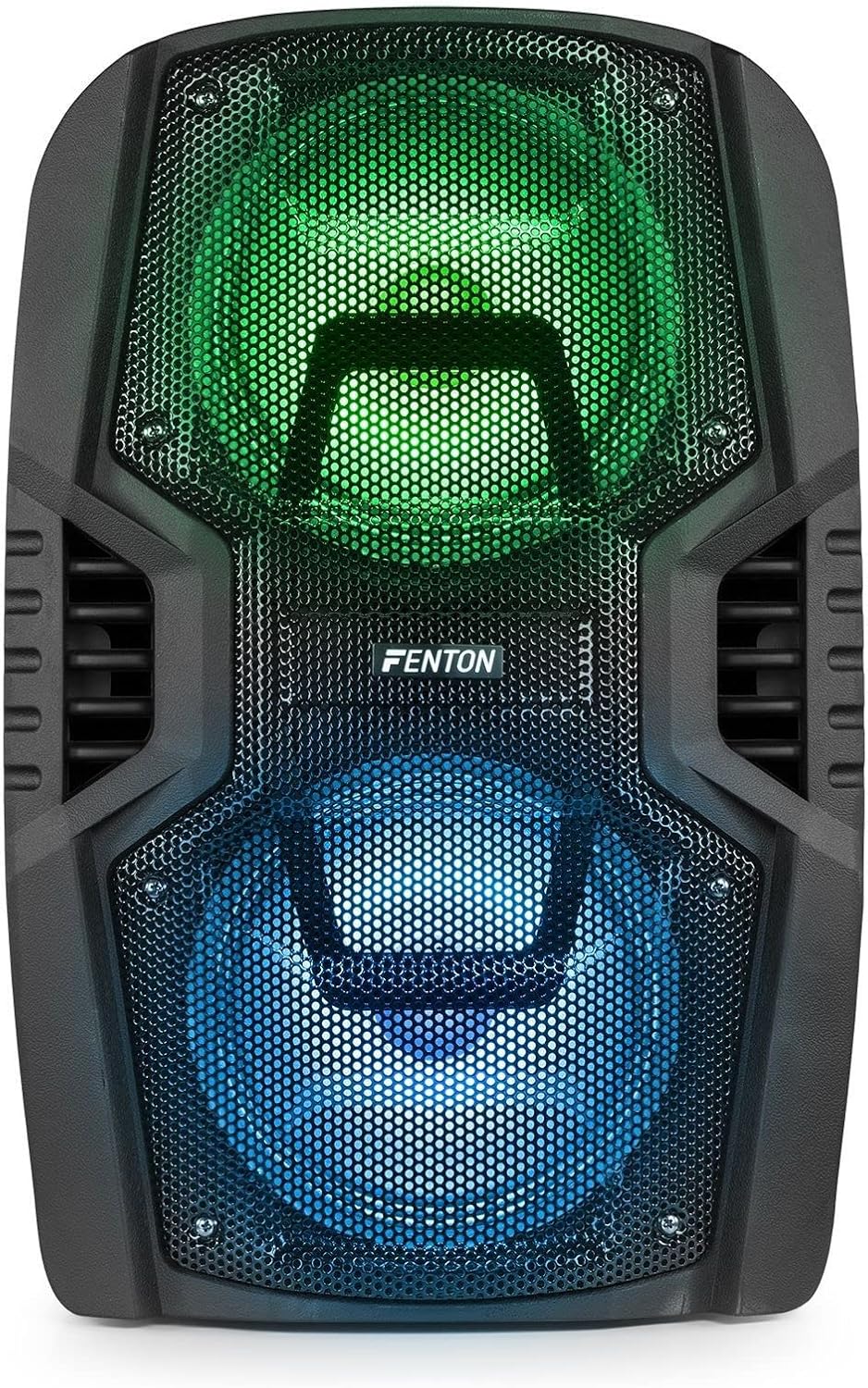
Figura 8: The front of the speaker with its LED lights displaying vibrant green and blue colors.

Figura 9: The speaker positioned in a room with low lighting, demonstrating the atmospheric effect of its blue LED lights.
Manutenzjoni
- Tindif: Uża drapp artab u niexef biex tnaddaf il-barra tal-ispiker. Tużax prodotti tat-tindif, xama', jew solventi li joborxu.
- Ħażna: Meta ma tkunx qed tużah għal perjodi twal, aħżen l-ispiker f'post frisk u niexef, 'il bogħod mix-xemx diretta u minn temperaturi estremi.
- Kura tal-batterija: To prolong battery life, avoid fully discharging the battery frequently. Recharge the battery periodically if the speaker is stored for a long time.
- Ventilazzjoni: Kun żgur li l-fetħiet tal-ventilazzjoni huma nodfa mit-trab u l-fdalijiet biex tevita li jisħnu żżejjed.
Issolvi l-problemi
| Problema | Kawża Possibbli | Soluzzjoni |
|---|---|---|
| Ebda qawwa | Battery discharged; Power cable not connected; Power switch OFF. | Charge the battery; Connect power cable securely; Turn power switch ON. |
| L-ebda ħoss | Volum baxx wisq; Mod ta' input mhux korrett magħżul; Apparat mhux imqabbad sew. | Increase volume; Select correct input (Bluetooth, USB, AUX); Reconnect device. |
| Bluetooth mhux pairing | Speaker not in pairing mode; Device Bluetooth OFF; Too far from speaker. | Ensure speaker is in BT mode; Enable Bluetooth on device; Move device closer (within 10m). |
| Mikrofonu mhux qed jaħdem | Microphone OFF; Mic Vol too low; Microphone not connected. | Turn microphone ON; Increase Mic Vol; Connect microphone securely. |
| Dwal LED ma jaħdmux | Light switch OFF. | Turn Light switch ON. |
Speċifikazzjonijiet
| Brand | Fenton |
| Numru tal-Mudell | FT210LED (170.022) |
| Output ta 'Qawwa | 700 W |
| Rispons ta' Frekwenza | 50 Hz - 18000 Hz |
| Woofers | Doppju 10-il pulzier |
| Batterija | 7.4 V / 3 Ah |
| Konnessjoni Voltage | 230V/50Hz |
| Inputs tal-awdjo | Bluetooth, USB, MicroSD, AUX (3.5mm), Wired Microphone (6.3mm) |
| Karatteristiċi Speċjali | Integrated LED lighting, Trolley system, Echo effect for microphone |
| Dimensjonijiet tal-Prodott (L x W x H) | 48.5 x 39.5 x 75.5 ċm |
| Piż tal-oġġett | 11.55 kg |
| Manifattur | Tronios BV |
Garanzija u Appoġġ
Għal informazzjoni dwar il-garanzija jew appoġġ tekniku, jekk jogħġbok irreferi għad-dokumentazzjoni pprovduta fil-ħin tax-xiri jew ikkuntattja lill-bejjiegħ tiegħek. Żomm il-prova tax-xiri tiegħek għal kwalunkwe talba ta' garanzija.


