1. Setup u Installazzjoni
This section provides instructions for the initial setup and physical installation of your ESSGOO Android 9.1 Double Din Car Stereo.
1.1 Kontenut tal-Pakkett
Qabel tibda l-installazzjoni, ivverifika li l-komponenti kollha huma preżenti fil-pakkett:

Image: The package contents include the main head unit, backup camera, microphone, GPS antenna, camera input cable, 2 USB cables, RCA input/output cables, power cable, fixed brackets, spare fuse, and user manual.
- Unità Prinċipali tar-Ras
- Backup Camera
- Mikrofonu
- Antenna tal-GPS
- Kejbil tal-Input tal-Kamera
- 2 Kejbils USB
- Kejbils tad-Dħul/Ħruġ RCA
- Power Cable (ISO Power Cable)
- Fixed Brackets
- Fjus Spare
- Manwal għall-Utent
1.2 Dimensjonijiet Fiżiċi
Ensure your vehicle's dashboard opening is compatible with the unit's dimensions.

Image: Diagram showing the dimensions of the head unit: 230mm (width), 130mm (height), 40mm (depth). Also shows the rear panel connections.
- Wisa': 230mm (madwar 9.06 pulzieri)
- Għoli: 130mm (madwar 5.12 pulzieri)
- Fond: 40mm (madwar 1.57 pulzieri)
1.3 Wiring u Konnessjonijiet
Carefully follow the wiring diagram to connect the head unit to your vehicle's electrical system. Incorrect wiring can cause damage to the unit or vehicle.

Image: Detailed wiring diagram showing connections for power, speakers, video, audio, USB, GPS antenna, and camera input.

Image: The ISO power cable provided for connecting the head unit to the vehicle's power supply.
- Cable tal-Enerġija: Connect the main power harness to the vehicle's power supply (B+ Battery, ACC, GND).
- Wajers tal-Ispeaker: Connect the speaker output wires (FRONT L/R, REAR L/R) to your vehicle's speakers. Ensure correct polarity.
- Antenna tal-GPS: Connect the GPS antenna to the dedicated port on the rear of the unit and mount it in a location with a clear view tas-sema.
- Kejbils USB: Qabbad il-kejbils USB provduti għal apparati esterni jew trasferiment tad-dejta.
- Kejbils RCA: Use RCA input/output cables for external amplifiers, subwoofers, or auxiliary audio/video sources.
- Input tal-Kamera: Qabbad il-wara view camera cable to the 'Camera Input' port.
- Kontroll tal-Istering Wheel (SWC): Connect the KEY1 and KEY2 wires to your vehicle's steering wheel control wires, if applicable.
1.4 Wara View Installazzjoni tal-kamera
In-naħa ta' wara inkluża view camera provides assistance when reversing. Connect the camera's video output to the 'Camera Input' on the head unit and its power to your vehicle's reverse light circuit.

Image: The car stereo displaying the rear view camera feed with parking guidelines, alongside an illustration of the camera mounted on a car.
2. Istruzzjonijiet Operattivi
This section details the various functions and features of your ESSGOO Android 9.1 Double Din Car Stereo.
2.1 Basic Controls and Touch Screen
The unit features a 9-inch capacitive touchscreen for intuitive operation. Physical buttons on the left side provide quick access to essential functions.
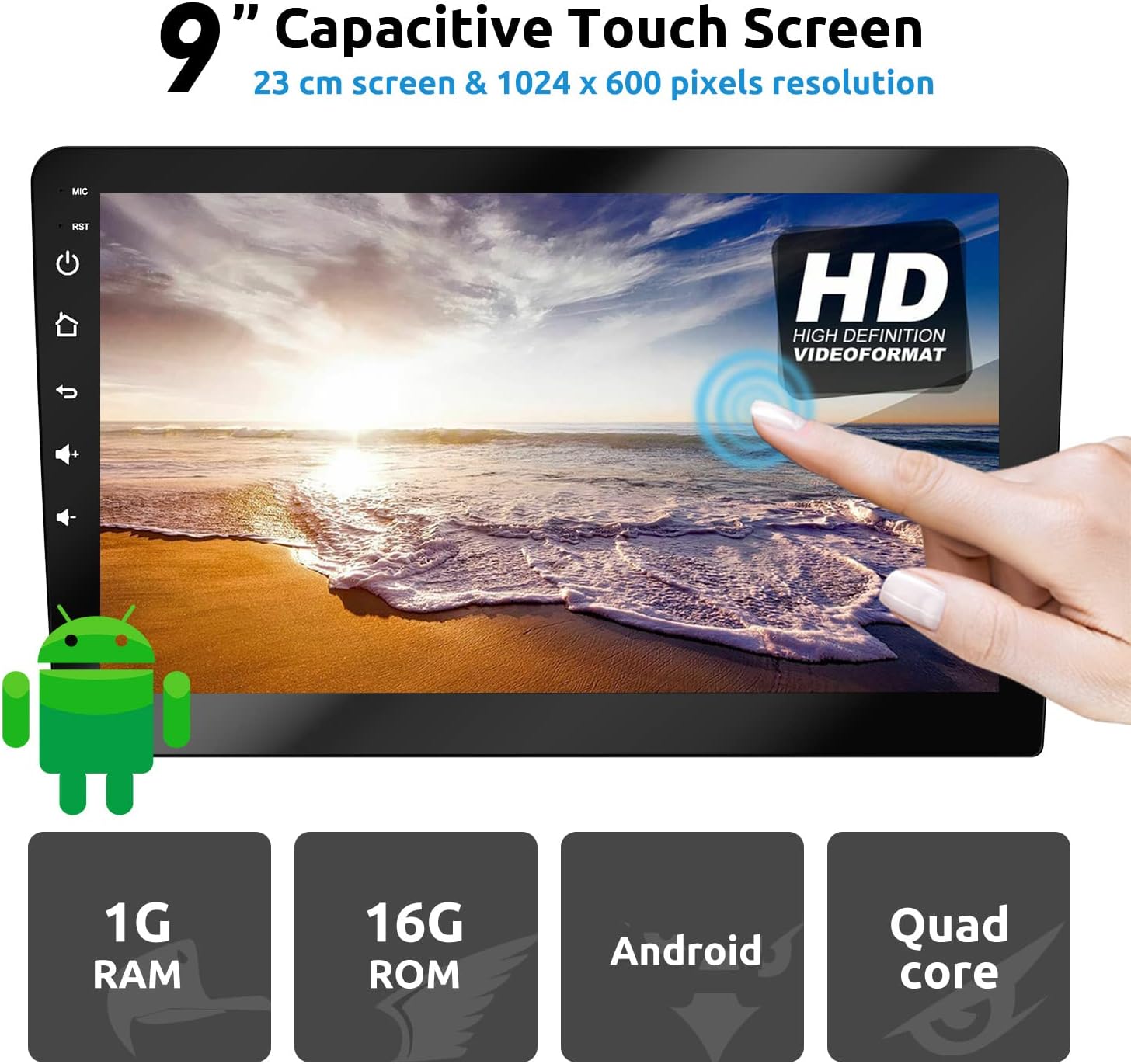
Image: The 9-inch capacitive touch screen displaying a high-definition video format, with physical buttons for MIC, RST, Power, Home, Back, Volume Up/Down on the left bezel.
- Buttuna tal-Qawwa: Press and hold to turn the unit on/off. Short press to mute/unmute.
- Buttuni tal-Volum: Aġġusta l-livell tal-ħruġ tal-awdjo.
- Buttuna tad-dar: Return to the main Android home screen.
- Buttuna Lura: Mur lura għall-iskrin jew il-menu preċedenti.
- Buttuna RST (Irrisettjar): A small pinhole button to reset the unit if it becomes unresponsive.
2.2 Navigazzjoni GPS
The unit supports both online and offline navigation. You can download GPS applications from the Google Play Store.
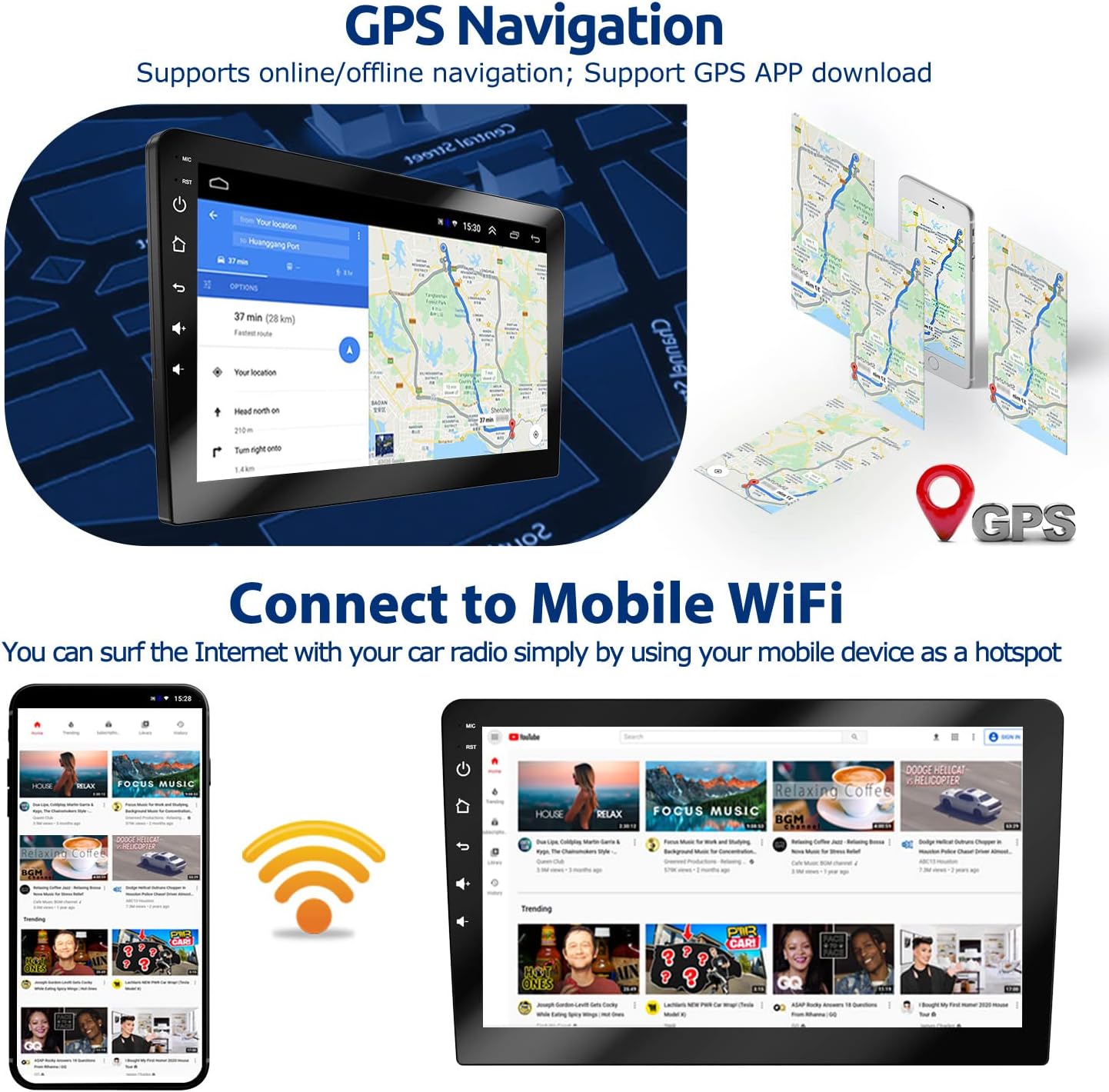
Image: The car stereo displaying a navigation map, with an illustration of mobile phones providing a WiFi hotspot for internet connectivity.
- Ensure the GPS antenna is properly connected and positioned.
- Access navigation apps from the main menu.
- For online navigation, ensure the unit is connected to the internet via WiFi.
2.3 Konnettività Bluetooth
Connect your smartphone via Bluetooth for hands-free calling and music playback.

Image: The car stereo displaying a Bluetooth dial pad and music playback interface, with a person using a phone for hands-free calling.
- Mur fil-menù tal-Bluetooth fuq l-unità ewlenija.
- Ippermetti l-Bluetooth fuq it-telefon tiegħek u fittex apparati disponibbli.
- Select the car stereo (usually named 'BT_Android' or similar) and pair.
- Ladarba tkun imqabbad, tista' tagħmel/tirċievi telefonati u tixxandar l-awdjo.
2.4 Konnettività tal-WiFi
Connect to a WiFi network (e.g., your phone's hotspot) to access online features, download apps, and browse the internet.

Image: The car stereo displaying a WiFi connection icon and a smartphone showing YouTube, indicating internet access.
- Navigate to 'Settings' > 'Network & Internet' > 'Wi-Fi'.
- Ixgħel il-Wi-Fi u agħżel in-netwerk mixtieq tiegħek.
- Daħħal il-password jekk tintalab.
2.5 Link tal-Mera
Mirror Link allows you to display your smartphone's screen on the car stereo. This feature supports both Android and iOS devices.

Image: Diagram illustrating Mirror Link connectivity for iOS (WiFi connection, one-way control) and Android (USB cable or WiFi connection, two-way control).
- Telefowns Android: Can be controlled in two directions (phone to radio or radio to phone) via USB cable or WiFi connection.
- Telefowns iOS: Can only perform one-way control (from phone to radio) via WiFi connection.
- Access the 'Mirror Link' application from the main menu and follow the on-screen instructions for connection.
2.6 Radju FM
Tune into your favorite FM radio stations.
Image: The car stereo displaying the FM radio interface with frequency selection and preset options.
- Agħżel l-applikazzjoni 'Radju' mill-menù prinċipali.
- Uża l-kontrolli fuq l-iskrin biex tiskennja għall-istazzjonijiet, tirfina manwalment, jew tagħżel presets.
2.7 Kontrolli ta' l-istering
If your vehicle supports it, you can program the unit to respond to your steering wheel controls for convenience.
Image: The car stereo displaying the steering wheel control learning interface, with an inset showing a hand operating steering wheel buttons.
- Go to 'Settings' > 'Steering Wheel Control' (or similar).
- Follow the on-screen instructions to assign functions to your vehicle's steering wheel buttons.
2.8 Funzjoni ta' Skrin Maqsum
The split-screen feature allows you to run two applications simultaneously, such as navigation and music playback.

Image: The car stereo displaying two applications side-by-side in split-screen mode, showing navigation on one side and music playback on the other.
- To activate, open an app, then long-press the recent apps button or drag an app to one side of the screen.
- Select a second app to fill the other half of the screen.
2.9 Issettjar tal-EQ
Adjust the audio equalizer settings to customize your sound experience.

Image: The car stereo displaying the audio equalizer interface with adjustable frequency bands and sound field settings.
- Access the 'EQ' or 'Sound Settings' application.
- Adjust frequency bands, balance, fader, and preset sound modes to your preference.
3. Manutenzjoni
Manutenzjoni xierqa tiżgura l-lonġevità u l-prestazzjoni ottimali tal-istereo tal-karozza tiegħek.
3.1 Tindif tal-Unità
- Uża drapp artab u niexef biex timsaħ l-iskrin u l-uċuħ ta’ barra.
- For stubborn smudges on the screen, use a screen cleaner specifically designed for electronic displays and a microfiber cloth.
- Avoid using abrasive cleaners, solvents, or harsh chemicals, as these can damage the screen or finish.
3.2 Aġġornamenti tas-Software
- Iċċekkja perjodikament għal aġġornamenti tas-softwer disponibbli biex tiżgura prestazzjoni ottimali u aċċess għal karatteristiċi ġodda.
- Updates can typically be found in the 'Settings' menu under 'About device' or 'System updates'.
- Ensure a stable internet connection during updates to prevent interruption.
4 Issolvi l-problemi
Din it-taqsima tindirizza kwistjonijiet komuni li tista’ tiltaqa’ magħhom bl-istereo tal-karozza tiegħek.
| Problema | Kawża Possibbli | Soluzzjoni |
|---|---|---|
| L-unità ma tixgħelx. | Wajers tal-enerġija mhux korretti; Fjus maħruq; Problema bil-batterija tal-vettura. | Check power cable connections (B+, ACC, GND). Verify the fuse is intact. Check vehicle battery voltage. |
| L-ebda ħoss mill-kelliema. | Wajers tal-ispiker mhux korretti; Volum baxx wisq; Funzjoni Mute attiva. | Check speaker wire connections and polarity. Increase volume. Disable mute. Check EQ settings. |
| Is-sinjal tal-GPS huwa dgħajjef jew mhux disponibbli. | GPS antenna improperly connected or positioned; Obstruction. | Ensure GPS antenna is securely connected and mounted in a clear location (e.g., dashboard, not under metal). |
| Kwistjonijiet ta 'konnessjoni Bluetooth. | Bluetooth not enabled; Device not paired; Interference. | Ensure Bluetooth is enabled on both devices. Re-pair the devices. Move closer to the unit. |
| Touchscreen ma jirrispondix. | Problema temporanju tas-softwer. | Press the RST (Reset) button with a thin object (e.g., paperclip). |
| Wara view il-kamera mhux qed turi. | Camera wiring issue; Camera power issue. | Check camera video input connection. Verify camera power connection to reverse light. |
If you encounter issues not listed here or require further assistance, please contact ESSGOO customer support.
5. Speċifikazzjonijiet
Key technical specifications for the ESSGOO Android 9.1 Double Din Car Stereo.
| Karatteristika | Dettall |
|---|---|
| Sistema Operattiva | Android 9.1 |
| Daqs tal-Iskrin | 9 Pulzier |
| Riżoluzzjoni | 1024 x 600 |
| Memorja (RAM) | 1GB |
| Ħażna (ROM) | 16GB |
| Teknoloġija tal-Konnettività | Bluetooth, USB, Wi-Fi |
| Karatteristiċi Speċjali | Bluetooth, Touchscreen, GPS Navigation, Mirror Link, FM Radio, Rear View Appoġġ għall-Kamera |
| Modalità tal-Ħruġ tal-Awdjo | Stereo |
| Tip ta 'Immuntar | Immonta fuq il-Panew |
| Dimensjonijiet tal-Prodott | 9.06 x 5.12 x 3.15 pulzieri (230 x 130 x 80 mm) |
| Piż tal-oġġett | 3.06 liri |
| Manifattur | ESSGOO |
6. Garanzija u Appoġġ
For warranty information and customer support, please refer to the details below.
6.1 Informazzjoni dwar Garanzija
ESSGOO products typically come with a manufacturer's warranty. Please refer to the warranty card included in your product packaging or visit the official ESSGOO websit għal termini u kundizzjonijiet speċifiċi tal-garanzija.
6.2 Appoġġ għall-Klijent
If you have any questions, require technical assistance, or need to report an issue, please contact ESSGOO Support. You can typically reach support via Amazon Messages or through the contact information provided on the ESSGOO official websit.
- Appoġġ onlajn: Contact ESSGOO Support via Amazon Messages for prompt assistance.
- Gwida Teknika: Professional technical guidance is available to help with installation or operational queries.


