1. Introduzzjoni
This manual provides essential information for the safe and efficient operation of your LG 98UH5F-H 98-inch UHD LCD Monitor. Please read this manual thoroughly before using the product and retain it for future reference. The LG 98UH5F-H is a high-performance 98-inch Ultra High Definition (UHD) LCD display designed for various professional applications, featuring a 3840x2160 resolution, multiple input options including HDMI, DisplayPort, and DVI-D, built-in speakers, and Wi-Fi connectivity.
2. Informazzjoni dwar is-Sigurtà
Osserva l-prekawzjonijiet ta' sigurtà li ġejjin biex tevita xokk elettriku, nar, jew ħsara lill-prodott.
- Sors tal-Enerġija: Use only the power cord and adapter supplied with the unit. Connect to a grounded power outlet.
- Ventilazzjoni: Kun żgur li jkun hemm ventilazzjoni adegwata madwar id-displej. Timblokkax il-fetħiet tal-ventilazzjoni.
- Likwidu u Umdità: Do not expose the display to rain or moisture. Do not place objects filled with liquids on the display.
- Tindif: Disconnect the power cord before cleaning. Use a soft, dry cloth. Avoid liquid cleaners or aerosol sprays.
- Installazzjoni: Due to its size and weight (approximately 343 pounds), this display requires professional installation. Ensure the mounting surface or stand can safely support the weight.
- Servizzi: Tippruvax isservi dan il-prodott int stess. Irreferi l-manutenzjoni kollha lil persunal tas-servizz kwalifikat.
3. X'hemm fil-Kaxxa
Iftaħ il-kaxxa bir-reqqa u kun żgur li l-oġġetti kollha huma preżenti u bla ħsara.
- LG 98UH5F-H 98-inch UHD LCD Monitor
- Stand (if included with your specific package)
- Korda tal-Enerġija
- Kontroll mill-bogħod (bil-batteriji)
- Manwal għall-Utent (dan id-dokument)
- Karta ta' Garanzija
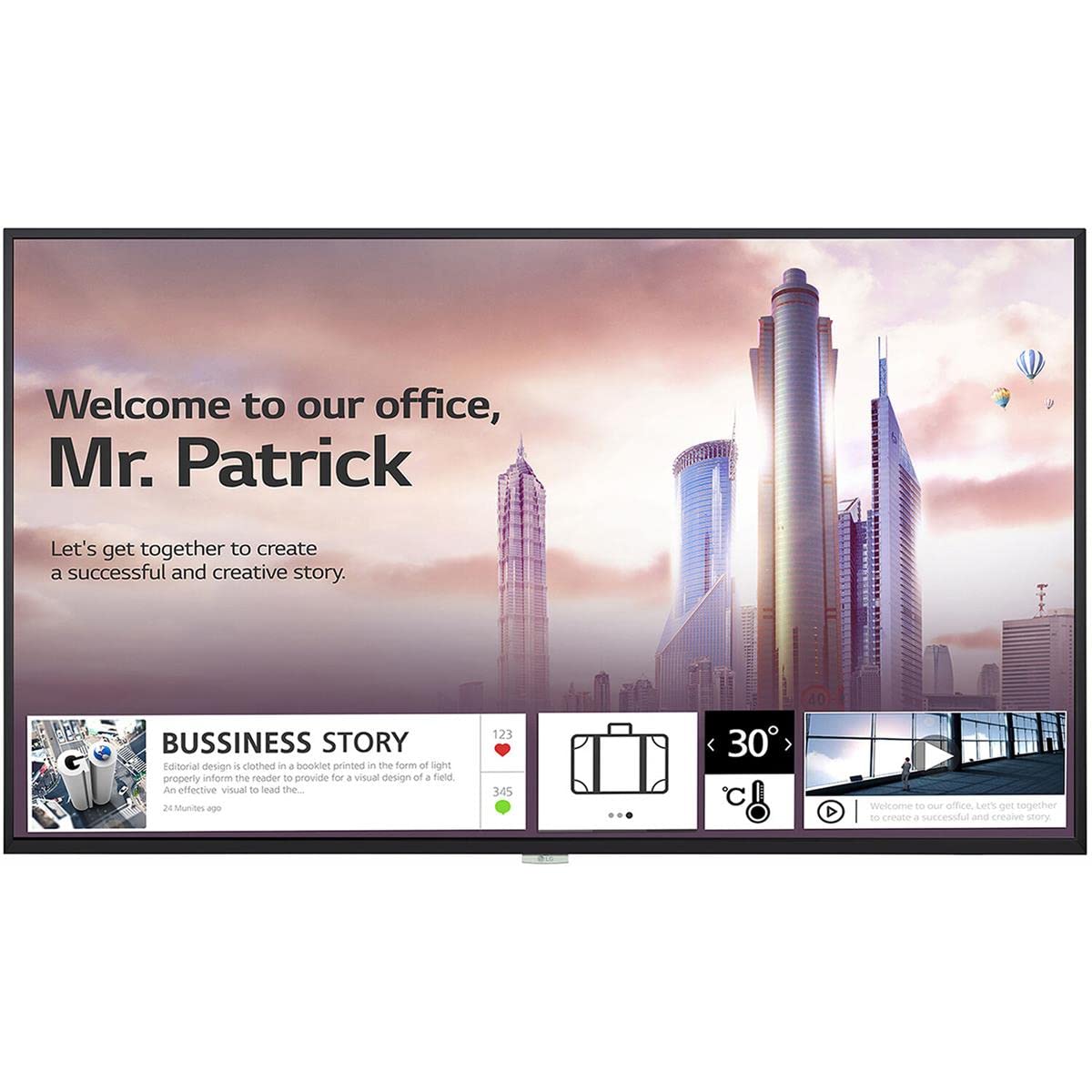
Stampa 1: Quddiem view of the LG 98UH5F-H 98-inch UHD LCD Monitor. The display is black with a thin bezel.
4. Setup
4.1. Installazzjoni Fiżika
Due to the large size and weight of the 98UH5F-H monitor, professional installation is highly recommended. Ensure the chosen location and mounting hardware (if wall-mounted) can support the display's weight of approximately 343 pounds (155 kg). Maintain adequate space around the display for ventilation.
4.2. Kejbils tal-Konnessjoni
Before connecting any cables, ensure the monitor and all connected devices are powered off.
- Video Input: Connect your video source (PC, media player, etc.) to one of the available input ports: HDMI (3 ports), DisplayPort (DP), or DVI-D.
- Input/Output Awdjo: If using external audio devices, connect them to the appropriate audio ports. The monitor also has built-in speakers.
- Apparat USB: Connect USB storage devices or peripherals to the USB 2.0 ports (2 ports).
- Konnessjoni tan-Netwerk: For network features and updates, connect an Ethernet cable to the LAN port or use the built-in Wi-Fi.
- Konnessjoni tal-Enerġija: After all other connections are made, connect the power cord to the monitor and then to a grounded electrical outlet.

Immaġni 2: Ġenb view of the LG 98UH5F-H monitor, illustrating the location of various input ports including HDMI, DisplayPort, DVI-D, and USB.
5. Istruzzjonijiet Operattivi
5.1. Power On/Off
Press the power button on the remote control or on the monitor's control panel to turn the display on or off. A power indicator light will illuminate when the monitor is on.
5.2. Għażla tas-Sors tal-Input
Use the 'Input' or 'Source' button on the remote control to cycle through available input sources (HDMI1, HDMI2, HDMI3, DP, DVI-D). Select the input corresponding to your connected device.
5.3. Menu tal-Wiri fuq l-Iskrin (OSD).
The OSD menu allows you to adjust various display settings. Press the 'Menu' button on the remote control to access the OSD. Use the arrow buttons to navigate and 'OK' or 'Enter' to select options.
- Settings tal-Istampa: Aġġusta l-luminożità, il-kuntrast, in-nitidezza, it-temperatura tal-kulur, u l-proporzjon tal-aspett.
- Settings tal-awdjo: Control volume, balance, and select audio output modes (Off/Fixed/Variable).
- Settings Ġenerali: Configure language, time, power-saving options, and network settings (Wi-Fi).
- Daqq USB: Access content from connected USB storage devices. The monitor has 8GB internal memory (3.6GB available for user content).
5.4. Landscape and Portrait Mode
The LG 98UH5F-H supports both landscape and portrait orientations. Ensure the content source is configured to match the display's physical orientation for optimal viewing.
6. Manutenzjoni
6.1. Tindif tal-Display
Always unplug the power cord before cleaning. Use a soft, lint-free cloth to gently wipe the screen and exterior surfaces. For stubborn marks, lightly dampen the cloth with water or a mild, non-abrasive screen cleaner. Never spray liquid directly onto the screen or into any openings.
6.2. Ħażna
Jekk se taħżen il-monitor għal perjodu estiż, skonnettja l-kejbils kollha u aħżnu f'post frisk u niexef, preferibbilment fl-imballaġġ oriġinali tiegħu biex tipproteġih mit-trab u l-ħsara fiżika.
7 Issolvi l-problemi
If you encounter issues with your LG 98UH5F-H monitor, refer to the following common problems and solutions.
| Problema | Kawża Possibbli | Soluzzjoni |
|---|---|---|
| Ebda Qawwa | Power cord disconnected; Power outlet faulty. | Kun żgur li l-korda tal-enerġija hija konnessa sew. Ittestja s-sokit b'apparat ieħor. |
| Ebda Sinjal | Incorrect input source selected; Video cable loose or faulty; Source device off. | Select the correct input source. Check video cable connections. Ensure source device is powered on. |
| Kwalità Fqira tal-Istampa | Incorrect resolution; Picture settings misconfigured; Faulty cable. | Set source device to 3840x2160 resolution. Adjust picture settings in OSD. Try a different video cable. |
| Ebda Ħoss | Volume too low or muted; Incorrect audio output selected; External speakers off. | Increase volume. Check audio settings in OSD. Ensure external speakers are powered on and connected. |
| Kwistjonijiet ta' Konnessjoni Wi-Fi | Incorrect password; Router issues; Signal interference. | Verify Wi-Fi password. Restart your router. Move monitor closer to router or reduce interference. |
8. Speċifikazzjonijiet
Key technical specifications for the LG 98UH5F-H monitor.
| Karatteristika | Speċifikazzjoni |
|---|---|
| Numru tal-Mudell | 98UH5F-H |
| Daqs tal-Iskrin | 98 pulzieri |
| Riżoluzzjoni | 3840x2160 (UHD) |
| Riffriskar Rata | 60Hz |
| Tip ta' Panel | LCD |
| Haze | 28% |
| Inputs tal-Vidjo | 3x HDMI, 1x DisplayPort, 1x DVI-D |
| Awdjo | Audio In/Out, Built-in Speaker |
| Portijiet USB | 2x USB 2.0 |
| Memorja Interna | 8GB (System 4GB + Available 3.6GB) |
| Konnettività | Wi-Fi inkorporat |
| Sigħat ta' Operazzjoni | 24/7 (50,000 hours) |
| Orjentazzjoni | Pajsaġġ u Ritratt |
| ViewIng Angolu | 178 x 178 grad |
| Piż tal-oġġett | 343 liri (madwar 155 kg) |
| Dimensjonijiet tal-Prodott (LxWxH) | 92.2 x 54.6 x 15.8 pulzieri |
9. Garanzija u Appoġġ
Għal informazzjoni dwar il-garanzija, jekk jogħġbok irreferi għall-karta tal-garanzija inkluża mal-prodott tiegħek jew żur is-sit uffiċjali tal-LG. website. For technical support, service inquiries, or to download the latest drivers and software, please visit the LG support portal or contact LG customer service directly. Contact details can typically be found on the LG official webis-sit jew fid-dokumentazzjoni tal-prodott tiegħek.
Uffiċjali tal-LG Websit: www.lg.com