1. Introduzzjoni
Welcome to the John Adams CoComelon GLOWPAD! This light-up drawing pad allows children aged 3 and above to create vibrant, glowing pictures. Please read this manual carefully to ensure proper setup, operation, and maintenance of your GLOWPAD.

Image: The CoComelon GLOWPAD in its retail packaging, demonstrating its light-up drawing feature.
2. Informazzjoni dwar is-Sigurtà
Warning: Not suitable for children under 3 years of age. Adult supervision is required during use.
Always ensure the GLOWPAD is used on a stable surface. Keep the product away from water and extreme temperatures. Do not attempt to open or modify the device.
3. Kontenut tal-Pakkett
Before starting, please check that all components are present in the box:
- 1 x GLOWPAD Light-up tablet
- 2 x Neon marker pens
- 1 x Manwal ta' struzzjonijiet (dan id-dokument)

Image: A visual representation of the included components.
4. Setup
4.1 Installazzjoni tal-batterija
The GLOWPAD requires 3 AAA batteries (not included). Follow these steps to install them:
- Locate the battery compartment on the back of the GLOWPAD.
- Using a small screwdriver, unscrew the battery compartment cover.
- Daħħal 3 batteriji AAA, waqt li tiżgura l-polarità korretta (+/-).
- Ibdel l-għatu u waħħalha bil-kamin.

Image: The reverse side of the GLOWPAD, indicating the battery compartment location.
5. Istruzzjonijiet Operattivi
5.1 Drawing on the GLOWPAD
- Turn on the GLOWPAD using the power switch (usually located on the side or back).
- Use the special neon marker pens to draw directly onto the GLOWPAD's screen.
- Watch as the LED lights illuminate your drawings, making them glow vibrantly.
5.2 Modi ta 'Dawl
The GLOWPAD features 8 different light modes to enhance your creations:
- Press the light mode button (refer to the device for exact location, typically near the screen) to cycle through the available modes.
- Modes include various static colors and a dynamic color-changing light show.

Image: A graphic highlighting the 8 available light-up color modes.
6. Manutenzjoni
6.1 Tindif tal-Iskrin
To clear your drawings and start fresh:
- Use the provided wipe-off cloth to gently clean the screen.
- Għal marki iebsa, d ftitamp cloth (water only) can be used, followed by immediate drying with a soft, dry cloth.
- Do not use abrasive cleaners or solvents, as these may damage the screen.
6.2 Sostituzzjoni tal-batterija
When the lights dim or the GLOWPAD stops functioning, it's time to replace the batteries. Refer to Section 4.1 for battery installation instructions.
7 Issolvi l-problemi
- GLOWPAD not turning on:
- Check if the batteries are correctly installed and have sufficient charge.
- Kun żgur li s-swiċċ tal-enerġija jkun fil-pożizzjoni "ON".
- Lights are dim or flickering:
- Ibdel il-batteriji b'oħrajn ġodda.
- Pens not drawing clearly:
- Ensure the pen caps are securely replaced after use to prevent drying.
- If pens are dry, they may need to be replaced.
8. Speċifikazzjonijiet
| Numru tal-Mudell | 11130 |
| Dimensjonijiet tal-Prodott | 36 x 5 x 28 ċm |
| Piż tal-oġġett | 410 g |
| Batteriji Meħtieġa | 3 x AAA (mhux inklużi) |
| Età Rakkomandata | 36 xahar - 6 snin |
| Tip ta' Materjal | Plastik |
| Assemblea Meħtieġa | Nru |
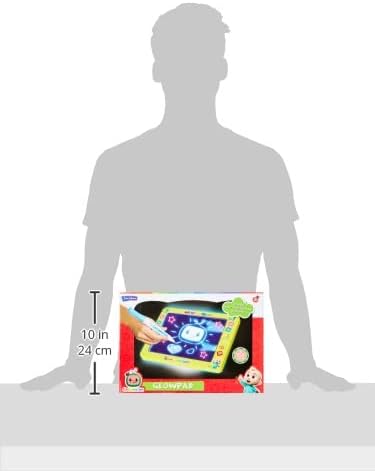
Image: The GLOWPAD shown with approximate dimensions for scale.
9. Garanzija u Appoġġ
For warranty information or technical support, please refer to the contact details provided on the product packaging or visit the official John Adams websit. Żomm il-prova tax-xiri tiegħek għal talbiet ta' garanzija.


