1. Introduzzjoni
The JOBY Compact Advanced Tripod is designed for creators seeking a versatile and robust support solution for cameras and smartphones. Its ingenious 3-way head and reinforced aluminum structure provide stability and precision for various content creation needs. This manual will guide you through its features and proper usage.
Karatteristiċi ewlenin:
- Ingenious and Fantastic: Full-size tripod designed for comfort and quality.
- Incredible Versatility: Standard screw connection compatible with the GorillaPod 3K Kit quick release plate for high precision.
- Beyond Your Expectations: Intuitive 3-way tripod head simplifies content creation.
- Travel in Safety: Easily foldable and transportable thanks to its aluminum structure.
- Extremely Solid: 3 kg (6.61 lbs) capacity supports various devices, from smartphones to compact cameras.
2. Setup
Follow these steps to set up your JOBY Compact Advanced Tripod:
2.1 Kif tiftaħ it-Tripod
- Gently extend the tripod legs outwards until they are fully spread.
- Ensure each leg is securely locked into position using the locking levers.
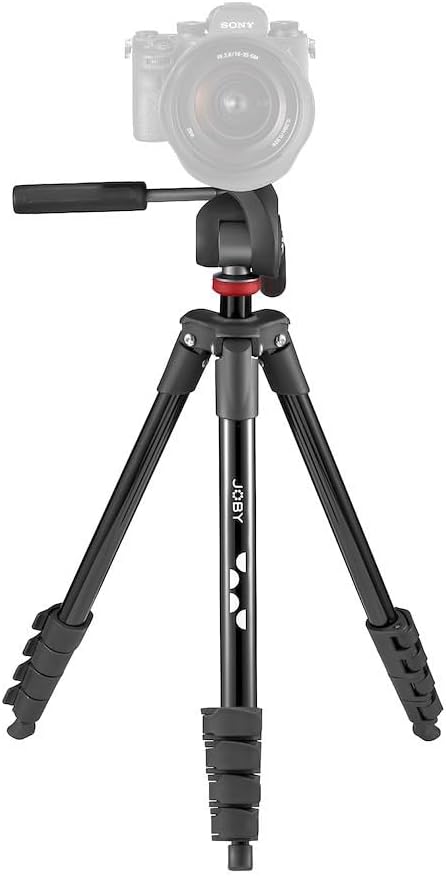
Figure 1: The JOBY Compact Advanced Tripod ready for use.
2.2 Kif Twaħħal l-Apparat Tiegħek
- Locate the quick release plate on the 3-way head.
- Press the release lever to detach the quick release plate from the tripod head.
- Securely screw your camera or smartphone holder onto the quick release plate using the ¼-20” screw.
- Żerżaq il-pjanċa tar-rilaxx rapidu bit-tagħmir tiegħek lura fir-ras tat-tripod sakemm tikklikkja sew f'postha.

Figure 2: Detail of the quick release plate for device attachment.
3. Joperaw
Maximize your tripod's potential with these operating instructions:
3.1 Aġġustament tal-Għoli u l-Angolu
- Estensjoni tas-Saqajn: Unlock the leg sections by flipping the quick-release levers. Extend the legs to your desired height and then lock the levers to secure them.
- Kolonna taċ-Ċentru: For additional height, rotate the crank handle to raise the center column. Tighten the locking knob to secure the column at the desired height.
- 3-Way Head Adjustment: Use the pan and tilt handles on the 3-way head to precisely adjust your device's horizontal and vertical angles. Loosen the handles to move, then tighten to lock.
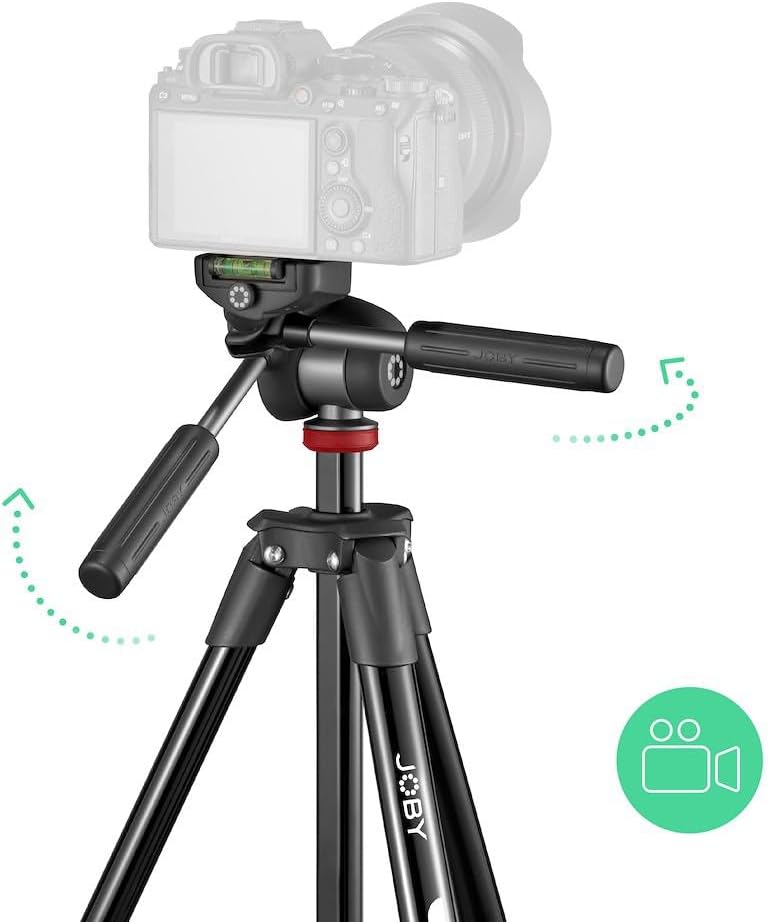
Figure 3: Demonstrating the 3-way head's flexibility.

Figure 4: Tripod in an outdoor setting, showcasinl-istabbiltà tagħha.
3.2 Portabbiltà u Ħażna
- To collapse the tripod, reverse the leg extension and center column adjustment steps.
- Fold the legs inward to minimize the tripod's footprint.
- Store the tripod in the included carrying bag for easy transport and protection.
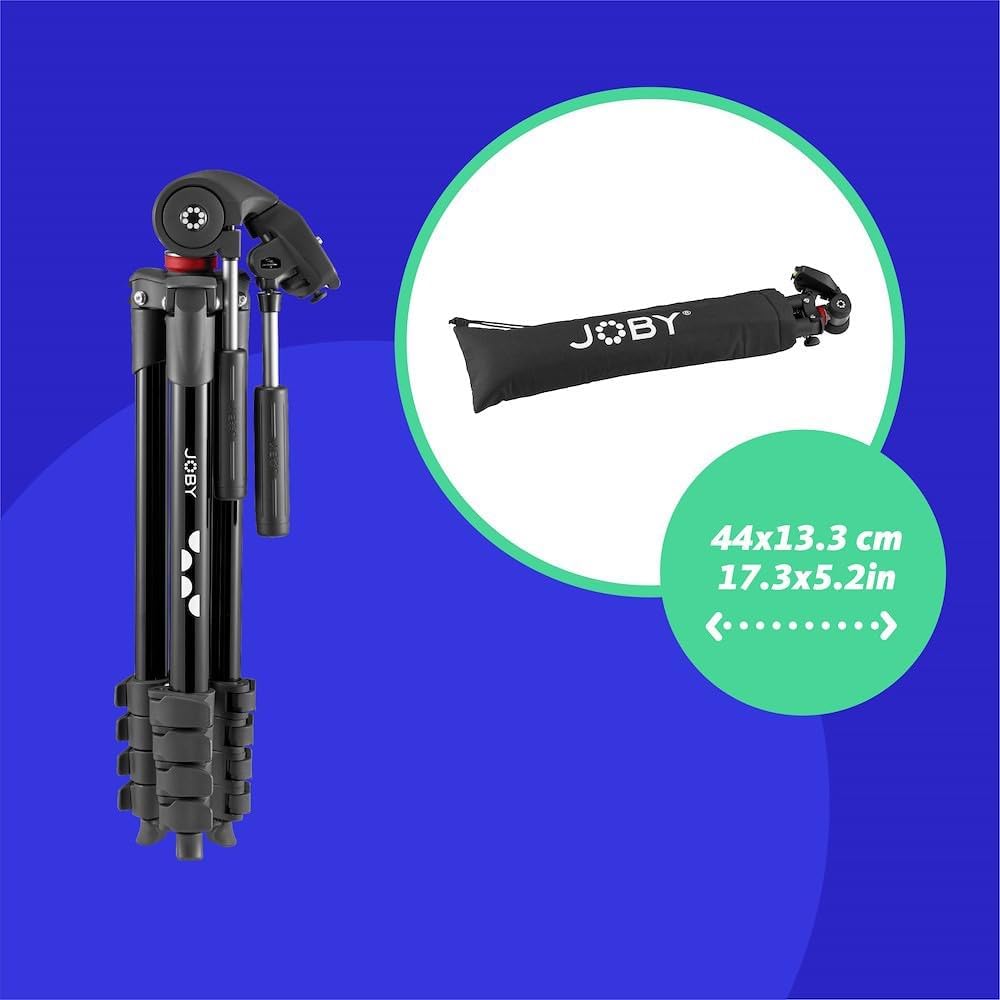
Figure 5: The tripod folded and ready for storage in its bag.
4. Manutenzjoni
Manutenzjoni xierqa tiżgura l-lonġevità u l-prestazzjoni ottimali tat-tripod tiegħek:
- Tindif: Wipe down the tripod with a soft, dry cloth after each use to remove dust and dirt. For stubborn grime, use a slightly damp drapp u sapun ħafif, imbagħad nixxef sewwa.
- Lubrikazzjoni: Periodically check the moving parts (leg locks, head mechanisms) for smooth operation. Apply a small amount of silicone-based lubricant if necessary, avoiding excessive application.
- Ħażna: Store the tripod in a cool, dry place, preferably in its carrying bag, to protect it from dust, moisture, and physical damage.
- Spezzjoni: Regularly inspect all screws, levers, and joints for tightness and wear. Tighten any loose components and replace worn parts if needed.
5 Issolvi l-problemi
Hawn huma xi kwistjonijiet komuni u s-soluzzjonijiet tagħhom:
- It-tripod mhux stabbli: Ensure all leg sections are fully extended and their locking levers are securely fastened. Check that the center column is tightened. Distribute the weight of your camera evenly.
- Il-moviment tar-ras huwa iebes: Loosen the locking knobs on the 3-way head. If still stiff, apply a small amount of silicone lubricant to the moving parts.
- Il-pjanċa tar-rilaxx rapidu hija mwaħħla: Ensure the release lever is fully disengaged. Check for any debris obstructing the plate's movement.
- Legs won't extend/retract smoothly: Check for dirt or sand in the leg mechanisms. Clean the leg sections and apply lubricant if necessary.
6. Speċifikazzjonijiet
| Karatteristika | Speċifikazzjoni |
|---|---|
| Dimensjonijiet tal-Prodott | 20.08 x 5.12 x 4.72 pulzieri |
| Piż tal-oġġett | 3.99 liri |
| Numru tal-Mudell tal-Oġġett | JB01763-BWW |
| Manifattur | JOBY |
| Brand | Joby |
| Kulur | Iswed |
| Apparati Kompatibbli | Kamera |
| Materjal | Aluminju |
| Limitu tal-Piż | 6.61 Lira (3 kg) |
| Għoli Massimu | 36.5 Pulzier |
| Tip ta' Kap ta' Tripod | Kap 3-Way |
| Għoli Minimu | 15.64 Pulzier |
| Daqs mitwi | 15.64 pulzieri |
X'hemm fil-Kaxxa:
- 1 x JOBY Compact Advanced Camera Tripod with 3-Way Head
- 1 x Bag tal-Ġarr
7. Garanzija u Appoġġ
For warranty information and customer support, please refer to the official JOBY webis-sit jew ikkuntattja lill-bejjiegħ tiegħek. Żomm il-prova tax-xiri tiegħek għal kwalunkwe talba ta' garanzija.


