1. Introduzzjoni
The KHQ Mini Projector VF260 Pro is a portable, full HD video projector designed for home theater use, outdoor movies, and various entertainment applications. It supports 1080P resolution and offers wide compatibility with multiple devices. Its compact size and enhanced brightness make it an ideal choice for a versatile viewing esperjenza.
Il-karatteristiċi ewlenin jinkludu:
- 1080P Full HD enhancement technology for a superior viewing esperjenza.
- Compact and lightweight design (5.6 x 3.8 x 2.3 inches, 0.75 pounds) for easy portability.
- Built-in stereo speakers and adjustable focus.
- Projection size from 21 inches to 170 inches, with an optimal distance of 6.5 ft to 9.8 ft.
- Wide compatibility with HDMI, USB, and AV inputs for connecting TV sticks, PS4/5, Chromecast, PCs, laptops, and more.
- Long LED bulb life of 30,000 hours.
2. X'hemm fil-Kaxxa
Malli tiftaħ il-pakkett, kun żgur li l-oġġetti kollha li ġejjin huma preżenti:
- KHQ Mini Projector VF260 Pro
- Korda tal-Enerġija
- Manwal għall-Utent (dan id-dokument)
- Cable HDMI
- Borża tal-Ġarr

Figure 2.1: KHQ Mini Projector VF260 Pro and its accessories.
3. Prodott Aktarview
3.1. Portijiet u Konnessjonijiet
The projector features a variety of ports for connecting different devices:
- DC IN: Port tad-dħul tal-enerġija.
- HDMI: Connects to devices like TV sticks, PS4/5, PCs, and laptops for high-definition video and audio.
- Input USB: For connecting USB drives or other USB-compatible devices.
- AV Input Slot: Għall-konnessjoni ta' apparati eqdem bl-użu tal-kejbil AV inkluż.
- Earphone Slot: 3.5mm audio output for headphones or external speakers.

Figure 3.1: Rear panel ports of the projector.
3.2. Top Panel Controls
The top panel provides direct control buttons for basic functions:
- Buttuna tal-Qawwa
- Buttuni tan-Navigazzjoni (L fuq, 'l isfel, Xellug, Lemin)
- OK Button (Confirm selection)
- Buttuna Lura
- Source Button (Select input source)
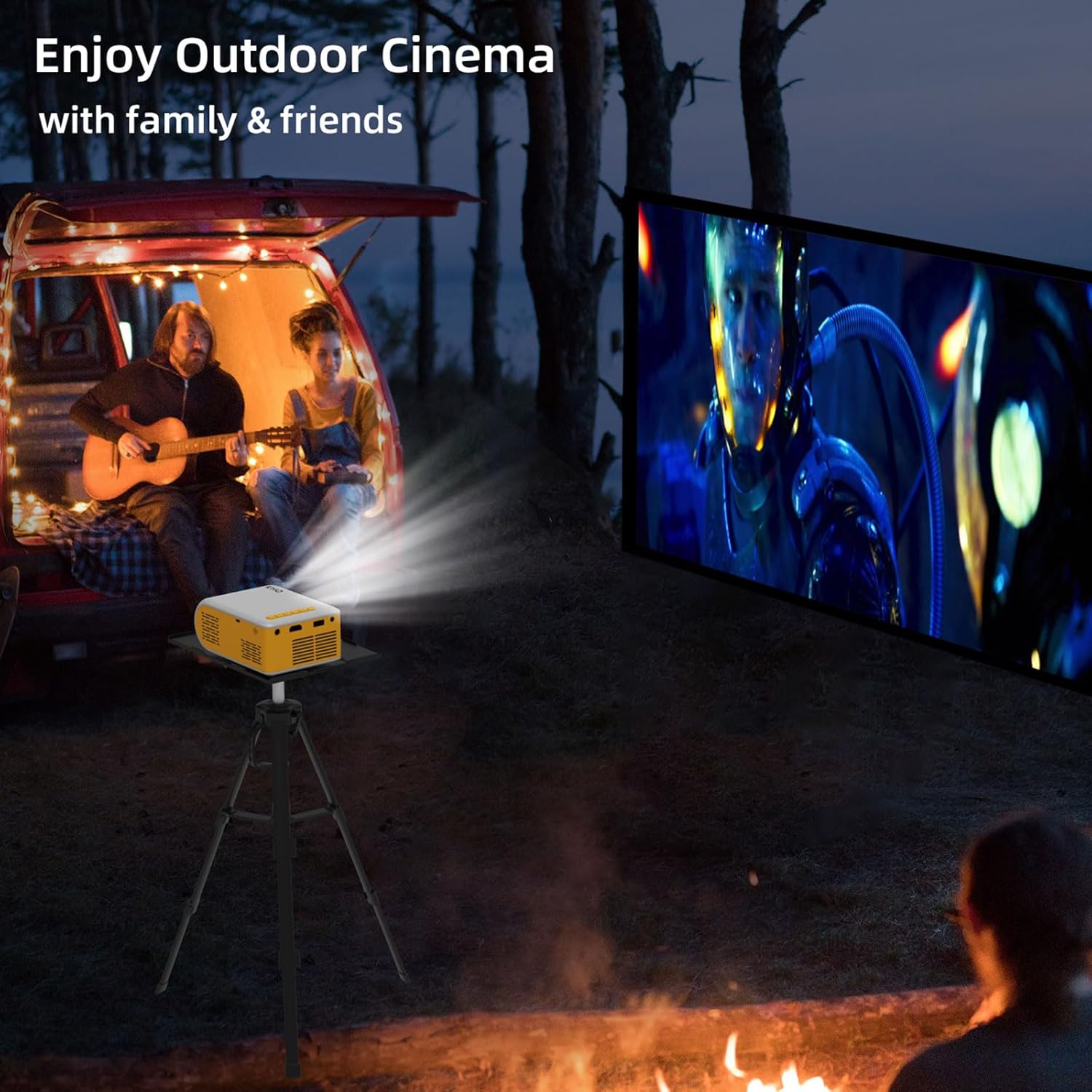
Figura 3.2: Kontrolli tal-pannell ta' fuq.
4. Setup
4.1. Konnessjoni tal-Enerġija
Connect the provided power cord to the DC IN port on the projector and then plug it into a power outlet.
4.2. Mezzi ta 'Konnessjoni
Use the appropriate cable (HDMI, AV) to connect your desired device to the projector. For smartphones, an additional adapter (Lightning/Micro USB/Type C to HDMI) is required and not included.
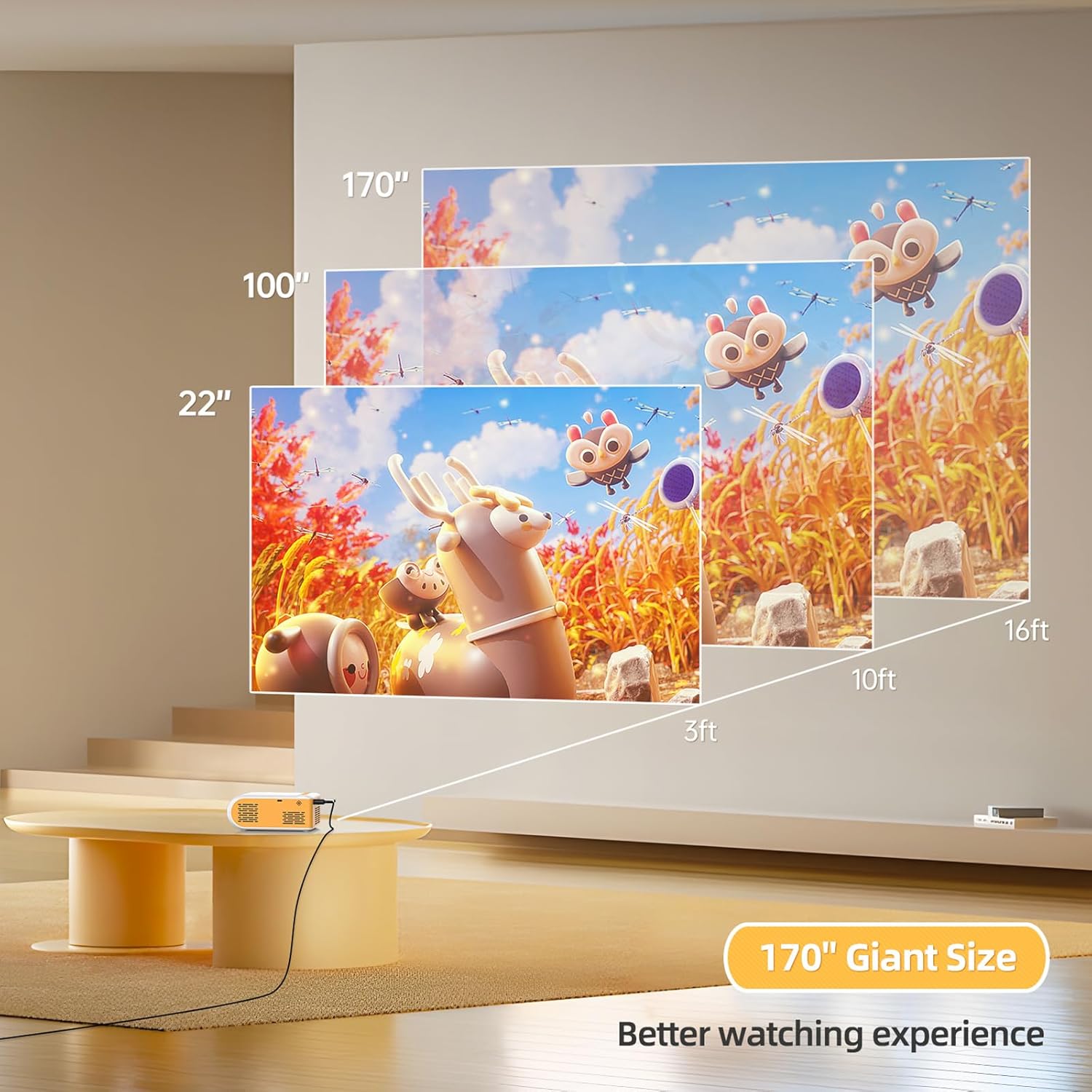
Figure 4.1: Smartphone connection diagram (adapter not included).
4.3. Focus Adjustment and Projection Size
Adjust the focus ring near the lens until the image is clear. The optimal projection distance is 6.5 ft to 9.8 ft, allowing for a screen size between 21 inches and 170 inches.

Figura 4.2: Gwida għad-distanza tal-projezzjoni u d-daqs tal-iskrin.
Vidjo 4.1: Fuqview of the projector's features and basic setup, including port identification and size comparison.
5. Istruzzjonijiet Operattivi
5.1. Power On/Off
Press the power button on the top panel or the remote control to turn the projector on or off.
5.2. Għażla tas-Sors
Use the "Source" button on the projector or remote to cycle through input options (HDMI, USB, AV) until your connected device's display appears.
5.3. L-aġġustament tas-Settings
Use the navigation buttons and OK button on the projector or remote to access and adjust settings such as picture mode, sound mode, aspect ratio, and more.

Figure 5.1: Projector in use for gaming.

Figure 5.2: Projector used for outdoor cinema.
Video 5.1: Demonstration of the projector's image quality and sound in a dark room.
Video 5.2: Showcase of the projector's features and ease of use, highlighting its portability and various input options.
6. Manutenzjoni
6.1. Tindif tal-Lenti
Uża drapp artab u mingħajr suf iddisinjat speċifikament għal lentijiet ottiċi biex timsaħ bil-mod il-lenti tal-proġettazzjoni. Evita li tuża prodotti tat-tindif jew drappijiet li jobrox li jistgħu jigrif il-lenti.
6.2. Ventilazzjoni
Ensure the projector's ventilation openings are not blocked during operation to prevent overheating. Allow adequate space around the projector for proper airflow.
6.3. Ħażna
When not in use, store the projector in a cool, dry place, away from direct sunlight and excessive dust. Use the provided carrying bag for protection during storage and transport.
6.4. Lamp Ħajja
The projector features an LED bulb with an estimated life of 30,000 hours, providing long-lasting performance without frequent bulb replacement.
7 Issolvi l-problemi
| Problema | Kawża Possibbli | Soluzzjoni |
|---|---|---|
| Ebda immaġini murija. | Sors ta' input mhux korrett magħżul; konnessjoni tal-kejbil maħlula; apparat mhux mixgħul. | Select the correct input source. Check all cable connections. Ensure the connected device is powered on. |
| L-immaġni hija mċajpra. | Il-fokus mhux aġġustat; il-proġettazzjoni hija qrib/bogħod wisq mill-iskrin. | Adjust the focus ring. Position the projector within the optimal projection distance (6.5 ft - 9.8 ft). |
| L-ebda ħoss. | Volume too low; audio cable not connected; device audio output settings. | Increase projector volume. Ensure audio cables are correctly connected. Check audio settings on the connected device. |
| Cannot connect smartphone. | Missing required adapter. | An additional Lightning/Micro USB/Type C to HDMI adapter is required (not included). |
| Projector overheats. | Ventilazzjoni mblukkata. | Ensure ventilation openings are clear and allow sufficient space around the projector. |
8. Speċifikazzjonijiet
- Ditta: KHQ
- Mudell: VF260
- Riżoluzzjoni tal-wiri: 1920 x 1080 (1080P Full HD Appoġġjat)
- Teknoloġija tal-Konnettività: HDMI, USB, AV
- Piż tal-oġġett: 0.75 pounds (approx. 1.58 pounds packaged)
- Dimensjonijiet tal-Prodott: 5.63 x 3.78 x 2.28 pulzieri
- Lamp Ħajja: 30,000 sigħat
- Użi Rakkomandati: Ġewwa/Barra
- Karatteristika Speċjali: Ħfief
- Djagonali tal-Iskrin Viżibbli: 100" / 254 cm (as per important information)
9. Garanzija u Appoġġ
KHQ offers 7x24h after-sales service for this product. If you encounter any problems during the use of the LED projector, please contact the seller or manufacturer for assistance. This projector is primarily designed as a mini home theater projector and is not recommended for PPT or business presentations.
