Introduzzjoni
This manual provides comprehensive instructions for the setup, operation, and maintenance of your Peak Design Wireless Charging Stand, Model M-CS-BK-1. This device is designed to provide convenient and efficient wireless charging for MagSafe-compatible phones and Peak Design Mobile cases, offering a customizable viewing esperjenza.

Image: The Peak Design Wireless Charging Stand, black, in its upright position, connected to a charging cable.
X'hemm fil-Kaxxa
Ivverifika li l-komponenti kollha huma preżenti fl-imballaġġ:
- 1x Peak Design Wireless Charging Stand
- 1x USB-C Cable

Image: The package contents, showing the black wireless charging stand, a USB-C to USB-C cable, and three small cable routing clips.
Karatteristiċi
- Iċċarġjar bla fili: Supports Qi1 charging with capacities of 15W, 10W, 7.5W, and 5W, automatically adjusting to the device's profile.
- Immuntar manjetiku: Features built-in magnetic technology for a secure and instant connection with MagSafe-enabled phones and Peak Design Mobile cases.
- Aġġustabbli ViewIng Angolu: A silky-smooth friction hinge allows for infinite viewing angle adjustments, supporting both portrait and landscape modes.
- Kostruzzjoni Durabbli: Crafted from solid machined and anodized aluminum with a grippy silicone base for stability.
- Disinn portabbli: Jintewa ċatt għal ħażna u trasport faċli.
Setup
- Ħoll il-Komponenti: Carefully remove the Wireless Charging Stand and USB-C cable from the packaging.
- Poġġi l-Istand: Place the stand on a stable, flat surface. The grippy silicone base will help prevent movement.
- Qabbad l-Enerġija: Insert one end of the provided USB-C cable into the USB-C port located on the back of the charging stand. Connect the other end of the USB-C cable to a compatible USB-C power adapter (not included) and plug it into a wall outlet.
- Aġġusta Angolu: Gently push or pull the top section of the stand to achieve your desired viewing angle. The friction hinge will hold it in place.
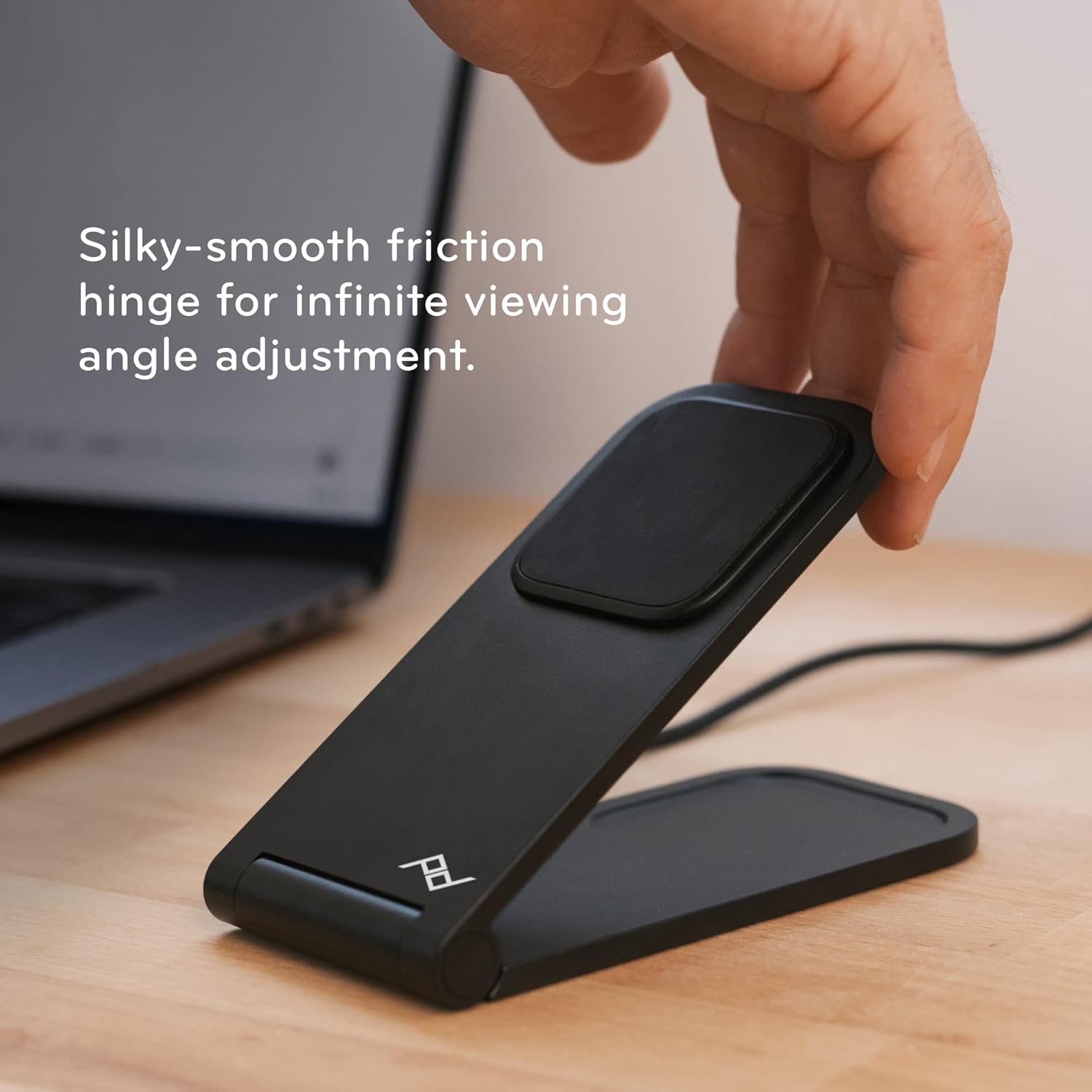
Image: A hand adjusting the angle of the charging stand, highlighting its flexible friction hinge.
Istruzzjonijiet Operattivi
- Tqegħid tat-Tagħmir Tiegħek: Ensure your phone is MagSafe-compatible or housed in a Peak Design Mobile case. Align the back of your phone with the magnetic charging pad on the stand. The magnets will securely snap your phone into place.
- Konferma tal-Iċċarġjar: Your phone should indicate that it is charging. The stand provides optimal charging alignment and heat dissipation for efficient power delivery.
- Aġġustament tal-Orjentazzjoni: The stand supports both portrait and landscape orientations. Simply rotate your phone while it is magnetically attached to switch between modes.
- Folding Flat: For charging earbuds or other Qi-compatible devices, or for compact storage, the stand can be folded completely flat.

Image: A smartphone securely attached to the charging stand, demonstrating its magnetic hold and upright display.
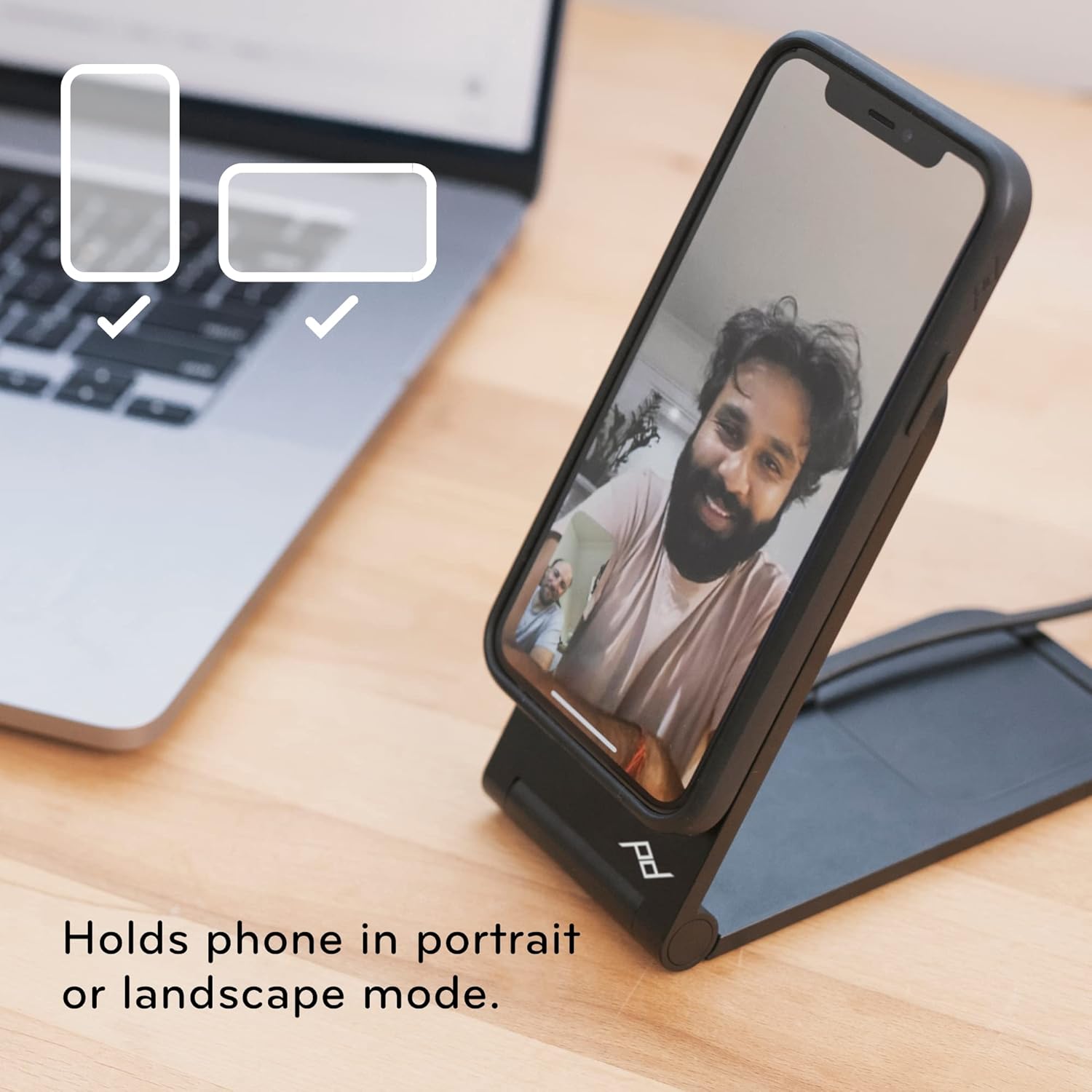
Image: The charging stand holding a smartphone, illustrating its versatility for both portrait and landscape viewing.
Manutenzjoni
- Tindif: Use a soft, dry cloth to wipe down the stand. Avoid abrasive cleaners or solvents that may damage the finish.
- Kura tal-Cable: Ensure the USB-C cable is not kinked or bent sharply to prolong its lifespan.
- Ħażna: When not in use, the stand can be folded flat for compact storage.

Image: The charging stand folded into a flat, compact form, ideal for travel or discreet placement.
Issolvi l-problemi
- Apparat Mhux Iċċarġja:
- Ensure the USB-C cable is securely connected to both the stand and a functioning power adapter.
- Verify that your phone is MagSafe-compatible or using a Peak Design Mobile case.
- Iċċekkja għal xi ostakoli bejn it-telefon u l-kuxxinett tal-iċċarġjar.
- Unstable Phone:
- Confirm the phone is properly aligned with the magnetic charging pad.
- Ensure the stand is placed on a flat, stable surface.
- Angle Adjustment Issues:
- The friction hinge is designed to be firm. Apply gentle, consistent pressure to adjust the angle.
Speċifikazzjonijiet
| Dimensjonijiet tal-Prodott | 2.72 x 3.7 x 2.52 pulzieri |
| Piż tal-oġġett | 9.7 uqija |
| Numru tal-Mudell | M-CS-BK-1 |
| Brand | Peak Design |
| Tip ta' Konnettur | Wireless (USB-C for power input) |
| Apparati Kompatibbli | Smartphones (MagSafe compatible), iPhone, Peak Design Mobile Cases |
| Karatteristika Speċjali | Aġġustabbli Viewing Angle, Fast Charging, Magnetic Attachment |
| Kulur | Iswed |
| Input Voltage | 12 Volts |
| Ampetà | 1 Amps |
| Portijiet USB totali | 1 (USB-C għad-dħul tal-enerġija) |
Garanzija u Appoġġ
Peak Design products are designed for durability and are backed by a lifetime guarantee. For detailed warranty information or technical support, please visit the official Peak Design webis-sit jew ikkuntattja lis-servizz tal-klijenti tagħhom direttament.
Manifattur: Peak Design


