Introduzzjoni
Thank you for choosing the Keychron K1 Ultra-Slim Mechanical Keyboard. This manual provides detailed instructions on setting up, operating, and maintaining your keyboard to ensure optimal performance and longevity. The Keychron K1 is a versatile 87-key tenkeyless layout keyboard designed for both wireless (Bluetooth) and wired (USB) connectivity, featuring low-profile Gateron mechanical switches and white LED backlighting.

Image: Keychron K1 Ultra-Slim Tenkeyless Layout Mechanical Keyboard overview.
Kontenut tal-Pakkett
Qabel ma tibda, jekk jogħġbok kun żgur li l-oġġetti kollha huma preżenti fil-pakkett tiegħek:
- Keychron K1 Mechanical Keyboard
- Kejbil USB Type-C
- Keycap Puller
- Switch Puller (if hot-swappable version)
- Extra Keycaps for Windows and Mac operating systems

Immaġni: Minn fuq għal isfel view of the Keychron K1 mechanical keyboard, showing the 87-key tenkeyless layout.
Setup
1. Iċċarġjar Inizjali
For optimal performance, it is recommended to fully charge the keyboard before first use. Connect the provided USB Type-C cable to the keyboard's USB-C port and the other end to a USB power source (e.g., computer USB port, wall adapter). The battery indicator LED will show charging status.
2. Modi ta' Konnettività
The Keychron K1 supports both Bluetooth wireless and USB wired connections.
Konnessjoni Bluetooth:
- Ensure the keyboard's mode switch (located on the side/back) is set to "BT" (Bluetooth).
- Biex tidħol fil-mod ta' tqabbil, agħfas u żommha fn+1 (for Device 1), fn+2 (for Device 2), or fn+3 (for Device 3) for 4 seconds until the corresponding key (1, 2, or 3) flashes rapidly.
- On your device (computer, tablet, smartphone), enable Bluetooth and search for "Keychron K1".
- Select the keyboard from the list of available devices to complete pairing. The flashing light will become solid once connected.
- Biex taqleb bejn apparati mqabbla, sempliċement agħfas fn+1, fn+2, jew fn+3.

Image: Diagram illustrating how the Keychron K1 keyboard connects to up to three Bluetooth devices (e.g., desktop, laptop, tablet) using Fn+1, Fn+2, and Fn+3.
Konnessjoni bil-fili:
- Set the keyboard's mode switch to "Cable" (or "USB").
- Connect the USB Type-C cable from the keyboard to your computer's USB port. The keyboard will be recognized automatically.
3. Kompatibilità tas-Sistema Operattiva
The Keychron K1 is compatible with both Mac and Windows operating systems. Use the OS switch (located on the side/back) to select the appropriate layout for your system. Extra keycaps for both operating systems are included for customization.
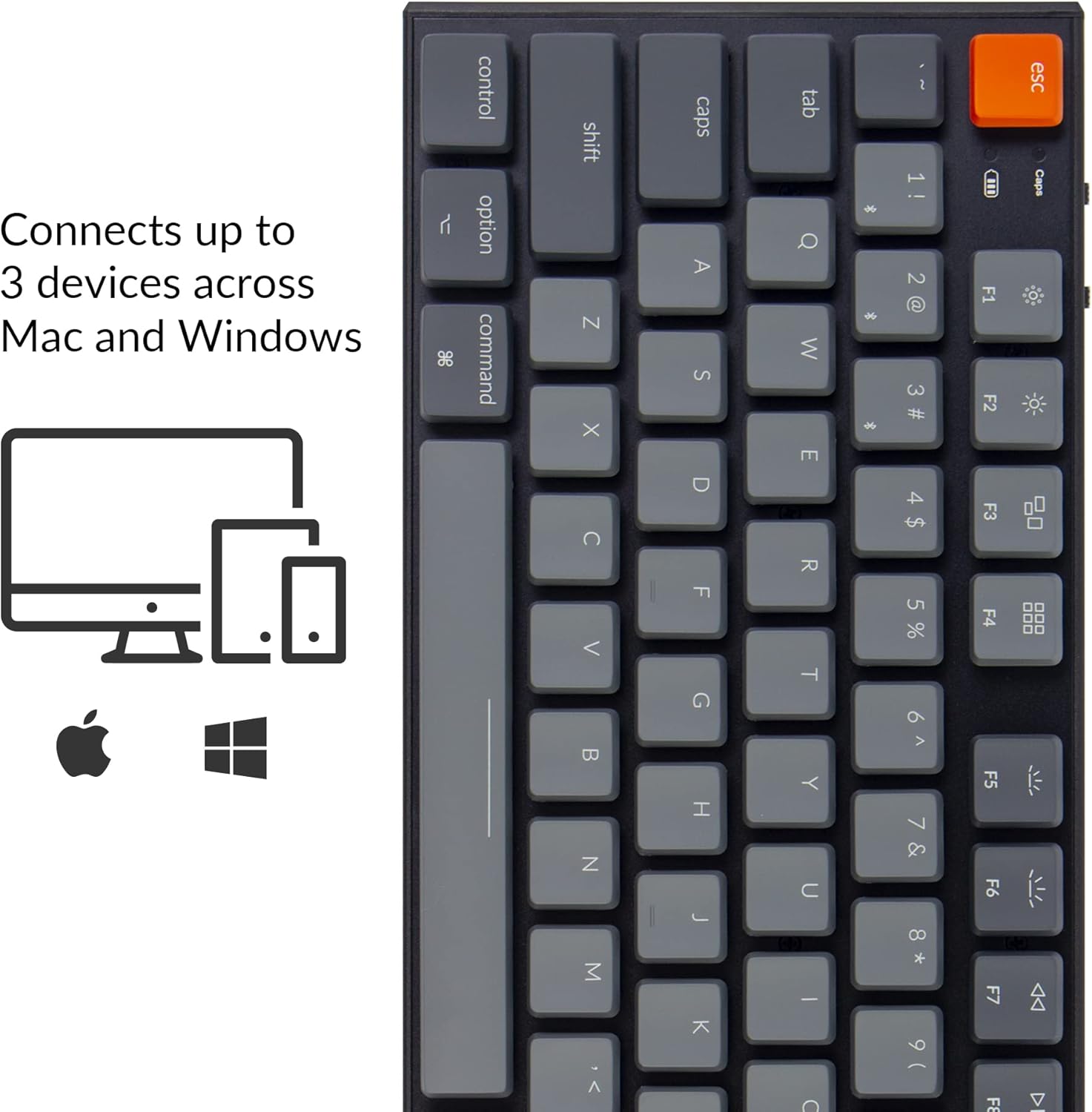
Image: Visual representation of the Keychron K1's compatibility with Mac and Windows operating systems, connecting to up to 3 devices.
Istruzzjonijiet Operattivi
1. Funzjonijiet ewlenin
The K1 features an 87-key tenkeyless layout. Many keys have dual functions accessible via the Fn ċavetta.
- Ċwievet Multimedia: Access media controls (play/pause, volume up/down, mute) using Fn + F7 biex Fn + F12.
- Kontroll tad-dawl ta' wara: Adjust backlight brightness and effects using Fn + F5 (decrease brightness), Fn + F6 (increase brightness), and Fn + Light Bulb key (change backlight effect).
- Rollover tal-N-Key (NKRO): In wired mode, the keyboard supports N-Key Rollover, allowing all keys to be registered simultaneously. In wireless mode, it supports 6-Key Rollover (6KRO).

Image: The Keychron K1 keyboard with its white LED backlight illuminated, showcasing the key layout.
2. Indikatur tal-batterija
The battery indicator LED (located near the Esc key) provides information on battery status:
- Aħmar (jteptep): Low battery. Please charge the keyboard.
- Aħdar (solidu): Kompletament iċċarġjat.
- Orange (solid): Iċċarġjar.

Immaġni: Close-up view of the top-left corner of the Keychron K1 keyboard, highlighting the orange Esc key and the battery indicator light.
Manutenzjoni
1. Tindif
To clean your keyboard, power it off and disconnect it from any devices. Use a soft, lint-free cloth slightly dampened with water or a mild cleaning solution. For dust and debris between keycaps, use compressed air or the provided keycap puller to remove keycaps and clean underneath. Avoid excessive moisture.
2. Kura tal-batterija
The Keychron K1 is equipped with a 2000 mAh Lithium Polymer battery. To prolong battery life:
- Evita li tiċċarġja l-batterija kompletament regolarment.
- Aħżen it-tastiera f'post frisk u niexef jekk ma tużahiex għal perjodi twal.
- Charge the keyboard using a standard 5V USB power source.
Issolvi l-problemi
| Problema | Kawża Possibbli | Soluzzjoni |
|---|---|---|
| It-tastiera mhux qed tikkonnettja permezz tal-Bluetooth | Keyboard not in pairing mode; device Bluetooth off; interference; already connected to 3 devices. | Ensure keyboard is in BT mode and pairing mode (Fn+1/2/3 held for 4s). Check device Bluetooth. Try forgetting and re-pairing the device. Ensure no more than 3 devices are paired. |
| Keys not responding in wired mode | Keyboard not in Cable mode; faulty USB cable; loose connection. | Set keyboard to "Cable" mode. Try a different USB port or cable. Ensure cable is securely connected. |
| Id-dawl ta' wara mhux qed jaħdem jew huwa mċajpar | Backlight turned off or set to lowest brightness; low battery. | Increase brightness using Fn+F6. Change backlight effect using Fn+Light Bulb key. Charge the keyboard. |
| Keyboard randomly disconnects | Low battery; Bluetooth interference; distance from device. | Charge the keyboard. Reduce distance to device. Minimize other wireless interference. |
Speċifikazzjonijiet
| Karatteristika | Dettall |
|---|---|
| Mudell | K1-A2 |
| Tqassim | Tenkeyless (87 Keys) |
| Tip ta' Swiċċ | Baxx-Profile Gateron Mechanical Blue Switch |
| Aqleb il-Ħajja | Sa 50 miljun keystrokes |
| Konnettività | Bluetooth 5.1 (Broadcom chipset) & USB Type-C Wired |
| Kapaċità tal-batterija | 2000 mAh Polimer tal-litju |
| Ħajja tal-batterija | Sa 110 siegħa (bid-dawl ta' wara mitfi) |
| Dawl ta' wara | LED abjad |
| Dimensjonijiet (L x W x H) | 13.98 x 5.31 x 1.02 pulzieri (355 x 135 x 26 mm) |
| Piż | 2.27 liri (1.03 kg) |
| Kompatibilità OS | Mac, Windows, iOS, Android |

Image: Diagram showing the ultra-slim profile and dimensions of the Keychron K1 keyboard.

Immaġni: Close-up view of the Keychron K1 keyboard with several keycaps removed, revealing the low-profile Gateron Mechanical Blue switches and their specifications.
Garanzija u Appoġġ
Keychron products are manufactured with high-quality standards. For warranty information, technical support, or service inquiries, please visit the official Keychron webis-sit jew ikkuntattja l-appoġġ għall-klijenti tagħhom direttament. Żomm l-irċevuta tax-xiri tiegħek bħala prova tax-xiri għal talbiet ta' garanzija.
Official Keychron Websit: www.keychron.com


