Introduzzjoni
Welcome to the GiiKER Super Slide Puzzle Games manual. This innovative brain teaser puzzle offers over 500 challenges designed to enhance reasoning, planning, and spatial reasoning skills. It provides a screen-free entertainment option for all ages, perfect for travel or quiet play.

Setup
Follow these steps to set up your GiiKER Super Slide Puzzle and begin playing:
Qawwa Mixgħul:
Agħfas il- ON/OFF button to turn on the device. Press it again to select a game challenge.

Illustration of pressing the ON/OFF button to power on the device and select a game. Arrange Blocks:
Once the LED screen displays a pattern for the game, rearrange the magnetic blocks on the puzzle board to match the shown pattern.

Image showing the LED screen displaying a puzzle pattern and the corresponding physical block arrangement. Start Solving:
After you have correctly set up the game to match the LED pattern, press the [jew] button to begin solving the puzzle.

A hand pressing the 'o' button on the GiiKER Super Slide to initiate the puzzle-solving process. Achieve Goal:
The ultimate goal is to slide the red square block into the sensor detection zone, located at the bottom middle of the board, to win the game. The device will celebrate your success.

The red block being slid into the designated sensor detection zone at the bottom of the puzzle board.
Modi Operattivi
The GiiKER Super Slide offers two primary operating modes to enhance your puzzle-solving experience:
Modalità Sfida
In Challenge Mode, you race against time to solve the puzzle. A 3-second countdown initiates the challenge, and you must complete the puzzle before the LED light turns off. The Super Slide will rate your performance based on your solving speed.
- To enter Challenge Mode, long press the [Ċ] buttuna għal 2 sekondi.
- Your performance rating (Super, Elite, Master, Intermediate, Beginner, Failure) will be displayed on the LED screen.

Tgħallem Modalità
Learn Mode allows you to view the step-by-step solutions for any puzzle, helping you understand the logic and improve your skills.
- To enter Learn Mode, long press the [L] buttuna għal 2 sekondi.
- Stampa qasira < or > biex view the solution steps backward or forward one step at a time.
- Pressa twila < or > biex view the solution steps backward or forward in increments of 10 steps.
- Agħfas qasir il- [jew] button to exit Learn Mode and return to the game.

L-Iffissar Mute
To mute or unmute the device's sound, hold down both the L u C buttons simultaneously for 2 seconds. This feature is useful for quiet environments like travel.
Karatteristiċi tal-Prodott
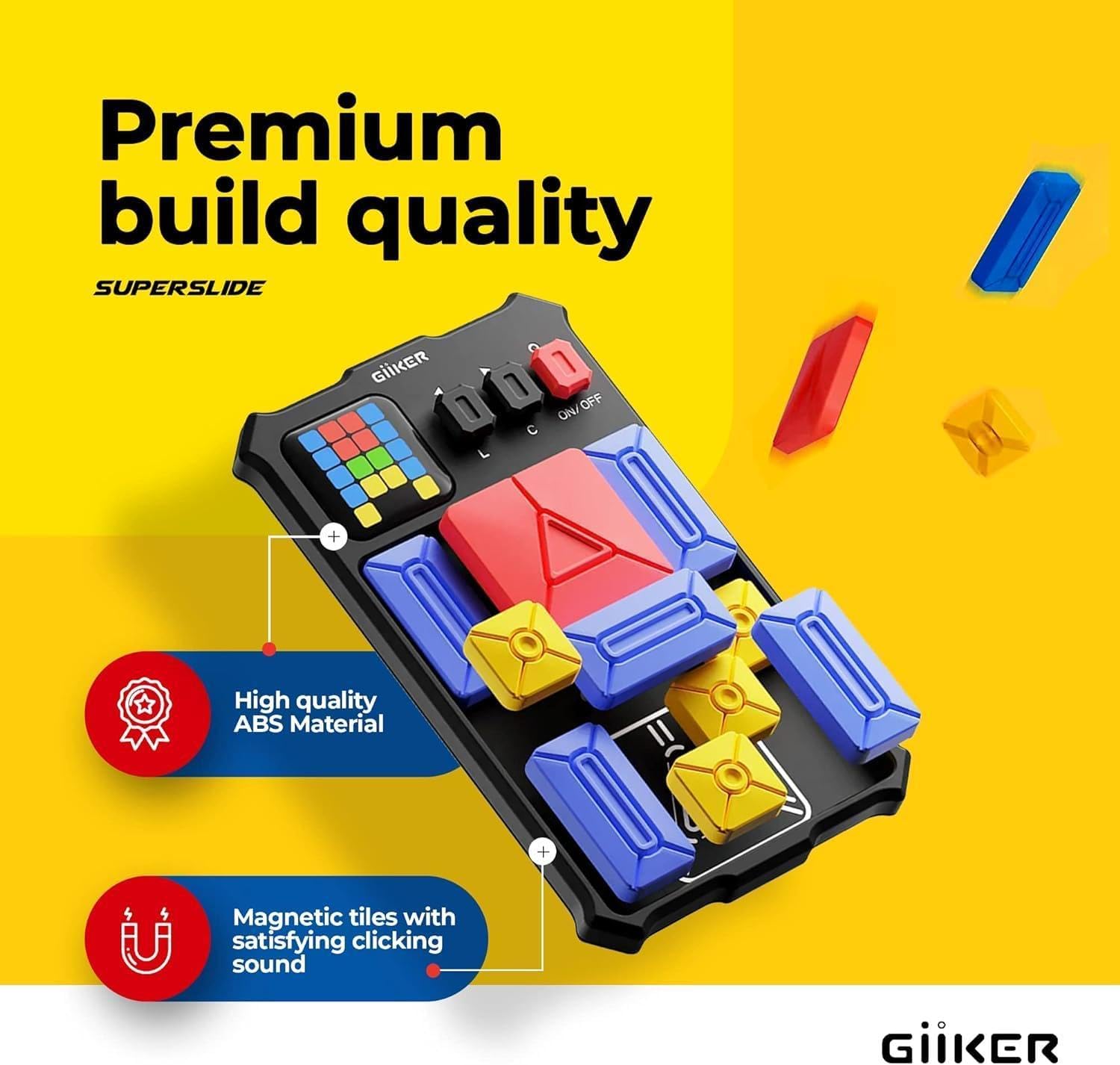
The GiiKER Super Slide is designed with quality and user experience in mind:
ABS Build Quality
Constructed from high-quality ABS material, ensuring durability and a premium feel.

Detail showing the high-quality ABS material used in the puzzle's construction. Madum manjetiku
The puzzle pieces are magnetic, providing a satisfying clicking sound and secure placement during play.

Close-up of the magnetic puzzle pieces, highlighting their design. Skrin LED
An integrated LED screen displays puzzle patterns and game progress, enhancing the interactive experience.

Image focusing on the LED screen, showing a puzzle pattern displayed.
Manutenzjoni
To ensure the longevity and optimal performance of your GiiKER Super Slide Puzzle, please follow these maintenance guidelines:
- Tindif: Use a soft, dry cloth to wipe down the device and puzzle pieces. Avoid using abrasive cleaners, solvents, or excessive moisture, as these can damage the electronic components or the plastic finish.
- Ħażna: Store the puzzle in a cool, dry place away from direct sunlight and extreme temperatures. Keep it in its original packaging or a protective case when not in use to prevent dust accumulation and scratches.
- Kura tal-batterija: If the device uses replaceable batteries, remove them if the puzzle will not be used for an extended period to prevent battery leakage. If it has a rechargeable battery, follow the manufacturer's charging recommendations.
- Immaniġġjar: Handle the puzzle with care. Avoid dropping it or subjecting it to strong impacts, which could damage the internal electronics or magnetic components.
Issolvi l-problemi
If you encounter any issues with your GiiKER Super Slide Puzzle, refer to the following common problems and their solutions:
| Problema | Kawża Possibbli | Soluzzjoni |
|---|---|---|
| L-apparat ma jixgħelx. | Batterija baxxa jew eżawrita. | Ensure batteries are correctly inserted and charged. Replace batteries if necessary. |
| LED screen is blank or flickering. | Battery issue or internal malfunction. | Check battery level. Try turning the device off and on again. If the problem persists, contact customer support. |
| Puzzle pieces do not register correctly. | Pieces not placed accurately or sensor issue. | Ensure each piece is firmly and correctly seated in its designated slot. Clean the surface of the board and the bottom of the pieces to remove any debris. |
| No sound or unexpected sound. | Mute function activated or sound malfunction. | Agħfas u żomm il- L u C buttons for 2 seconds to toggle mute. If sound issues persist, contact support. |
If these solutions do not resolve your issue, please refer to the Support section for further assistance.
Speċifikazzjonijiet
- Dimensjonijiet tal-Prodott: 6.89 x 4.25 x 0.98 pulzieri
- Piż tal-oġġett: 9.9 uqija
- Pajjiż ta' Oriġini: Iċ-Ċina
- Numru tal-Mudell: JKHRD001
- Età Rakkomandata mill-Manifattur: 6 snin 'il fuq
- Manifattur: GiiKER
- Sfidi: 500+ Built-in challenges
- Modi: Learn Mode, Challenge Mode
- Materjali: High-quality ABS, Magnetic tiles
Garanzija u Appoġġ
For detailed warranty information and customer support, please visit the official GiiKER webis-sit jew ikkuntattja lis-servizz tal-konsumatur tagħhom direttament. Żomm l-irċevuta tax-xiri tiegħek bħala prova tax-xiri għal kwalunkwe talba ta' garanzija.
Tista' ssib aktar informazzjoni u dettalji ta' kuntatt fuq GiiKER Store on Amazon.


