Introduzzjoni
Welcome to the user manual for the Rosewill Blitz K50 RGB Wired Gaming Mechanical Keyboard. This manual provides detailed instructions for setting up, operating, and maintaining your new keyboard. The Blitz K50 RGB is designed for gamers, featuring durable Outemu Blue mechanical switches, customizable RGB backlighting, dedicated macro keys, and convenient media controls, all engineered for a responsive and immersive gaming experience.

Image: The Rosewill Blitz K50 RGB Gaming Mechanical Keyboard, showcasing its full layout with active RGB backlighting.
X'hemm fil-Kaxxa
Jekk jogħġbok ivverifika li l-komponenti kollha li ġejjin huma inklużi fil-pakkett tiegħek:
- Rosewill Blitz K50 RGB Mechanical Gaming Keyboard
- Cable USB integrat
- Keycap Puller
- Serħan tal-palm li jinqala'
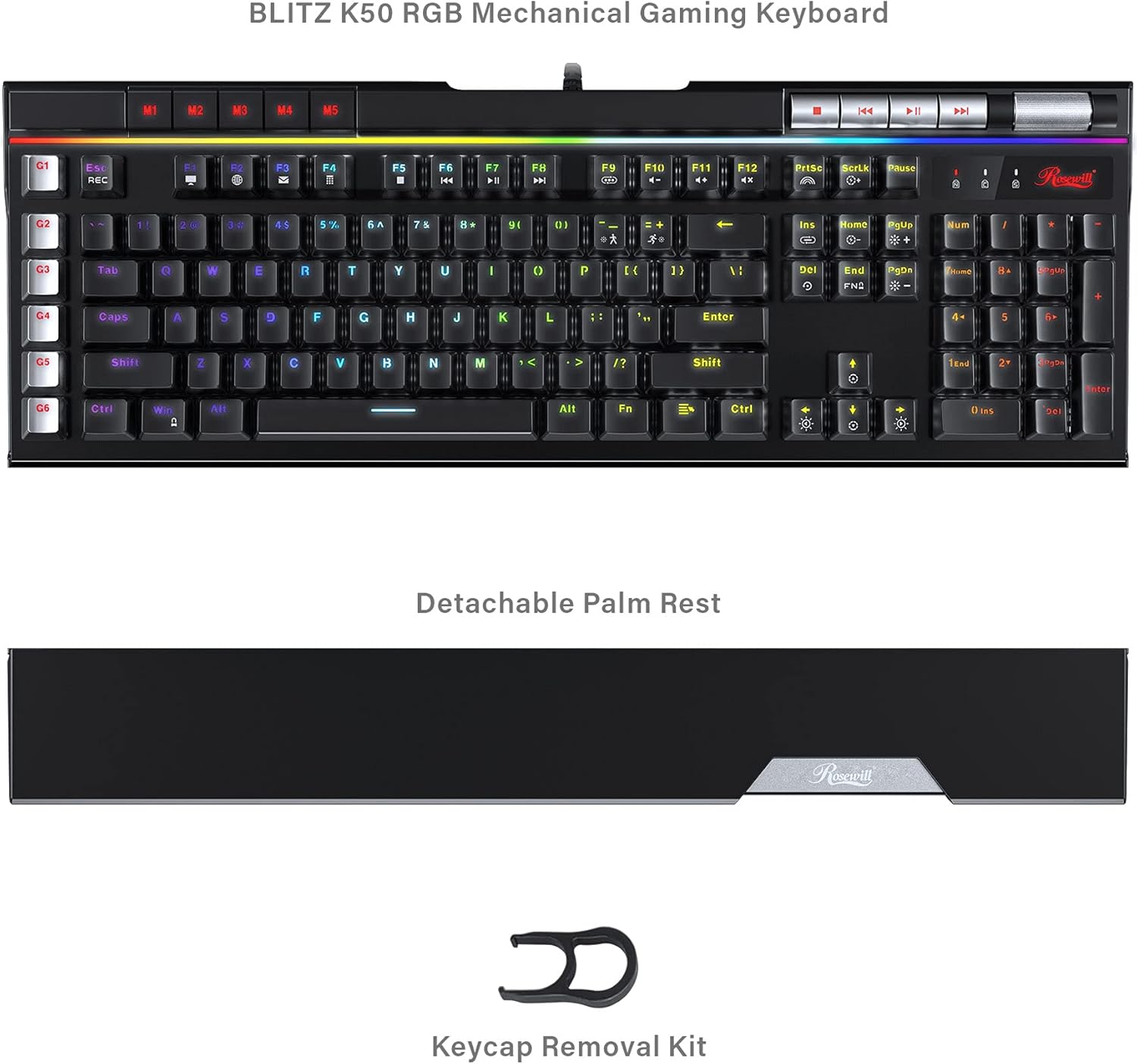
Image: The Rosewill Blitz K50 RGB keyboard displayed with its detachable palm rest and the included keycap puller, illustrating the package contents.
Setup
1. Connect the Keyboard:
Plug the integrated USB cable from the Rosewill Blitz K50 RGB keyboard into an available USB port on your computer. The keyboard is designed for plug-and-play functionality and should be automatically recognized by Windows XP / Vista / 7 / 8 / 10 and above operating systems.
2. Attach the Palm Rest (Optional):
Align the detachable palm rest with the bottom edge of the keyboard and gently push to secure it in place. This accessory provides ergonomic support, enhancing comfort during prolonged use.
3. Install Software (Optional):
For advanced customization of RGB lighting effects and macro key programming, download the official Rosewill Blitz K50 RGB software suite from the Rosewill websit. Segwi l-istruzzjonijiet fuq l-iskrin għall-installazzjoni.
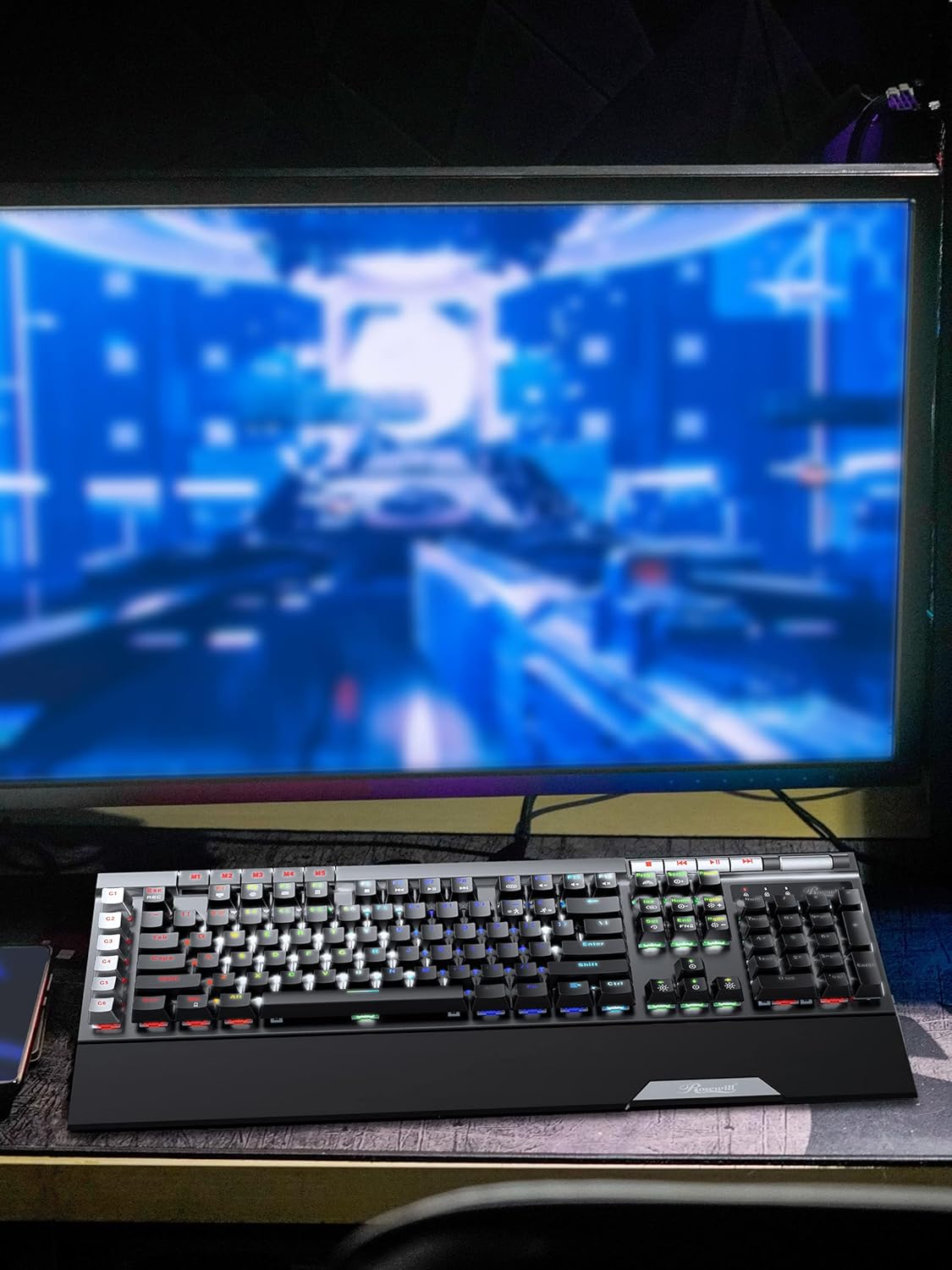
Image: The Rosewill Blitz K50 RGB keyboard positioned on a desk, connected to a computer monitor, illustrating a typical setup.
Istruzzjonijiet Operattivi
RGB Backlighting Effects
The Blitz K50 RGB offers 5 customizable RGB modes and 14 pre-programmed backlighting effects. These can be easily cycled through using the function keys or fine-tuned via the dedicated software.
- Użu FN + Daħħal to cycle through the various pre-programmed lighting effects.
- Użu FN + Dar to activate and switch between custom RGB modes.
- Aġġusta l-luminożità b' FN + Vleġġa 'l fuq (żieda) u FN + Vleġġa 'l isfel (tnaqqis).
- Adjust effect speed with FN + Vleġġa tax-Xellug (slower) and FN + Vleġġa tal-Lemin (faster).

Image: A screenshot of the Rosewill Blitz K50 RGB software interface, displaying options for light modes, brightness, speed, and color customization.
Dedicated Macro Keys (G1-G6)
The keyboard is equipped with 6 dedicated macro keys (G1-G6) positioned on the left side, enabling you to record and execute complex command sequences with a single key press. Macros can be programmed directly on the keyboard or through the comprehensive software suite.
- To record a macro on the keyboard: Press FN + REC, then press the desired G-key (G1-G6). Type your sequence of keys, then press FN + REC għal darb'oħra biex issalva l-makro.
- For advanced macro programming, editing, and saving up to 3 distinct profiles, utilize the Rosewill Blitz K50 RGB software.

Immaġni: Close-up view highlighting the G1-G6 macro keys and the visible Outemu Blue mechanical switches on the Rosewill Blitz K50 RGB keyboard.
Kontrolli tal-Midja Dedikati
Convenient media controls are strategically placed on the top right section of the keyboard, providing quick and intuitive access to playback functions and volume adjustments without interrupting your workflow or game.
- Waqqaf buttuna
- Track Preċedenti buttuna
- Play/Pawsa buttuna
- Track li jmiss buttuna
- Volum Roller: Roll upwards to increase volume, roll downwards to decrease volume.

Immaġni: Dettaljata view of the dedicated media control buttons and the tactile volume roller located on the Rosewill Blitz K50 RGB keyboard.
USB Passthrough Ports
The keyboard integrates two built-in USB 2.0 passthrough ports, offering convenient connectivity for additional peripherals such as a gaming mouse, headset, or USB storage device directly through the keyboard, simplifying cable management.

Image: A close-up of the two USB passthrough ports situated on the Rosewill Blitz K50 RGB keyboard, with a USB cable inserted into one of the ports.
N-Key Rollover and Anti-Ghosting
The Blitz K50 RGB features full N-Key Rollover (NKRO) and anti-ghosting capabilities. This ensures that every single key press is registered accurately and simultaneously, even during rapid, complex key combinations, which is essential for competitive gaming and efficient typing.
Manutenzjoni
Proper maintenance will extend the lifespan and performance of your keyboard:
- Tindif: Use a soft, dry cloth to gently wipe down the keyboard surface. For removing dust and debris from between the keycaps, use compressed air.
- Tneħħija tal-Għatu taċ-Ċwievet: The provided keycap puller can be used to carefully remove keycaps for thorough cleaning or replacement. Always pull keycaps straight up to prevent damage to the underlying switch.
- Evita Likwidi: Do not expose the keyboard to liquids. In the event of a spill, immediately disconnect the keyboard from your computer and allow it to dry completely before attempting to reconnect it.
- Ħażna: When not in active use, store the keyboard in a clean, dry environment, away from direct sunlight and extreme temperatures.
Issolvi l-problemi
This section addresses common issues you might encounter with your Rosewill Blitz K50 RGB keyboard.
| Problema | Soluzzjoni Possibbli |
|---|---|
| It-tastiera ma tirrispondix. |
|
| Id-dawl RGB mhux qed jaħdem jew mhux korrett. |
|
| Macro keys not functioning. |
|
| Iċ-ċwievet huma mwaħħlin jew ma jirrispondux. |
|
Speċifikazzjonijiet
Detailed technical specifications for the Rosewill Blitz K50 RGB Gaming Mechanical Keyboard:
| Karatteristika | Dettall |
|---|---|
| Mudell | BLITZ K50 RGB |
| Tip ta' Swiċċ | Outemu Blue Mechanical Switches |
| Konnettività | USB 2.0 bil-fili |
| Numru ta' Ċwievet | 104 |
| Backlighting | RGB (5 customizable modes, 14 pre-programmed effects) |
| Makro Keys | 6 Dedicated (G1-G6) |
| Kontra l-Ghosting | Qlib N-Key (NKRO) |
| Passthrough USB | 2 x Portijiet USB 2.0 |
| Kontrolli tal-Midja | Dedicated buttons and volume roller |
| Kompatibilità tas-Sistema Operattiva | Windows XP / Vista / 7 / 8 / 10 and above |
| Dimensjonijiet (LxWxH) | 18.74 x 8.97 x 1.53 pulzieri (47.6 x 22.8 x 3.9 ċm) |
| Piż | 2.58 liri (1.17 kg) |
| Kulur | Iswed |

Immaġni: Ritratt minn fuq view of the Rosewill Blitz K50 RGB keyboard with its key dimensions (length, width, and height) clearly indicated for reference.
Garanzija u Appoġġ
For comprehensive warranty information, technical assistance, and customer support, please refer to the official Rosewill website or contact Rosewill customer service directly. It is recommended to retain your purchase receipt as proof of purchase for any warranty claims.
Official Rosewill Websit: www.rosewill.com


