Introduzzjoni
This manual provides detailed instructions for setting up and using your MOFii Wireless Keyboard and Mouse Combo. Designed for comfort and efficiency, this combo offers a reliable 2.4GHz wireless connection, making it ideal for various computing tasks.
The MOFii Wireless Keyboard and Mouse Combo features a stylish multi-color design and is compatible with Windows XP/Vista/7/8/10 or later operating systems. It is also compatible with laptops, desktops, PCs, and notebooks. Please note that it is not fully compatible with Mac systems.
Setup Istruzzjonijiet
- Installa Batteriji: Open the battery compartment on the underside of both the keyboard and the mouse. Insert the required batteries (typically AA for keyboard, AAA for mouse, not included) ensuring correct polarity.
- Sib ir-Riċevitur USB: The single USB receiver for both the keyboard and mouse is typically stored in the battery compartment of the mouse for convenience. Carefully remove it.
- Qabbad ir-Riċevitur USB: Plug the USB receiver into an available USB port on your computer (PC, laptop, desktop, or notebook).
- Qawwa Mixgħul: Turn on the keyboard and mouse using their respective power switches (usually located on the underside).
- Konnessjoni Awtomatika: The keyboard and mouse should automatically connect to your computer within a few seconds. No additional software installation is required.
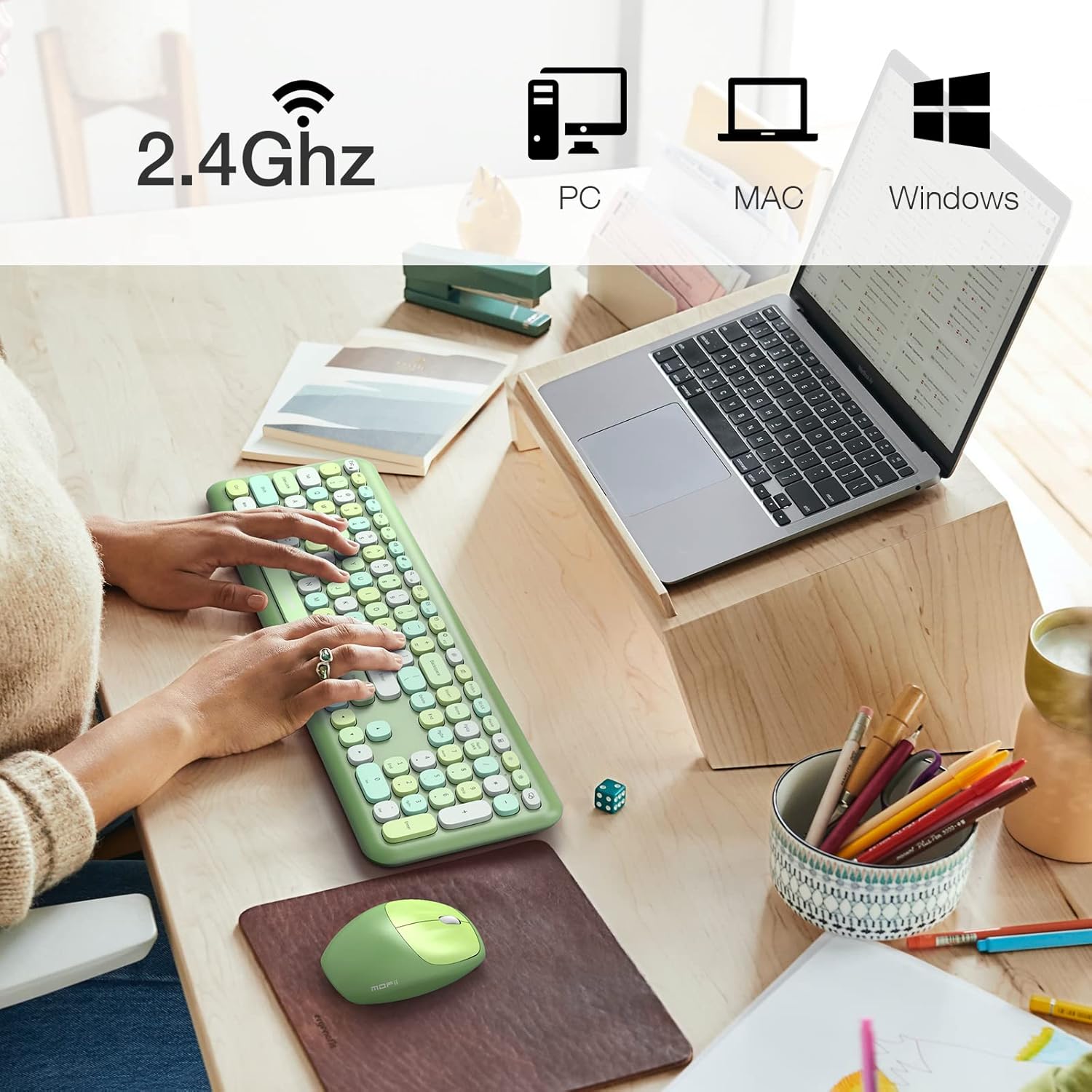
Image: The MOFii wireless mouse showing its battery compartment, where the USB receiver is stored, and indicating a 10-meter wireless range.
Istruzzjonijiet Operattivi
Użu tat-Tastiera:
- Ittajpjar: The full-size keyboard provides a comfortable typing experience with responsive keys.
- Function Keys (Fn Combinations): Utilize the 'Fn' key in combination with other keys for various shortcuts. For example:
| Kombinazzjoni taċ-ċavetta | Funzjoni |
|---|---|
| Fn + Esc | Lock Computer |
| Fn + F1 | Track Preċedenti |
| Fn + F2 | Play/Pause Media |
| Fn + F3 | Track li jmiss |
| Fn + F4 | Awdjo Mute |
| Fn + F5 | Volum 'l isfel |
| Fn + F6 | Volum Up |
| Fn + F7 | Miftuħa Web Browser |
| Fn + F8 | Fittex |
| Fn + F9 | Iftaħ il-Klijent tal-Email |
| Fn + F10 | Iftaħ il-Favourites |
| Fn + F12 | Iftaħ Settings |

Image: A visual representation of the MOFii keyboard highlighting the 'Fn' key and its various shortcut combinations for enhanced productivity.
Użu tal-ġurdien:
- Clicking and Scrolling: The mouse provides precise tracking and quiet clicks for comfortable navigation.
- Iffrankar tal-Enerġija Awtomatiku: To conserve battery life, the mouse will automatically enter sleep mode after 15 minutes of inactivity. Press any button to wake it up instantly.

Image: The MOFii wireless mouse, emphasizing its quiet click feature, suitable for environments where minimal noise is desired.

Image: A diagram showing the automatic power-saving features of the MOFii wireless mouse, transitioning from active use to auto-sleep and reactivation.
Manutenzjoni
- Tindif: Uża drapp artab u niexef biex tnaddaf l-uċuħ tat-tastiera u l-maws. Għal tindif aktar fil-fond, drapp niexef u artab.amp Jista' jintuża drapp b'sapun ħafif, biex tiżgura li l-ebda likwidu ma jidħol fl-apparati.
- Sostituzzjoni tal-batterija: When the devices become unresponsive or performance degrades, replace the batteries. Refer to the 'Setup Instructions' for battery compartment location.
- Ħażna: When not in use for extended periods, turn off the devices and store them in a cool, dry place. Consider removing batteries if storing for several months.
Issolvi l-problemi
- Ebda Konnessjoni:
- Kun żgur li r-riċevitur tal-USB huwa mdaħħal sew f'port tal-USB li jaħdem.
- Check if the batteries in both the keyboard and mouse are correctly installed and have sufficient charge.
- Kun żgur li ż-żewġ apparati huma mixgħula.
- Ipprova waħħal ir-riċevitur USB f'port USB differenti.
- Konnessjoni Dewmien jew Intermittenti:
- Mexxi t-tastiera u l-maws eqreb lejn ir-riċevitur USB.
- Evita li tpoġġi r-riċevitur ħdejn apparati oħra mingħajr fili (eż., routers tal-Wi-Fi, telefowns mingħajr fili) li jistgħu jikkawżaw interferenza.
- Kun żgur li m'hemm l-ebda oġġetti kbar tal-metall bejn l-apparati u r-riċevitur.
- Il-Kurser tal-Maws Jaqbeż jew Mhux Preċiż:
- Naddaf is-senser ottiku fuq in-naħa ta' taħt tal-maws.
- Uża l-maws fuq wiċċ nadif u li ma jirriflettix jew fuq mouse pad.
- Iċ-Ċwievet Ma Jirrispondux:
- Iċċekkja l-livelli tal-batterija u ibdel jekk meħtieġ.
- Kun żgur li t-tastiera hija mixgħula u konnessa.
- Ibda mill-ġdid il-kompjuter tiegħek.
Speċifikazzjonijiet
- Ditta: MOFII
- Mudell: B09BFBCQWF
- Kulur: Green Mixed
- Teknoloġija tal-Konnettività: 2.4GHz USB bla fili
- Karatteristika Speċjali: Cute Design, Automatic Power Saving
- Apparati Kompatibbli: Laptop, Personal Computer, Tablet (Windows XP/Vista/7/8/10 or later; not fully compatible with Mac System)
- Dimensjonijiet tal-pakkett: 17.52 x 5.63 x 2.83 pulzieri
- Piż tal-oġġett: 1.89 liri
- DPI tal-ġurdien: 1200
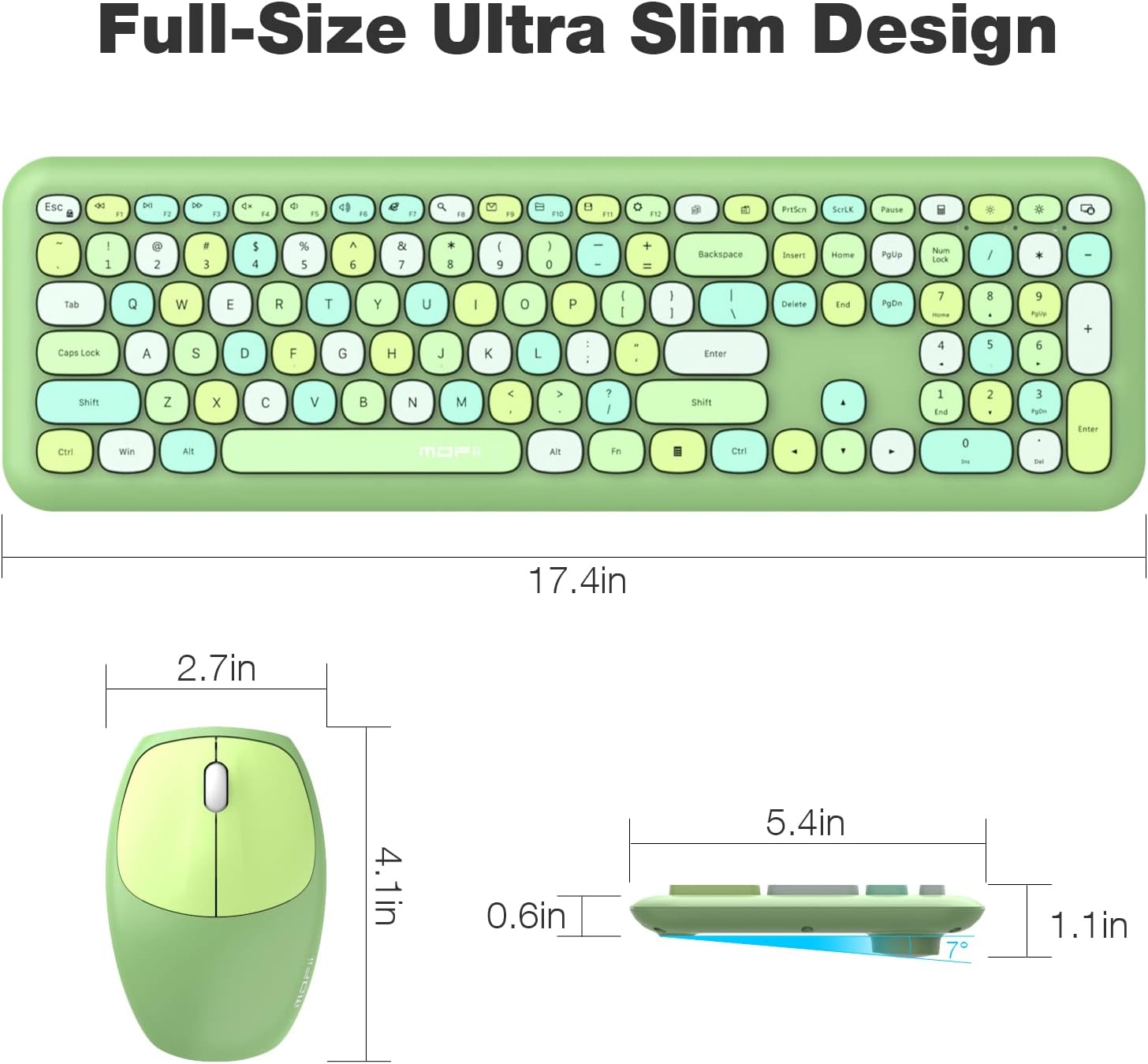
Image: Detailed dimensions of the MOFii wireless keyboard and mouse, illustrating their compact and ergonomic design.
Garanzija u Appoġġ
For warranty information and customer support, please refer to the documentation included with your product packaging or visit the official MOFII websit. Żomm l-irċevuta tax-xiri tiegħek bħala prova tax-xiri għal kwalunkwe talba ta' garanzija.
If you encounter any issues not covered in this manual, please contact MOFii customer service for assistance.


