1. Introduzzjoni
This manual provides essential information for the safe and effective use of your Amazon Echo Dot (5th Gen) smart speaker. Please read these instructions thoroughly before operating the device and retain them for future reference.

Image: Amazon Echo Dot (5th Gen) in Glacier White on a wooden surface, highlighting its compact size and capabilities.
2. X'hemm fil-Kaxxa
Iċċekkja li l-oġġetti kollha huma preżenti fl-imballaġġ:
- Echo Dot (5th Gen) Device
- Adapter tal-Enerġija Glacier White (15W)
- Gwida Quick Start
3. Prodott Aktarview
The Amazon Echo Dot (5th Gen) is a compact smart speaker designed to deliver an enhanced audio experience and integrate seamlessly with your smart home ecosystem. It features a spherical design with a fabric finish and an LED light ring at the base.

Image: Amazon Echo Dot (5th Gen) in Glacier White, front view with glowing light ring.
Karatteristiċi ewlenin:
- Improved Audio: Features a 1.73” (44 mm) front-firing speaker for clearer vocals, deeper bass, and vibrant sound.
- Assistent tal-Vuċi Alexa: Provides hands-free control for music, information, timers, and smart home devices.
- Kontrolli tal-Privatezza: Includes a microphone off button and the ability to view and delete voice recordings.
- Ċentru tad-Dar Intelliġenti: Supports WiFi, Bluetooth Low Energy Mesh, and Matter for compatible smart home device control.
- Sensor tat-temperatura: Built-in sensor for triggering smart home routines.
- Tap Controls: Tap the top of the device to snooze alarms or pause music.
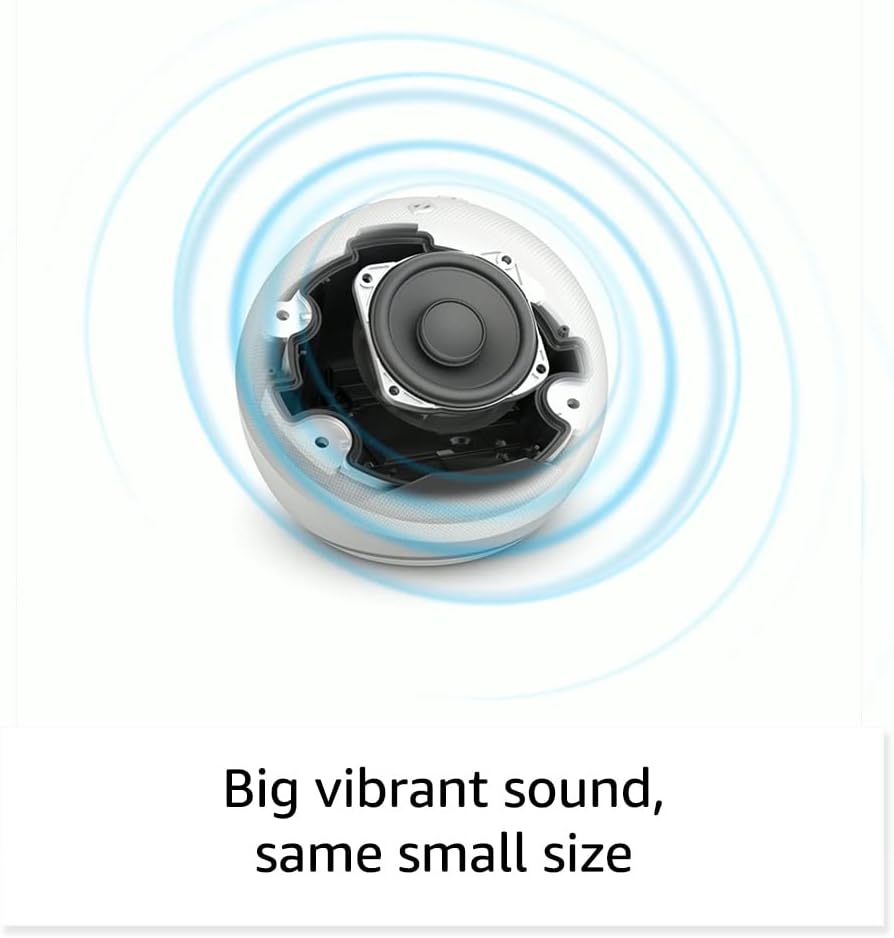
Immaġni: Interna view of the Amazon Echo Dot (5th Gen) speaker components, illustrating its audio design.
4. Setup
Follow these steps to set up your Echo Dot (5th Gen):
- Plug In Your Echo Dot: Connect the included power adapter to your Echo Dot and then to a power outlet. The light ring will turn blue, then orange, indicating it's ready for setup.
- Niżżel l-App Alexa: On your mobile device, download and install the Amazon Alexa app from your device's app store (compatible with Fire OS, Android, and iOS devices).
- Żid l-Apparat Tiegħek: Open the Alexa app. If prompted, sign in with your Amazon account. Tap the 'Devices' icon at the bottom, then the '+' icon in the top right corner. Select 'Add Device', then 'Amazon Echo', and choose 'Echo Dot'.
- Segwi l-Istruzzjonijiet fuq l-Iskrin: The app will guide you through connecting your Echo Dot to your Wi-Fi network. Ensure your Wi-Fi network supports 802.11a/b/g/n/ac (2.4 and 5 GHz). Ad-hoc networks are not supported.
- Pjazzament: Place your Echo Dot in a central location within your room, away from walls or other objects that might obstruct sound.
5. Operating Your Echo Dot
Voice Commands with Alexa:
To interact with your Echo Dot, simply say the wake word "Alexa," followed by your command or question. The light ring will turn blue to indicate Alexa is listening.
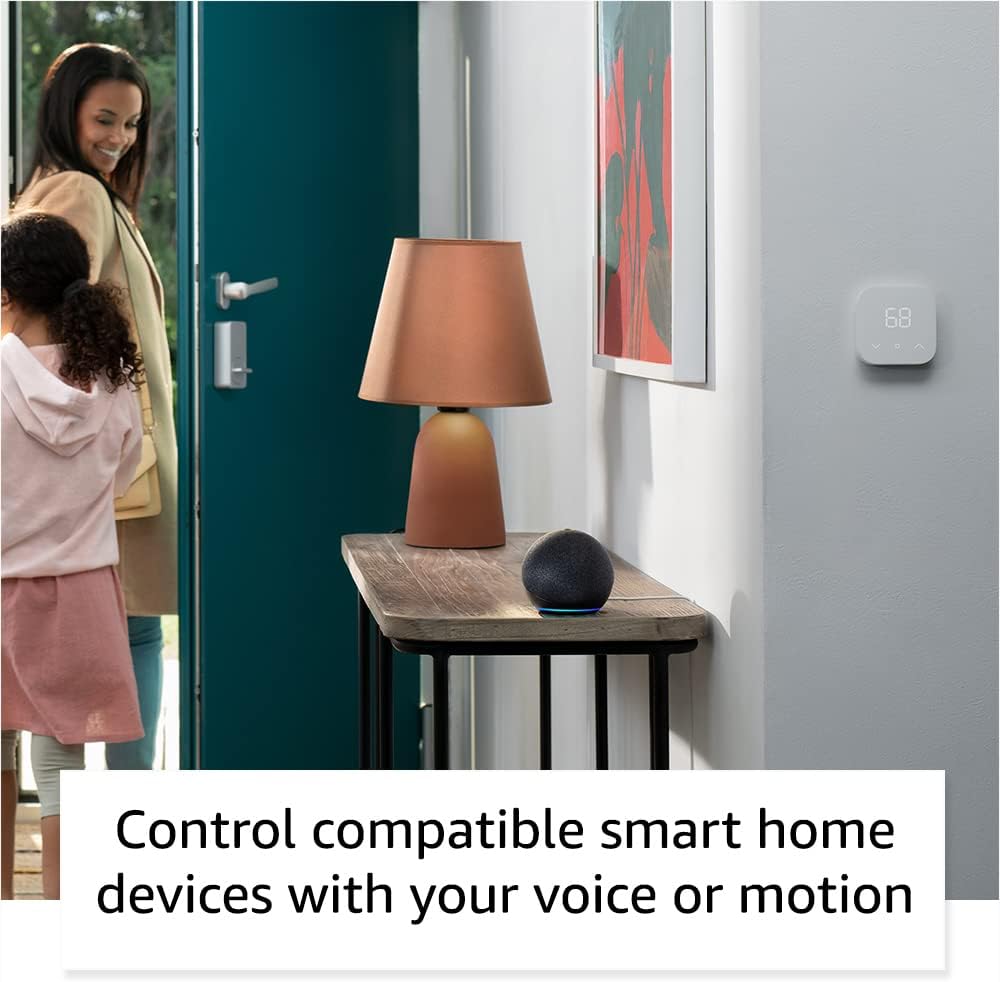
Image: Amazon Echo Dot (5th Gen) in Deep Sea Blue on a kitchen counter, demonstrating a user asking Alexa for the weather.
Kmandi Komuni:
- "Alexa, daqq il-mużika."
- "Alexa, x'temp qed jagħmel?"
- "Alexa, issettja tajmer għal 10 minuti."
- "Alexa, tell me a joke."
- "Alexa, żid il-volum."
Tap Controls:
The top surface of your Echo Dot is touch-sensitive for quick actions:
- Tap to Snooze: When an alarm sounds, tap the top of the device to snooze it.
- Tap to Pause/Resume: Tap to pause or resume music playback.

Image: A hand tapping the top of the Amazon Echo Dot (5th Gen) in Glacier White, demonstrating the tap-to-snooze or pause music function.
6. Smart Home Integrazzjoni
Your Echo Dot can control compatible smart home devices using voice commands or routines. It supports WiFi, Bluetooth Low Energy Mesh, and Matter protocols.
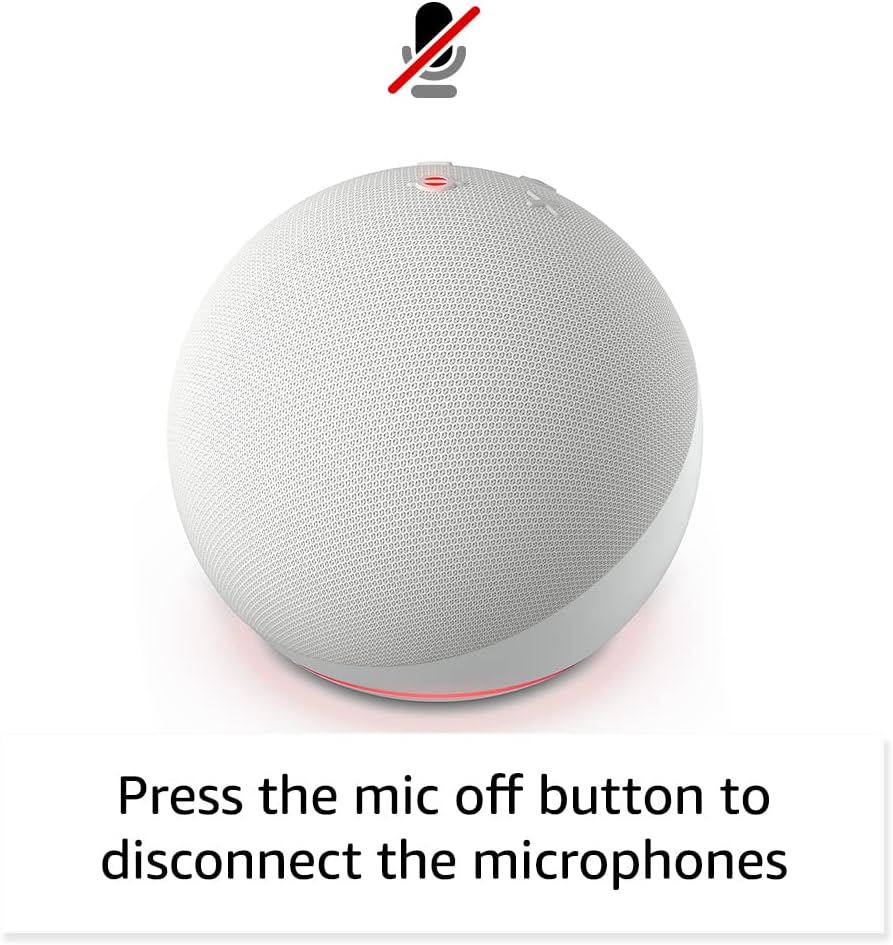
Image: Amazon Echo Dot (5th Gen) in a living space, illustrating its use for controlling compatible smart home devices.
Using the Temperature Sensor:
The built-in temperature sensor allows you to create routines in the Alexa app. For example, you can set a routine to automatically turn on a fan if the room temperature exceeds a specified comfort zone.
Bankina tal-Amażonja:
Amazon Sidewalk uses Echo and Ring devices to securely keep other devices connected and help find lost items. It can enable supported devices to remain connected even when Wi-Fi is lost or they are outside the range of their home Wi-Fi. Sidewalk uses a small portion of your internet bandwidth. You can manage Sidewalk settings in the Alexa app.
eero Mibni:
If you have a compatible eero router, your Echo Dot can extend Wi-Fi coverage. This feature requires linking your eero and Amazon accounts and managing it through the eero mobile application. eero Built-in compatible Echo devices support up to 1,000 sq. ft. of additional coverage, speeds up to 100 Mbps, and 10 or fewer connected devices in the 5 GHz band.
7. Karatteristiċi tal-Privatezza
Amazon Echo devices are designed with multiple layers of privacy controls:
- Buttuna Mitfija tal-Mikrofonu: Press the microphone off button on the top of your Echo Dot to electronically disconnect the microphones. The light ring will turn red to indicate the microphones are off.
- Reġistrazzjonijiet tal-Vuċi: Għandek il-ħila li view, listen to, and delete your voice recordings through the Alexa app or your Amazon account settings.
- Teknoloġija tal-Wake Word: The device only begins recording and sending audio to the cloud after it detects the wake word (e.g., "Alexa").
Image: Amazon Echo Dot (5th Gen) with a red light indicating the microphone is off, showing the privacy control feature.
8. Karatteristiċi ta' Aċċessibilità
The Alexa app provides various accessibility features to personalize your experience. Access these settings by navigating to 'Settings' → 'Accessibility' in the Alexa App.
- Smigħ Adattiv: Jipprovdi aktar ħin biex jintemm it-taħdit qabel ma Alexa tirrispondi.
- Rata Preferuta tat-Tkellem: Ikkontrolla kemm Alexa titkellem malajr jew bil-mod billi tgħid "Alexa, tkellem aktar bil-mod" jew "Alexa, tkellem aktar malajr."
- Talba għal Ħoss: Idoqq ton li jinstema' flimkien mal-indikatur viżwali meta titkellem ma' Alexa. Ippermetti billi tgħid "Alexa, ixgħel il-Ħoss tal-Bidu tat-Talba."
- Aqra b'leħen għoli fuq Kindle: Alexa tista’ taqra l-kotba Kindle tiegħek b’leħen għoli.
- Avża Meta Jkun Fil-Qrib: Idoqq ħsejjes ta' notifika meta tiġi skopert qrib it-tagħmir Echo tiegħek.
9. Manutenzjoni
To ensure the longevity and optimal performance of your Echo Dot:
- Tindif: Use a soft, dry, lint-free cloth to clean the device. Do not use abrasive cleaners or sprays.
- Pjazzament: Avoid placing the device in direct sunlight, near heat sources, or in excessively humid environments.
- Aġġornamenti tas-Software: Your Echo Dot automatically receives software security updates. Ensure it remains connected to Wi-Fi for these updates.
10 Issolvi l-problemi
Kwistjonijiet Komuni u Soluzzjonijiet:
- Apparat mhux Jirrispondi:
- Ensure the microphone is not muted (red light ring indicates mute).
- Check if the device is plugged in and powered on.
- Restart the device by unplugging it from the power outlet for 30 seconds and then plugging it back in.
- Ma tistax tikkonnettja mal-Wi-Fi:
- Iċċekkja li l-password tal-Wi-Fi tiegħek hija korretta.
- Ensure your router is working and other devices can connect.
- Move the Echo Dot closer to your Wi-Fi router.
- Erġa' ibda r-router u l-modem tiegħek.
- Kwalità tal-Awdjo Fqira:
- Aġġusta l-volum billi tuża kmandi tal-vuċi jew l-app Alexa.
- Kun żgur li l-apparat ma jitqiegħedx fi spazju magħluq li jista' jtaffi l-ħoss.
- Check for any physical obstructions around the speaker.
- Alexa Not Understanding Commands:
- Speak clearly and at a normal pace.
- Naqqas l-istorbju fl-isfond.
- Ensure you are within hearing range of the device.
11. Speċifikazzjonijiet
| Karatteristika | Dettall |
|---|---|
| Daqs | 3.9” x 3.9” x 3.5” (100mm x 100mm x 89mm) |
| Piż | 10.7 oz (304g) |
| Awdjo | Kelliem ta' quddiem ta' 1.73” (44 mm), Definizzjoni Għolja Mingħajr Tell |
| Konnettività Wi-Fi | Il-Wi-Fi dual-band jappoġġja netwerks 802.11a/b/g/n/ac (2.4 u 5 GHz). Ma jappoġġjax netwerks ad-hoc. |
| Konnettività Bluetooth | Appoġġ A2DP għall-istriming tal-awdjo, AVRCP għall-kontroll tal-vuċi ta' apparati mobbli konnessi. L-ispikers Bluetooth li jeħtieġu kodiċijiet PIN mhumiex appoġġjati. |
| Smart Home Device Compatibility | WiFi, Bluetooth Low Energy Mesh, and Matter |
| Rekwiżiti tas-Sistema | Alexa app compatible with Fire OS, Android, and iOS devices. Web browser access also available. |
| Ġenerazzjoni | Echo Dot (5th Gen) - 2022 release |
| Lingwa | Alexa titkellem bl-Ingliż u bl-Ispanjol |
12. Garanzija u Appoġġ
Informazzjoni dwar il-garanzija:
Your Echo Dot (5th Gen) comes with a 90-day limited warranty and service. Optional 1-year, 2-year, and 3-year extended warranties are available for U.S. customers and are sold separately. Use of the Echo Dot is subject to specific terms and conditions.
Aġġornamenti tas-Sigurtà tas-Softwer:
This device is guaranteed to receive software security updates for at least four years after it is last available for purchase as a new unit on Amazon websites. For more information on software security updates or to manage your device, visit the Amazon websit.
Appoġġ għall-Klijent:
For further assistance, please refer to the Amazon Alexa app or visit the Amazon support website. You can also find information specific to your device by visiting 'Manage Your Content and Devices' on Amazon.


