Introduzzjoni
This manual provides essential instructions for setting up, operating, and maintaining your TCL 32ES570F Full HD LED Smart Android TV. Please read this manual thoroughly before using your television to ensure proper function and safety.
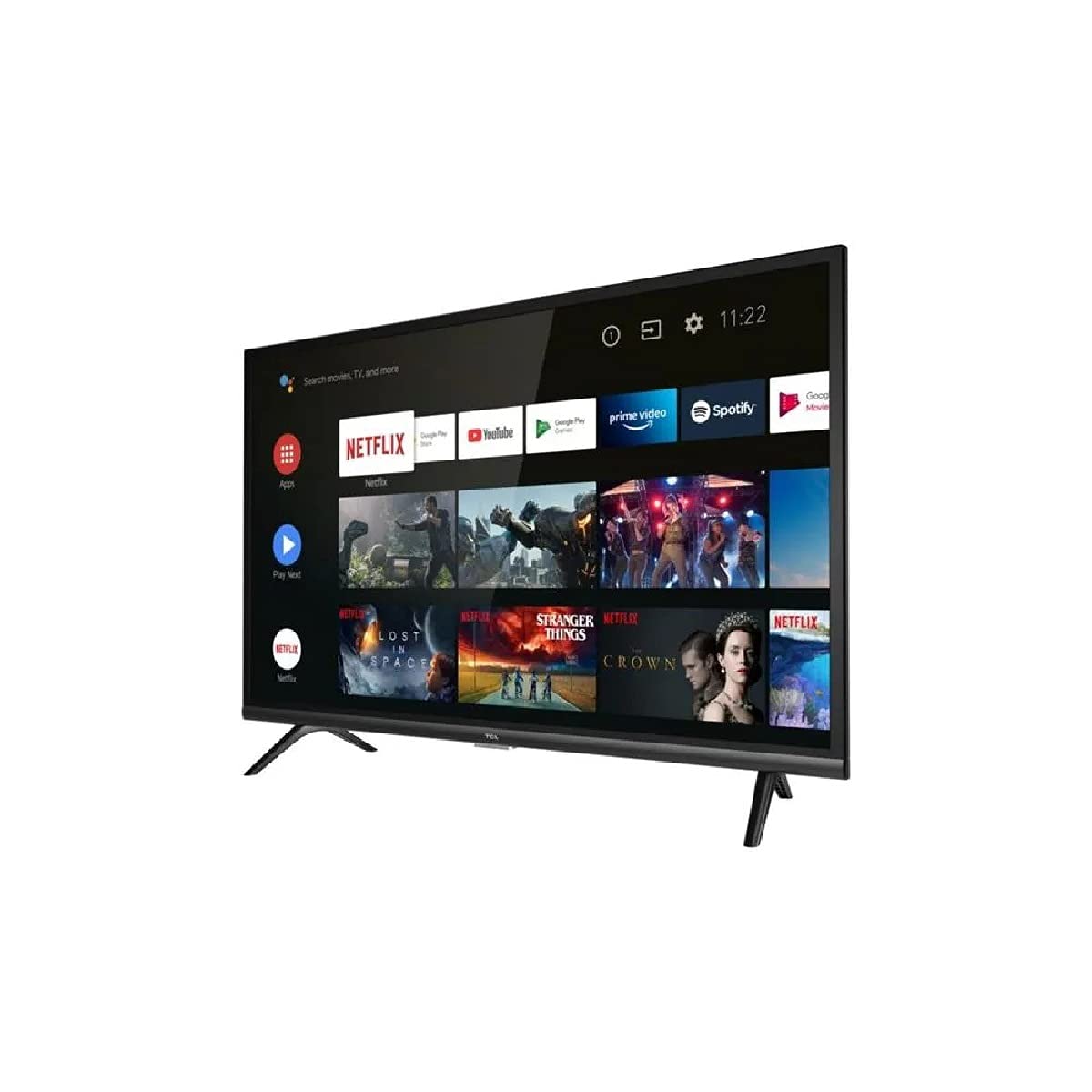
Figura 1: Quddiem view of the TCL 32ES570F Full HD LED Smart Android TV. This image displays the television's screen and bezel, providing a general visual reference for the product.
Setup
1. Spakkjar
Carefully remove the TV from its packaging. Ensure all accessories, including the remote control, power cable, and stand components, are present. Retain the packaging for future transport or service needs.
2. Twaħħil tal-Istand
Place the TV screen-down on a soft, flat surface to prevent damage. Align the stand components with the designated slots on the bottom of the TV. Secure the stand using the provided screws. Refer to the quick start guide included in the box for specific stand assembly instructions.
3. Qawwa tal-Konnessjoni
Connect the power cable to the TV's power input, then plug the other end into a suitable electrical outlet. The TV will enter standby mode.
4. Setup Inizjali
Upon first power-on, the TV will guide you through the initial setup process. This includes selecting your language, connecting to a Wi-Fi network, and signing in with your Google account to access Android TV features. Follow the on-screen prompts.
It-tħaddim tat-TV
Kontrolli Bażiċi
- Qawwa: Press the power button on the remote control to turn the TV on or off (standby mode).
- Volum: Use the Volume Up/Down buttons to adjust the audio level.
- Kanali: Use the Channel Up/Down buttons to navigate through TV channels (if a tuner is connected).
- Sors: Press the Source button to select input sources (HDMI, AV, etc.).
Interfaċċja tat-TV Android
The Android TV interface provides access to apps, streaming services, and settings. Navigate using the directional pad and OK button on your remote. Your favorite content is always at the forefront, allowing you to easily find new series or continue watching where you left off.
Google Assistent
Your TV includes Google Assistant. If your remote has a microphone button, press it and speak your commands to search for content, control smart home devices, or ask questions. For exampeż., għid "Sib films ta' azzjoni" jew "Iftaħ Netflix."
Karatteristiċi Ewlenin
HDR (Medda Dinamika Għolja)
The HDR technology delivers deep blacks, vibrant colors, and dazzling detailed images in both bright and dark scenes. Experience enhanced contrast and a wider spectrum of colors for a more immersive viewing esperjenza.
Dolby Awdjo
Enjoy rich, clear, and powerful sound with Dolby Audio. This feature provides dynamic, high-quality surround sound for movies, TV shows, online videos, and concerts, ensuring an optimal audio experience.
Mikro Dimming
Micro Dimming analyzes the TV picture in hundreds of separate zones to adjust brightness and darkness independently. This optimization improves contrast and picture quality, especially in dark scenes.
Triple Tuner
The integrated triple tuner supports DVB-T2/C/S2, allowing you to receive digital terrestrial, cable, and satellite television signals without an external receiver.
Konnettività
Your TCL 32ES570F TV offers various connectivity options:
- Wi-Fi (802.11 b/g/n): Qabbad man-netwerk mingħajr fili tad-dar tiegħek għal aċċess għall-internet u streaming.
- Bluetooth: Pair with compatible Bluetooth devices such as headphones, soundbars, or game controllers.
- Portijiet HDMI: Connect external devices like Blu-ray players, game consoles, or set-top boxes. The TV includes multiple HDMI ports, with one supporting ARC (Audio Return Channel) for simplified audio connections to compatible sound systems.
- Port USB: Qabbad apparati ta 'ħażna USB biex tilgħab il-midja files (photos, videos, music) or for software updates.
- Ethernet: For a stable wired internet connection, use the Ethernet port.
- Output Awdjo Ottiku: Connect to external audio systems for high-quality digital sound.
Manutenzjoni
Tindif tal-Iskrin
Imsaħ l-iskrin bil-mod b'ċarruta ratba u mingħajr suf. Għal marki persistenti, nixxef ftit.ampLaħlaħ id-drapp bl-ilma jew b'prodott speċjalizzat għat-tindif tal-iskrin. Tisprejjax likwidu direttament fuq l-iskrin.
Tindif tal-Kabinett
Use a soft, dry cloth to clean the TV cabinet. Avoid using abrasive cleaners or solvents, as they can damage the finish.
Aġġornamenti tas-Software
Ensure your TV's software is up to date for optimal performance and security. The TV may automatically prompt you for updates, or you can check for them manually in the settings menu.
Issolvi l-problemi
Jekk tiltaqa' ma' problemi bit-TV tiegħek, irreferi għas-soluzzjonijiet komuni li ġejjin:
- Ebda Qawwa: Check if the power cable is securely connected to both the TV and the electrical outlet. Ensure the outlet is functional.
- Ebda Stampa/Ħoss: Verify that the correct input source is selected. Check all cable connections (HDMI, antenna, etc.). Try restarting the TV.
- Kwalità Fqira tal-Istampa: Adjust picture settings (brightness, contrast, sharpness). Ensure the input signal is strong and clear.
- Ebda Konnessjoni tal-Internet: Check your Wi-Fi router and ensure it is working. Reconnect the TV to the Wi-Fi network in the settings. For wired connections, ensure the Ethernet cable is properly connected.
- Il-Kontroll mill-bogħod Mhux Jaħdem: Ibdel il-batteriji fir-remote control. Kun żgur li m'hemm l-ebda ostaklu bejn ir-remote u s-sensor IR tat-TV.
- Android TV Slow/Unresponsive: Restart the TV. Clear cache for problematic apps in the settings. If issues persist, a factory reset may be necessary (note: this will erase all personal settings and installed apps).
For more complex issues, consult the TCL support websit jew ikkuntattja lis-servizz tal-konsumatur.
Speċifikazzjonijiet
| Karatteristika | Dettall |
|---|---|
| Brand | TCL |
| Numru tal-Mudell | 32ES570F |
| Daqs tal-Iskrin | 32 Pulzier |
| Teknoloġija tal-Wiri | LED |
| Riżoluzzjoni | 1080p (Full HD) |
| Riffriskar Rata | 60 Hz |
| Sistema Operattiva | Android TV |
| Karatteristiċi Speċjali | Smart / Internet, HDR, Micro Dimming, Dolby Audio, Google Assistant |
| Konnettività | Bluetooth, Wi-Fi (802.11 b/g/n), Ethernet, HDMI, USB |
| Portijiet USB totali | 1 |
| Servizzi tal-Internet Appoġġjati | Netflix (integrated), Prime Video (implied by feature bullets) |
| Kulur | Iswed |
Garanzija u Appoġġ
For detailed warranty information, please refer to the warranty card included with your product or visit the official TCL website. If you require technical assistance or have questions not covered in this manual, please contact TCL customer support. Keep your purchase receipt and product serial number handy when contacting support.
You can often find additional resources, FAQs, and software updates on the official TCL support pages.


