1. Introduzzjoni
This manual provides essential information for the proper setup, operation, and maintenance of your Monster S320 Bluetooth Speaker. Please read this manual thoroughly before using the product to ensure optimal performance and longevity.
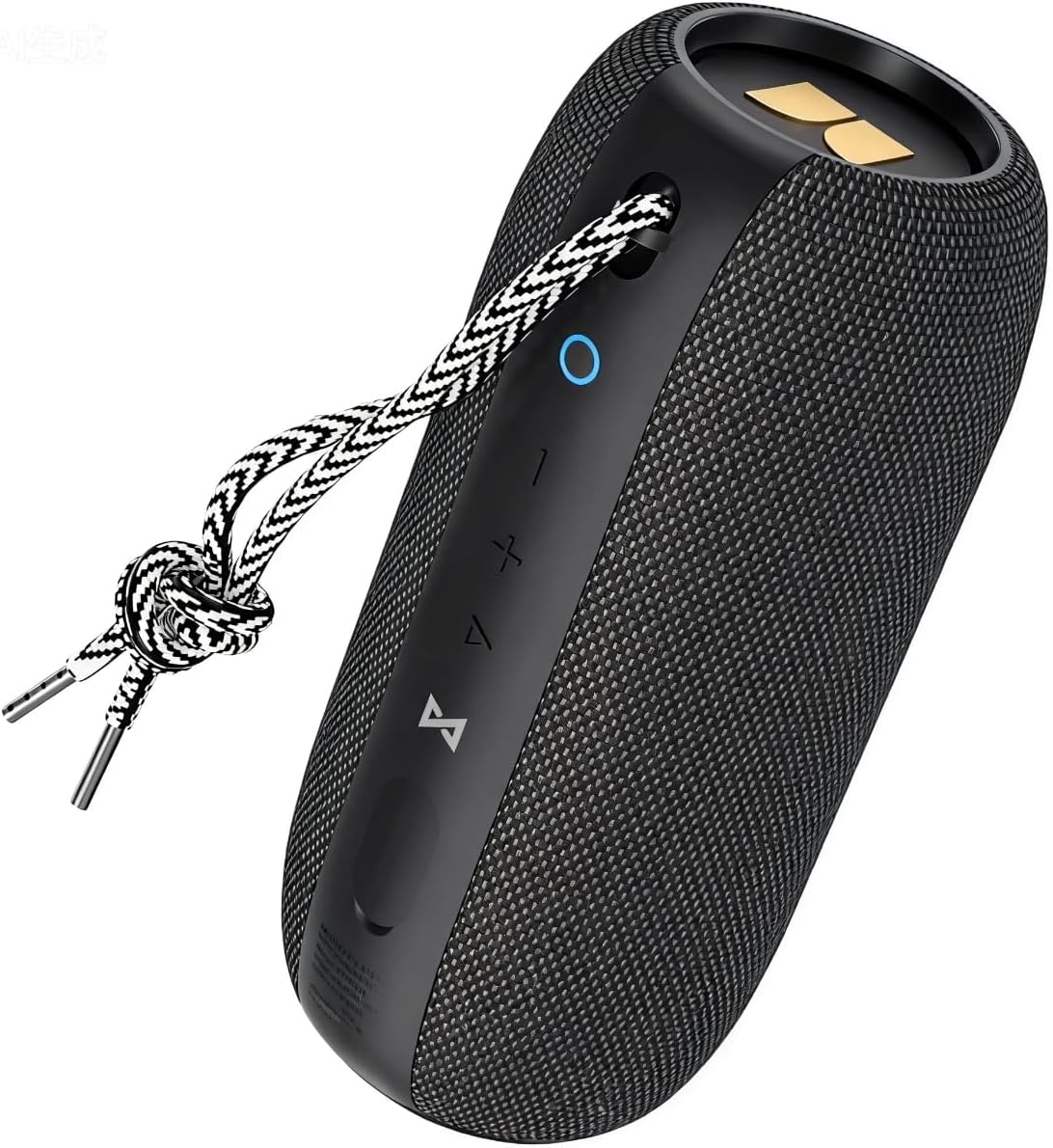
Image 1.1: The Monster S320 Bluetooth Speaker, featuring its compact design and control panel.
2. Informazzjoni dwar is-Sigurtà
- Tesponix l-ispiker għal temperaturi estremi jew dawl tax-xemx dirett għal perjodi twal.
- Evita li twaqqa’ jew tissuġġetta lill-kelliem għal impatti qawwija.
- Żomm l-ispiker 'il bogħod minn apparati mediċi, għax fih kalamiti.
- Tippruvax tiżżarma, issewwi, jew timmodifika l-ispiker. Dan jannulla l-garanzija.
- Ensure the charging port cover is securely closed when near water to maintain IPX7 waterproof rating.
3. Kontenut tal-Pakkett
- 1 x Monster S320 Bluetooth Speaker
- 1 x Cable tal-Iċċarġjar USB-C
- 1 x Cable AUX
- 1 x Manwal tal-Utent (dan id-dokument)
4. Prodott Aktarview
4.1 Kontrolli u Portijiet

Image 4.1: Control buttons on the Monster S320 speaker.
- Power Button (Circle Icon): Agħfas u żomm biex tixgħel/titfi. Agħfas qasir biex tiċċekkja l-istat tal-batterija.
- Buttuna 'l isfel fil-volum (-): Agħfas qasir biex tnaqqas il-volum.
- Buttuna li Tgħolli l-Volum (+): Agħfas qasir biex iżżid il-volum.
- Play/Pause/Multi-function Button (Triangle Icon): Short press to play/pause music. Press and hold to activate voice assistant. Short press to answer/end calls. Long press to reject calls.
- Bluetooth Pairing Button (Infinity Symbol): Agħfas u żomm biex tidħol fil-modalità ta' tqabbil Bluetooth. Agħfas qasir biex tiskonnettja l-apparat Bluetooth attwali.
- TWS Pairing Button (Hourglass Symbol): Press to initiate True Wireless Stereo pairing with another S320 speaker.

Image 4.2: AUX and DC-5V (USB-C) ports located under a protective flap.
- Input AUX: Għall-konnessjoni ta' apparati permezz ta' kejbil awdjo ta' 3.5mm.
- DC-5V (USB-C) Charging Port: For charging the speaker using the provided USB-C cable.
5. Setup
5.1 Iċċarġjar tal-Ispeaker
- Open the protective rubber flap on the side of the speaker to expose the charging port.
- Connect the USB-C charging cable to the speaker's DC-5V port.
- Qabbad it-tarf l-ieħor tal-kejbil USB-C ma' adapter tal-enerġija USB kompatibbli (mhux inkluż).
- The LED indicator will show charging status. A full charge provides approximately 32 hours of playtime at medium volume.
- Once fully charged, disconnect the cable and securely close the rubber flap to maintain waterproofing.
5.2 Tixgħel/Jitfi
- Biex Tixgħel: Press and hold the Power Button (Circle Icon) for 2-3 seconds until you hear an audible prompt and the LED indicator lights up.
- Biex Tifi: Press and hold the Power Button (Circle Icon) for 2-3 seconds until you hear an audible prompt and the LED indicator turns off.
5.3 Bluetooth Pairing (Single Speaker)
- Ensure the speaker is powered on and the LED indicator is blinking blue, indicating it is in pairing mode.
- Fuq it-tagħmir mobbli tiegħek, ippermetti l-Bluetooth u fittex tagħmir disponibbli.
- Select "Monster S320" from the list of devices.
- Ladarba tkun konnessa, l-indikatur LED se jixgħel blu solidu, u se tisma' ħoss ta' konferma.
5.4 True Wireless Stereo (TWS) Pairing (Two Speakers)
For an enhanced stereo experience, you can pair two Monster S320 speakers together.
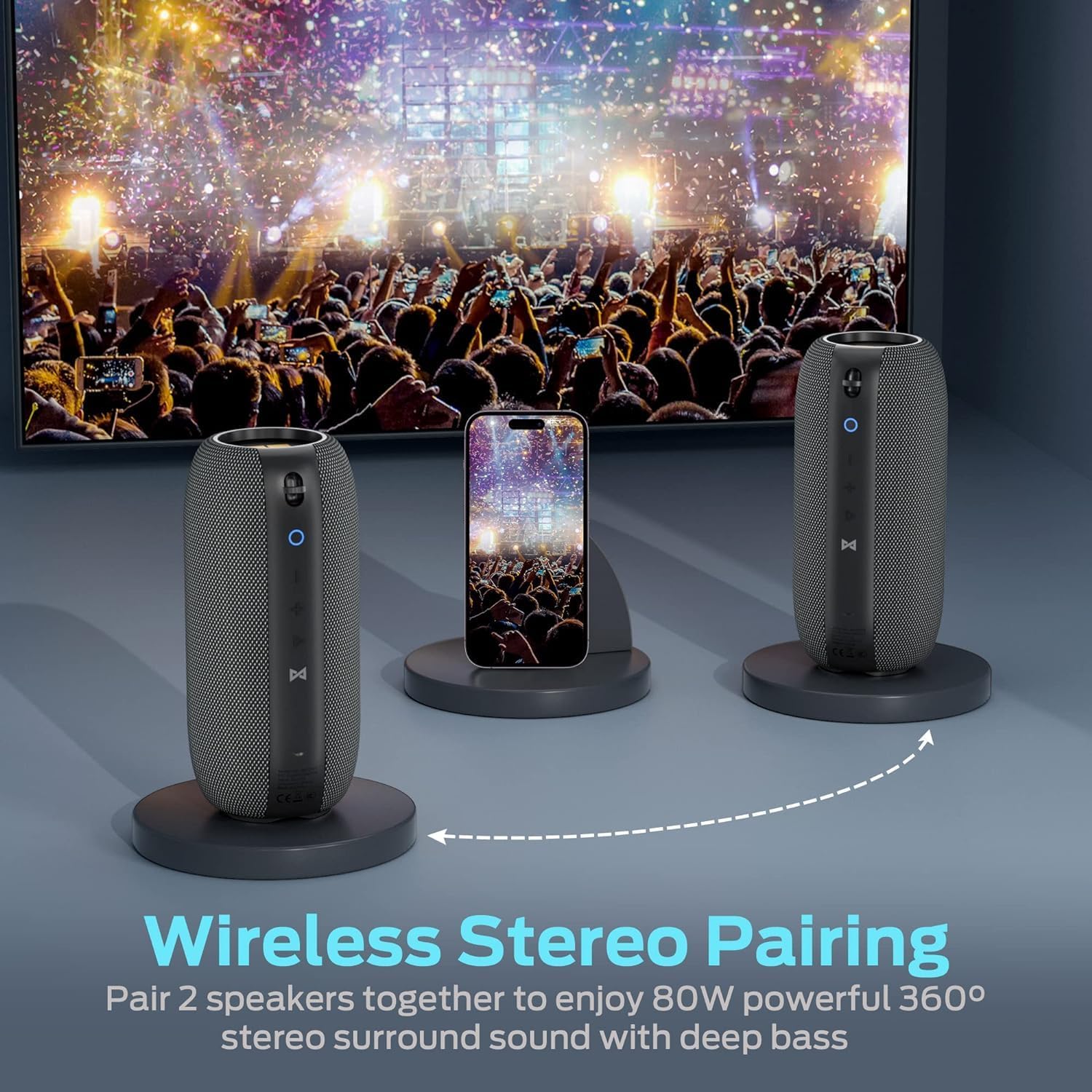
Image 5.1: Two Monster S320 speakers paired for True Wireless Stereo sound.
- Ensure both S320 speakers are powered on and not connected to any other Bluetooth device.
- On one of the speakers (this will be the primary speaker), short press the TWS Pairing Button (Hourglass Symbol). The speaker will enter TWS pairing mode.
- The primary speaker will automatically search for and connect to the second S320 speaker.
- Once successfully paired, both speakers will emit a confirmation sound, and their LED indicators will show a synchronized status.
- Issa, qabbad l-apparat mobbli tiegħek mal-ispiker primarju permezz tal-Bluetooth kif deskritt fit-taqsima 5.3. L-awdjo se jindaqq miż-żewġ kelliema b'mod stereo.
6. Istruzzjonijiet Operattivi
6.1 Daqq tal-Mużika
- Play/Pawsa: Short press the Play/Pause/Multi-function Button (Triangle Icon).
- Aġġustament tal-Volum: Agħfas fil-qosor il-buttuni Volume Up (+) jew Volume Down (-).
- Track li jmiss: Agħfas fit-tul il-buttuna 'l fuq mill-Volum (+).
- Track preċedenti: Agħfas fit-tul il-buttuna 'l isfel tal-Volum (-).
6.2 Sejħiet mingħajr idejn
The Monster S320 features a built-in microphone for hands-free calls when connected via Bluetooth.

Image 6.1: Hands-free calling with the Monster S320 speaker.
- Irrispondi Sejħa: Short press the Play/Pause/Multi-function Button (Triangle Icon) when a call comes in.
- Tmiem Sejħa: Short press the Play/Pause/Multi-function Button (Triangle Icon) during a call.
- Irrifjuta Sejħa: Long press the Play/Pause/Multi-function Button (Triangle Icon) when a call comes in.
6.3 Assistent tal-Vuċi
- Attiva l-Assistent tal-Vuċi: Press and hold the Play/Pause/Multi-function Button (Triangle Icon) for 2 seconds.
6.4 Modalità tad-Dħul AUX
- Connect a 3.5mm audio cable from your audio source to the AUX input port on the speaker.
- L-ispiker jaqleb awtomatikament għall-modalità AUX.
- Volume control can be adjusted via the speaker's buttons or your audio source. Track control must be done from your audio source in AUX mode.
7. Features and Highlights
- 40W Audio Performance: Jagħti ħoss qawwi u ċar.
- 360° Stereo Sound Effect: Provides immersive audio from all directions.
- Stereo bla fili veru (TWS): Pair two S320 speakers for 80W enhanced stereo surround sound.
- IPX7 li ma jgħaddix ilma minnha: Fully waterproof, shockproof, and splash-proof, suitable for outdoor activities and even immersion in water.
- 32-Hour Playing Time: Extended battery life for continuous music playback.
- Bluetooth 5.0: Jiżgura konnettività mingħajr fili stabbli u effiċjenti.
- Mikrofonu inkorporat: For convenient hands-free calling.

Image 7.1: The Monster S320 speaker demonstrating its IPX7 waterproof capability.

Image 7.2: Enjoying music outdoors with the Monster S320 speaker's long battery life.
8. Manutenzjoni
- Tindif: Uża artab, damp drapp biex tnaddaf il-barra tal-ispiker. Tużax kimiċi ħarxa jew prodotti tat-tindif li joborxu.
- Ħażna: Aħżen l-ispiker f'post frisk u niexef 'il bogħod mix-xemx diretta u minn temperaturi estremi.
- Kura tal-batterija: Biex ittawwal il-ħajja tal-batterija, iċċarġja l-ispiker kompletament qabel perjodi twal ta’ inattività u erġa’ iċċarġjah mill-inqas darba kull tliet xhur.
9 Issolvi l-problemi
| Problema | Soluzzjoni |
|---|---|
| L-ispiker ma jixgħelx. | Ensure the speaker is charged. Connect it to a power source using the USB-C cable. |
| Ma tistax tqabbad permezz tal-Bluetooth. | Ensure the speaker is in pairing mode (blinking blue LED). Turn off and on Bluetooth on your device. Forget previous pairings and try again. Ensure no other devices are connected to the speaker. |
| L-ebda ħoss jew volum baxx. | Check the volume levels on both the speaker and your connected device. Ensure the speaker is properly connected. If using AUX, ensure the cable is fully inserted. |
| It-tqabbil tat-TWS ifalli. | Ensure both S320 speakers are powered on and not connected to any other Bluetooth device. Place them close to each other and try TWS pairing again. |
| Kwalità tal-ħoss ħażina. | Ensure the speaker is within Bluetooth range of your device. Avoid obstacles between the speaker and device. Check the audio source quality. |
10. Speċifikazzjonijiet
| Karatteristika | Dettall |
|---|---|
| Isem tal-Mudell | S320 |
| Brand | Mostru |
| Qawwa tal-Ħruġ Massimu tal-Ispeaker | 40 Watts |
| Teknoloġija tal-Konnettività | Bluetooth 5.0 |
| Livell ta 'Reżistenza għall-Ilma | IPX7 Waterproof |
| Ħin tal-logħob | Sa 32-il siegħa (f'volum medju) |
| Modalità tal-Ħruġ tal-Awdjo | Jdawru |
| Tip ta' Kelliem | Barra, Portabbli |
| Metodu ta' Kontroll | Mess |
| Piż tal-oġġett | 0.73 Kilogrammi (1.61 libbra) |
| Dimensjonijiet tal-Prodott | 1 x 1 x 1 inches (Approximate, based on provided data) |
| Materjal | Fabric or Plastic |
| UPC | 810079709236 |
11. Garanzija u Appoġġ
The Monster S320 Bluetooth Speaker comes with a limited warranty. For detailed warranty information, please refer to the warranty card included in your product packaging or visit the official Monster website. If you encounter any issues or require technical assistance, please contact Monster customer support.


