Introduzzjoni
This manual provides comprehensive instructions for the operation and maintenance of your FLAMMA FX100 Multi Effects Pedal and the accompanying Footswitch Toppers. The FX100 is a versatile guitar multi-effects processor designed for home practice, performance, and live streaming, featuring a wide array of effects, amp models, a looper, and a drum machine. The footswitch toppers enhance the usability and comfort of your pedal's footswitches.
Informazzjoni dwar is-Sigurtà
Jekk jogħġbok aqra u ifhem l-istruzzjonijiet kollha tas-sigurtà qabel ma tħaddem l-apparat. Żomm dan il-manwal għal referenza futura.
- Provvista tal-Enerġija: Uża biss l-adapter tal-enerġija speċifikat. Kun żgur li l-volumtage jaqbel mar-rekwiżiti tal-apparat.
- Ilma u Umdità: Do not expose the device to water, rain, or excessive moisture. Do not operate with wet hands.
- Sorsi tas-Sħana: Żomm l-apparat 'il bogħod minn sorsi ta' sħana bħal radjaturi, reġistri tas-sħana, stufi, jew apparat ieħor (inkluż amplifiers) li jipproduċu sħana.
- Ventilazzjoni: Timblokkax xi fetħiet tal-ventilazzjoni. Kun żgur li jkun hemm fluss tal-arja xieraq madwar l-unità.
- Tindif: Naddaf biss b'ċarruta niexfa. Tużax tindif likwidu jew tindif aerosol.
- Servizzi: Tippruvax isservi dan il-prodott int stess. Irreferi l-manutenzjoni kollha lil persunal tas-servizz kwalifikat.
- Pjazzament: Place the device on a stable, flat surface to prevent accidental falls.
Kontenut tal-Pakkett
Ivverifika li l-oġġetti kollha huma preżenti fil-pakkett tiegħek:
- FLAMMA FX100 Guitar Multi-Effects Pedal
- 5 x FLAMMA Footswitch Toppers (Mixed Colors)
- Power Adapter (if included with the specific bundle)
- USB Cable (for PC connection)
- Manwal għall-Utent (dan id-dokument)
Prodott Overview
The FLAMMA FX100 is a compact yet powerful multi-effects processor. The included footswitch toppers provide enhanced comfort and visibility for the pedal's controls.
FLAMMA FX100 Multi Effects Pedal

Figura 1: Quddiem view of the FLAMMA FX100 Multi Effects Pedal with footswitch toppers installed.
The FX100 features a clear display, three main control knobs (MODE, VALUE, MASTER), and multiple footswitches for various functions. LED indicators show active effects blocks. An expression pedal is integrated for real-time control over parameters.

Figure 2: The FX100 offers 151 effects, 55 amp models, 200 presets, an 80-second looper, 40 drum machine patterns, 10 metronomes, and OTG functionality.
Key features include 151 built-in effects, 55 amp models, 200 user presets, an 80-second looper, 40 drum machine patterns, 10 metronomes, and support for 10 third-party IR slots. It also supports USB connectivity for PC editing and direct audio recording.

Figure 3: Visual representation of the 9 effects blocks available on the FX100, providing 151 different effects.
The FX100 organizes its effects into 9 distinct blocks: FX/COMP, DS/OD, AMP, CAB, NS, EQ, MOD, DLY, and REV, allowing for comprehensive tone shaping.
Footswitch Toppers

Figure 4: A single FLAMMA footswitch topper, showing its durable aluminum alloy construction and logo.
These 10mm footswitch toppers are made of quality aluminum alloy with plastic inlays. They are designed to fit standard pedal footswitches, increasing accuracy and comfort during use.

Figure 5: The set includes five footswitch toppers in mixed colors: Green, Silver, Blue, Yellow, and Purple.
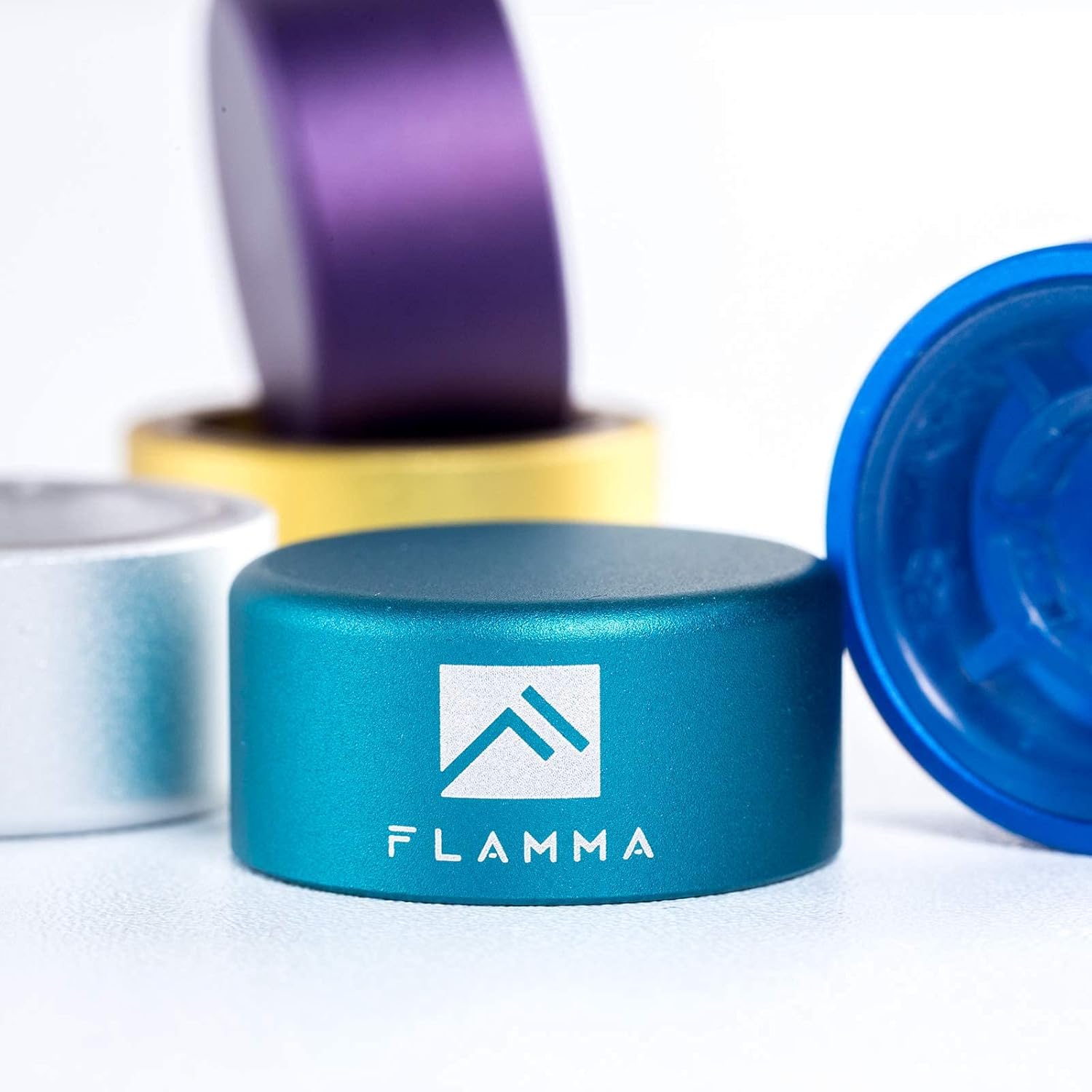
Figura 6: Eżample of footswitch toppers installed on different guitar effects pedals, demonstrating their fit and appearance.
Setup
Connecting the FX100 Pedal
- Konnessjoni tal-Enerġija: Connect the provided power adapter to the DC IN jack on the FX100 and then to a suitable power outlet.
- Input tal-Istrument: Connect your guitar or other instrument to the INPUT jack using a standard 1/4-inch instrument cable.
- Konnessjoni tal-Output: Connect the OUTPUT L/MONO jack to your amplifier, mixer, or audio interface using a standard 1/4-inch cable. If using stereo, connect the OUTPUT R jack as well.
- Headphones: For silent practice, connect headphones to the HEADPHONE jack.
- Konnessjoni USB (Mhux obbligatorja): To connect to a computer for editing or recording, use a USB cable to connect the USB port on the FX100 to your computer.
Installing Footswitch Toppers
The footswitch toppers are designed for easy, tool-free installation.
- Align the footswitch topper over the existing footswitch button on your pedal.
- Press down firmly until the topper securely snaps onto the footswitch. No tools are required.
- To remove, gently pull the topper upwards.
Operating the FLAMMA FX100
Kontrolli Bażiċi u Navigazzjoni
- Pum tal-MODALITÀ: Rotates to select different modes or menus. Press to confirm selection.
- Buttuna tal-VALUR: Rotates to adjust parameter values within a selected mode. Press to confirm or enter sub-menus.
- Pum MASTER: Jikkontrolla l-volum ġenerali tal-ħruġ tal-unità.
- Swiċċijiet tas-saqajn: The two main footswitches (left and right) are used for preset changes, looper control, and other functions depending on the selected mode.
- Pedala tal-Espressjoni: Jikkontrolla parametri bħall-volum, il-wah, jew effetti oħra li jistgħu jiġu assenjati f'ħin reali.
Effects Blocks and Presets
The FX100 features 9 independent effects blocks, each with multiple effect types. You can activate or deactivate blocks and adjust their parameters.
- Għażla Issettjata minn qabel: Use the footswitches to cycle through presets. The display will show the current preset number (e.g., P001).
- Effect Block Activation: Press the corresponding button (FX, DS, AMP, CAB, NS, EQ, MOD, DLY, REV) to toggle the effect block on or off. The LED above the button indicates its status.
- Parameter Editing: With an effect block active, use the MODE and VALUE knobs to navigate and adjust its parameters.
- Iffrankar ta' presets: After editing, press the SAVE button to store your changes to a user preset slot.
Funzjoni Looper
Il-looper integrat jippermetti r-reġistrazzjoni u l-overdubbing sa 80 sekonda ta' awdjo.
- Activate Looper mode via the system menu or dedicated footswitch function.
- Press the footswitch once to start recording.
- Press again to stop recording and start playback.
- Press a third time to begin overdubbing.
- Hold the footswitch to undo/redo or clear the loop, depending on the specific setting.
Drum Machine and Metronome
The FX100 includes a drum machine with 40 patterns and 10 metronome types for practice.
- Access the Rhythm section via the RITMU buttuna.
- Use the knobs to select drum patterns or metronome types and adjust tempo and volume.
Funzjoni Tuner
The integrated tuner allows for accurate instrument tuning.
- Agħfas il- Tuner footswitch to activate the tuner. The output will be muted.
- Tune your instrument using the display.
- Agħfas il- Tuner Agħfas is-swiċċ tas-sieq mill-ġdid biex toħroġ mill-modalità tat-tuner.
FX100 Studio Software

Figure 7: The FX100 can be connected via USB to a computer for editing presets and direct audio recording using the dedicated studio software.
The FX100 can be connected to a computer via USB for advanced preset editing and management using the FLAMMA FX100 Studio Software. This software also allows for direct audio recording to your computer.
- Download the latest software from the official FLAMMA websit.
- Install the software and any necessary drivers on your computer.
- Connect the FX100 to your computer using a USB cable.
- Launch the software to begin editing presets, managing IRs, and recording audio.
Manutenzjoni
- Tindif: Uża drapp artab u niexef biex tnaddaf il-barra tal-unità. Tużax prodotti tat-tindif li joborxu, xama', jew solventi.
- Ħażna: Meta ma tkunx qed tużaha għal perjodi twal, aħżen il-pedala f'post frisk u niexef 'il bogħod mix-xemx diretta u minn temperaturi estremi.
- Kura tal-Cable: Evita li tgħawweġ jew tgħawweġ il-kejbils b'mod eċċessiv. Skonnettja l-kejbils billi tiġbed il-plagg, mhux il-kejbil innifsu.
Issolvi l-problemi
| Problema | Kawża Possibbli | Soluzzjoni |
|---|---|---|
| Ebda qawwa | Adapter tal-enerġija mhux korrett; konnessjoni maħlula; problema fis-sokit tal-enerġija. | Ensure correct power adapter is used and securely connected. Test the power outlet. |
| Ebda output tal-ħoss | Cables not connected properly; Master volume too low; Tuner mode active; effect block bypassed. | Check all audio cable connections. Increase Master volume. Exit Tuner mode. Ensure desired effect blocks are active. |
| Ħoss distort | Input level too high; gain settings on effects too high; faulty cable. | Adjust input level on the FX100 or your instrument. Reduce gain/drive settings on distortion/overdrive effects. Try a different cable. |
| Footswitch topper loose | Not pressed down firmly enough. | Press the topper down firmly until it clicks into place. |
Speċifikazzjonijiet
| Karatteristika | Dettall |
|---|---|
| Effetti | 151 (across 9 effects blocks) |
| Amp Mudelli | 55 |
| Presets | 200 (Utent) |
| Looper Time | 80 sekonda |
| Magna tad-Drum | 40 mudell |
| Metronomu | 10-il tip |
| IR Slots | 10 (3rd party) |
| Interface tal-Ħardwer | 1/4-inch Audio, USB |
| Format tas-Sinjal | Analogu |
| Sors tal-Enerġija | Corded Elettriku |
| Tip ta 'Kontrolli | Knob, Footswitch, Expression Pedal |
| Footswitch Topper Size | 10mm dijametru |
| Footswitch Topper Material | Aluminum alloy with plastic inlays |
Garanzija u Appoġġ
FLAMMA products are designed and manufactured to high quality standards. For warranty information, technical support, or service inquiries, please contact FLAMMA customer support through their official webis-sit jew il-bejjiegħ bl-imnut minn fejn inxtara l-prodott. Jekk jogħġbok żomm il-mudell tal-prodott tiegħek u d-data tax-xiri disponibbli meta tikkuntattja l-appoġġ.
Għal aktar informazzjoni, żur l-uffiċjal FLAMMA Store on Amazon.


