1. Introduzzjoni
This manual provides comprehensive instructions for the installation, operation, and maintenance of the Elitech MTC-6000N Microcomputer Controller. The MTC-6000N is a versatile digital temperature controller designed for precise temperature management in cold rooms, refrigerators, and other cooling systems. It features advanced functions including cooling, defrosting, fan control, auxiliary output, and RS-485 communication for remote monitoring. Additionally, it offers temperature calibration, high/low temperature alarms, over-range alarms, and sensor failure alarms to ensure reliable performance.
2. Prodott Aktarview
The Elitech MTC-6000N is engineered for ease of use and high accuracy, featuring a multi-functional button panel and a clear dual-screen display for intuitive operation and monitoring.
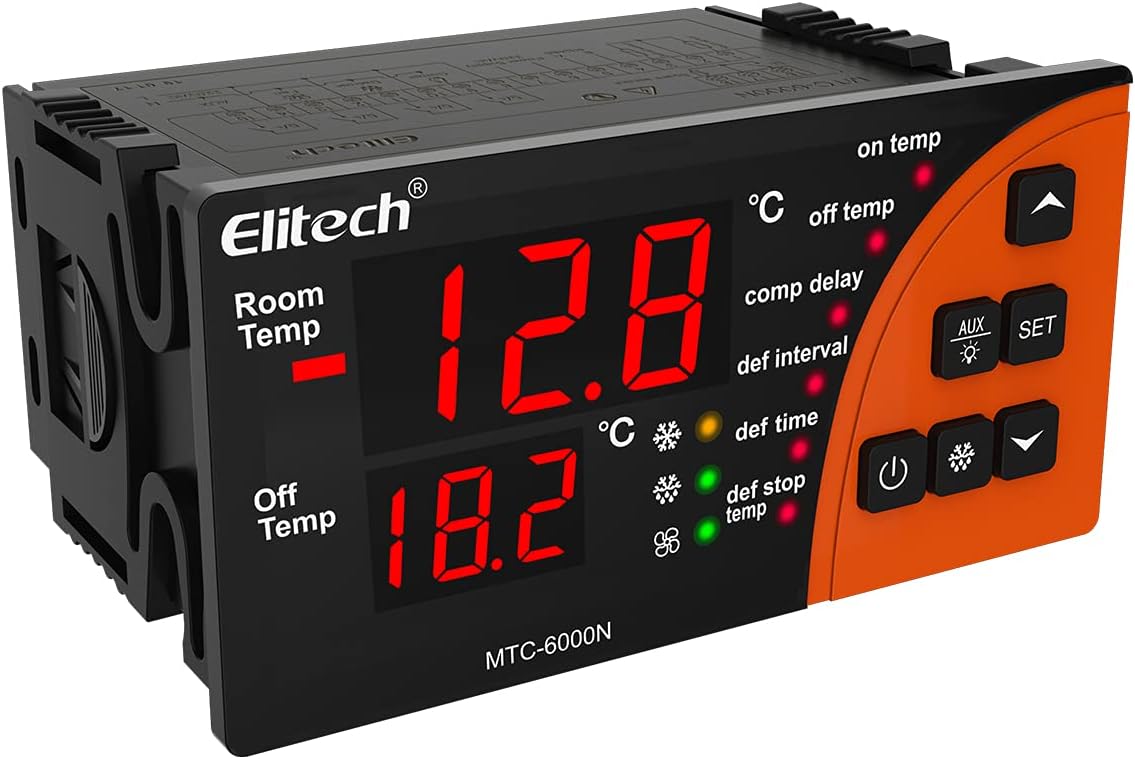
Figura 2.1: Quddiem view of the Elitech MTC-6000N controller, showing the dual digital displays for room temperature and off temperature, along with control buttons and indicator lights.
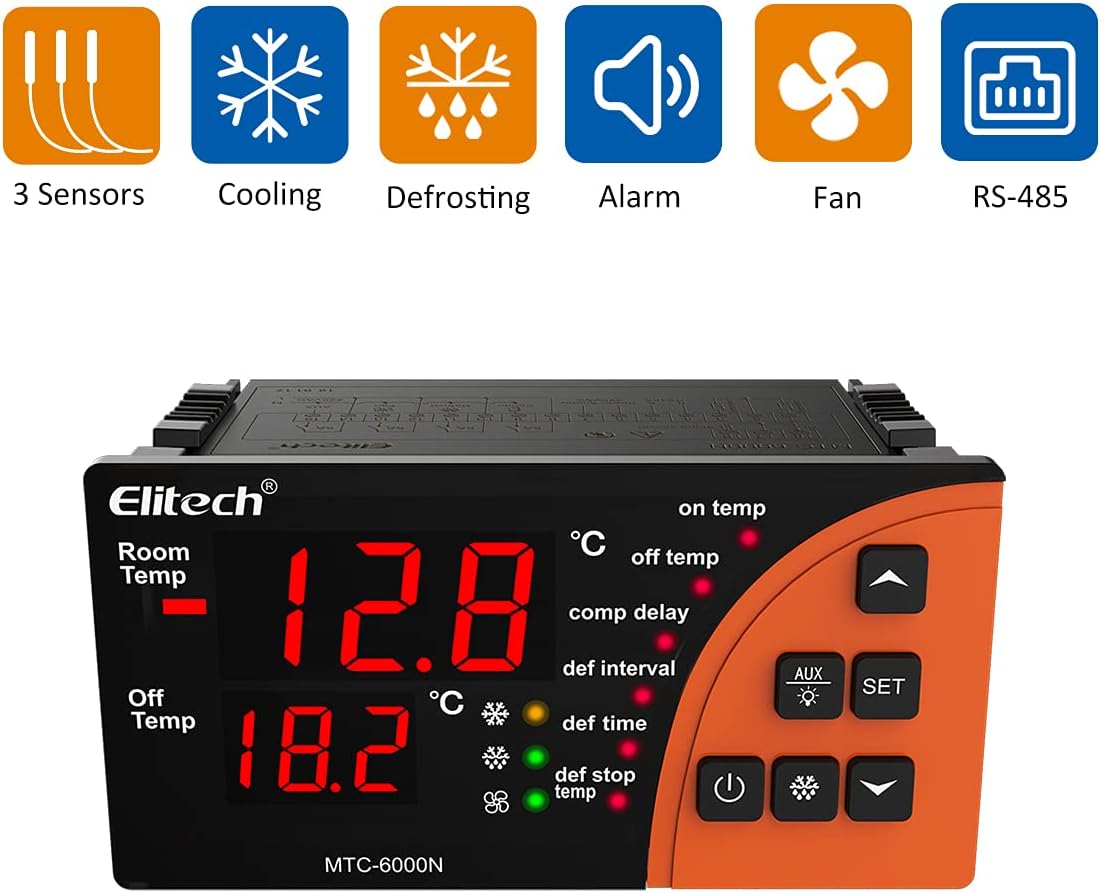
Figure 2.2: Elitech MTC-6000N controller with icons illustrating its key features: 3 Sensors, Cooling, Defrosting, Alarm, Fan, and RS-485 communication.
3. Karatteristiċi ewlenin
- Monitoraġġ mill-bogħod: Equipped with RS485 communication function for real-time remote monitoring of cold storage conditions.
- Operazzjoni faċli: Features a multi-functional button panel allowing common functions to be operated with a single button, simplifying setup without needing to navigate complex menus.
- Preċiżjoni Għolja: Utilizes high-precision sensors and chips designed to withstand 3000 times of high and low temperature shocks, ensuring minimal drift and stable performance.
- Wirja ċara: Large-sized panel with dual-screen temperature display, intuitively showing current temperature and set temperature simultaneously.
- Riżultati multipli: Provides refrigeration, dual defrosting, fan, and alternative four-way outputs for comprehensive control.
- Sensuri Doppju: Includes dual sensors for storage temperature and defrosting temperature.

Figure 3.1: The Elitech MTC-6000N controller shown in a cold storage setting, highlighting its application.
4. Speċifikazzjonijiet Tekniċi
| Parametru | Valur |
|---|---|
| Numru tal-Mudell | MTC-6000N-SG |
| Brand | Elitech |
| ASIN | B097D7GF6P |
| UPC | 781454242269 |
| Provvista tal-Enerġija | 110V |
| Batteriji Meħtieġa | Nru |
| Daqs tal-Immuntar | 92 * 44mm / 3.6 * 1.7in |
| Dimensjonijiet (madwar) | 100mm (length) x 82.5mm (height) x 51mm (depth) |

Figure 4.1: Dimensional drawing of the Elitech MTC-6000N controller, showing approximate measurements for length, height, depth, and mounting hole size.
5. Installazzjoni u Setup
5.1 Prekawzjonijiet tas-Sigurtà
- Ensure power is disconnected before any installation or wiring.
- L-installazzjoni għandha titwettaq minn persunal ikkwalifikat.
- Ivverifika l-vol korretttage (110V) before connecting power.
- Avoid installing in environments with excessive moisture, dust, or corrosive gases.
5.2 Immuntar
The MTC-6000N is designed for panel mounting. Ensure the cutout dimensions are 92mm x 44mm (3.6in x 1.7in). Secure the controller firmly in place using the provided clips or mounting hardware.
5.3 Dijagramma tal-Wiring
Refer to the following diagram for proper wiring connections. Pay close attention to power supply, sensor inputs, and output relays for cooling, defrosting, fan, and auxiliary functions. The RS485 communication ports (A and B) are for remote monitoring connections.

Figure 5.1: Detailed wiring diagram for the Elitech MTC-6000N controller, showing connections for power, sensors, and various outputs.
5.4 Installazzjoni tas-Sensor
The controller uses two temperature sensors: one for room temperature and one for defrosting temperature. Install the room temperature sensor in the area where temperature control is critical. Install the defrosting sensor near the evaporator coil to accurately monitor defrosting cycles.

Figure 5.2: Illustration of the three sensors included with the MTC-6000N: two temperature sensors for active use and one spare sensor.
6. Istruzzjonijiet Operattivi
6.1 Wiri u Indikaturi
The MTC-6000N features a dual-screen display. The upper display shows the current room temperature, and the lower display shows the set temperature or other parameter values during configuration. Various indicator lights illuminate to show the status of cooling, defrosting, fan, and alarm functions.
6.2 Funzjonijiet tal-buttuni
- Buttuna SET: Used to enter parameter setting mode and confirm changes.
- Buttuni UP/DOWN: Used to navigate through parameters and adjust values.
- Buttuna tal-Qawwa: Ixgħel / itfi l-unità.
- Buttuna ta 'Defrost: Initiates manual defrosting cycle.
- Buttuna AUX: Controls the auxiliary output.

Figure 6.1: A hand interacting with the control panel of the Elitech MTC-6000N, demonstrating its user-friendly interface.
6.3 Parameter Settings (Example)
Biex tissettja t-temperatura mixtieqa:
- Agħfas il- SET button once. The lower display will flash, showing the current set temperature.
- Uża l- UP or 'L isfel buttons to adjust the temperature to your desired value.
- Agħfas il- SET button again to confirm and save the setting.
For advanced parameter settings (e.g., defrost interval, fan delay, alarm thresholds), refer to the detailed parameter table in the full product manual (if available) or contact Elitech support for specific codes and ranges.
7. Manutenzjoni
7.1 Tindif
Regularly clean the surface of the controller with a soft, damp drapp. Tużax prodotti tat-tindif jew solventi li joborxu, għax dawn jistgħu jagħmlu ħsara lid-displej jew liċ-ċasing. Ensure no liquid enters the unit.
7.2 Sensor Check
Periodically inspect the temperature sensors for any physical damage or corrosion. Ensure they are securely connected and positioned correctly for accurate readings.
7.3 Konnessjonijiet elettriċi
Occasionally check all electrical connections to ensure they are tight and free from signs of overheating or loose wiring. Disconnect power before performing any checks.
8 Issolvi l-problemi
| Problema | Kawża Possibbli | Soluzzjoni |
|---|---|---|
| Kontrollur mhux mixgħul | Ebda provvista tal-enerġija; Wajers maħlula; Fjus maħruq. | Check power source; Verify wiring connections; Inspect and replace fuse if necessary. |
| Qari mhux korrett tat-temperatura | Faulty sensor; Sensor not properly installed; Sensor cable damage. | Check sensor connection and placement; Replace sensor if faulty; Inspect sensor cable for damage. |
| Cooling/Defrosting not activating | Incorrect parameter settings; Relay failure; Wiring issue to load. | Review and adjust set parameters; Check relay functionality; Verify wiring to cooling/defrosting unit. |
| Allarm attiv kontinwament | Temperature out of set range; Sensor failure; Alarm parameter misconfiguration. | Check actual temperature vs. set limits; Verify sensor operation; Adjust alarm parameters. |
If the problem persists after attempting these solutions, please contact Elitech customer support for further assistance.
9. Garanzija u Appoġġ
9.1 Informazzjoni dwar Garanzija
Elitech products are manufactured to high-quality standards. For specific warranty terms and conditions, please refer to the warranty card included with your product or visit the official Elitech websit. Żomm l-irċevuta tax-xiri tiegħek bħala prova tax-xiri għal talbiet ta' garanzija.
9.2 Appoġġ għall-Klijent
For technical assistance, troubleshooting, or inquiries regarding your Elitech MTC-6000N controller, please contact Elitech customer support. You can find contact information on the Elitech webis-sit jew permezz tal-bejjiegħ bl-imnut minn fejn xtrajt il-prodott.
Elitech Official Websit: www.elitechlog.com


