Introduzzjoni
This manual provides essential information for the installation, operation, maintenance, and troubleshooting of your EVGA GeForce RTX 3070 FTW3 Ultra Gaming graphics card. Please read this guide thoroughly before proceeding with installation or use to ensure optimal performance and longevity of your product.
The EVGA GeForce RTX 3070 FTW3 Ultra Gaming is a high-performance graphics card designed for advanced gaming and demanding graphical applications. It features 8GB GDDR6 memory, iCX3 Technology for advanced cooling, ARGB LED lighting, and a durable metal backplate.
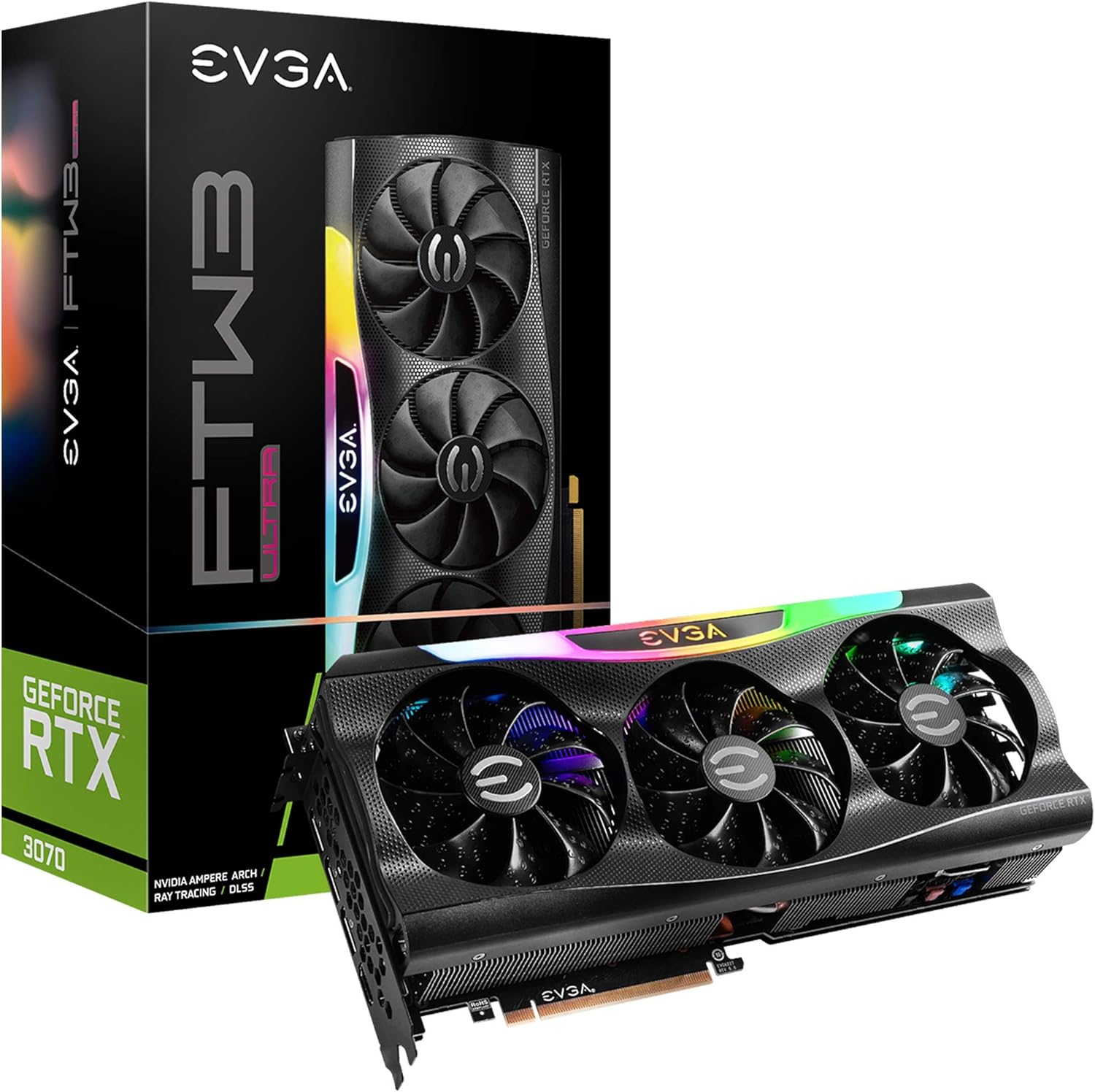
Figure 1: EVGA GeForce RTX 3070 FTW3 Ultra Gaming graphics card and packaging.
Setup u Installazzjoni
Proper installation is crucial for the functionality and stability of your graphics card. Follow these steps carefully.
1. Lista ta' Kontroll ta' Qabel l-Installazzjoni
- Provvista tal-Enerġija: Kun żgur li l-unità tal-provvista tal-enerġija (PSU) tiegħek tissodisfa l-minimu ta' wattstage requirements for the RTX 3070 (typically 650W or higher, consult your PSU manufacturer for specific compatibility).
- Slots PCIe: Iċċekkja li l-motherboard tiegħek għandha slot PCI Express x16 disponibbli.
- Approvazzjoni tal-Każ: Confirm your computer case has sufficient physical space for the graphics card (Product Dimensions: 11.81 x 2.32 x 5.38 inches).
- Sewwieqa: Download the latest NVIDIA drivers for the RTX 3070 from the official NVIDIA websit qabel l-installazzjoni.
- Protezzjoni Statika: Use an anti-static wrist strap or periodically touch a grounded metal object to discharge static electricity.
2. Installazzjoni Fiżika
- Itfi: Shut down your computer and disconnect the power cable from the wall outlet.
- Kawża Miftuħa: Iftaħ il-kaxxa tal-kompjuter tiegħek biex taċċessa l-motherboard.
- Neħħi l-Karta l-Qadima (jekk applikabbli): If replacing an existing graphics card, carefully remove it by unscrewing the retention bracket and releasing the PCIe slot latch.
- Insert New Card: Align the EVGA GeForce RTX 3070 FTW3 Ultra Gaming card with an available PCIe x16 slot. Press down firmly and evenly until the card is fully seated and the slot latch clicks into place.
- Karta Sikura: Secure the graphics card to the case with screws using the retention bracket.
- Qabbad l-Enerġija: Connect the required PCIe power cables from your power supply to the graphics card. The EVGA RTX 3070 FTW3 Ultra Gaming typically requires two 8-pin PCIe power connectors. Ensure all connections are secure.

Figure 2: Power connector locations on the graphics card.
3. Installazzjoni tas-sewwieq
- Erġa' qabbad l-Enerġija: Close your computer case, reconnect the power cable, and connect your monitor to one of the graphics card's display outputs (HDMI or DisplayPort).
- Sistema tal-Ibbutjar: Ixgħel il-kompjuter tiegħek.
- Installa Sewwieqa: Once the operating system loads, run the NVIDIA driver installer downloaded earlier. Follow the on-screen prompts to complete the installation.
- Ibda mill-ġdid: Erġa' ibda l-kompjuter tiegħek wara li titlesta l-installazzjoni tas-sewwieq.

Figure 3: Reference for installation guidance.
Tħaddim tal-Karta Grafika Tiegħek
After successful installation, you can optimize your graphics card's performance and customize its features.
1. Softwer u Karatteristiċi
- EVGA Precision X1: This software allows for monitoring, overclocking, and customizing the ARGB LED lighting of your EVGA graphics card. It also provides control over fan speeds and other performance parameters.
- Esperjenza NVIDIA GeForce: This application optimizes game settings, updates drivers, and enables features like NVIDIA ShadowPlay for recording gameplay.
- Real-Time RAY TRACING: The RTX 3070 supports real-time ray tracing for enhanced visual fidelity in compatible games.
- NVIDIA DLSS: Deep Learning Super Sampling (DLSS) uses AI to boost frame rates while maintaining image quality.

Figure 4: Graphics card with adjustable ARGB LED lighting.
2. iCX3 Technology
The iCX3 Technology integrates sensors and micro-control processors to provide intelligent cooling. It uses asynchronous fans that spin at different rates to cool components only as needed, optimizing cooling accuracy and reducing noise.

Figure 5: Explanation of iCX3 Technology features.
Manutenzjoni
Manutenzjoni regolari tgħin biex tiżgura l-lonġevità u l-prestazzjoni ottimali tal-karta grafika tiegħek.
- Tindif: Periodically clean dust from the fans and heatsink using compressed air. Ensure the computer is powered off and unplugged before cleaning. Hold the fan blades gently to prevent them from spinning rapidly during cleaning.
- Aġġornamenti tas-sewwieq: Keep your graphics drivers updated to the latest version from the official NVIDIA website. Driver updates often include performance improvements, bug fixes, and support for new games.
- Aġġornamenti tas-Software: Keep EVGA Precision X1 and NVIDIA GeForce Experience software updated.
- Monitoraġġ tat-temperatura: Use EVGA Precision X1 or other monitoring tools to keep an eye on your GPU temperatures, especially during heavy loads. Ensure adequate airflow within your computer case.
Issolvi l-problemi
Jekk tiltaqa' ma' problemi bil-karta grafika tiegħek, irreferi għall-passi komuni li ġejjin għas-soluzzjoni tal-problemi.
- L-ebda Output tal-Wiri:
- Ensure the monitor cable is securely connected to the graphics card's output and the monitor.
- Verify the graphics card is fully seated in the PCIe slot and all power cables are connected.
- Ittestja b'kejbil tad-displej jew monitor differenti jekk possibbli.
- Kwistjonijiet/Ħabtiet tas-Sewwieq:
- Perform a clean installation of the latest NVIDIA drivers. Use Display Driver Uninstaller (DDU) in Safe Mode to remove old drivers before installing new ones.
- Ensure you are using official software and drivers. Avoid using unofficial software as it can lead to instability or security risks.
- Is-sħana żejda:
- Check for proper airflow in your computer case. Ensure case fans are functioning correctly.
- Clean dust from the graphics card's fans and heatsink.
- Monitor temperatures with EVGA Precision X1. If temperatures are consistently high, consider adjusting fan curves or improving case ventilation.
- Kwistjonijiet ta' Prestazzjoni:
- Ensure your system meets the recommended specifications for the games or applications you are running.
- Verify that the graphics card is running at its expected clock speeds using monitoring software.
- Iċċekkja għal applikazzjonijiet fl-isfond li jikkunsmaw riżorsi tas-sistema.
Speċifikazzjonijiet
Detailed technical specifications for the EVGA GeForce RTX 3070 FTW3 Ultra Gaming graphics card.
| Karatteristika | Speċifikazzjoni |
|---|---|
| Numru tal-Mudell | 08G-P5-3767-KL |
| Koproċessur tal-Grafika | NVIDIA GeForce RTX 3070 |
| Memory Detail | 8192 MB GDDR6X |
| Veloċità tal-Memorja | 14000 MHz |
| Boost Arloġġ | 1815 MHz |
| Riżoluzzjoni Massima tal-Iskrin | 4K (3840x2160) f'60Hz |
| Interface tal-Output tal-Vidjo | HDMI, DisplayPort |
| Dimensjonijiet tal-Prodott (LxWxH) | 11.81 x 2.32 x 5.38 pulzieri |
| Piż tal-oġġett | 4.29 liri |
| iCX3 Technology | Iva |
| ARGB LED | Yes, Adjustable |
| Backplate | Kollha tal-metall |
| LHR (Rata ta' Hash Ħafifa) | Iva |
Garanzija u Appoġġ
EVGA products are typically covered by a manufacturer's warranty. For specific warranty terms, registration, and technical support, please visit the official EVGA websit jew ikkuntattja lis-servizz tal-konsumatur tagħhom.
It is recommended to register your product upon purchase to facilitate any future warranty claims or support requests.
For the latest drivers, software, and support resources, please visit: Appoġġ tal-EVGA Websit


