Introduzzjoni
The Daewoo DIBT2626 is a compact and versatile wireless portable Bluetooth speaker designed for audio playback and hands-free communication. It features Bluetooth 5.0 connectivity, FM radio, an SD card slot for MP3 playback, a USB port, and an AUX input. The speaker is equipped with a 1200 mAh lithium-ion battery, providing up to 4 hours of playback on a 2-hour charge. Its robust design includes a metal speaker grille and protective rubber edges.
Informazzjoni dwar is-Sigurtà
Biex tiżgura tħaddim sikur u tittawwal il-ħajja tat-tagħmir tiegħek, jekk jogħġbok osserva dan li ġej:
- Tesponix l-ispiker għal temperaturi estremi, dawl tax-xemx dirett, jew umdità għolja.
- Evita li twaqqa’ jew tissuġġetta lill-kelliem għal impatti qawwija.
- Tippruvax tiżżarma jew timmodifika l-ispiker. Dan jannulla l-garanzija u jista' jikkawża ħsara.
- Żomm il-kelliem 'il bogħod mill-ilma u likwidi oħra.
- Uża biss il-kejbil tal-iċċarġjar USB provdut jew wieħed ekwivalenti ċċertifikat.
- Naddaf l-ispiker b'ċarruta ratba u niexfa. Tużax prodotti tat-tindif jew solventi li joborxu.
Kontenut tal-Pakkett
- Daewoo DIBT2626 Wireless Portable Bluetooth Speaker
- Cable tal-Iċċarġjar tal-USB
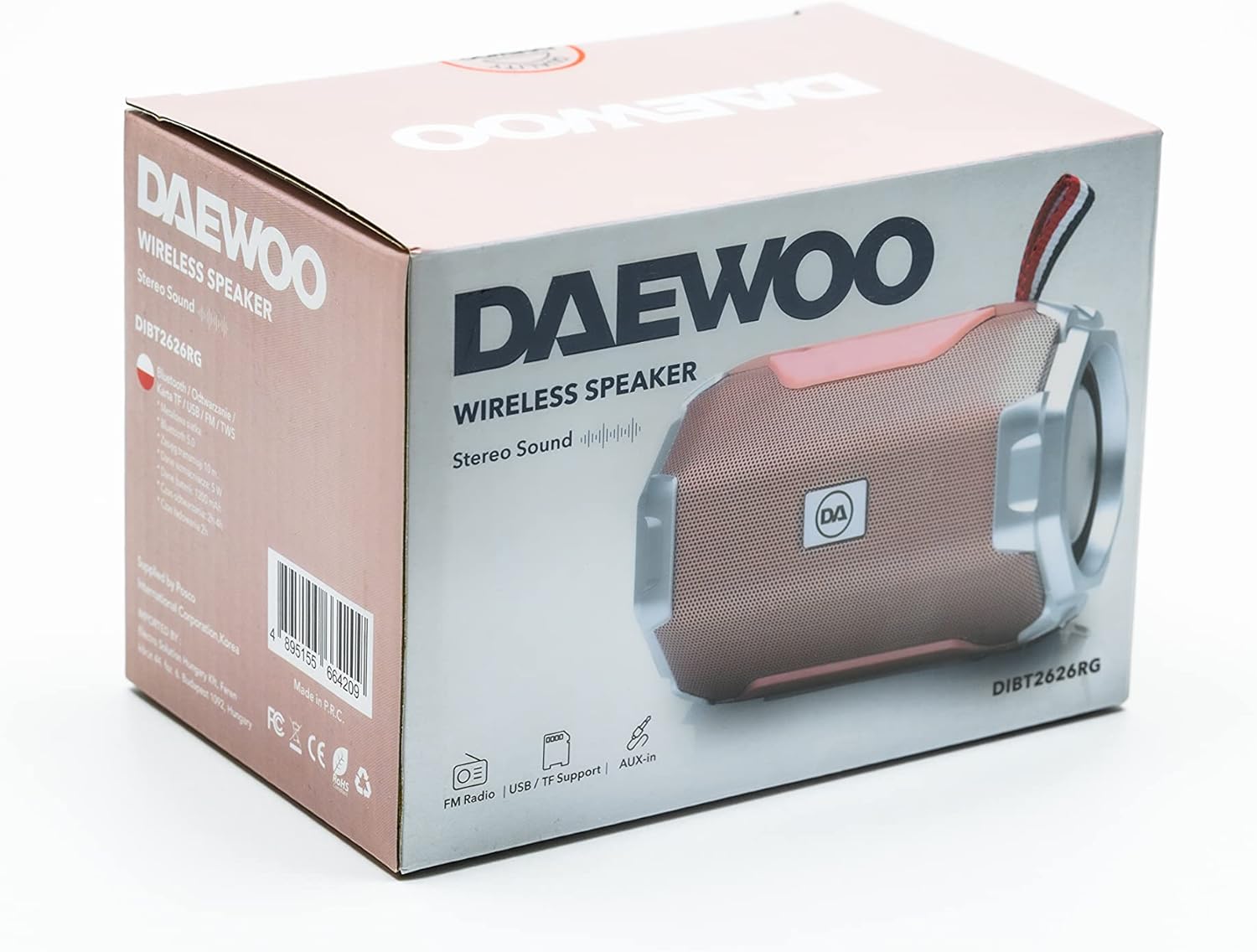
Image: The retail packaging box for the Daewoo DIBT2626 speaker, showing the product image and branding.
Prodott Overview
Iffamiljarizza ruħek mal-kontrolli u l-portijiet tal-ispiker.
Panel tal-Kontroll
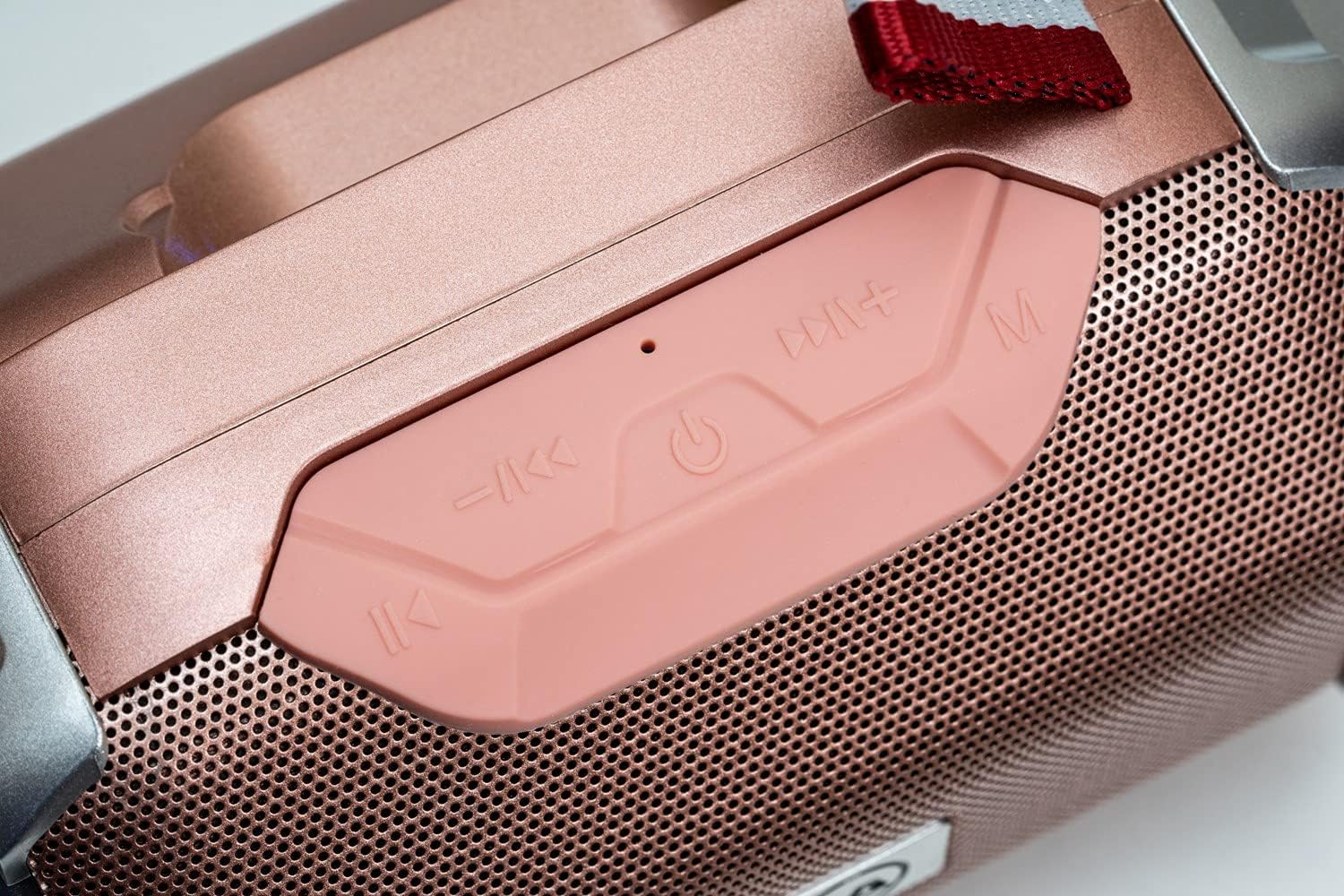
Immaġni: Close-up view of the speaker's control panel, featuring four buttons and an LED indicator.
- Track Preċedenti / Volum Down: Short press for previous track, long press to decrease volume.
- Qawwa / Play / Pawsa: Long press to power on/off. Short press to play/pause music. In call mode, short press to answer/end call.
- Il-Binarju / Volum li Jmiss: Short press for next track, long press to increase volume.
- Modalità (M): Short press to switch between Bluetooth, FM Radio, SD Card, USB, and AUX modes.
- Indikatur LED: Indicates power status, charging, and Bluetooth pairing.
Portijiet tal-Konnettività

Immaġni: Dettaljata view of the speaker's rear panel, showing the AUX, USB, TF (SD card), and DC 5V charging ports.
- Port AUXGħall-konnessjoni ta' apparati awdjo esterni permezz ta' kejbil awdjo ta' 3.5mm.
- Port USB: For playing music from a USB flash drive.
- TF Card Slot (SD Card)Għad-daqq tal-MP3 files minn karta microSD.
- Port 5V DC: Micro USB port for charging the speaker.

Image: The Daewoo DIBT2626 speaker in rose gold, showcasing its front grille, control panel, and fabric hook.
Setup
1. Iċċarġja l-Ispeaker
- Connect the provided USB charging cable to the DC 5V port on the speaker.
- Qabbad it-tarf l-ieħor tal-kejbil USB ma' adapter tal-enerġija USB (mhux inkluż) jew mal-port USB tal-kompjuter.
- The LED indicator will illuminate during charging. A full charge takes approximately 2 hours.
- Once fully charged, the LED indicator may change color or turn off, depending on the model. Disconnect the charging cable.
Kelliem iċċarġjat kompletament jipprovdi sa 4 sigħat ta' ħin ta' daqq.
2. Tixgħil / Mitfi
- Biex Tixgħel: Agħfas fit-tul il- Qawwa / Play / Pawsa button until you hear an audible prompt or the LED indicator lights up.
- Biex Tifi: Agħfas fit-tul il- Qawwa / Play / Pawsa button again until you hear an audible prompt or the LED indicator turns off.
Modi Operattivi
1. Modalità Bluetooth
- Ensure the speaker is powered on. It will automatically enter Bluetooth pairing mode, indicated by a flashing LED.
- Fuq l-apparat mobbli tiegħek (smartphone, tablet, laptop), attiva l-Bluetooth u fittex apparati disponibbli.
- Select "DIBT2626" from the list of devices.
- Once paired, the LED indicator will stop flashing, and you will hear a confirmation sound.
- You can now play audio from your device through the speaker. Use the speaker's control buttons or your device to adjust volume, play/pause, and skip tracks.
2. Modalità tar-Radju FM
- Qawwa fuq il-kelliem.
- Agħfas il- Modalità (M) button repeatedly until you enter FM Radio mode.
- To auto-scan and save available stations, short press the Qawwa / Play / Pawsa buttuna. L-ispiker se jiskennja u jaħżen l-istazzjonijiet awtomatikament.
- Uża l- Track Preċedenti / Volum Down u Il-Binarju / Volum li Jmiss buttuni biex tinnaviga bejn l-istazzjonijiet salvati.
3. SD Card / USB Mode
- Insert a microSD card (TF card) with MP3 files into the TF Card slot or a USB flash drive into the USB port.
- Power on the speaker. It should automatically detect the storage device and switch to SD Card or USB mode, beginning playback. If not, press the Modalità (M) buttuna biex tagħżel il-modalità korretta.
- Use the speaker's control buttons to play/pause, skip tracks, and adjust volume.
4. Modalità AUX
- Qabbad tarf wieħed ta' kejbil awdjo ta' 3.5mm (mhux inkluż) mal-port AUX fuq l-ispiker.
- Qabbad it-tarf l-ieħor tal-kejbil tal-awdjo mal-jack tal-output tal-awdjo tat-tagħmir estern tiegħek.
- Power on the speaker. It should automatically switch to AUX mode. If not, press the Modalità (M) buttuna biex tagħżel il-modalità AUX.
- Ikkontrolla d-daqq u l-volum mit-tagħmir estern tiegħek.
5. Sejħiet mingħajr idejn
- When connected via Bluetooth to your smartphone, the speaker can be used for hands-free calls.
- When an incoming call is received, short press the Qawwa / Play / Pawsa buttuna biex twieġeb is-sejħa.
- To end a call, short press the Qawwa / Play / Pawsa buttuna għal darb'oħra.
Manutenzjoni
- Żomm il-kelliem nadif billi timsaħ b'ċarruta ratba u niexfa.
- Evita li tuża kimiċi ħarxa, solventi tat-tindif, jew deterġenti qawwija.
- Aħżen l-ispiker f'post frisk u niexef meta ma jkunx qed jintuża għal perjodi twal.
- Charge the battery periodically if the speaker is stored for a long time to maintain battery health.
Issolvi l-problemi
| Problema | Kawża Possibbli | Soluzzjoni |
|---|---|---|
| L-ispiker ma jixgħelx. | Il-batterija hija eżawrita. | Iċċarġja l-ispiker għal mill-inqas 2 sigħat. |
| L-ebda ħoss. | Il-volum huwa baxx wisq jew immut. Magħżula l-modalità żbaljata. | Increase volume on both the speaker and the connected device. Press the Modalità (M) button to ensure the correct input mode is selected. |
| Ma tistax tqabbad permezz tal-Bluetooth. | Speaker is not in pairing mode. Bluetooth is off on device. Device is too far. | Ensure speaker is powered on and LED is flashing. Enable Bluetooth on your device. Move device closer to the speaker (within 10 meters). |
| Ir-riċeviment tar-radju FM huwa fqir. | Sinjal dgħajjef. | Move the speaker to a location with better reception. |
Speċifikazzjonijiet
| Numru tal-Mudell | DIBT2626 |
| Brand | Daewoo Electronics |
| Dimensjonijiet | 14 x 9 x 9 ċm |
| Piż | 350 g |
| Qawwa tal-Ħruġ tal-Ispeaker | 5 W |
| Tip ta 'batterija | 1200 mAh Lithium-ion |
| Ħin tal-Iċċarġjar | Madwar sagħtejn |
| Ħin tal-daqq | Sa 4 sigħat |
| Verżjoni Bluetooth | 5.0 |
| Għażliet ta' Konnettività | Bluetooth, USB, TF (SD Card), AUX (3.5mm) |
| Apparati Kompatibbli | Smartphones, Tablets, Laptops |
| Karatteristiċi Speċjali | FM Radio, Hands-free Calling |
Garanzija u Appoġġ
For warranty information and technical support, please refer to the documentation provided with your purchase or visit the official Daewoo Electronics websit. Żomm il-prova tax-xiri tiegħek għal kwalunkwe talba ta' garanzija.


