1. Introduzzjoni
This manual provides comprehensive instructions for the installation, operation, and maintenance of your EVGA GeForce RTX 3080 Ti FTW3 ULTRA GAMING graphics card. This high-performance graphics card is designed to deliver exceptional visual fidelity and processing power for demanding applications and gaming.
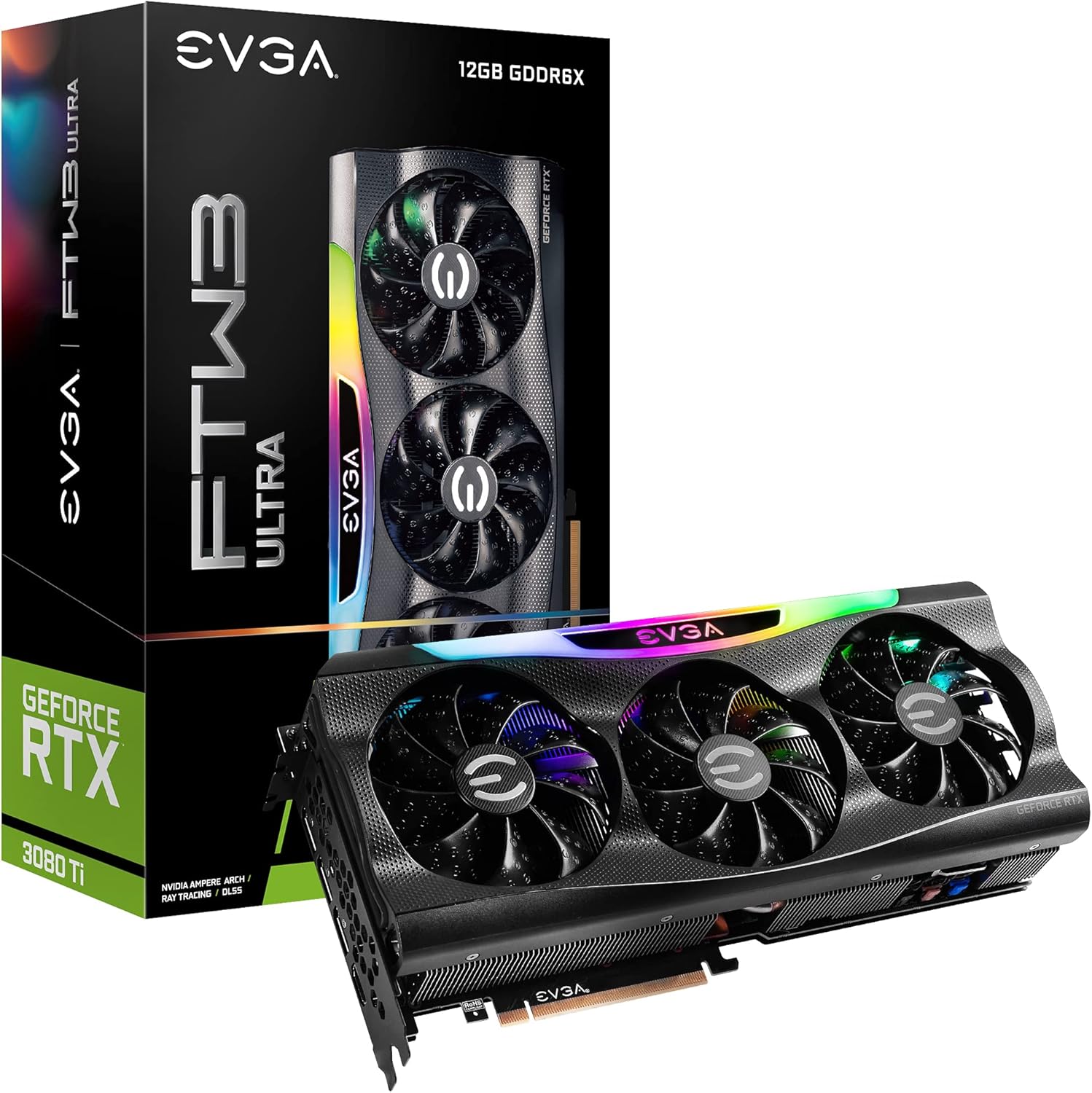
Figure 1.1: EVGA GeForce RTX 3080 Ti FTW3 ULTRA GAMING Graphics Card and Packaging.
2. Karatteristiċi ewlenin
The EVGA GeForce RTX 3080 Ti FTW3 ULTRA GAMING graphics card incorporates advanced technologies to enhance performance and user experience. Key features include:
- Riżoluzzjoni massima diġitali: Supports resolutions up to 7680 x 4320 for ultra-high definition displays.
- Real Boost Clock: Achieves a boost clock of 1800 MHz for enhanced performance.
- Memory Detail: Equipped with 12288 MB GDDR6X memory for high-bandwidth data transfer.
- Real-Time RAY TRACING: Delivers cutting-edge, hyper-realistic graphics in supported games.
- iCX3 Technology: Advanced cooling solution for optimal thermal performance.
- ARGB LED: Customizable RGB lighting for aesthetic personalization.
- Metal Backplate: Provides structural rigidity and aids in heat dissipation.
- NVIDIA DLSS: AI acceleration for maximum FPS and uncompromised image quality.
- PCI Express Gen 4: High-speed interface for data transfer.

Figure 2.1: Memory and Architecture Overview.

Figure 2.2: iCX3 Interactive Cooling System.
3. Kontenut tal-Pakkett
Ivverifika li l-oġġetti kollha huma preżenti fil-pakkett qabel ma tipproċedi bl-installazzjoni:
- EVGA GeForce RTX 3080 Ti FTW3 ULTRA GAMING Graphics Card
- Quick Start Guide / User Manual (Digital or Printed)
- Accessory Kit (may include power adapters, support bracket, screws)
Note: Contents may vary slightly based on region or specific bundle.
4. Setup u Installazzjoni
Proper installation is crucial for optimal performance and longevity of your graphics card. Ensure your system meets the minimum requirements before installation.
4.1 Rekwiżiti tas-Sistema
- Motherboard konformi mal-PCI Express b'slott grafika wieħed x16.
- Minimum 750W or greater system power supply with three 8-pin PCIe power connectors.
- Microsoft Windows 10 64-bit or Linux 64-bit operating system.
- 1.5GB of available hard-disk space.
- Memorja tas-sistema ta' 8GB (16GB rakkomandata).
4.2 Installazzjoni tal-Ħardwer
- Ipprepara s-Sistema Tiegħek: Itfi l-kompjuter tiegħek u skonnettja l-kejbils kollha. Iftaħ il-kaxxa tal-kompjuter.
- Sib is-Slott tal-PCIe: Identify an available PCI Express x16 slot on your motherboard. This card typically requires a 2.75 slot width.
- Neħħi l-Għotjien tas-Slott: Neħħi l-għata tas-slott ta' espansjoni meħtieġa mill-kaxxa tal-kompjuter tiegħek.
- Installa Karta Grafika: Carefully align the graphics card with the PCIe slot and press down firmly until it is securely seated. Ensure the retention clip on the motherboard engages.
- Karta Sikura: Secure the graphics card to the case using the screws from the expansion slots.
- Qabbad l-Enerġija: Connect three 8-pin PCIe power cables from your power supply to the corresponding power connectors on the graphics card. Ensure a secure connection.
- Agħlaq il-Każ: Agħlaq il-kaxxa tal-kompjuter tiegħek u erġa' qabbad il-kejbils kollha.

Figure 4.1: Graphics Card Output Ports (DisplayPort and HDMI).

Figure 4.2: Optional Support Bracket Installation.
4.3 Installazzjoni tas-Softwer
- Qawwa Mixgħul: Turn on your computer. The system may boot into a lower resolution.
- Installa Sewwieqa: Download the latest NVIDIA GeForce drivers from the official NVIDIA websit (www.nvidia.com/sewwieqa). Select your product series (GeForce RTX 30 Series), product (GeForce RTX 3080 Ti), and operating system.
- Install EVGA Precision X1: For advanced monitoring, overclocking, and ARGB LED control, download and install EVGA Precision X1 software from the official EVGA websit (www.evga.com/precisionx1/).
- Ibda mill-ġdid: Restart your computer after driver and software installation to apply changes.
5. It-Tħaddim tal-Karta Grafika Tiegħek
Once installed, your EVGA GeForce RTX 3080 Ti is ready for use. Here are some operational considerations:
5.1 Konnessjoni tal-Wiri
Connect your display(s) to the DisplayPort or HDMI outputs on the graphics card. This card supports multiple displays simultaneously.
5.2 Ottimizzazzjoni tal-Prestazzjoni
- Aġġornamenti tas-sewwieq: Regularly check for and install the latest NVIDIA drivers for optimal performance and compatibility with new games and applications.
- EVGA Precision X1: Utilize EVGA Precision X1 for fine-tuning. This software allows you to:
- Immonitorja t-temperatura tal-GPU, il-veloċitajiet tal-arloġġ, u l-veloċitajiet tal-fann.
- Adjust fan curves for customized cooling performance.
- Overclock the GPU and memory for increased performance (use with caution).
- Control the ARGB LED lighting effects.
- Tkessiħ tas-Sistema: Ensure adequate airflow within your computer case to prevent thermal throttling and maintain stable performance.

Figure 5.1: ARGB LED Illumination (LED ON).

Figure 5.2: Advanced Features in Action.
6. Manutenzjoni
Manutenzjoni regolari tgħin biex tiżgura l-lonġevità u l-prestazzjoni ottimali tal-karta grafika tiegħek.
- Tneħħija tat-Trab: Periodically clean dust from the heatsink fins and fan blades using compressed air. Ensure the fans are not spinning during cleaning to prevent damage.
- Kundizzjonijiet Ambjentali: Operate the graphics card in a well-ventilated environment with stable temperature and humidity. Avoid extreme temperatures.
- Ġestjoni tal-Kejbil: Ensure internal cables do not obstruct airflow around the graphics card.
7 Issolvi l-problemi
Din it-taqsima tindirizza kwistjonijiet komuni li tista’ tiltaqa’ magħhom.
| Problema | Kawża Possibbli | Soluzzjoni |
|---|---|---|
| L-ebda output tal-wiri. |
|
|
| System crashes or freezes during gaming. |
|
|
| Fans are excessively loud. |
|
|
For further assistance, refer to the EVGA support websit jew ikkuntattja l-appoġġ tekniku.
8. Speċifikazzjonijiet Tekniċi
Detailed specifications for the EVGA GeForce RTX 3080 Ti FTW3 ULTRA GAMING graphics card:
| Kategorija | Speċifikazzjoni |
|---|---|
| Koproċessur tal-Grafika | NVIDIA GeForce RTX 3080 Ti |
| Boost Arloġġ | 1800 MHz |
| Arloġġ tal-Memorja | 19000 MHz Effective |
| Memory Detail | 12288 MB GDDR6X |
| Memory Bit Width | 384 Bit |
| Faxxa tal-Memorja | 912 GB/s |
| CUDA Cores | 10240 |
| Tip Xarabank | PCIe 4.0 |
| Riżoluzzjoni Diġitali Massima | 7680 x 4320 |
| Interface tal-Output tal-Vidjo | DisplayPort (3x), HDMI (1x) |
| Dimensjonijiet (Għoli) | 5.38 pulzieri - 136.75 mm |
| Dimensjonijiet (Tul) | 11.81 pulzieri - 300 mm |
| Dimensjonijiet (Wsa ') | 2.75 Slots |
| Piż tal-oġġett | 3.96 liri |
| Voltage | 12 Volts |

Figure 8.1: Summary of Features and Specifications.
9. Garanzija u Appoġġ
9.1 Informazzjoni dwar Garanzija
EVGA products are covered by a limited warranty. The specific warranty period and terms may vary by product and region. Please register your product on the official EVGA website to ensure warranty coverage and access to support services.
For detailed warranty terms and conditions, visit the EVGA websit:
9.2 Appoġġ Tekniku
If you encounter issues that cannot be resolved using the troubleshooting guide, or require further assistance, please contact EVGA Technical Support.
- Appoġġ tal-EVGA Websit: www.evga.com/support/
- Bażi ta' Għarfien: Access FAQs, drivers, and software downloads.
- Għażliet ta' Kuntatt: Phone, email, or live chat support may be available depending on your region.
When contacting support, please have your product model number (12G-P5-3967-KR) and serial number ready.


