1. Prodott Aktarview
The LIGE Smartwatch Bw1290c is a versatile wearable device designed to integrate with your daily life, offering communication, health monitoring, and fitness tracking features. It is compatible with both Android and iOS smartphones.

Image: LIGE Smartwatch Bw1290c, showcasing its main display and design.
2. X'hemm fil-Kaxxa
- 1 x LIGE Silicone double band Watch
- 1 x LIGE Smart watch instructions (this manual)
- 1 x Fashion Packing (packaging box)
- 1 x High Quality Microfiber Cleaning Cloth
- 1 x Cable Ċarġer tal
3. Gwida ta' Setup
3.1 Iċċarġjar inizjali
Before first use, fully charge your smartwatch. Connect the provided charger cable to the charging contacts on the back of the watch and to a USB power source. A full charge typically takes approximately 2 hours.
3.2 Installazzjoni u Tqabbil tal-App
- Qawwa Mixgħul: Long press the side button of the watch for 3-5 seconds to turn it on.
- Niżżel l-App: On the watch's settings page, locate and scan the QR code displayed to download the 'Da Fit' APP. Alternatively, search for 'Da Fit' in your smartphone's app store (Google Play Store for Android, Apple App Store for iOS).
- Ippermetti l-Bluetooth u l-Lokazzjoni: Ensure your smartphone's Bluetooth and location services are turned on. Verify that the smartwatch is not currently paired with any other device.
- Open Da Fit APP: Launch the 'Da Fit' APP on your smartphone. Complete the personal information setup within the app.
- Irbit Apparat: Navigate to the "Device" interface within the app and select "Bind device".
- Identify Watch: On the smartwatch's main dial interface, swipe right to view the Bluetooth MAC address. Use this MAC address to identify your specific device in the app's search results.
- Par: Select the correct device name and MAC address from the list in the app and click "Pair". The smartwatch will then connect successfully.
3.3 Kompatibilità
The LIGE Smartwatch Bw1290c is compatible with devices running iOS 8.0 and above, and Android 4.0 and above.
4. Istruzzjonijiet Operattivi
4.1 Sejħa Bluetooth
The smartwatch supports Bluetooth calling, allowing you to make and receive calls directly from your wrist. It also enables music playback control from your smartphone.

Image: Demonstrates answering a call directly from the smartwatch.
4.2 Notifiki ta' Messaġġi
Irċievi u view SMS messages and notifications from various social media applications such as WhatsApp, Twitter, Facebook, and Instagram directly on your smartwatch. This ensures you stay informed without needing to check your phone constantly.

Image: Smartwatch displaying a message notification.
4.3 Custom Watch Faces
The 1.32-inch full-touch screen offers a resolution of 360x360 pixels. You can personalize your smartwatch by choosing from over 100 watch faces available in the "Da Fit" app or by setting your favorite images as a custom dial.

Image: Customizing the smartwatch dial with a personal photo.
4.4 Monitoraġġ tas-Saħħa
The smartwatch features built-in motion sensors and a high-performance monitor to track various health metrics in real-time. Data is automatically synced to the "Da Fit" app for review.
- Monitoraġġ tar-Rata tal-Qalb: Isegwi kontinwament ir-rata tal-qalb tiegħek.
- Monitoraġġ tal-Pressjoni tad-Demm: Jipprovdi qari tal-pressjoni tad-demm.
- Blood Oxygen Saturation (SpO2) Monitoring: Ikejjel il-livelli tal-ossiġnu fid-demm.
- Monitoraġġ tal-irqad: Records different stages of sleep (deep sleep, light sleep, awake sleep) to help you understand and improve your sleep habits.
Nota Importanti: The measurement data from the smartwatch for blood pressure, heart rate, and blood oxygen are for reference only and should not be used as medical data or for diagnostic purposes.

Image: 24-hour health monitoring features.

Image: Sleep monitoring display on the smartwatch.
4.5 Modalità Sportiva
The smartwatch offers 10 sports modes to track your physical activity. These modes help record data such as steps, distance, calories burned, and heart rate during exercise.
- Mixi
- Running
- Ċikliżmu
- Badminton
- Basketball
- Futbol
- Skiing
- Taħriġ Ħieles
- U aktar...
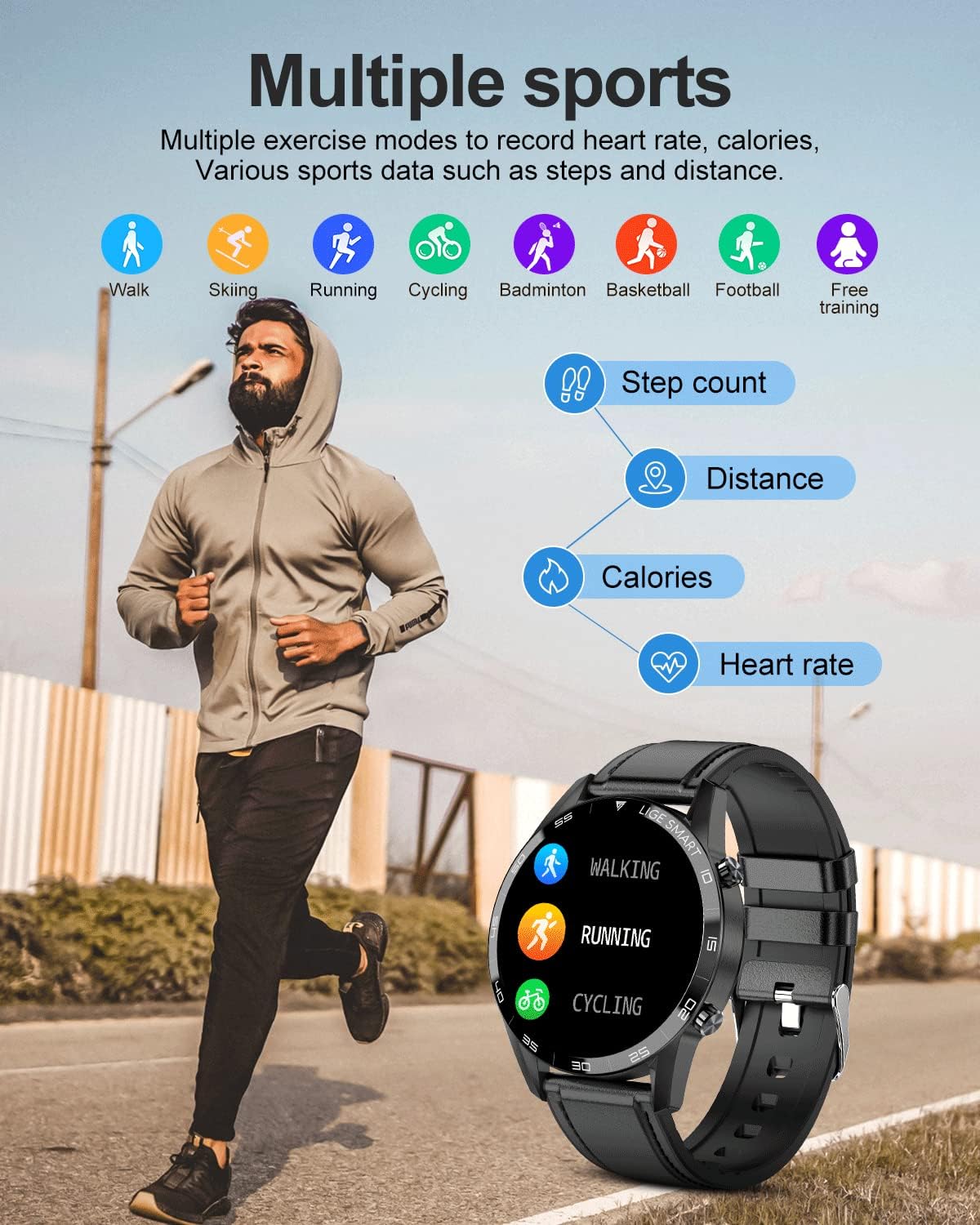
Image: Multiple sports modes tracking activity data.
4.6 Funzjonijiet Addizzjonali
- Kontroll mill-bogħod tal-Kamera: Use your watch to remotely trigger your smartphone's camera.
- Kontroll tal-Mużika: Ilgħab, waqqaf, aqbeż it-traċċi, u aġġusta l-volum għall-mużika li qed tindaqq fuq l-ismartphone tiegħek.
- Tbassir tat-Temp: Get real-time weather updates directly on your watch.
- Taħriġ tan-nifs: Eżerċizzji tan-nifs iggwidati għar-rilassament.
- Arloġġ ta 'allarm: Issettja allarmi għal tfakkiriet.
- Stopwatch u Timer: Basic timekeeping functions.
- Tifkira Sedentarja: Javżak biex tiċċaqlaq jekk ilek inattiv għal żmien twil wisq.
5. Manutenzjoni
5.1 Ħajja tal-batterija
The built-in battery provides approximately 7 days of typical use and up to 20 days in standby mode. Actual battery life may vary based on usage patterns and settings.
5.2 Reżistenza għall-Ilma (IP67)
The smartwatch is rated IP67 waterproof, meaning it is resistant to dust and can withstand immersion in water up to 1 meter for 30 minutes. It is suitable for daily use, such as hand washing or light rain.
Attenzjoni: Do not use the watch in hot water, such as during a hot bath or sauna. High temperatures and steam can penetrate the watch's seals, potentially causing internal damage and short circuits, which are not covered under warranty.
5.3 Tindif
Use the provided microfiber cleaning cloth to gently wipe the screen and watch body. Avoid using harsh chemicals or abrasive materials that could damage the device.
6 Issolvi l-problemi
6.1 Kwistjonijiet ta' Konnessjoni
- Watch not pairing with app: Ensure Bluetooth and location services are enabled on your phone. Restart both the watch and your phone. Check if the watch is already paired with another device. Follow the pairing steps in Section 3.2 carefully.
- Diffikultajiet fl-iċċarġjar: Ensure the charging cable is securely connected to both the watch's charging contacts and the USB power source. Clean the charging contacts on the watch and cable if necessary.
6.2 Health Data Discrepancies
- Blood pressure readings differ from sphygmomanometer: The smartwatch measures blood pressure from the arterioles, while a sphygmomanometer measures from the brachial artery. Due to this difference, there may be variations in readings. Smartwatch data is for reference only and not for medical diagnosis.
- Inaccurate heart rate/step count: Ensure the watch is worn snugly on your wrist, not too loose or too tight. Movement during activities can affect sensor accuracy. For best results, ensure the sensor area on the back of the watch is clean and in direct contact with your skin.
6.3 Prestazzjoni Ġenerali
- Ara li ma jirrispondix: Try restarting the watch by long-pressing the side button. If unresponsive, allow the battery to fully drain and then recharge it.
- Notifiki li ma jidhrux: Check app permissions on your smartphone to ensure the 'Da Fit' app has access to notifications. Verify that notifications are enabled within the 'Da Fit' app settings for the desired applications.
7. Speċifikazzjonijiet
| Karatteristika | Speċifikazzjoni |
|---|---|
| Isem tal-Mudell | Bw1290c |
| Brand | LIGE |
| Daqs tal-Iskrin | 1.32 Pulzier |
| Sistema Operattiva | Android, iOS |
| Teknoloġija tal-Konnettività | Bluetooth |
| Komunikazzjoni mingħajr fili Standard | Bluetooth |
| Karatteristiċi Speċjali | Bluetooth, Health Monitor, Touchscreen, Voice Call, Waterproof |
| Input tal-Interface tal-Bniedem | Touchscreen |
| Klassifikazzjoni tar-Reżistenza għall-Ilma | IP67 |
| Dimensjonijiet tal-Prodott | 8.66 x 1.77 x 0.31 pulzieri |
| Piż tal-oġġett | 2.4 uqija (68 Grammi) |
| Manifattur | LIGE |
| Data L-Ewwel Disponibbli | 13 ta’ Diċembru 2022 |
8. Garanzija u Appoġġ
Your LIGE Smartwatch Bw1290c comes with a 12-il xahar garanzija mid-data tax-xiri.
If you encounter any quality problems with your smartwatch, please contact LIGE customer support through the Amazon platform. We offer replacement, return, and quality maintenance services as per our warranty policy.


