1. Introduzzjoni
Thank you for choosing the HOCO BS37 Dancer Outdoor Wireless Speaker. This manual provides detailed instructions for the safe and efficient operation of your device. Please read this manual thoroughly before use and retain it for future reference.
The HOCO BS37 is a versatile outdoor wireless speaker featuring Bluetooth V5.0 connectivity, TWS (True Wireless Stereo) support, FM radio, USB playback, and AUX input. It includes a wired microphone for karaoke functions and independent colored lights to enhance your audio experience.
2. Kontenut tal-Pakkett
Jekk jogħġbok iċċekkja l-pakkett għall-oġġetti li ġejjin:
- HOCO BS37 Dancer Outdoor Wireless Speaker
- Mikrofonu bil-fili
- Kejbil tal-Iċċarġjar (USB)
- Manwal għall-Utent
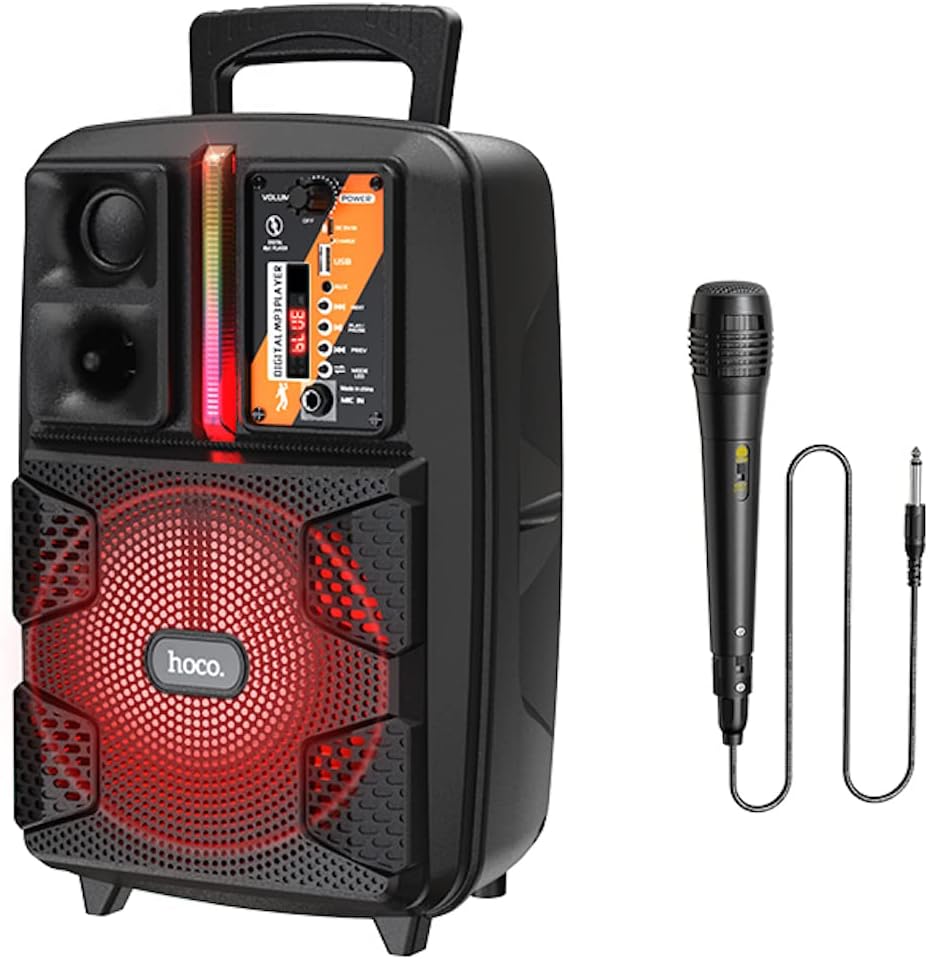
Image: The HOCO BS37 speaker shown with its included wired microphone.
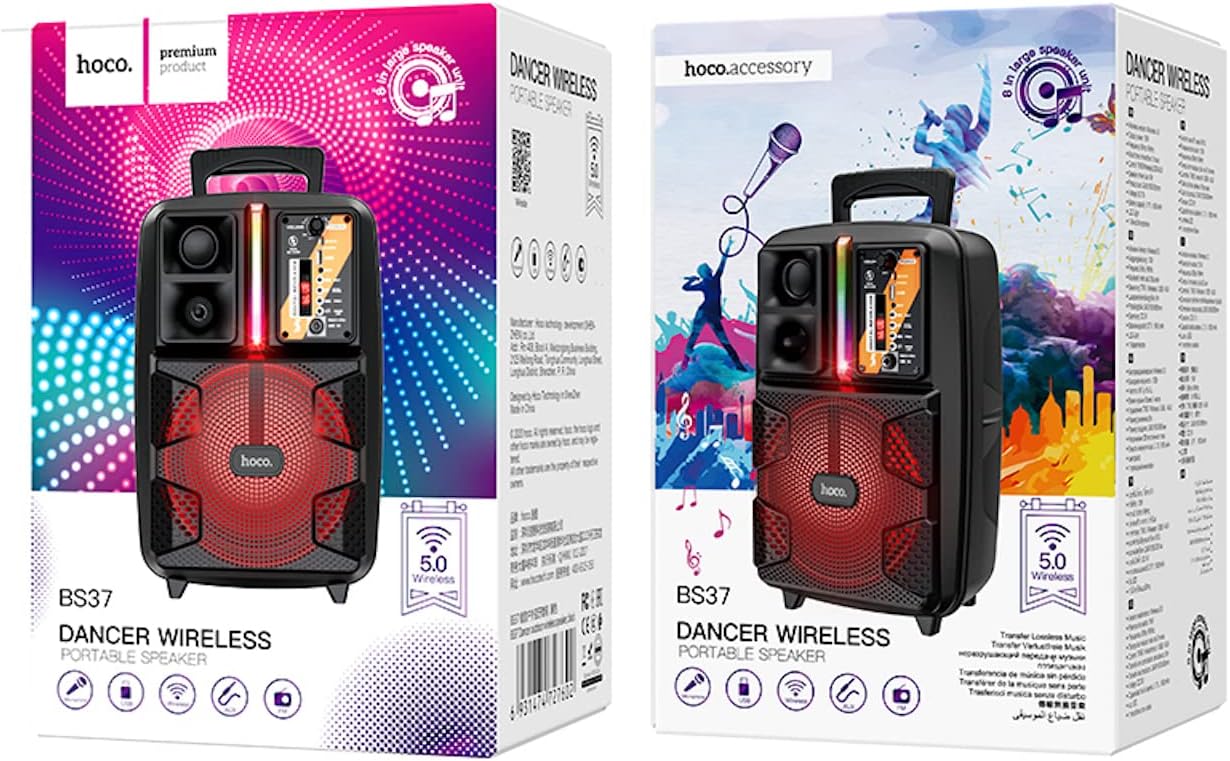
Image: The retail packaging for the HOCO BS37 Dancer Outdoor Wireless Speaker.
3. Prodott Aktarview
The HOCO BS37 speaker features an 8-inch speaker unit and a control panel for various functions. Familiarize yourself with the layout of the speaker's controls and ports.

Immaġni: Dettaljata view of the HOCO BS37 speaker's control panel, showing volume knob, power switch, USB port, AUX input, microphone input, and mode selection buttons.
Karatteristiċi tal-Panew tal-Kontroll:
- Buttuna tal-VOLUM: Adjusts the overall speaker volume.
- Swiċċ POWER: Ixgħel jew jitfi l-kelliem.
- DC 5V IN: Port tal-iċċarġjar għall-ispiker.
- Port USB: Għall-plejbek ta' flash drive tal-USB.
- AUX IN: Input awdjo ta' 3.5mm għal apparati esterni.
- MIC IN: Input ta' 6.35mm għall-mikrofonu bil-fili.
- Buttuna MODE: Switches between Bluetooth, FM, USB, and AUX modes.
- Buttuna PLAY/PAUSE: Jdoqq jew iwaqqaf id-daqq tal-awdjo.
- Buttuni PREĊEDENTI/LI JMISS: Jaqbeż għat-trakka/stazzjon ta' qabel jew li jmiss.
- Swiċċ tad-Dawl: Controls the independent colored lights.
4. Setup
4.1 Iċċarġjar inizjali
Before first use, fully charge the speaker. Connect the provided charging cable to the DC 5V IN port on the speaker and the other end to a suitable USB power adapter (not included). The charging time is approximately 2.5 hours.
4.2 Tixgħel/Jitfi
Biex tixgħel l-ispiker, żżerżaq il- QAWWA switch to the "ON" position. To power off, slide it to the "OFF" position.
5. Istruzzjonijiet Operattivi
5.1 Tqabbil tal-Bluetooth
- Turn on the speaker. It will automatically enter Bluetooth pairing mode, indicated by an audible prompt or flashing indicator light.
- Ippermetti l-Bluetooth fuq l-apparat mobbli tiegħek (smartphone, tablet, eċċ.).
- Fittex għal "HOCO BS37" in the list of available Bluetooth devices.
- Select "HOCO BS37" to connect. Once connected, you will hear a confirmation sound.
The speaker supports Bluetooth V5.0 for stable and efficient wireless connection.
5.2 TWS (True Wireless Stereo) Interconnection
To connect two HOCO BS37 speakers for a stereo sound experience:
- Ensure both HOCO BS37 speakers are powered on and not connected to any Bluetooth device.
- Fuq wieħed mill-ispikers (dan se jkun l-ispiker primarju), agħfas u żomm il-buttuna MODALITÀ button or a dedicated TWS button (if available, refer to specific button labels on your device) until you hear a pairing prompt.
- The two speakers will attempt to connect to each other. Once successfully paired, you will hear a confirmation sound.
- Issa, qabbad l-apparat mobbli tiegħek mal-ispiker primarju permezz tal-Bluetooth kif deskritt fit-taqsima 5.1. L-awdjo se jindaqq stereo permezz taż-żewġ kelliema.
5.3 Modalità tar-Radju FM
- Agħfas il- MODALITÀ button repeatedly until you enter FM radio mode.
- Agħfas il- DĦABBA/PAWŻA Agħfas il-buttuna darba biex tiskennja u ssalva awtomatikament l-istazzjonijiet FM disponibbli.
- Uża l- PREV u LI JMISS buttuni biex tinnaviga bejn l-istazzjonijiet salvati.
5.4 Daqq tal-USB
- Daħħal flash drive USB li fih awdjo MP3 files fil- Port USB.
- The speaker will automatically switch to USB mode and begin playing audio. If not, press the MODALITÀ buttuna biex tagħżel il-modalità USB.
- Uża l- DĦABBA/PAWŻA, PREV, u LI JMISS buttuni biex jikkontrollaw daqq.
5.5 Modalità AUX
- Qabbad apparat awdjo estern (eż., MP3 player, laptop) mal- KAJN IN port bl-użu ta' kejbil awdjo ta' 3.5mm (mhux inkluż).
- Agħfas il- MODALITÀ buttuna biex tagħżel il-modalità AUX.
- Ikkontrolla l-plejbek mill-apparat estern konness tiegħek.

Image: The HOCO BS37 speaker highlighting its multiple playback options: Bluetooth, USB, and AUX.
5.6 Użu tal-Mikrofonu (Karaoke)
- Qabbad il-mikrofonu bil-fili mal- MIC FI port fuq l-ispiker.
- Kun żgur li s-swiċċ ON/OFF tal-mikrofonu jkun fil-pożizzjoni "ON".
- Adjust the main VOLUM knob on the speaker to control the microphone's output level.
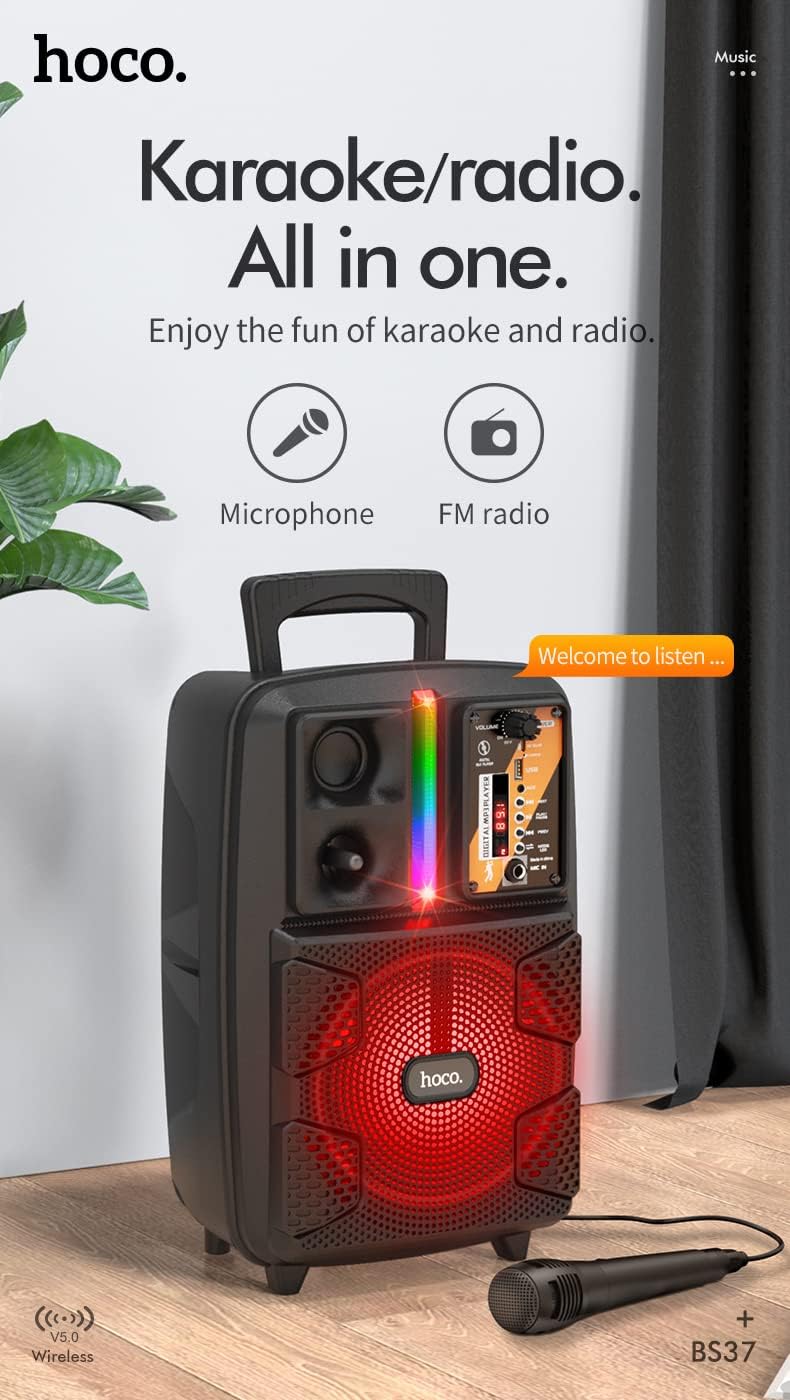
Image: The HOCO BS37 speaker with the wired microphone connected, illustrating its karaoke and radio capabilities.
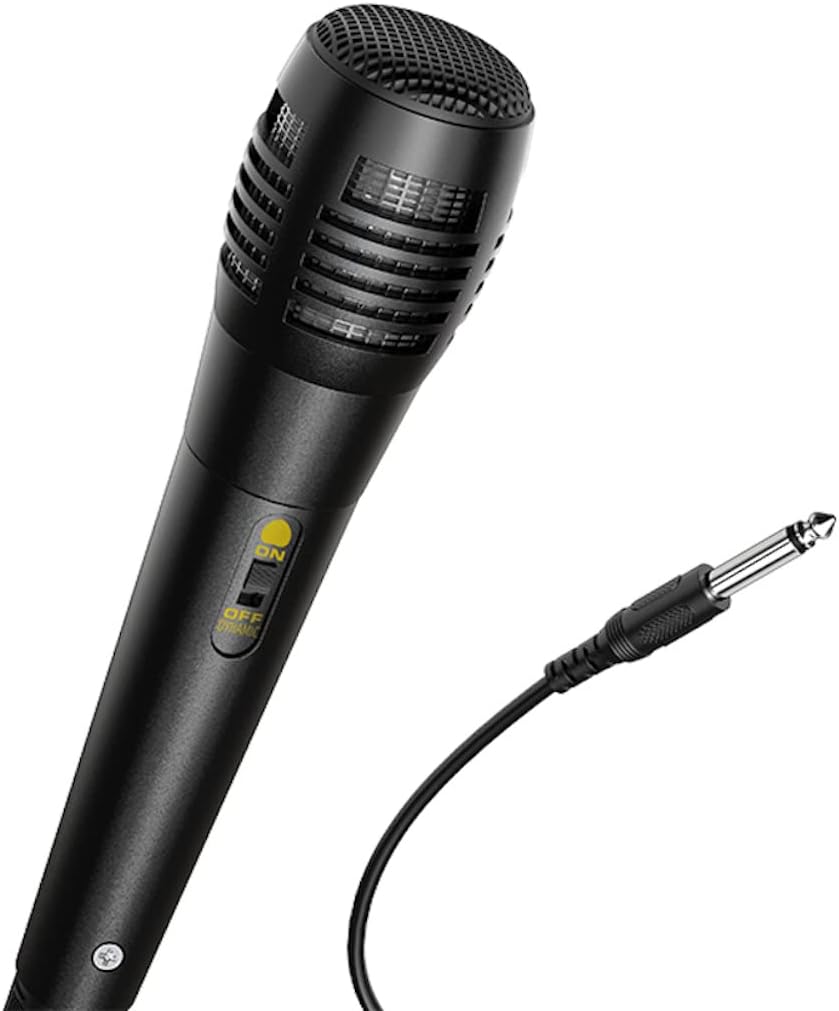
Immaġni: Close-up view of the wired microphone included with the HOCO BS37 speaker, showing its ON/OFF switch and connector.
5.7 Effetti tad-Dawl
The speaker features independent colored lights. Use the dedicated Swiċċ tad-Dawl on the control panel to turn the lights ON or OFF, or to cycle through different light modes (if applicable).

Image: The HOCO BS37 speaker displaying its colorful breathing light effects.
6. Iċċarġja l-Ispeaker
When the battery is low, the speaker may indicate this with an audible prompt or a flashing indicator light. To charge:
- Qabbad il-kejbil tal-iċċarġjar mal- DC 5V IN port fuq l-ispiker.
- Connect the other end of the charging cable to a standard USB power source (e.g., wall adapter, computer USB port).
- The charging indicator light will illuminate. Once fully charged (approximately 2.5 hours), the indicator light may change or turn off.
A full charge provides approximately 3 hours of music playback at 80% volume.
7. Manutenzjoni
- Naddaf l-ispiker b'ċarruta ratba u niexfa. Tużax prodotti tat-tindif jew solventi li joborxu.
- Żomm l-ispiker 'il bogħod mill-ilma, l-umdità, u temperaturi estremi.
- Aħżen l-ispiker f'post frisk u niexef meta ma jkunx qed jintuża għal perjodi twal.
- Evita li twaqqa’ jew tissuġġetta lill-kelliem għal impatti qawwija.
8 Issolvi l-problemi
| Problema | Kawża Possibbli | Soluzzjoni |
|---|---|---|
| L-ispeaker ma jixgħelx. | Il-batterija hija eżawrita. | Iċċarġja l-ispiker għal mill-inqas 30 minuta. |
| Ma tistax tqabbad permezz tal-Bluetooth. | L-ispiker mhux fil-modalità ta' tqabbil; il-Bluetooth huwa mitfi fuq l-apparat; l-apparat huwa 'l bogħod wisq. | Ensure speaker is in pairing mode. Turn Bluetooth off/on on your device. Move device closer to speaker (within 10 meters). |
| L-ebda ħoss mill-ispiker. | Volume is too low; incorrect mode selected; cable not connected properly. | Żid il-volum tal-ispiker u tal-apparat. Agħfas MODALITÀ button to select correct input. Check all cable connections. |
| Il-mikrofonu mhux qed jaħdem. | Microphone switch is off; not plugged in correctly. | Ensure microphone switch is ON. Plug microphone firmly into MIC FI port. |
9. Speċifikazzjonijiet
| Mudell | BS37 Dancer |
| Unità tal-Ispeaker | 8 inch, 2Ω10W |
| Dimensjonijiet (L x W x H) | 367 x 243 x 196 mm (14.45 x 9.57 x 7.72 pulzieri) |
| Piż | 1.9 KG (4.19 lbs) |
| Verżjoni Bluetooth | V5.0 (Blue trum 5322) |
| Kapaċità tal-batterija | 1800mAh (A grade 18650) |
| Ħin ta 'Daqq tal-Mużika | Madwar 3 sigħat (b'volum ta' 80%) |
| Ħin tal-Iċċarġjar | Madwar sagħtejn |
| Għażliet ta' Konnettività | Bluetooth, TWS, FM Radio, USB, AUX |
| Aċċessorji Inklużi | Mikrofonu bil-fili |
| Apparati Kompatibbli | Desktop, Laptop, MP3 Player, Smartphone, Tablet |
10. Informazzjoni dwar is-Sigurtà
- Do not expose the speaker to rain or moisture to prevent electric shock or fire.
- Tiżżarmax, issewwiex, jew timmodifikax l-apparat int stess. Irreferi kull manutenzjoni lil persunal kwalifikat.
- Avoid placing the speaker near heat sources, such as radiators, heat registers, stoves, or other apparatus that produce heat.
- Uża biss il-volum tal-iċċarġjar speċifikattage u kurrenti.
- Żomm fejn ma jintlaħaqx mit-tfal.
- Smigħ fit-tul f'livelli ta' volum għoli jista' jikkawża ħsara fis-smigħ.
11. Garanzija u Appoġġ
This product is covered by a limited warranty. Please refer to the warranty card included with your purchase or contact your local HOCO distributor for details regarding warranty terms and conditions.
For technical support or service inquiries, please contact the retailer where you purchased the product or visit the official HOCO websit għal informazzjoni ta' kuntatt.


