Introduzzjoni
This manual provides comprehensive instructions for the PHOINIKAS Q5S Wireless Gaming Headset. It covers setup, operation, maintenance, and troubleshooting to ensure optimal performance and longevity of your device. The Q5S headset offers a versatile gaming experience with 2.4GHz wireless connectivity and a 3.5mm wired mode, featuring 7.1 stereo sound and a detachable noise-canceling microphone.

An fuqview of the PHOINIKAS Q5S wireless gaming headset, showcasing its design, detachable microphone, and the included 2.4GHz USB dongle.
Kontenut tal-Pakkett
Jekk jogħġbok ivverifika li l-oġġetti kollha huma preżenti fil-pakkett:
- PHOINIKAS Q5S Wireless Gaming Headset
- 2.4GHz USB Wireless Transmitter
- Mikrofonu Omnidirezzjonali li Jinqala'
- Cable Awdjo 3.5mm
- Cable tal-Iċċarġjar tal-USB-C
- Manwal għall-Utent (dan id-dokument)
Prodott Overview u Kontrolli
Familiarize yourself with the headset's components and control functions.

A visual guide to the control buttons and ports on the PHOINIKAS Q5S headset.
- Power / Pairing Mode Button: Press and hold to power on/off. Short press to enter pairing mode.
- 7.1 Sound Button: Toggle 7.1 virtual surround sound on/off.
- Buttuna mixgħul/mitfi tad-dawl: Control headset LED lighting.
- Mic On/Off Button: Iċċekkja jew ittella' l-mikrofonu.
- Rota tal-Aġġustament tal-Volum: Rotate to increase or decrease audio volume.
- 3.5mm Wired Interface: Għal konnessjoni awdjo bil-fili.
- External Microphone Interface: Port for attaching the detachable microphone.
- Port tal-Iċċarġjar tat-Tip C: Għall-iċċarġjar tal-batterija tal-headset.
Setup
1. Wireless Connection (2.4GHz USB Dongle)
The 2.4GHz wireless mode provides a low-latency connection for compatible devices.

A dettaljata view of the 2.4GHz USB dongle, which provides a stable wireless connection with less than 25ms latency.
- Ensure Headset is Charged: Before first use, fully charge the headset using the provided USB-C cable.
- Remove 3.5mm Cable: For wireless operation, ensure the 3.5mm audio cable is disconnected from the headset.
- Insert USB Transmitter: Plug the 2.4GHz USB wireless transmitter into an available USB port on your PC, PS4, PS5, or Nintendo Switch console.
- Ixgħel il-Headset: Press and hold the Power button on the headset until the indicator light illuminates. The headset will automatically attempt to pair with the USB transmitter.
- Konferma tat-Tqabbil: A solid indicator light on both the headset and transmitter confirms a successful connection.
Nota: When using with Nintendo Switch in wireless mode, audio will function, but the microphone is not supported.
2. Konnessjoni bil-wajer (Kejbil tal-awdjo ta' 3.5mm)
For devices that do not support 2.4GHz wireless or for a direct audio connection.
- Connect 3.5mm Cable: Plug one end of the 3.5mm audio cable into the 3.5mm Wired Interface on the headset and the other end into the audio jack of your device (e.g., Xbox controller, PC, mobile phone).
- Power Off Headset (Optional): The headset can be used in wired mode even when powered off, conserving battery.
Istruzzjonijiet Operattivi
Qawwa mixgħul/mitfi
- Biex Tixgħel: Agħfas u żomm il-buttuna tal-Power għal madwar 3 sekondi sakemm id-dawl indikatur jixgħel.
- Biex Tifi: Agħfas u żomm il-buttuna tal-Power għal madwar 3 sekondi sakemm id-dawl indikatur jintefa.
Ħoss Stereo 7.1
Activate the 7.1 virtual surround sound for an immersive audio experience.

This image emphasizes the headset's advanced audio technology, featuring 7.1 stereo sound and 40mm drivers for immersive 3D surround sound.
- Activate 7.1 Sound: Short press the 7.1 Sound button to enable or disable the 7.1 virtual surround sound feature.
Użu tal-mikrofonu
The headset features a detachable omnidirectional microphone with noise-canceling capabilities.
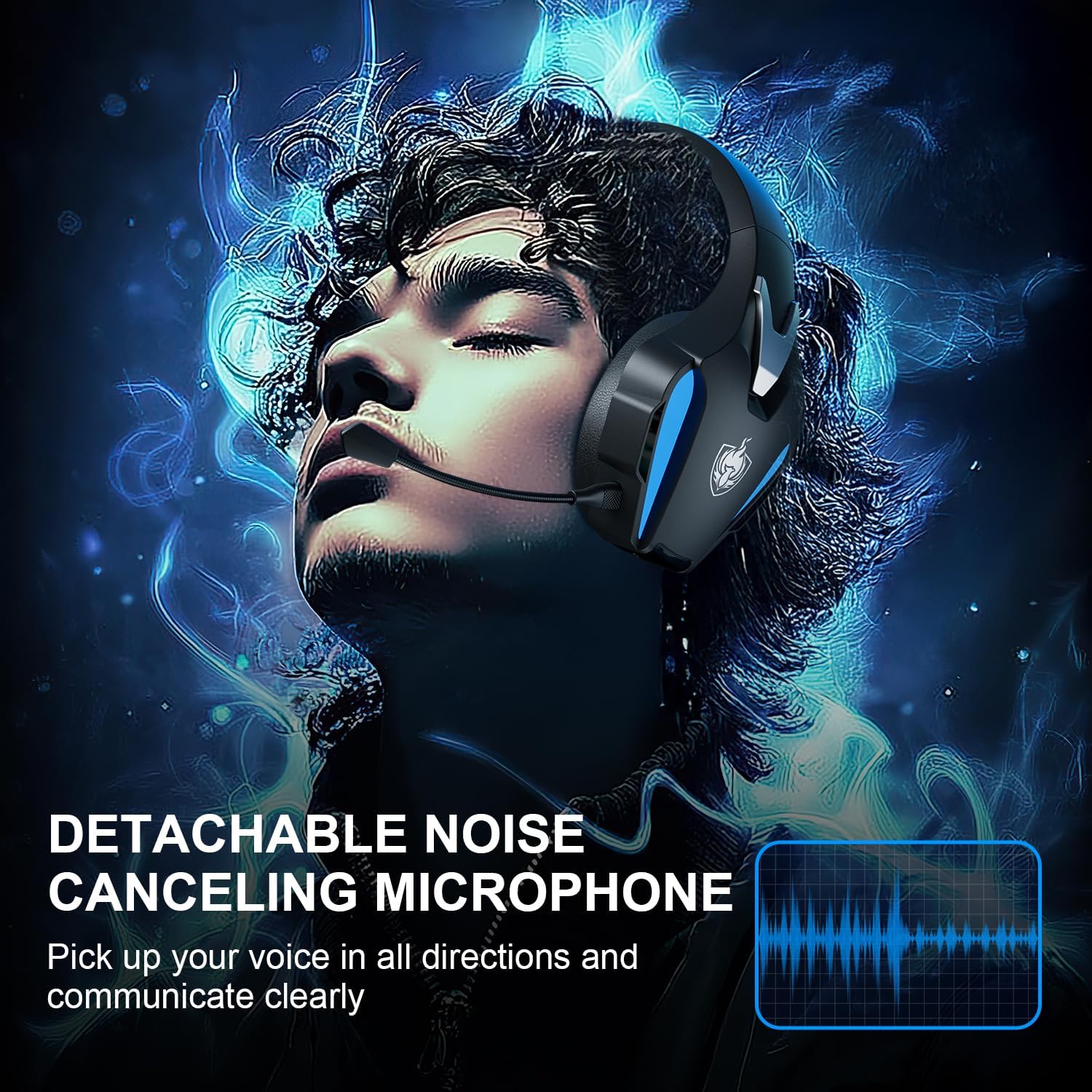
The image showcases the flexible, detachable omnidirectional microphone, designed with high-end noise-canceling features for clear voice communication during gameplay.
- Waħħal il-Mikrofonu: Insert the microphone into the External Microphone Interface until it clicks into place.
- Aġġusta l-Mikrofonu: Bend the flexible microphone arm to position it optimally for your voice.
- Ixekkel/Ixekkel: Press the Mic On/Off button to toggle microphone mute.
Nota: The microphone function is not available when the headset is connected wirelessly to a Nintendo Switch.
Aġġustament tal-Volum
- Rotate the Volume Adjustment Wheel up to increase volume and down to decrease volume.
Iċċarġjar
The headset is equipped with a 1200mAh battery for extended use.

The headset is shown with an indication of its 1200mAh battery capacity, providing up to 40 hours of usage on a single charge, with fast USB-C charging.
- Ikkonnettja l-Ċarġer: Use the provided USB-C charging cable to connect the headset's Type-C Charging Port to a USB power source.
- Indikatur tal-Iċċarġjar: The headset's LED indicator will show charging status (e.g., red for charging, off or blue for fully charged, depending on model specifics).
- Ħin tal-Iċċarġjar: Ċarġ sħiħ tipikament jieħu 2.5-3 sigħat.
- Ħajja tal-batterija: A full charge provides up to 40 hours of usage, though actual battery life may vary based on volume levels and LED lighting usage.
Kompatibilità
The PHOINIKAS Q5S headset offers broad compatibility across various gaming platforms.

This image illustrates the headset's dual connection modes (2.4GHz wireless and 3.5mm wired) and its compatibility with platforms like PS4, PS5, PC, Switch, and other 3.5mm interface devices. It also highlights incompatibilities.
- Modalità bla fili 2.4GHz: Compatible with PC, PS4, PS5, and Nintendo Switch (audio only).
- 3.5mm Modalità bil-fili: Compatible with any device featuring a 3.5mm audio jack, including Xbox Series controllers, PC, mobile phones, and tablets.
Noti Importanti dwar il-Kompatibilità:
- The headset is MHUX compatible with Xbox consoles in wireless mode.
- The microphone function is MHUX compatible when connected wirelessly to a Nintendo Switch.
- Bluetooth connectivity is MHUX supported by this headset.
Manutenzjoni
Kura xierqa tiżgura l-lonġevità u l-prestazzjoni tal-headset tiegħek.

This image highlights the ergonomic design of the headset, featuring breathable ear cups made from high-protein material for comfort during extended use and effective noise isolation.
- Tindif: Use a soft, dry cloth to wipe the headset. For ear cups, a slightly damp Jista' jintuża drapp, imma kun żgur li ma tidħolx umdità fil-gradilji tal-ispikers. Tużax kimiċi ħarxa jew prodotti tat-tindif li joborxu.
- Ħażna: Aħżen il-headset f'post frisk u niexef 'il bogħod mix-xemx diretta u minn temperaturi estremi. Evita li tpoġġi oġġetti tqal fuq il-headset.
- Kura tal-Cable: Evita liwjiet qawwija jew ġbid eċċessiv tal-kejbils biex tevita l-ħsara.
- Kura tal-batterija: For optimal battery life, avoid fully discharging the headset frequently. Charge it regularly, even if not in use for extended periods.
Issolvi l-problemi
Jekk tiltaqa' ma' problemi bil-headset tiegħek, irreferi għall-problemi u s-soluzzjonijiet komuni li ġejjin:
- L-ebda ħoss fil-Modalità Wireless:
- Kun żgur li l-headset huwa mixgħul u ċċarġjat kompletament.
- Verify the 2.4GHz USB transmitter is securely plugged into the device.
- Confirm the headset is successfully paired with the transmitter (solid indicator light).
- Iċċekkja l-livelli tal-volum kemm fuq il-headset kif ukoll fuq l-apparat konness.
- Ensure the 3.5mm audio cable is disconnected from the headset when using wireless mode.
- Mikrofonu Mhux Jaħdem:
- Kun żgur li l-mikrofonu huwa mwaħħal sew mal-headset.
- Check that the microphone is not muted (Mic On/Off button).
- Verify microphone settings on your connected device (e.g., PC sound settings, console audio input).
- Remember the microphone is not supported in wireless mode with Nintendo Switch.
- Headset Mhux Tqabbil:
- Ensure both the headset and USB transmitter are powered on.
- Ipprova erġa' ibda kemm il-headset kif ukoll l-apparat konness.
- Kun żgur li l-ebda apparat ieħor mingħajr fili ma qed jikkawża interferenza.
- Ħajja Qasira tal-Batterija:
- Ensure the headset is fully charged (2.5-3 hours).
- Reduce volume levels and turn off LED lighting to conserve battery.
- Il-prestazzjoni tal-batterija tista' tiddegrada maż-żmien b'użu estensiv.
Speċifikazzjonijiet
Key technical specifications for the PHOINIKAS Q5S Wireless Gaming Headset:
| Karatteristika | Speċifikazzjoni |
|---|---|
| Mudell | Q5S |
| Konnettività | 2.4GHz Wireless, 3.5mm Wired |
| Sewwieqa tal-Awdjo | Sewwieqa dinamiċi 40mm |
| Karatteristiċi tal-Ħoss | 7.1 Stereo Sound, 3D Surround |
| Latenza bla fili | Inqas minn 25ms |
| Mikrofonu | Detachable Omnidirectional, Noise-Canceling |
| Kapaċità tal-batterija | 1200mAh |
| Ħajja tal-batterija | Sa 40 sigħat (tvarja skont l-użu) |
| Ħin tal-Iċċarġjar | Madwar 2.5-3 sigħat |
| Port tal-Iċċarġjar | USB-C |
| Piż | 12.3 uqija (madwar 348g) |
| Tqegħid tal-widnejn | Fuq il-widna |
| Materjal | Plastic, High-Protein Earmuffs |
Garanzija u Appoġġ
PHOINIKAS products are designed for reliability and performance. For warranty information, technical support, or any inquiries regarding your Q5S Wireless Gaming Headset, please refer to the contact details provided on the product packaging or the official PHOINIKAS websit. Żomm l-irċevuta tax-xiri tiegħek bħala prova tax-xiri għal talbiet ta' garanzija.


