1. Introduzzjoni
The Xiaomi Mi Air Purifier 3C is designed to provide clean and healthy air in your home. Featuring a high-efficiency True HEPA filter, it effectively removes fine particles and common pollutants from your breathing space. This manual provides essential information for setting up, operating, and maintaining your air purifier to ensure optimal performance.

Figure 1: Xiaomi Mi Air Purifier 3C. This image shows the sleek, white, rectangular air purifier with a digital display on the front.
The Mi Air Purifier 3C achieves a PM CADR of 11301 ft³/h, delivering 5330 liters of purified air per minute. Its precision sensors monitor current air quality, allowing for real-time adjustments to maintain optimal purification. The advanced triple-layer filtration system, consisting of a primary filter, high-efficiency filter, and activated carbon layer, is highly effective against PM2.5, smoke, pollen, cooking odors, and other pollutants as small as 0.3 microns.
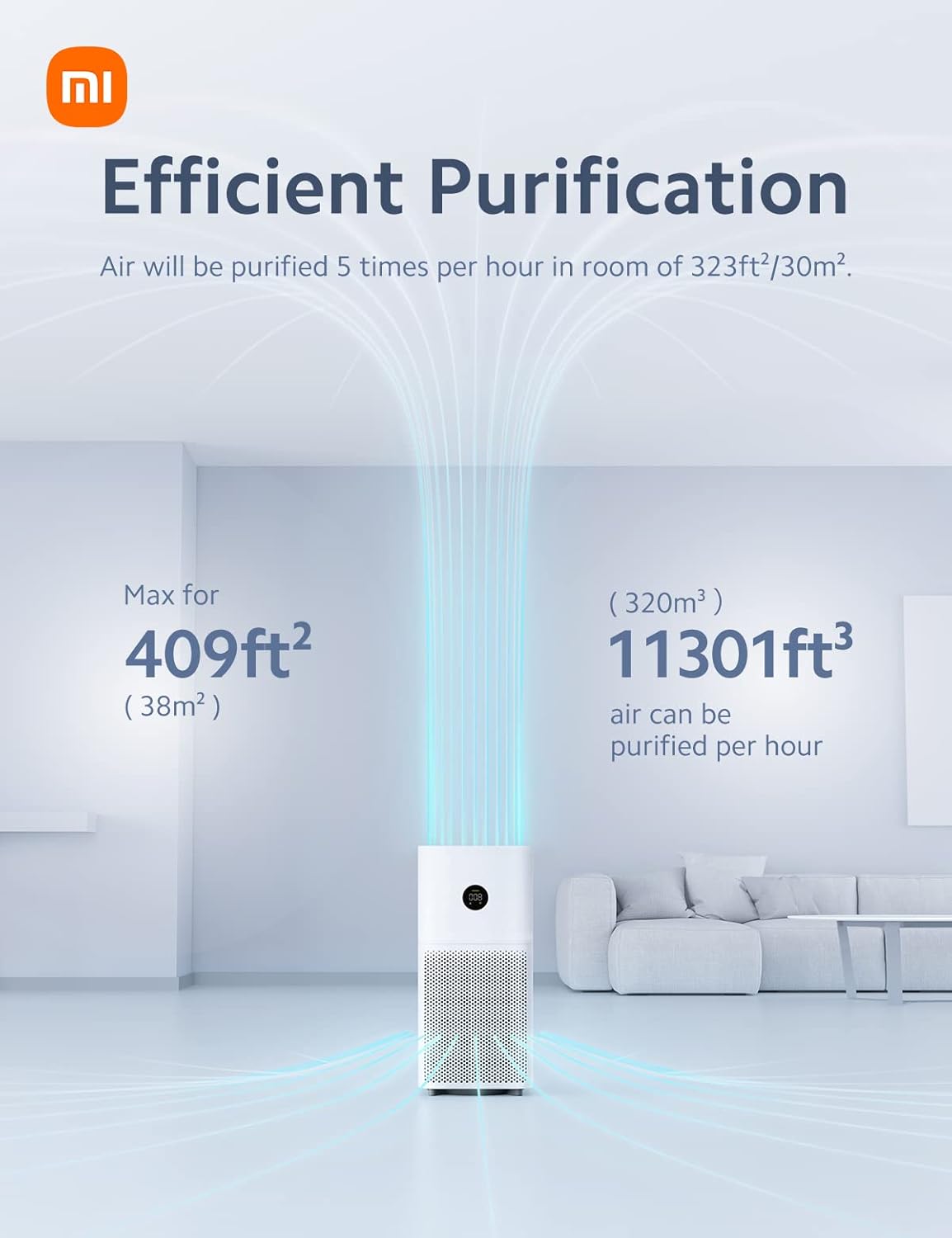
Figure 2: Efficient Purification. This diagram illustrates the air purification process, showing air being drawn into the bottom of the unit and clean air being expelled from the top, indicating coverage for up to 409 sq ft.
2. Kontenut tal-Pakkett
Carefully unpack your Mi Air Purifier 3C and ensure all items are present. If any components are missing or damaged, please contact customer support.
- Mi Air Purifier 3C Unit x 1
- Filter x 1 (pre-installed or separate)
- Manwal għall-Utent x 1
- Korda tal-Enerġija x 1

Figure 3: Package Contents. This illustration shows the main air purifier unit, a cylindrical filter, and a small user manual booklet.
3. Istruzzjonijiet ta' Setup
- Iftaħ il-Purifikatur mill-pakkett: Remove the air purifier from its packaging and place it on a flat, stable surface. Ensure there is adequate space around the unit for proper airflow (at least 20 cm from walls or other objects).
- Installa l-Filtru:
- Iftaħ l-għatu tal-kompartiment tal-filtru, li ġeneralment ikun jinsab fuq wara jew fil-qiegħ tal-unità.
- Remove the new filter from its protective plastic packaging.
- Daħħal il-filtru fil-kompartiment, waqt li tiżgura li jkun imqiegħed sew.
- Agħlaq l-għatu tal-kompartiment tal-filtru sew.
- Qabbad l-Enerġija: Plug the power cord into the power port on the air purifier, then plug the other end into a suitable electrical outlet.
- Qawwa Inizjali Mixgħula: Press the power button on the unit to turn it on. The LED display will illuminate, and the purifier will begin operating.

Figure 4: Triple-Layer Filtration. This image illustrates the three distinct layers of the air filter: a primary filter, a high-efficiency filter, and an activated carbon layer, designed to capture various particle sizes.
5. Kif Tħaddem il-Purifikatur tal-Arja Tiegħek
5.1. Digital LED Display
The Mi Air Purifier 3C features a large digital LED display that provides real-time information about your indoor air quality and current operating status.
- Valur tal-PM2.5: Displays the concentration of fine particulate matter in µg/m³.
- Indikatur tal-Modalità: Shows the current operating mode (Auto, Sleep, Manual).
- Status tal-Wi-Fi: Indicates network connectivity.
- Status Light Ring: A tri-color light ring provides a quick visual reference of air quality:
- Green: Fresh and clean air
- Orange: Mild/moderate pollution
- Red: High pollution

Figure 5: LED Display. This image shows the circular LED display on the air purifier, indicating PM2.5 levels, operating mode icons (Auto, Sleep, Manual), Wi-Fi status, and a color-coded ring for air quality.
5.2. Modi Operattivi
- Modalità Awtomatika: The purifier automatically adjusts its fan speed based on the detected air quality. This mode silently purifies until impurities are detected, then ramps up speed as needed.
- Modalità Sleep: Reduces operating noise levels to a whisper-quiet 31 dB, making it ideal for bedrooms or nurseries. The display brightness is also reduced.
- Modalità Manwali: Allows you to manually select the desired fan speed or purification level.
5.3. Smart Control (Mi Home App & Voice Control)
The Mi Air Purifier 3C connects to your home Wi-Fi network, enabling smart control via the Mi Home/Xiaomi Home app and AI voice assistants.
- Mi Home/Xiaomi Home App: Download the app from your smartphone's app store. Follow the in-app instructions to connect your air purifier. The app allows you to:
- Monitor real-time air quality remotely.
- Change operating modes and fan speeds.
- Issettja skedi għall-operazzjoni.
- Irċievi tfakkiriet dwar is-sostituzzjoni tal-filtri.
- Kontroll tal-Vuċi bl-AI: The purifier supports Google Assistant and Amazon Alexa. Once connected through the Mi Home app, you can use voice commands to control the device (e.g., "Alexa, turn off the air purifier," "Ok Google, turn on the air purifier").
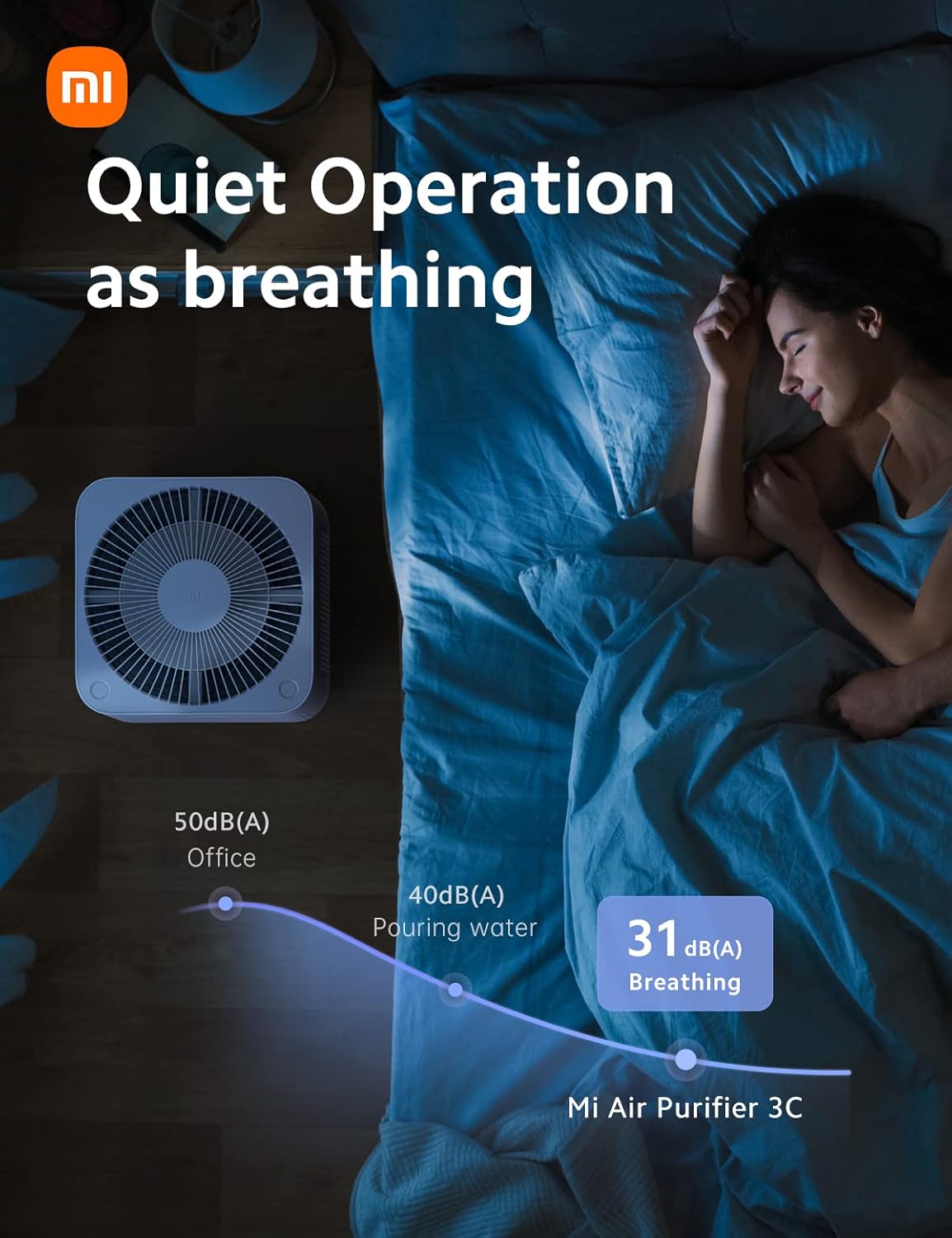
Figure 6: Smart Control. This image shows a hand holding a smartphone displaying the Mi Home app interface, with icons for Google Assistant and Alexa, demonstrating remote control capabilities.
6. Manutenzjoni
6.1. Sostituzzjoni tal-Filtru
The filter core should be replaced every 6-12 months, depending on usage and air quality. The Mi Home app will notify you when a replacement is due.
- Itfi: Aqla 'l-purifikatur ta' l-arja mill-iżbokk tad-dawl.
- Kompartiment Miftuħ: Iftaħ l-għatu tal-kompartiment tal-filtru.
- Neħħi l-Filtru l-Qadim: Carefully pull out the old filter. Dispose of it according to local regulations.
- Installa Filtru Ġdid: Remove the new filter from its packaging and insert it into the compartment. Ensure it is properly seated.
- Close Cover & Power On: Close the filter compartment cover securely and plug the purifier back in. The filter life counter will reset automatically.
6.2. Tindif tal-Unità
- Barra: Imsaħ il-barra tal-purifikatur tal-arja b'artab, damp drapp. Tużax tindif jew solventi li joborxu.
- Dħul/Ħruġ tal-Arja: Periodically clean the air inlet and outlet grilles with a soft brush or vacuum cleaner to remove dust accumulation.
- Tindif tas-Sensor: The PM2.5 sensor may require occasional cleaning. Refer to the full user manual for detailed instructions on accessing and cleaning the sensor.
7 Issolvi l-problemi
If you encounter issues with your Mi Air Purifier 3C, refer to the following common problems and solutions:
| Problema | Kawża Possibbli | Soluzzjoni |
|---|---|---|
| Purifier does not turn on. | L-ebda provvista tal-enerġija; il-korda tal-enerġija maħlula. | Ensure the power cord is securely plugged into both the unit and the wall outlet. Check if the outlet has power. |
| Effett ta 'purifikazzjoni fqir. | Filter is dirty or expired; air inlets/outlets blocked. | Replace the filter. Clean any obstructions from the air inlets and outlets. |
| Storbju anormali waqt it-tħaddim. | Foreign object inside; unit not on a flat surface. | Power off and unplug the unit. Check for any foreign objects. Ensure the unit is placed on a stable, flat surface. |
| Problemi bil-konnessjoni tal-Wi-Fi. | Incorrect Wi-Fi password; router too far; network interference. | Verify Wi-Fi password. Move purifier closer to router. Restart router and purifier. |
For more detailed troubleshooting or persistent issues, please refer to the complete user manual or contact customer support.
8. Speċifikazzjonijiet
| Karatteristika | Dettall |
|---|---|
| Numru tal-Mudell | AC-M14-SC |
| Dimensjonijiet tal-Prodott | 20.47 x 9.45 x 20.47 pulzier; 10 Liri |
| Qawwa Rated | 29 Watts |
| Żona Applikabbli | Up to 409 sq ft (38 m²) |
| PM CADR | 11301 ft³/h (188 CFM) |
| Livell ta' Storbju | As low as 31 dB (Sleep Mode) |
| Effiċjenza tal-Filtrazzjoni | 99.97% for 0.3 microns, 99.99% for 0.1 microns |
| Konnettività | Wi-Fi, Mi Home App, Google Assistant, Amazon Alexa |
| Iffiltra l-Ħajja | 6-12-il xahar (madwar) |
| Kulur | Abjad |
| Ċertifikazzjoni | Ċertifikat CARB |
9. Garanzija u Appoġġ
For detailed warranty information, please refer to the warranty card included with your product or the official Xiaomi websit. It-termini u l-kundizzjonijiet tal-garanzija jistgħu jvarjaw skont ir-reġjun.
If you require technical support or have questions not covered in this manual, please contact Xiaomi customer service. You can often find contact information on the official Xiaomi website or within the Mi Home app.
Manwal komprensiv għall-utent f'format PDF huwa wkoll disponibbli biex jitniżżel:
10. Informazzjoni Importanti
Ċaħda Legali
Statements regarding dietary supplements have not been evaluated by the FDA and are not intended to diagnose, treat, cure, or prevent any disease or health condition. This product is an air purifier and not a medical device.