1. Introduzzjoni
This manual provides essential information for setting up, operating, and maintaining your VIZIO 32-inch D-Series Full HD 1080p Smart TV (Model D32f4-J01). This television features a Full Array LED backlight for enhanced contrast and uniformity, brilliant 1080p Full HD resolution, and an ultra-fast VIZIO IQ processor. It supports immersive audio pass-through for Dolby Atmos and DTS:X. The D-Series also includes the V-Gaming Engine for optimized gaming performance and the SmartCast platform with built-in apps, Apple AirPlay 2, and Chromecast.
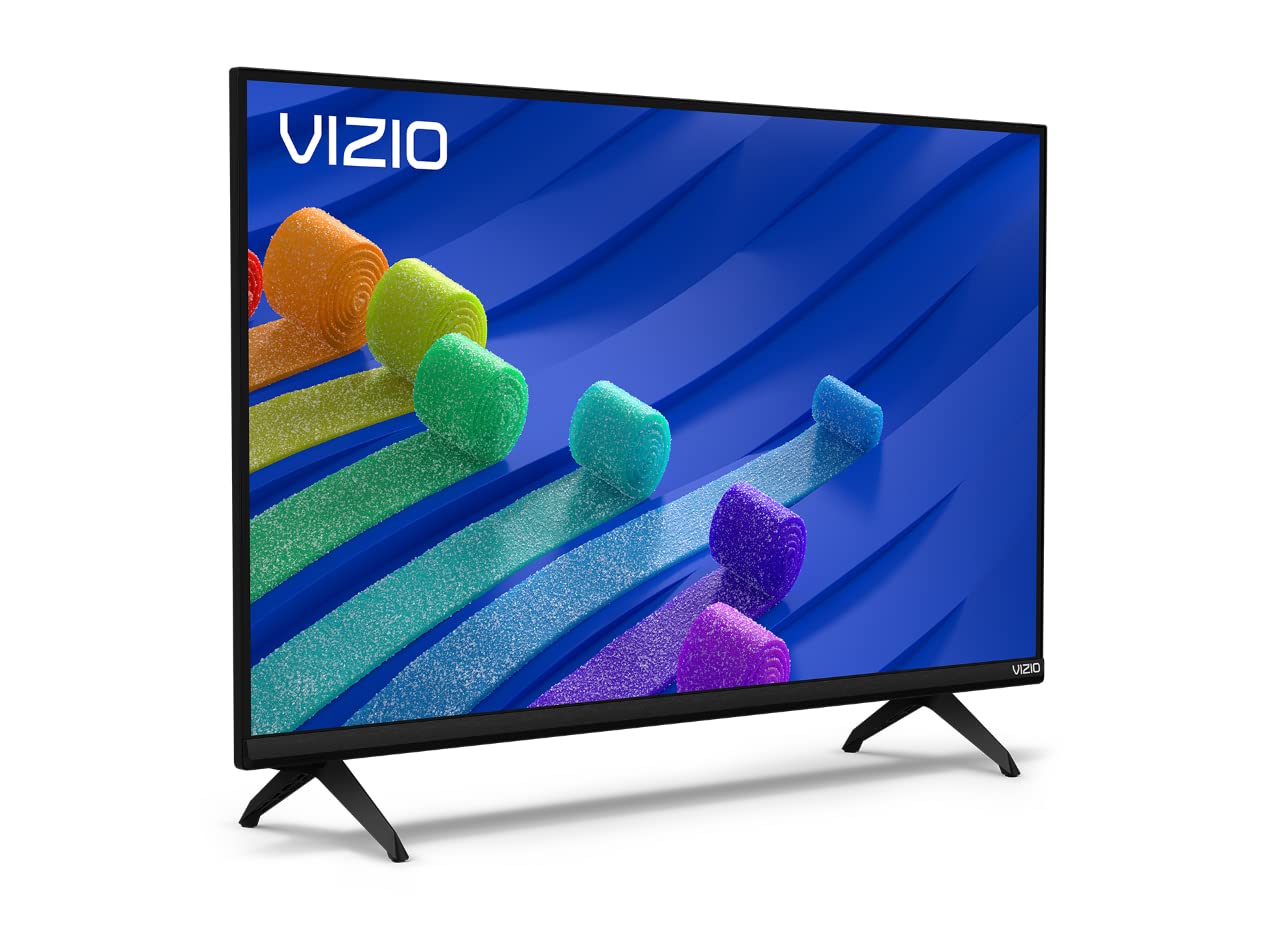
Figure 1: VIZIO 32-inch D-Series Full HD 1080p Smart TV.
2. X'hemm fil-Kaxxa
Upon unboxing your VIZIO D-Series TV, ensure all components are present:
- VIZIO D-Series Full HD Smart TV
- Kejbil tal-Enerġija
- Kontroll mill-bogħod
- TV Stand (2 feet)

Figure 2: Included accessories with your VIZIO D-Series TV.
3. Setup
3.1 Twaħħil tal-Istand tat-TV
If you plan to place your TV on a flat surface, attach the included stand feet. Ensure the TV is placed face down on a soft, clean surface to prevent screen damage.
- Carefully align each stand foot with the corresponding slots on the bottom of the TV.
- Secure each foot using the provided screws. Tighten firmly but do not overtighten.
Video 1: VIZIO D-Series Unboxing and Stand Assembly. This video demonstrates the unboxing process and how to attach the stand feet to your VIZIO D-Series TV.
3.2 Konnessjoni tal-Enerġija
Connect the power cable to the TV's power input and then to a wall outlet. The power cable is typically attached to the rear of the TV.
3.3 Setup Inizjali
Once powered on, follow the on-screen instructions to complete the initial setup, including language selection, network connection, and channel scanning.
4. Istruzzjonijiet Operattivi
4.1 Kontroll mill-Bogħod
The included remote control provides full functionality for navigating your VIZIO Smart TV. Insert the provided batteries into the remote control.

Figure 3: The VIZIO Mobile App can also serve as a remote control.
4.2 Navigazzjoni Bażika
- Qawwa: Press the power button on the remote or TV to turn the TV on/off.
- Input: Use the 'Input' button to switch between connected devices (HDMI, USB, etc.).
- Volum: Aġġusta l-volum billi tuża l-buttuni +/-.
- SmartCast Home: Press the 'Home' button to access the SmartCast platform.
5. SmartCast Features
VIZIO SmartCast provides instant access to a wide selection of built-in apps and streaming services.
5.1 Built-in Apps
Access popular streaming services like Netflix, Disney+, YouTube, HBO Max, and many more directly from your TV's home screen.

Figure 4: The VIZIO SmartCast platform offers a wide array of streaming applications.
5.2 WatchFree+
Enjoy free access to live TV and hundreds of free channels right out of the box with WatchFree+.

Figure 5: WatchFree+ provides free live TV and on-demand content.
5.3 Apple AirPlay 2 & Chromecast Built-in
Mirror content from your Apple or Android devices directly to your TV for seamless sharing of photos, videos, and apps.

Figure 6: Stream or mirror content using Apple AirPlay 2 and Chromecast.
5.4 Kompatibilità tal-Assistent tal-Vuċi
The VIZIO D-Series TV is compatible with popular voice assistants like Alexa, Google Assistant, and Apple HomeKit, allowing for convenient voice control.

Figure 7: VIZIO D-Series TVs integrate with various smart home ecosystems.
6. Karatteristiċi tal-Logħob
The VIZIO D-Series is equipped with the V-Gaming Engine to enhance your gaming experience.
- V-Gaming Engine: Automatically optimizes picture mode for gaming.
- Variable Refresh Rate (VRR) with AMD FreeSync: Ensures smooth, tear-free gameplay.
- Modalità tal-Logħob Awtomatika: Reduces input lag for more responsive gaming.
Video 2: VIZIO V-Gaming Engine. This video highlights the gaming features of VIZIO TVs, including low input lag and Auto Game Mode.

Figure 8: VIZIO Gaming TVs offer features like Auto Game Mode and low input lag.
7. Konnettività
Your VIZIO D-Series TV offers various ports for connecting external devices.
- Portijiet HDMI: Connect high-definition devices such as gaming consoles, Blu-ray players, and cable boxes.
- Port USB: Għall-daqq tal-midja minn drives USB.
- Input tal-Antenna/Kejbil: Għall-konnessjoni ta' antenna jew TV bil-kejbil.
- Input Kompost: Għal apparati eqdem li jużaw kejbils RCA.
- Output Awdjo: Għall-konnessjoni ta' sistemi awdjo esterni.

Figure 9: Rear panel connectivity options.
8. Manutenzjoni
To ensure the longevity and optimal performance of your VIZIO TV, follow these maintenance guidelines:
- Tindif tal-iskrin: Imsaħ l-iskrin bil-mod b'ċarruta ratba u mingħajr suf. Għal marki iebsa, uża soluzzjoni tat-tindif speċifika għall-iskrin applikata fuq iċ-ċarruta, mhux direttament fuq l-iskrin.
- Tindif tal-Kabinett: Use a soft, dry cloth to clean the TV cabinet. Avoid abrasive cleaners or solvents.
- Ventilazzjoni: Kun żgur li l-fetħiet tal-ventilazzjoni tat-TV mhumiex imblukkati biex tevita li jisħon iżżejjed.
- Korda tal-Enerġija: Iċċekkja l-korda tal-enerġija regolarment għal xi ħsara. Tużax korda bil-ħsara.
9 Issolvi l-problemi
If you encounter issues with your VIZIO D-Series TV, refer to the following common solutions:
- Ebda Qawwa: Kun żgur li l-kejbil tal-enerġija huwa konness sew kemm mat-TV kif ukoll ma' sokit tal-ħajt li jaħdem. Ipprova sokit differenti.
- Ebda Stampa/Ħoss: Verify the correct input source is selected. Check all cable connections (HDMI, antenna, etc.) are secure.
- Remote Mhux Taħdem: Ibdel il-batteriji fir-remote control. Kun żgur li m'hemm l-ebda ostaklu bejn ir-remote u s-sensor IR tat-TV.
- Kwistjonijiet ta' Konnessjoni man-Netwerk: Restart your router and modem. Check the TV's network settings to ensure it's connected to the correct Wi-Fi network.
- Kwistjonijiet ta' Kwalità tal-Istampa: Aġġusta s-settings tal-istampa (luminożità, kuntrast, ċarezza) fil-menù tat-TV. Kun żgur li s-sors tal-kontenut huwa ta’ kwalità għolja.
10. Speċifikazzjonijiet
| Karatteristika | Dettall |
|---|---|
| Brand | VIZIO |
| Numru tal-Mudell | D32F4-J01 |
| Daqs tal-Iskrin | 32 pulzieri |
| Teknoloġija tal-Wiri | LCD with Full Array LED Backlight |
| Riżoluzzjoni | Full HD ta '1080p |
| Riffriskar Rata | 60 Hz |
| Karatteristiċi Speċjali | Flat, SmartCast, Apple AirPlay 2, Chromecast Built-in, Alexa Compatibility, V-Gaming Engine, IQ Picture Processor |
| Teknoloġija tal-Konnettività | HDMI, USB |
| Servizzi tal-Internet Appoġġjati | Apple TV+, Crackle, Discovery+, Disney+, Fandango, fuboTV, HBO Max, Hulu, iHeartRadio, Netflix, Pandora, Paramount+, Peacock, Prime Video, Redbox, Sling TV, Tubi, Vudu, XUMO, YouTube, YouTube TV |
| Piż tal-oġġett | 8.5 Liri |
| Dimensjonijiet tal-Prodott | 28.09 x 7.1 x 16.59 pulzieri |
| Kulur | Iswed |
11. Garanzija u Appoġġ
For warranty information and technical support, please refer to the VIZIO Quick Start Guide included with your product or visit the official VIZIO support websit. Tista’ ssib ukoll riżorsi ta’ appoġġ addizzjonali u FAQs online.