Introduzzjoni
Grazzi tax-xiriasing the ThreeH Digital Alarm Clock with Radio. This manual provides detailed instructions for setting up, operating, and maintaining your new alarm clock. Please read it thoroughly to ensure optimal performance and longevity of the product.

Immaġni: Quddiem view of the ThreeH Digital Alarm Clock, displaying a large, clear blue LED time. The clock features a sleek, modern design with a reflective screen.
Karatteristiċi tal-Prodott
- Display LED Kbir: 7.6-inch LED screen for easy readability.
- Radju FM: Built-in FM radio with 15-level adjustable volume and memory for up to 15 stations (76-108 MHz).
- Issettjar ta' Allarm Doppju: Set two independent alarms for different wake-up times.
- Funzjoni Snooze: Adjustable snooze duration (default 9 minutes).
- Port tal-Iċċarġjar tal-USB: Convenient USB port for charging mobile phones or other devices.
- Backup tal-Batterija Integrata: Ensures time memory function during power outages (requires 1 CR2 battery, not included).
- Luminożità aġġustabbli: 4 levels of brightness adjustment (manual or automatic).
Setup
1. Konnessjoni tal-Enerġija
Connect the DC jack to the power input port on the back of the unit. Plug the other end into a standard wall outlet.
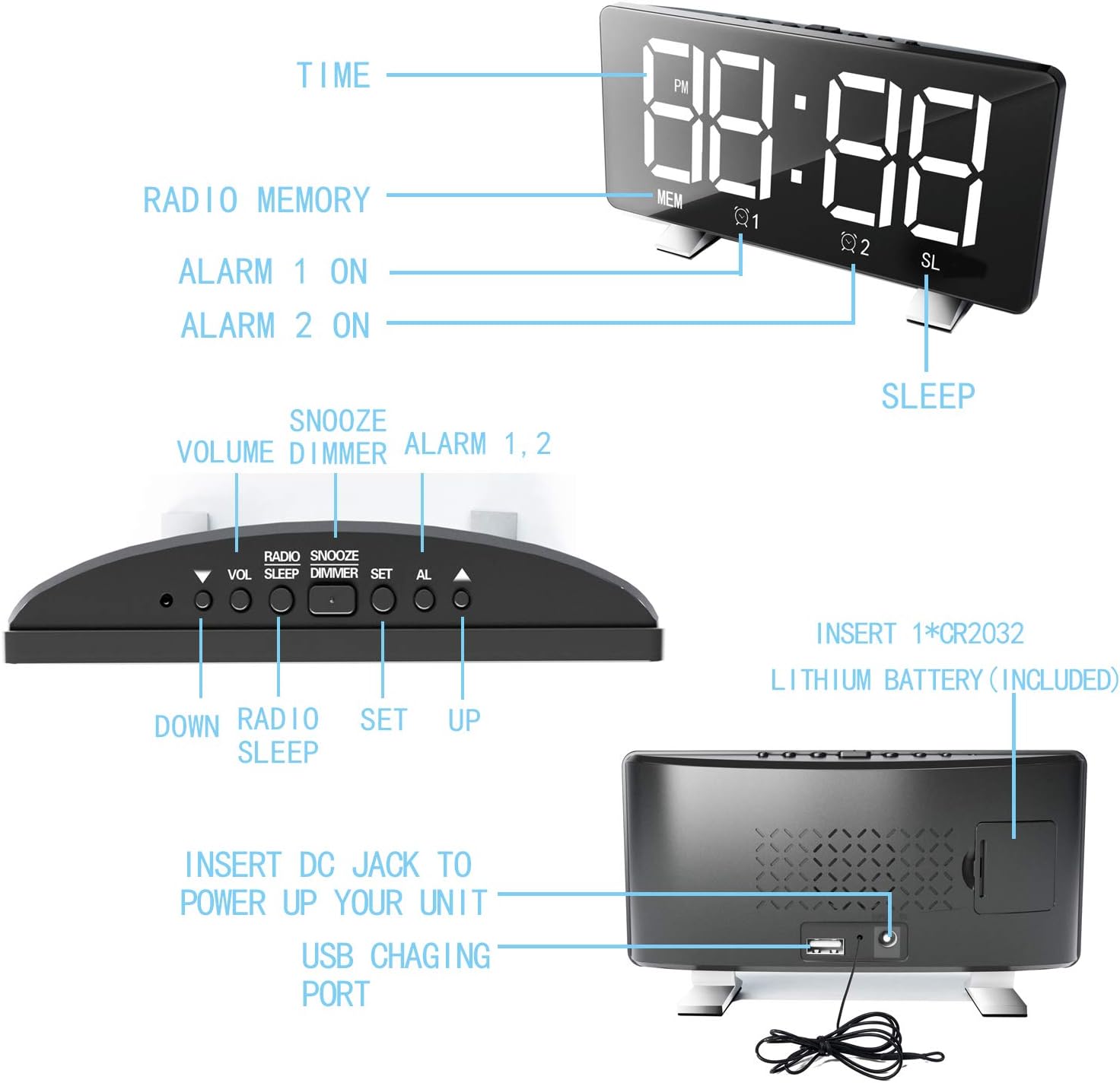
Image: Diagram illustrating the back panel of the alarm clock, highlighting the DC power input and the USB charging port. It also shows the location for the CR2032 lithium battery.
2. Installazzjoni ta 'Backup tal-Batterija
Għall-funzjoni tal-memorja tal-ħin waqt it-tifi tal-enerġijatages, insert 1 CR2 battery (not included) into the battery compartment on the back of the clock. Ensure correct polarity.
3. Issettjar tal-Ħin Inizjali
Upon first power-up, the clock may display a default time. Proceed to the "Operating Instructions" section to set the correct time.
Istruzzjonijiet Operattivi
L-issettjar tal-Ħin
- Agħfas u żomm il- SET Agħfas il-buttuna sakemm iċ-ċifri tas-sigħat jteptep.
- Uża l- UP or 'L isfel buttuni biex taġġusta s-siegħa.
- Agħfas SET għal darb'oħra biex timxi għaċ-ċifri tal-minuti.
- Uża l- UP or 'L isfel buttuni biex jaġġustaw il-minuti.
- Agħfas SET biex tikkonferma u toħroġ mill-modalità tal-issettjar tal-ħin.
- Biex taqleb bejn il-format ta' 12-il siegħa u ta' 24 siegħa, agħfas il-buttuna SET button once while in normal time display mode.
Issettjar tal-Allarmi (Allarm 1 u Allarm 2)
L-arloġġ jappoġġja żewġ allarmi indipendenti.
- Agħfas il- AL button once to set Alarm 1, or twice to set Alarm 2. The corresponding alarm icon (Q1 or Q2) se jteptep.
- The hour digits will flash. Use UP or 'L isfel biex taġġusta s-siegħa.
- Agħfas AL again to move to the minute digits. Use UP or 'L isfel biex taġġusta l-minuti.
- Agħfas AL again to select the alarm sound source: Radio or Digital Alarm.
- Agħfas AL one more time to confirm and activate the alarm. The alarm icon will remain lit.
- Biex tiddiżattiva allarm, agħfas il-buttuna AL button repeatedly until the corresponding alarm icon disappears.

Image: Illustration demonstrating the dual alarm functionality, showing two different wake-up times (7:00 and 10:00) and the snooze/dimmer button.
Bl-użu tal-Funzjoni Snooze
Meta tinstema' allarm, agħfas il-buttuna SNOOZE / DIMMER button to temporarily silence the alarm for 9 minutes (default). The alarm will sound again after the snooze period. To cancel the alarm completely, press any other button.
Operazzjoni tar-Radju FM
- Agħfas il- RADJU buttuna biex tixgħel ir-radju FM.
- Agħfas u żomm il- RADJU button to automatically scan and save available stations (up to 15).
- Uża l- UP or 'L isfel buttuni biex tirranġa manwalment jew tiċċaqlaq bejn l-istazzjonijiet salvati.
- Aġġusta l-volum billi tuża VOL buttuna.
- Biex itfi r-radju, agħfas il- RADJU buttuna għal darb'oħra.
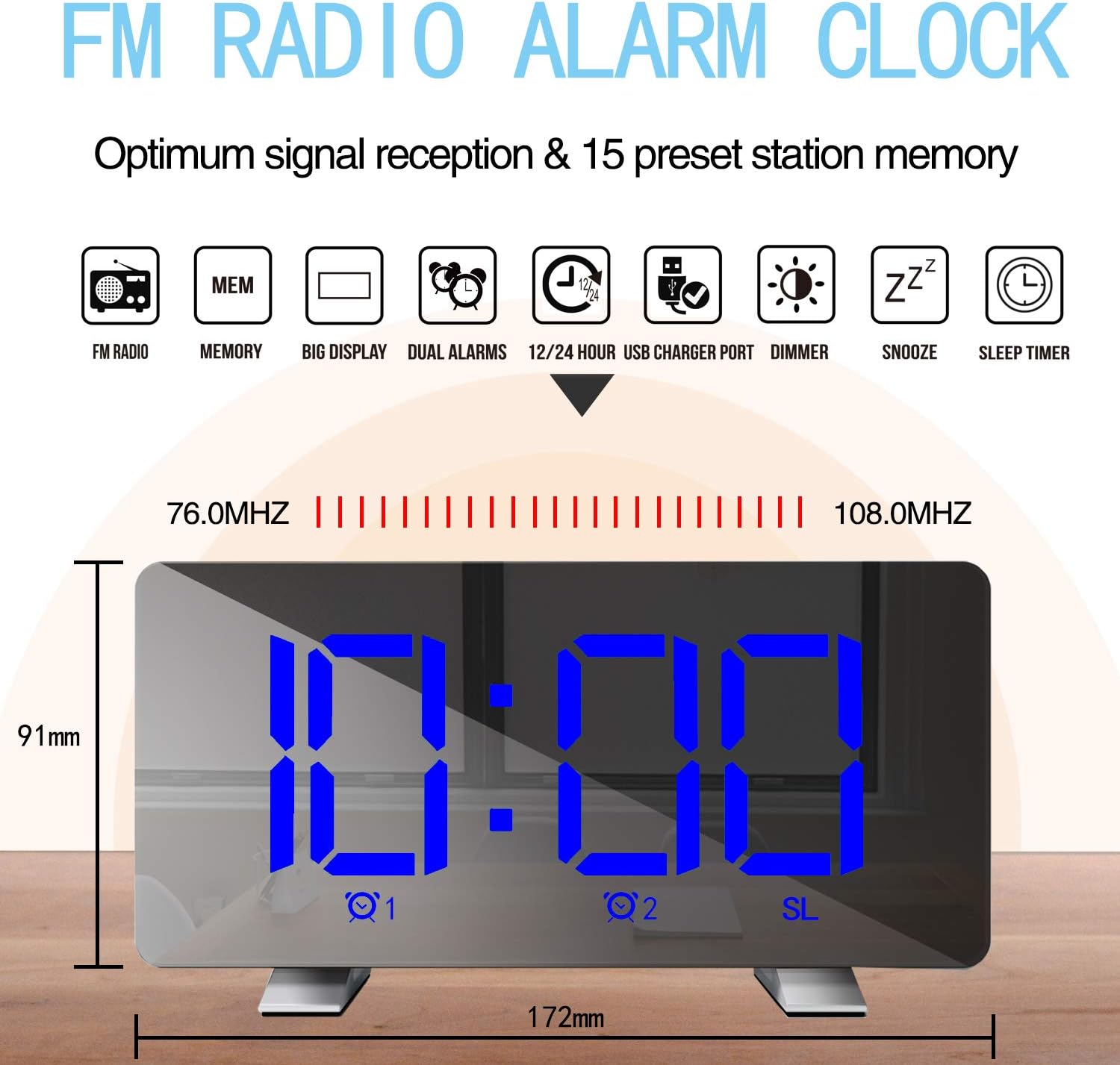
Image: Diagram highlighting the FM radio features, including frequency range (76.0MHz-108.0MHz) and memory for 15 preset stations. Also shows the clock's dimensions.
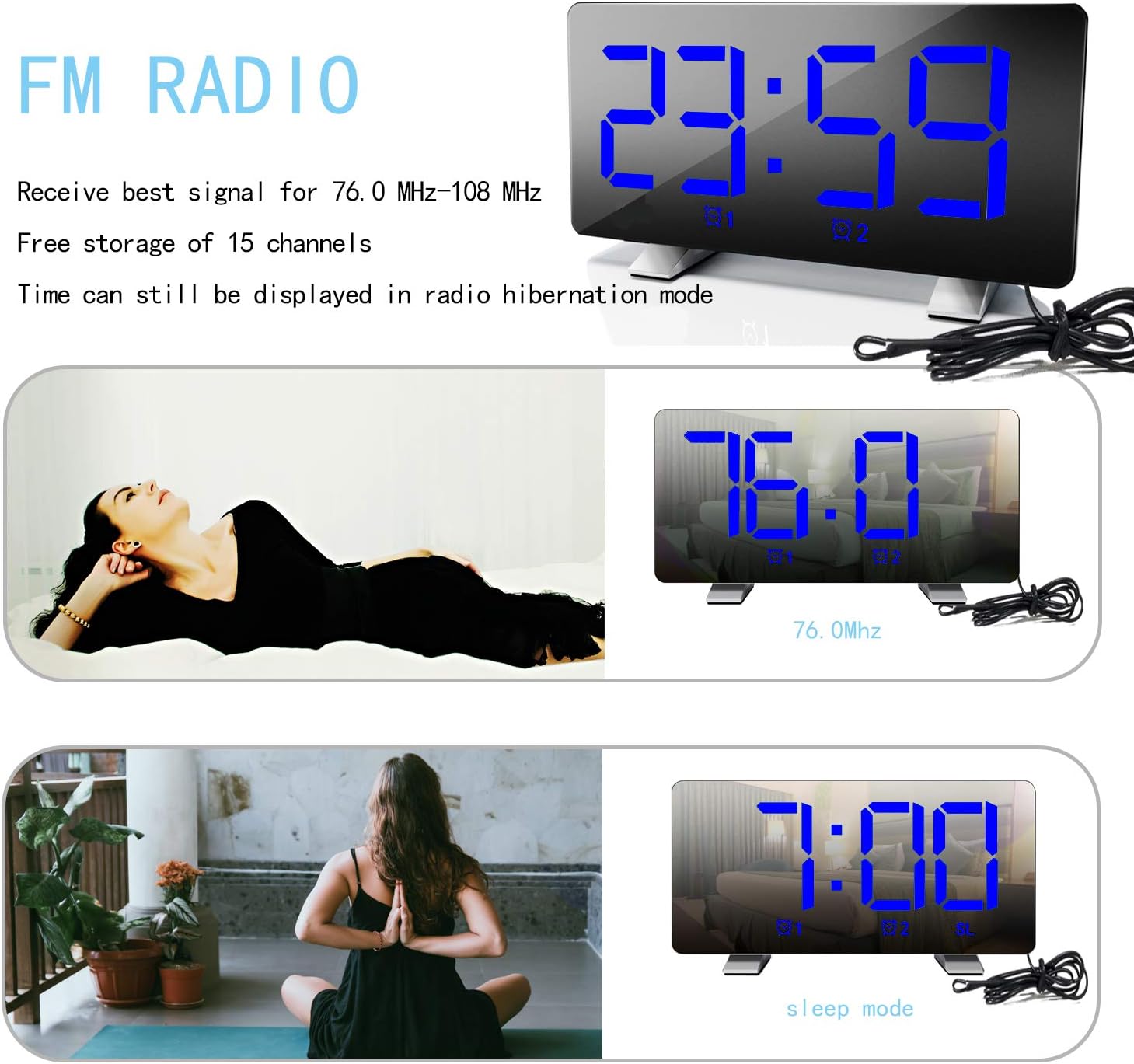
Image: The alarm clock displaying an FM radio frequency (76.0 MHz) and showing the time in sleep mode, indicating that time is still visible during radio operation.
L-aġġustament tal-luminożità tal-wiri
Agħfas il- SNOOZE / DIMMER button repeatedly to cycle through 4 levels of brightness: Bright, Medium, Dim, and Off. The clock can also automatically adjust brightness based on ambient light.

Image: Visual representation of the alarm clock display at three adjustable brightness levels: Bright, Medium, and Dim, along with an "Off" state for the display.
Port tal-Iċċarġjar tal-USB
Connect your mobile phone or other USB-powered device to the USB charging port on the back of the clock. This port provides power for charging your devices.
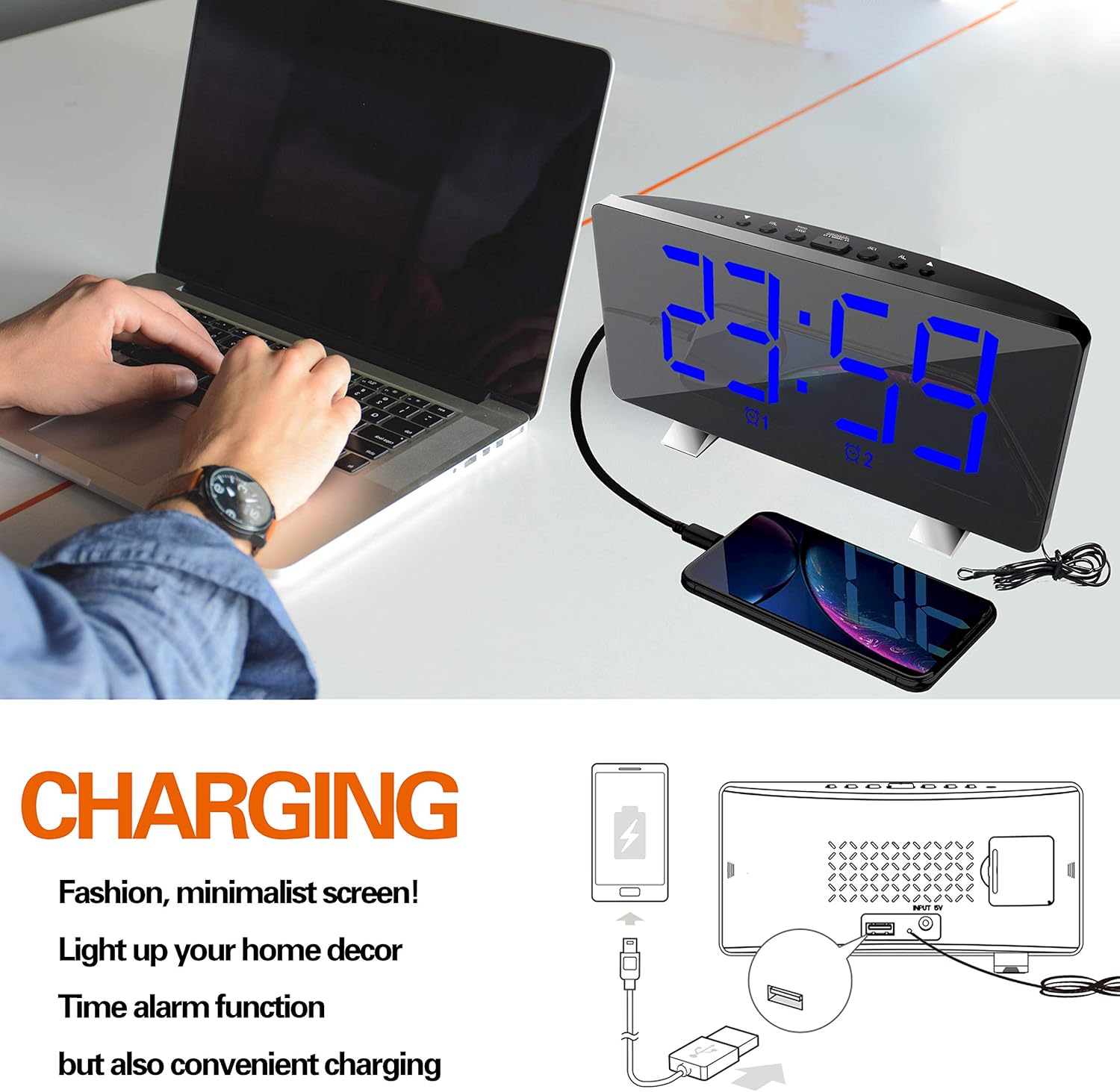
Image: The ThreeH Digital Alarm Clock connected to a laptop, with a smartphone charging via the clock's USB port, demonstrating its charging capability.
Manutenzjoni
- Naddaf l-arloġġ b'ċarruta ratba u niexfa. Tużax prodotti tat-tindif jew solventi li joborxu.
- Evita li tesponi l-arloġġ għal temperaturi estremi, dawl tax-xemx dirett, jew umdità għolja.
- Do not immerse the clock in water or any other liquid.
- If the clock will not be used for an extended period, remove the battery backup to prevent leakage.
Issolvi l-problemi
| Problema | Kawża Possibbli | Soluzzjoni |
|---|---|---|
| Il-wiri huwa vojt. | Ebda konnessjoni tal-enerġija. | Kun żgur li l-adapter tal-enerġija huwa pplaggjat sew fl-arloġġ u f'sokit tal-ħajt li jaħdem. |
| L-allarm ma jdoqqx. | L-allarm mhux attivat jew issettjat ħażin. | Verify alarm settings and ensure the alarm icon is lit on the display. Check alarm volume. |
| Ir-riċeviment tar-radju huwa fqir. | Sinjal dgħajjef jew interferenza. | Adjust the position of the clock or the antenna wire for better reception. Avoid placing near other electronic devices. |
| L-iċċarġjar tal-USB mhux qed jaħdem. | Device not compatible or cable issue. | Kun żgur li t-tagħmir tiegħek huwa kompatibbli mal-iċċarġjar bil-USB. Ipprova kejbil USB differenti. |
Speċifikazzjonijiet
| Brand | TlietH |
| Numru tal-Mudell | H-AC55Blue |
| Tip ta 'Wiri | LED diġitali |
| Dimensjonijiet (Approx.) | 172mm (W) x 91mm (H) |
| Sors tal-Enerġija | AC Power Adapter (USB powered, adapter not included) |
| Backup tal-batterija | Batterija CR2 waħda (mhux inkluża) |
| Frekwenza tar-Radju FM | 76.0MHz - 108.0MHz |
| Materjal | Plastik, Acrylonitrile Butadiene Styrene |
| Piż tal-oġġett | 295 Gram (10.4 uqija) |
Garanzija u Appoġġ
For warranty information and customer support, please refer to the documentation included with your purchase or contact ThreeH customer service directly. Contact details can typically be found on the manufacturer's official webis-sit jew fuq l-imballaġġ tal-prodott.
Jekk jogħġbok żomm il-prova tax-xiri tiegħek għal kwalunkwe talba ta' garanzija.


