Introduzzjoni
This manual provides essential information for the proper use and care of your Itari 4x6 Thermal Labels. These fan-fold shipping labels are designed for thermal printers and are compatible with various shipping platforms. Please read these instructions carefully to ensure optimal performance and longevity of your labels.
Karatteristiċi tal-Prodott
- Materjal ta 'Kwalità Għolja: Our shipping labels are made from high-quality material to ensure barcodes can be scanned easily.
- Water & Oil-proof & Strong Adhesive: These thermal printer labels are water & oil-proof, and scratch-proof. They feature strong adhesive for secure attachment to shipping boxes, mail, files, papers, and plastics.
- Kompatibilità Wiesgħa: The 4x6 shipping labels are compatible with Itari, Rollo, MUNBYN, Zebra, Phomemo, and other thermal label printers. They are also compatible with shipping platforms and carriers such as DHL, FedEx, USPS, Amazon, Shopify, and eBay. Note: These labels are only suitable for thermal printers, not laser or inkjet printers.
- Speċifikazzjonijiet: Each package contains 500 fan-fold labels. Perforations between each label allow for easy tearing and damage-free separation. Labels are designed for easy peeling.
Speċifikazzjonijiet
| Brand | Itari |
| Numru tal-Mudell | SLP-4x6-500-1 |
| Daqs tat-Tikketta | 4 x 6 pulzier |
| Kwantità | 500 labels per stack |
| Kulur | Abjad |
| Forma | Rettangolari |
| Tip Finish | Mtaqqba |
| Piż tal-oġġett | 2.49 liri |
| Dimensjonijiet tal-Prodott | 4.8 x 4.8 x 4.21 pulzieri |
Setup and Loading Labels
These fan-fold labels are designed for easy loading into compatible thermal label printers. Ensure your printer is powered off before loading.
- Iftaħ l-Għatu tal-Printer: Locate and press the release latch or button on your thermal printer to open the top cover.
- Aġġusta l-Gwidi tal-Karta: Adjust the movable paper guide clips within the printer's paper compartment to match the 4x6 inch width of the labels.
- Tagħbija Tikketti: Place the stack of fan-fold labels into the rear paper slot or compartment of your thermal printer. Ensure the print side of the labels is facing up and the first label is fed smoothly into the printer's feed mechanism. The labels should be aligned straight with the paper guides to prevent skewing during printing.
- Agħlaq il-Qoxra: Agħlaq il-qoxra tal-printer sew.
- Calibrate (if necessary): Some thermal printers may require calibration after loading new labels. Refer to your specific printer's manual for calibration instructions.


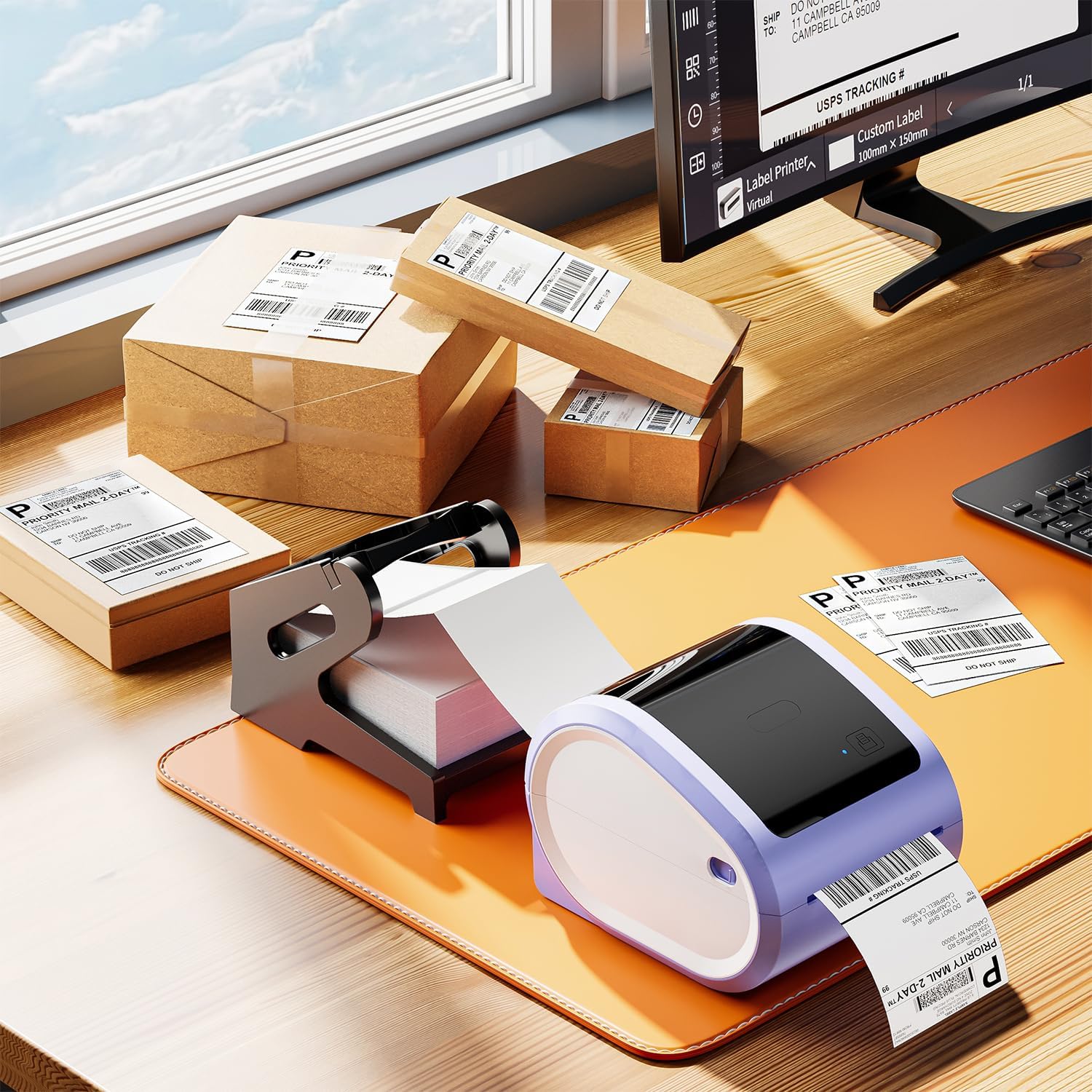
Video: How to Set Up with D520bt Printer
This video demonstrates the setup process for a D520bt thermal label printer, including loading labels and basic operation. While specific to the D520bt, the general principles of loading fan-fold labels apply to many thermal printers.
Istruzzjonijiet Operattivi
Once the labels are loaded, you can begin printing. These labels are designed for direct thermal printing, meaning no ink or toner is required.
- Qabbad l-istampatur: Ensure your thermal printer is connected to your computer or mobile device via USB or Bluetooth, as applicable.
- Setup tas-Software: Use your preferred shipping software (e.g., from Etsy, Shopify, Amazon, FedEx) or a label design application. Configure the label size to 4x6 inches within the software settings.
- Stampa: Send the print job to your thermal printer. The labels will feed through and print clearly.
- Qaxxar u Applika: Utilize the perforations to easily tear off printed labels. Peel the backing off the label and apply it firmly to your package or item. The strong adhesive ensures secure attachment.


Video: Print via Bluetooth
This video illustrates how to print labels wirelessly from a smartphone via Bluetooth, demonstrating the convenience of mobile printing with compatible thermal printers.
Manutenzjoni
To maintain the quality and performance of your Itari Thermal Labels:
- Ħażna: Store labels in a cool, dry place away from direct sunlight and excessive heat or humidity. Extreme conditions can affect adhesive quality and thermal printability.
- Immaniġġjar: Avoid touching the thermal printing surface of the labels with bare hands, as oils and dirt can degrade print quality. Handle labels by the edges.
- Kura tal-Printer: Regularly clean your thermal printer's print head and platen roller according to the printer manufacturer's instructions to ensure clear prints and prevent damage to the labels.
Issolvi l-problemi
If you encounter issues with your Itari Thermal Labels, consider the following:
- Kwalità Fqira tal-Istampar:
- Ensure the labels are loaded correctly with the print side facing the thermal print head.
- Clean the thermal printer's print head.
- Adjust print density or darkness settings in your printer software.
- Verify that you are using a thermal printer, not an inkjet or laser printer.
- Tikketti Mhux Qed Jitma' Korrett:
- Check that the labels are properly aligned with the paper guides in the printer.
- Ensure there are no obstructions in the paper path.
- Calibrate your printer for the label size.
- Tikketti Mhux Imwaħħlin:
- Ensure the application surface is clean, dry, and free of dust or grease.
- Apply firm, even pressure across the entire label surface.
- Check the storage conditions of your labels; extreme temperatures or humidity can affect adhesive.
Garanzija u Appoġġ
Itari is committed to providing quality products and customer satisfaction. If you experience any issues with your 4x6 thermal labels, please contact our customer service team.
Servizz tal-Klijent: Our customer service team is available 24/7 via WhatsApp, Skype, email, and phone call for any issues or inquiries.
- Email: support@itarictridge.com
- WhatsApp: +86 1369 772 4676
- Website for Tutorials: www.itarictridge.com
For additional support and video tutorials, search for "Itari Tech" on YouTube.
Dokumenti Relatati - SLP-4x6-500-1
 |
Gwida ta' Bidu Mgħaġġel għall-Itari PM-241-BT: Stampar ta' Tikketti Wireless Gwida komprensiva ta' bidu rapidu għall-istampatur tat-tikketti Bluetooth Itari PM-241-BT, li tkopri t-tniżżil tal-app, il-konnessjoni tal-istampatur, l-importazzjoni tal-PDF, l-istampar, u l-konnettività tal-PC għal negozji żgħar. |
 |
Gwida għall-Utent tal-Istampatur tat-Tikketti tal-Loġistika Itari PM-241: Konfigurazzjoni, Installazzjoni, u Tħaddim Gwida komprensiva għall-utent għall-Itari PM-241 Logistics Label Printer, li tkopri bidu rapidu, proċessar tal-prodottview, setup għal Windows u macOS, tagħbija ta' tikketti, manutenzjoni, issolvi l-problemi, u installazzjoni tad-drajver. |
 |
Gwida għall-Bidu Mgħaġġel tal-Printer tat-Tatwaġġi A886 Gwida komprensiva ta' bidu rapidu għall-Itari A886 Tattoo Printer, li tiddeskrivi s-setup, il-konnessjoni tal-app permezz tal-Bluetooth, l-istampar minn mowbajl u kompjuter, il-manutenzjoni, u s-soluzzjoni tal-problemi. |
 |
Gwida għas-Setup tal-Pjattaforma Polono għal Tikketti tat-Tbaħħir tal-Kummerċ Elettroniku Gwida komprensiva biex tissettja l-istampatur Polono tiegħek u s-softwer għall-istampar ta' tikketti tat-tbaħħir 4x6 minn pjattaformi ewlenin tal-kummerċ elettroniku inklużi Amazon, Shopify, Etsy, eBay, PayPal, Stamps.com, FedEx, u Poshmark. |
 |
Kif Tipprintja Tikketti ta' Daqsijiet u Forom Differenti bil-Printer Jadens Gwida pass pass dwar kif tipprintja tikketti ta' daqs u forma apposta bl-użu tal-app Jadens Printer u l-istampatur termali tat-tikketti Bluetooth. Tkopri t-tniżżil tal-app, il-konnessjoni tal-istampatur, l-għażla files, qtugħ, rotazzjoni, u aġġustament tas-settings tal-istampar għal diversi tipi ta' tikketti. |
 |
Manwal tal-Utent tal-MunbynPrinter - Gwida għas-Setup, il-Konfigurazzjoni, u t-Tħaddim Manwal komprensiv għall-utent għall-MunbynPrinter, li jkopri l-installazzjoni tas-softwer, il-konfigurazzjoni tal-istampatur, l-operazzjonijiet tal-istampar, is-settings, u s-soluzzjoni tal-problemi. Tgħallem kif tipprintja tikketti 4x6 u 8x11 b'mod effiċjenti bis-softwer ta' MUNBYN. |